No search results were found in Documentation!
 Catalin
 Hello Sayeed,
If you want to disable all the sidebars in mobile and tablet mode, you need a bit of CSS to hide this option. Plase try the code below and place it in Theme panel->Custom CSS area, like this: http://screencast.com/t/5iPUuNZoso3l
@media (max-width:767px){

.td-ss-main-sidebar {

display:none;

}

}
The above code is only for posts. If you want to hide them for pages, it is not a simple task because it is not easy to target the sidebar class and it depending on how you set the sidebars for pages. As a method to add the sidebar for pages would be with Visual Composer and with Widgetised element, like this: http://screencast.com/t/dXPluCP9xJy or you have to edit each column for responsive from Visual Composer because it is not a specific class for this kind of sidebar to hide it with CSS, like this -> http://screencast.com/t/avmaxUjj5Ala
The code is ->
@media (max-width:767px){

.wpb_widgetised_column {

display:none;

}

}
Please notice that the more article box is not displayed for the mobile version by default.
@media (max-width: 767px){

.td-more-articles-box {

    display: none !important;

}

}
If you want to activate for a mobile version you have to switch to display:block!important
For your second request, if you want to reduce the size for the next/prev button on smart list 7 you have to use a bit of CSS. Please try the code below and place it in Theme panel->Custom CSS area.
.td-smart-list-button {
padding: 7px 10px;
font-size: 14px;
}
Hope this helps and let us know how it goes!
Thank you for the message!
 George_D
 The smart sidebar only shows up in individual posts, not pages (I only have the homepage built with visual composer). I can’t deactivate it on themepanel>template settings>smart sidebar, or at least customise it using blocks.
 Bogdan B.
 Hello,
The smart sidebar can be deactivated first from the theme panel: http://screencast.com/t/jO2pcjlXKYu
This will deactivate the smart sidebar from the Widgets area. If your sidebar is not a widget, but a row/column in visual composer like so: http://screencast.com/t/g9JsVY9sw, in this case the smart sidebar is added as an extra class on the visual composer row, so you need to remove this class in order to eliminate the sticky sidebar: http://screencast.com/t/RQQ2IJMu7
You can read more about smart sidebars here: https://forum.tagdiv.com/smart-sidebar-2/
As for the second part of your question, you can customize a sidebar from the block settings for every element you add to it. Depending on the type of sidebar widget or visual composer. You can filter different categories to it by using content blocks like on your page and adding filters like shown here: https://forum.tagdiv.com/block-settings-tutorial/
As for the size, i assume the width. this is not customizable as our theme was built in a fixed grid layout and there is no option to modify the width of elements.
Thank you!
George_DHi
I tried to deactivate the smart sidebar on all the posts from the theme panel, but it didn’t work. I then cleared my cache using WP Super Cache, but that didn’t work either. Is there any other way I can do this, e.g. reinstall the theme? In case I do decide to keep the annoying smart sidebar, how do I customize it’s size and content to display certain categories, e.g. ‘featured’?
Also: How can I change the font colour of a sidebar widget’s title fro black to white?
 Reza
Reza Hello,
Thank you so much for your reply, already I have tried smart sidebar.
do you have any suggestion regarding my issue ? (I mean any plugin that you suggest us)
best regards;
Reza
Bogdan B. Hello,
Unfortunately the theme has no option for sticky social icons. There is a smart sidebar though. If you add a tagdiv social counter widget to it, then it will be sticky https://forum.tagdiv.com/smart-sidebar-2/. If this does not help you then the you can maybe find a plugin for social sharing. There are a bunch of social plugins out there. I believe they are among the most popular ones.
Thank you!
Bogdan B. Hello,
Unfortunately we do not recommend changing the width of the theme at all. Our theme uses a fixed grid layout which depend on the width of the theme for elements to position properly. If you edit the width then you need to edit every element that depends on this width and this will be the case for most elements including the smart sidebar.
Thank you!
Bogdan B. Hello,
Unfortunately this is the case with premium themes. The code is custom so not all plugins can work 100%. If a patch works on one theme, it does not mean that it will work on another one. You will have to find a replacement for your plugin. As i see it, this plugin simply allows for a sticky sidebar. Our theme already has an option for this: https://forum.tagdiv.com/smart-sidebar-2/
As for the footer, you can add widgets to it if you use an empty footer template and use the 3 footer widget spots like shown here: https://forum.tagdiv.com/footer-templates/
Thank you!
 Ing Geek
 Well, from my experience and point of view is something wrong with the hosting companies you hired or some plugin slows you site and uses a lot of resources. It makes no sense that many hosting resources are used only by the newspaper.
one last thing
deactivate: smartsidebar, Smooth Scroll, show post views, ajax view count, and 7 days post shorting 😛 and test if make a diference in resources usage
 jbenitez
Hello! I have a strange issue with sidebars on posts. When I select the Default or Style 5 post template, the sidebar displays with no problem at all and also the smart sidebar works fine. Look here: http://www.mizonadeportiva.com/2014/12/02/dos-gigantes-se-desafian-uno-al-otro/
But when I select any other post template the sidebar does not appear, it does appear at the bottom of the Post content and in the left (when smart sidebar is active the sidebar only appears when scrolling back to the top of the post).
I’ve already tried disabling all plugins, creating new sidebars and nothing works. I also did a correct update and also tried on Chrome, Safari and Firefox, they all display the same issue. Any help?
Bogdan B. Hello,
Unfortunately the scrolling sidebar (smart sidebar) cannot be colored as the normal sidebar can. This is because the part that scrolls has no padding to it so coloring the smart sidebar was not added as an option as it will not display properly: http://screencast.com/t/ngBnAmrdE2
Thank you!
 alexschneiderru
Hi,
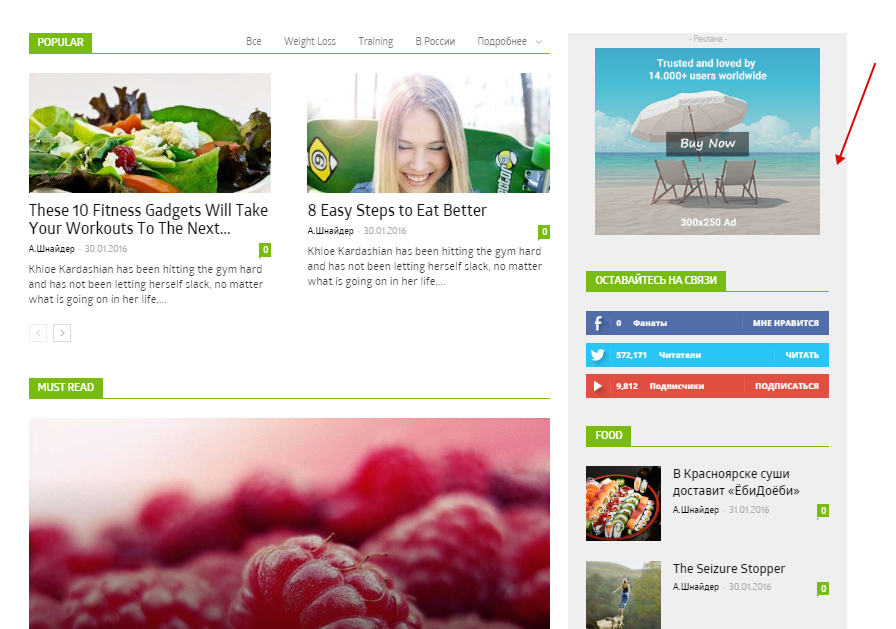
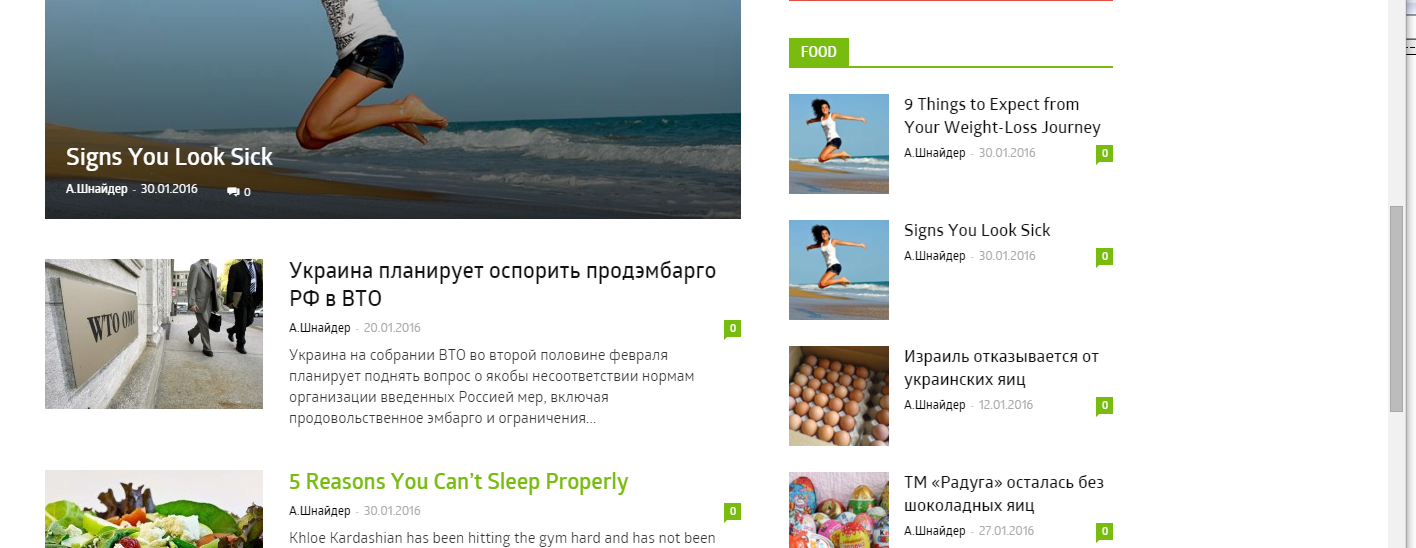
I try to change (through Visual Composer block attributes) background color of sidebar. In initial state everything is fine ( http://c2n.me/3tJgACr.png ) but after scrolling bar becomes white again ( http://c2n.me/3tJiOUt.png )
Is it possible to fix it?
Thanks in advance.
Catalin Hello Cristi990,
In order to achieve as you want, please consult our documentation about how to implement the sidebar in your site, here -> https://forum.tagdiv.com/sidebars-tutorial/ -> https://forum.tagdiv.com/smart-sidebar-2/ -> https://forum.tagdiv.com/sidebar-ads/
Also, please consult our YouTube section because there you can see a lot of tutorials and would be more useful for you. -> https://www.youtube.com/results?search_query=tagdiv+newspaper+6+
Hope this helps and let us know how it goes!
Thank you for the message!
Catalin Hello rishab55555,
I have checked again your website and the smart sidebar are working fine. You have to use this feature on posts with a more long content than the length of the sidebar so, it can be scrolled (moved up ->moved down). I saw that all your posts have small content and the sidebar does not exceeds the length of the content and therefore, does not work. I have tested your sidebar on this category page and I load more information to have more content -> https://www.naukrinama.com/states/rajasthan-govt-jobs/
Thank you for the message!
 rishab55555
 Hello Catalin,
I have checked by trying to disable all plugins on my website apart from Visual composer and just installing the plugins that came by default with theme, but the smart sidebar functionality din’t worked with it.
I then installed each plugin one by one, by it din’t solved the issue.
Please let me know what to do next to get this resolved !
rishab55555Hello,
I have Newspaper theme v6.5 installed on my website.
URL – https://www.naukrinama.com
I have enabled the Smart Sidebar option in my backend, but it is not working on the front end (Category Page or Post Detail Page). If the content length is bigger on the left hand side than the sidebar then the sidebar doesn’t sticks to the screen but creates blank white space.
Also tell me how can be make the left section also sticky so that if the sidebar content is bigger then the left section becomes sticky.
Looking for a solution to this problem.
Bogdan B. Hello,
The best thing to do is use the smart sidebar feature: https://forum.tagdiv.com/smart-sidebar-2/
I hope this helps.
Thank you!
 Pravin
Hi i have a wordpress site with this tagdiv theme Newsmag
i have created a custom homepage with the help of visual composer and i want my sidebar sticky so i have followed https://forum.tagdiv.com/newsmag-smart-sidebar/ this article and made my sidebar sticky
here is the link for my site http://beta.koimoi.com/ however my issue is this sticky sidebar works for desktop but not for tablet (all devices , android and ios)
so can any one assist me on this ??
Catalin Hello paolobabaglioni,
I have checked your website and I saw your fallen sidebar on the first page. Please try to use another sidebar without any plugins and test it again. Please notice that the smart list feature is too sensible and might appear some errors. Also, you have to try to create another smart list into a blank page in text mode and ensure that you have followed the correct steps to achieve this and you does not forget to close any tags, braces, div, etc. Clear caches and test it again.
Hope this helps and let us know how it goes!
Thank you for the message!
 paolobabaglioni
Hello!
In this article on desktop: http://www.blogpositivo.it/societa/profumare-casa-modo-naturale/
I don’t view the sidebar on the right.
I used the smart list 6
The sidebar appears under Article
bye.. Thank You
 Andrei L.
 Hi
I’ve checked your post and noticed it have a different structure than the one created in the theme. The smart sidebar depends by this class: td-ss-main-content and to have it working on all your post content are required some js customizations in ths function: http://screencast.com/t/hhLZ99poM
Unfortunately I can’t provide a solution now as this is a complex task which require some investigations. If you need this please my advice is to find someone to help you with it or hire a developer to do it for you as we cannot offer any customization serviced st the moment.
Thanks!
 Ramesh Kumar
 I want the smart sidebar sticks to the end.
Andrei L. Hi
I am not sure I understand your request, please provide more details about what you’re trying to do so I can get back to you with a more accurate answer.
Meanwhile if you want to customize the smart sidebar code, you can look in tagdiv_theme.js file here: http://screencast.com/t/hhLZ99poM
Thanks!
Ramesh KumarHi Dev,
Recently, I have implemented infinite scrolling in Newsmag and it’s working fine. Now I want to change the html div etc. of SmartSidebar’s sticking point as the sidebar stops and scrolls up with first post.
Any tips or suggestions to change or edit files in Newsmag engine.
Thanks
 Alin [tagDiv]
 Hi,
I’m not really sure what you mean regarding the sidebar. Do you want to make the sidebar sicky on the page? Please check this guide and add the custom class to the row – https://forum.tagdiv.com/smart-sidebar-2/
If this is not what you mean please provide more details, also a screenshot could help.
Thanks!