
- NewspaperSingle Post Shortcodes
- NewspaperThe Mobile Theme
- NewspaperSmart Lists
 uxengineer
 I’m adding it in a Widget Area… I’m not seeing Smartlists available there?
 rainteq
Hello,
Has anyone had issues with Smartlist? I tried placing it manually in the classic editor and block, but it doesn’t show up.
I am using Single Post Template – Default Pro.
Editing both the template itself is not giving a good result as with “Single Post Smartlist” it duplicates the post’s content.
 jamshid
Hello, where can I change the text color of links on a single smart list page?
 Lakuma
Is there a way to have the LightBox option enabled for all posts by default?
I currently have GENERAL MODAL IMAGE and SMARTLIST MODAL IMAGE options enabled in the Newspaper Post Settings -> General Post Settings, but when I create a new post and add images, I need to enable or check the LightBox option for each image.
 Unickow
https://islandfishermanmagazine.com/
I apologize, I’m not that technical, so please bear with me. All my articles (I have hundreds) now have images clickable, and when clicked they show as a full size jpg with the full url of the image. The only way to get back to the article is to use the browser back button. I don’t want this feature. Something in the new update has turned this on and I ca’t figure out what as I am not technical enough.
I have turned off GENERAL MODAL IMAGE, DISABLE MODAL IMAGE ON MOBILE, and SMARTLIST MODAL IMAGE, and dumped the cache and restarted pages, but there is no effect.
Example article (old article): https://islandfishermanmagazine.com/3-tips-for-better-float-fishing/
In a new article I posted today, if I turn modal image on, then the image doesn’t have that functionality, which is the way I want all my article images to be, as they were before the update. In the same article, the feature image does not have an option.
today’s article:
https://islandfishermanmagazine.com/reel-in-relaxation-with-nootka-marine-adventures/
I really need help to make all the images in my entire site not clickable and expanding, as they were before this update, please.
 lusips9
i have a problem with smartlist, how to use smartlist ? if use style 1,2,3,4,5,-13 style sidebar not showing to smartlist how to use smartlist ???
 Anamaria
 Hi,
There are different types of smartlists https://forum.tagdiv.com/smart-lists/, the extra that you want can be achieved with custom code css like applying border radius on the button.
Thank you!
 besthomegear
 Thanks, Anamaria
As I see it to fix the Modal setting issue that is distorting the images loading on my site I can employ one of two options.
Option #1: (As you refer above – Make changes to WP Rocket settings)
All I need to do in the exclude modal images is in the disable box of WP Rocket – copy and paste this exact type: td-modal-image
No other letters or symbols?
Then I save and clear the cache in WP Rocket and that’s it right?
Option #2: Make changes to TagDiv “Post Settings” instead…
See this screenshot. I am paying for WP Rocket Premium to optimize my site in many ways, what if, I make the changes in TagDiv Modal settings instead?
Specifically, I would do this; disable “General Modal Image”, Disable “Modal image on MOBILE, and Disable “Smartlist” modal image. Disable All Three?
Wouldn’t this accomplish the same objective as reconfiguring my WP Rocket settings? Confirming, I really don’t need the modal options enabled to properly run the theme correct?
Thanks again for your prompt response and help!
Kevin
 Archerix
 Hi, have recieved the same email
The problem is only in “mobile”, i’m using the tagDiv Mobile Theme
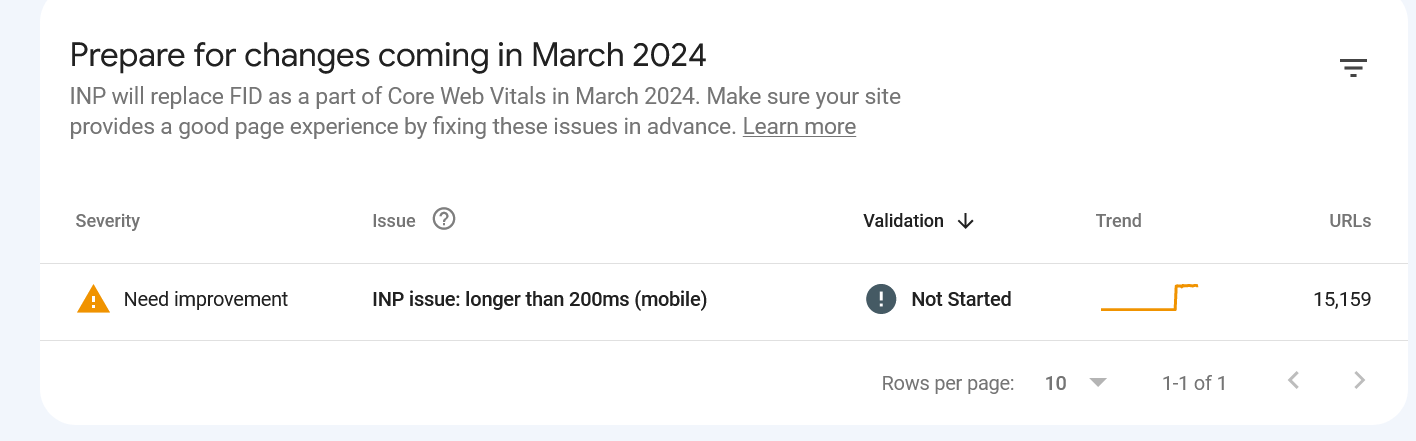
Also, the tagDiv Mobile Theme as a problem with “smartlist” forcing always in mobile the “smartlist 1” ignoring options we have selected and that shows correctly on desltop
 Bettina
 Hello!
Unfortunately, the mobile theme won’t work like that. If you uninstall the mobile theme, then you will see that the smartlists will display on the mobile viewport as well.
Actually, we have 3 options for mobile versions that you can use:
1. Responsive version: A responsive version of your website looks similar to the desktop version. TagDiv Composer is used to edit the page.Click on the mobile viewport: https://www.screencast.com/t/XDQJedlggSB. There, you can see your mobile version and edit or adjust the elements to look better.
2. Mobile pages: https://tagdiv.com/newspaper-10-3-7-update-brings-customizable-and-fast-mobile-pages
3. Mobile theme plugin: The Mobile Theme is a performance-optimized theme included in the main Newspaper theme that only loads on mobile devices. It comes with its own templates and designs for pages, posts, categories, etc., so your current templates from the desktop theme will get converted to the mobile theme layout. Please see https://forum.tagdiv.com/the-mobile-theme/ and https://forum.tagdiv.com/mobile-theme-introduction/ for more information.
A full explanation is here: https://www.youtube.com/watch?v=SpGkOnJeNZY
If you need to use the mobile version 1 or 2, then you need to disable the Mobile Theme plugin.
You can choose the mobile version and the menu you want to use. By default, we use option 1 for mobile, and you can customize it from the tagdiv Composer.
Thank you!
 ste.terracina
Hello, we’ve been using newspaper on our wp magazine since version 9, and so when upgrading to version X and higher we had to use the standard pack. A couple of weeks ago I finally removed all of the standard pack dependencies, created new cloud templates for our needs and deactivated the plugin. The problem is, when creating smart lists using the new cloud template they don’t show correctly on mobile theme, while everything is fine on desktop.
examples of the issue:
https://www.moviestruckers.it/approfondimenti-film/the-flash-spiegazione-finale-implicazioni-futuro-dcu/
https://www.moviestruckers.it/approfondimenti-film/la-sirenetta-20-differenze-film-animazione-live-action/
here are the settings (edit: adding plain urls, as imgur doesn’t work with the img button of the forum)
https://imgur.com/a/zNgWFiF

and this is how the smart list is set up
https://imgur.com/uW13cyb

I also tried creating a mobile theme with the same smartlist setup, but with no luck.
I tried browsing your demo website to replicate the issue, but the mobile theme is not in use. Is it still mantained?
Thank you
 Cuma
Cuma I also want to ask there can be ads below the picture in smartlists. Right here https://demo.tagdiv.com/newspaper_pro/td-post-10-fabulous-over-the-ankle-shoes-to-wear-this-cold-season/2/ – just like Newspaper 9 and below.
CumaHello to all, I downloaded newspaper 12 and cloud templates of smartlist 4 and 5. I’m just trying to get my ads active on smartlist 4 and 5. But when i try to save ads code in composer it says saved it actually doesnt save. What can i do?
 yeeloon
Hi, I am running into an issue with smartlist. I get this error message below (refer screenshot link).
Notice: Trying to access array offset on value of type bool in /home/kinimy/public_html/addons/agencyfilter.com/wp-content/plugins/td-cloud-library/smart_lists/tdb_smart_list_1.php on line 61
Uncategorized
Can you assist how to fix the error?
Thanks,
yeeloon
 jotem
jotemHello,
I have a problem (again) with smartlist pagination after latest update. It seems to repeat itself after few updates. If you click on next/back button, page reloads but nothing changes. Same problem exists when using dropdown option for smartlist.
Lastest wp + Newspapper
https://en.jotem.in/dishwasher-bosch-series-4-smv4evx14e-review-reviews/
 kubick
 Thank you for your help.
Removing “Single Post Content” and replacing it with “Single Post Smartlist” will change all articles on the site.
I did the test. Without “Single Post Content” I will lose my ads space.
I understand that it is not possible to add “Smartlist” to a regular post. Need to choose “content” or “smartlist?
Anamaria Hello,
Please delete the Single Post Content element and add the Single Smartlist element -> https://i.imgur.com/HhfzZxO.png -> https://i.imgur.com/zOSV3yK.png
Thank you!
 jon238
Hello. I need support with creating a smart list post in the Newspaper Template. I’ve followed the instructions provided in https://forum.tagdiv.com/smart-lists/ but I’m not able to add content to the smartlist element.
Steps Taken:
– Created a new post using the Smart List Template 5 post template
– Published the post after adding title, images and paragraph blocks (at this point…the post does not resemble a smart list post)
– Go into edit mode of the post using tagDiv Developer and it automatically inserts a Single Post Smartlist element into the post with 3 pictures inserted from my media gallery.
– I save the post but the SmartList does not appear when going to live preview.
How do I insert content into the smartlist post?
Thanks in advance
Anamaria Hi,
I just replied you here in your own topic, please check: https://forum.tagdiv.com/topic/i-dont-find-smartlist-in-my-post/
Thank you!
 najjout
What is this?
I don’t find a smart list option in my post
Please help me fast
najjoutHello, I buy them, and when I started my first post, I didn’t find the Smartlist option
please help me
 Bubbabee
Hello,
Are there specific instructions for inserting IN CONTENT non google ads on Smart lists posts.
I have not been able to get my incontent ads to render on smart lists posts.
Here are a couple of my smart list posts
https://smallbusinessify.com/how-to-be-courageous/
https://smallbusinessify.com/best-jbl-speakers-ever-made/
Here ia a non Smartlist post
https://smallbusinessify.com/how-to-motivate-employees/
Can you please advice on how to fix this.
Regards
Olubunmi
Bettina Hello!
If your settings are missing, then please make sure you have Standard pack plugin installed and active.
If you use a cloud/PRO template, then there is an element in TagDiv Composer called “Single Post Smartlist”.
Thank you!
Anamaria Hello,
Usually the “Invalid reply from server endpoint error” is caused by insufficient WP_Memory_limit, in config is WP_MEMORY_LIMIT not PHP Memory Limit (there is a typo, sorry) if you’ll set it to 256M, (you can try to double the value) and if it is still not working, please check the rest of the settings from our guide -> https://forum.tagdiv.com/requirements-for-newspaper/ and please increase all requirements that are lower, and follow all steps. Also please make sure that you use an SSL to have https.
Also, for the smart list, if you import it from the cloud library, you need to have the Single Post Template with the Single Post Smartlist => https://www.screencast.com/t/tPsQsmVdNFs.
Hope this helps you!
Thank you!
 catalingeangos
How do i change the smartlist header NUMBER colour as i didn’t find it in theme panel.


