teknobilimadami
 Hi Vlad S.
I sent these things to you to contact@tagdiv.com. I have very serious problems. Please I want errors on our site to be resolved.
After Update Theme Problem ongoing developments are as follows.
1 – Home / Front Page When I edit with Td Composer, it gives an error.
2- Sitemap index cannot be accessed and gives an Error.
teknobilimadami.com/sitemap_index.xml
Look at the see ; https://prnt.sc/v7lrtf
3- At the top of the site and on the WordPress panel, the following error is written:
Notice: Undefined index: expires_in_ts in /home/teknobi6/public_html/wp-content/plugins/td-composer/legacy/common/wp_booster/td_instagram_access_tk.php on line 37
has an error.
4- When entered from Mobile Phone and Desktop, the Fonts of the Theme appear to be Scrolled on the Phone.
Likewise Previous view was like this: https://prnt.sc/v731c4
Now it happened like this: https://prnt.sc/v7327n
It looks like this on the Mobile Phone. Footer Sub-Menus are shifted to the right and are not visible at all. See: https://prnt.sc/v733a9
5- The Sitemap page of our site gives an error.
Currently, Google Search console will not be able to index our posts. I have to take a break from the work of your editors. Because I am waiting for the answer and solution from you. I did what you said and updated the Theme. I am very sad. But it got worse. 🙁
Problems I Spotted – These are the errors.
I request that the necessary be done. You made 1 single mail return today. How many hours have I waited for an answer from you at the computer for hours. 🙁
I have to suspend our jobs.
Please solve my mistakes. I am waiting for you to send mail
 providencebusiness
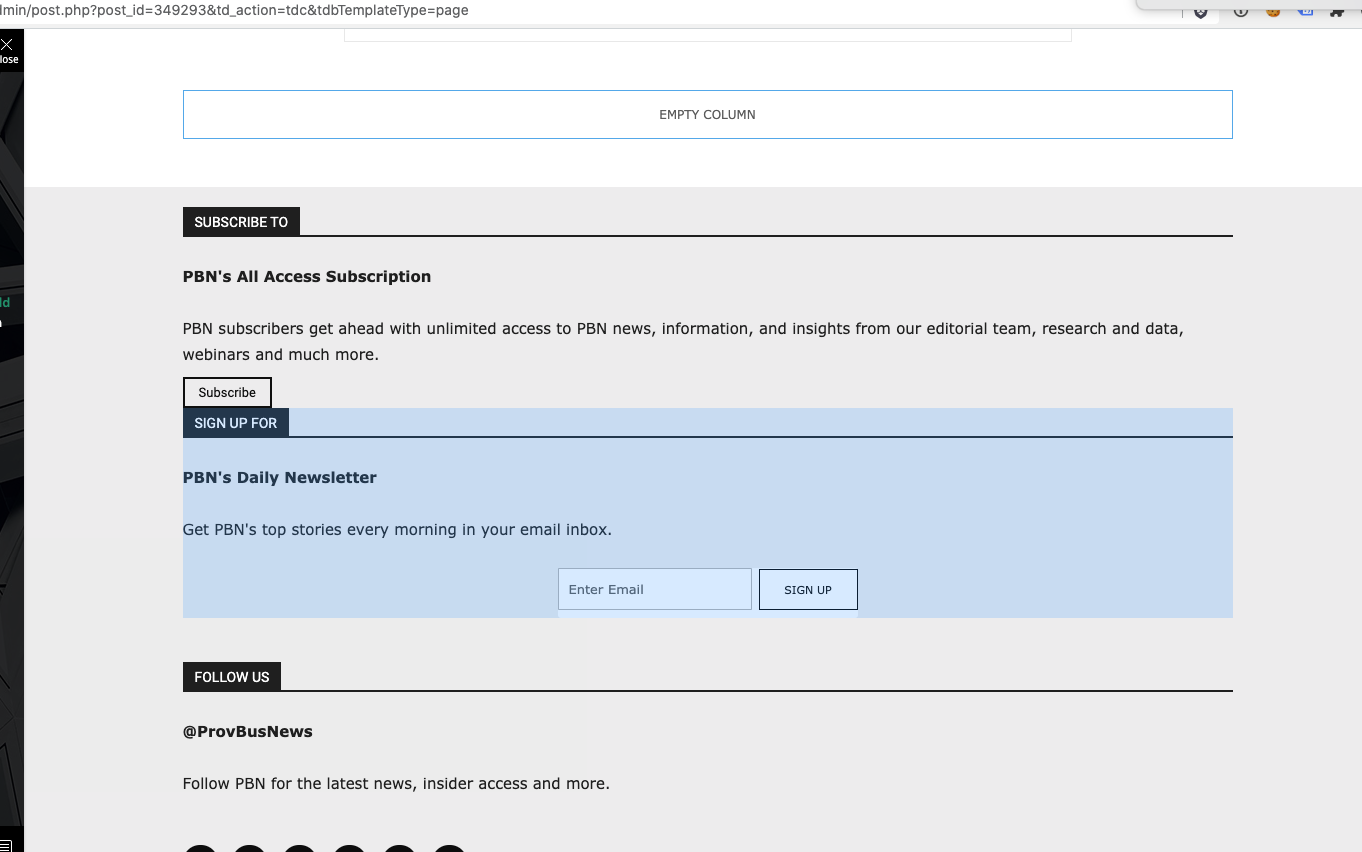
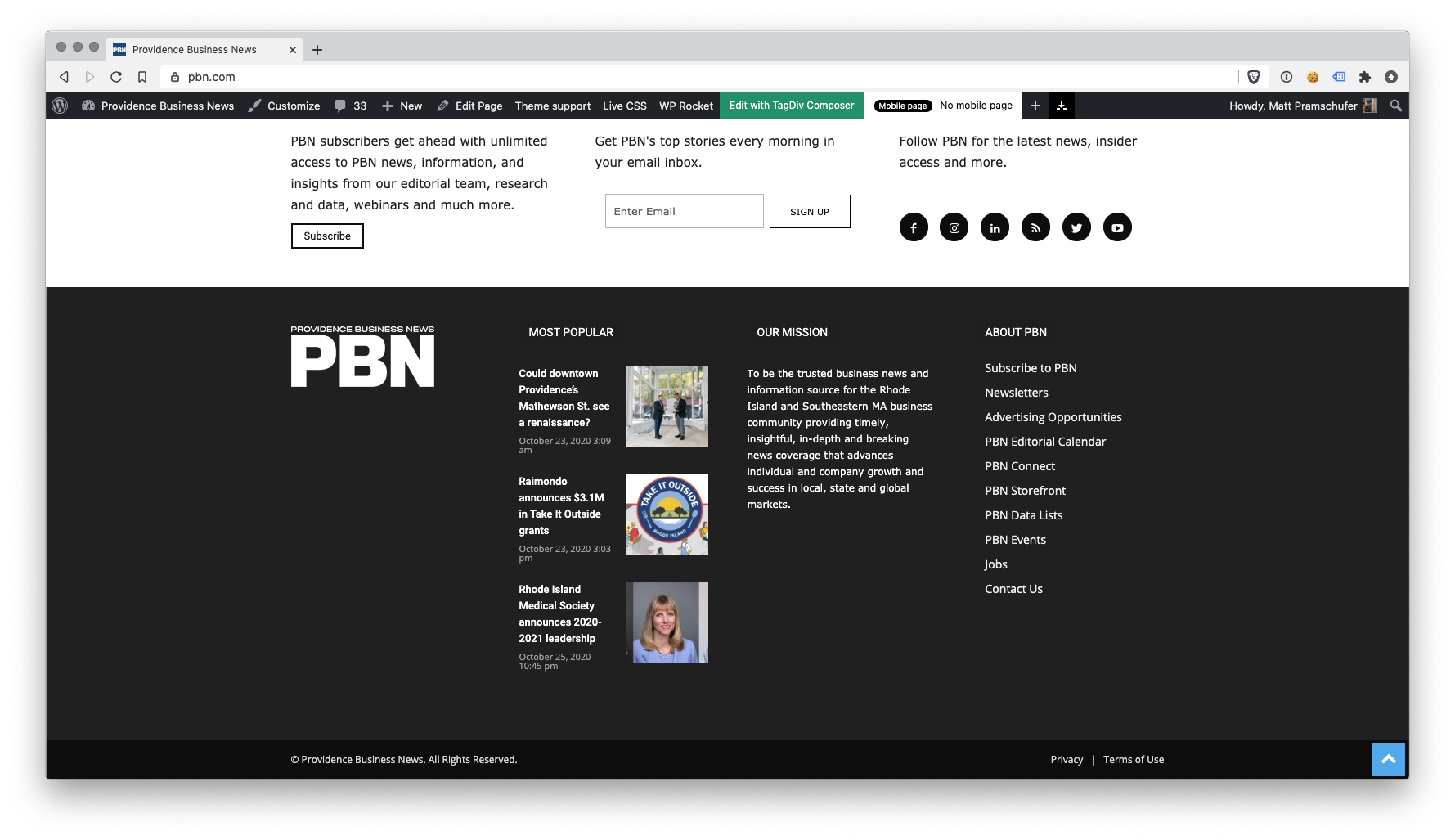
I have the latest version of the Newspaper theme, we are using a child theme with the Standard Pack plugin. I went and created a new footer template from a blank footer. In TD composer the column styles do not get injected on the live edit. See https://s3.amazonaws.com/pramadillo/_Providence_Business_News__WordPress_2020-10-26_11-41-42.png
When I save the footer and assign it globally in Theme Panel, the footer column styles only appear on pages in which we build with Visual Composer.
Homepage Built with Visual Composer – https://s3.amazonaws.com/pramadillo/Providence_Business_News_2020-10-26_11-45-48.png
Individual Post Page without Visual Composer – https://s3.amazonaws.com/pramadillo/Could_downtown_Providences_Mathewson_St._see_a_renaissance_-_Providence_Business_News_2020-10-26_11-46-45.png
I have cleared cache and double checked everything and to no avail the css does not get included.
 Soundqubed
Support,
Was wanting to know if NewsPaper has a way to globally change a blocks title border color or do I have to do this individually or with custom CSS.
Here is the block I’m referencing.
https://imgur.com/nWGxbKc
Here is the Custom CSS I can use.
/* Default blue bar under title to green */
.td_block_template_9 .td-block-title:after {
background-color: #88b239 !important;
}
The default background-color seems to be blue , but want it green. I can change each block’s title border individually in the composer or use custom CSS to do it globally. Is their a way to do it globally with the composer?
 lorenzopietra1997
Hi, i can’t work on my site cause i updated wordpress and now when i try to edit page with the td composer i got an infinite loading
 JerryKan40
I have just purchased this theme. I am currently running your Newspaper theme. I installed Newsmag and tried to activate it but it caused a critical error.
Warning: require_once(legacy/Newsmag/functions.php): failed to open stream: No such file or directory in /var/www/wp-content/plugins/td-composer/td-composer.php on line 96
Fatal error: require_once(): Failed opening required ‘legacy/Newsmag/functions.php’ (include_path=’.:/opt/remi/php73/root/usr/share/pear:/opt/remi/php73/root/usr/share/php:/usr/share/pear:/usr/share/php’) in /var/www/wp-content/plugins/td-composer/td-composer.php on line 96
There has been a critical error on your website.
 tgrassey
 I just tried to use the jquery migrate helper plugin and after activating it, editing the homepage with the “Edit with TD Composer” button gives a 500 error. Is there anything else we can do in the meantime until we can get all of our custom templates and stuff working with the latest version of the theme?
 Calin
Calin Hi tgrassey,
These problems appear when you are using an old theme version and the last version of WordPress, these are not compatible https://i.imgur.com/1fwoN6e.png, one solution that can work is the one mentioned by Benjamin_duran to use jQuery Migrate Helper plugin and the second solution is to make a full back and update the theme to Newspaper v10.3.7 -> https://tagdiv.com/update-newspaper-theme/ also make sure that all theme plugins are enable, if not you’ll have only shortocdes on your website.
Also this “The current content page hasn’t been created by TagDiv Compser” is just a notice that the last time the pages/template was nit saved in TD Composer.
Thank you!
Calin Hi mayaguez,
For this you need to click on “Edit with TD Composer” like this https://i.imgur.com/B0EkPLf.png -> https://i.imgur.com/yh0Be9o.jpg then click on any element then click in sidebar on mobile icon -> https://i.imgur.com/nSKoQT1.jpg the results will be -> https://i.imgur.com/QG28T9n.png
Hope this will help you!
Thank you!
Calin Hi,
If that code need to be set in the theme, I do not know if it will work using a plugin, what you can do is to set the code in head section here -> https://i.imgur.com/gAW21JL.png
if this is not working, then you need to set it manually in theme files, if you are using cloud template, the file where you need to set the code in this one wp-content/plugins/td-composer/legacy/Newspaper/header.php
Bothe plugins (tagDiv Composer and tagDiv Cloud Library) has this “format” to can be use in child theme, in this way the elements under/legacy/Newspaper/ can be edited in a child theme, this method was adopted for users like you how use cloud templates and standard pack is disabled, in this way they can use the file from composer in child.
Hope this will help!
Thank you!
 phaseoneindustrial
cannot edit content with tagdig composer. js errors
td_wp_admin.min.js?ver=10.3.7:135 Uncaught TypeError: Cannot read property 'outerWidth' of undefined
at td_wp_admin.min.js?ver=10.3.7:135 FietsersbondHZ
WP-editor doesn’t funtion under EDGE, if I want to edit content the loading icon of the box that displays the content keeps spinning, I”m also not able anymore close the TD-composer window after that and EDGE informs that the page is unsafe. It does work however under CHROME so it looks like it’s a browser related issue. It’s not a problem for me now as I can access WP-editor under CHROME but I thought it would be good to report anyway.
Calin Hi andertjf,
If you are using the mobile theme plugin, then the files that need to be edited is this one -> wp-content/plugins/td-composer/mobile/comments.php
Hope this will help you!
Thank you!
Calin Hi,
I think that for this you are using this guide -> https://www.semrush.com/blog/your-guide-to-understanding-googles-sitelinks-search-box/?kw=&cmp=EE_SRCH_DSA_Blog_SEO_EN&label=dsa_pagefeed&Network=g&Device=c&utm_content=473320212413&kwid=dsa-837871680671&cmpid=9875219915&agpid=103365049634&gclid=CjwKCAjw_sn8BRBrEiwAnUGJDp6UWdfbezqER7Ckd7pr78VbtK_guSzjCPO5f4lI8Xf4YBwOVlCsuxoCc-AQAvD_BwE
Now if I understand correctly you need to hook the theme search function, the file for this are these:
The search from Composer, when you do not use standard pack-> wp-content/plugins/td-composer/legacy/Newspaper/parts/search.php
Standard search from standard pack-> wp-content/plugins/td-standard-pack/Newspaper/search.php
The search from cloud templates-> wp-content/plugins/td-cloud-library/shortcodes/search/tdb_search_form.php
Now I do not know the right implementation of that code, I did not set it before in our theme to know how it need to be set and how it should work, but if you can set it for a default theme it should work with our theme too, but on a standard search not on live search.
Thank you for your understating!
 tofikpardeshi
hello sir
i am working on a header section and some change megha menu section.and after this setting change
Header and menu section is not shown. edit with td composer page is they are only load.
This error show.
Failed to execute ‘atob’ on ‘Window’: The string to be decoded is not correctly encoded.
 theincredibleyaya@gmail.com
 Thank you. Yes Landscape view worked. Is there a problem with TD composer / cloud. It is EXTREMELY slow. I’m not sure if this is a TagDiv issue or my hosting — I’m using BlueHost. It was fine until 2 days ago and it became extremely slow one day after I updated to the latest version of Newspaper. Is there an issue with BlueHost and the latest Newspaper version.
 aassi
aassiI’m getting two error related to WPML and I’m not sure how to solve it.
Error 1
It states:
Notice: Undefined index: tdb_templates in /home/customer/www/<my website>/public_html/wp-content/plugins/td-cloud-library/includes/tdb_functions.php on line 489
At this line we have:
https://prnt.sc/v4wwwz
Error 2
It states:
Notice: Undefined index: tdb_templates in /home/customer/www/<my website>/public_html/wp-content/plugins/td-composer/legacy/common/wp_booster/td_wp_booster_functions.php on line 2844
At this line we have:
https://prnt.sc/v4x60t
Thanks for your help.
 gepdaily
 I have done this. I maybe Yoast…but this is supposed to be compatible. I am getting “Not Connected” errors to the point that my staff cannot work.
Also in the error logs:
td-composer/td-composer.php on line 114
[Thu Oct 22 14:21:55.926075 2020] [php7:warn] [pid 1320] [client 114.119.128.236:2444] PHP Warning: Use of undefined constant TDC_PATH_LEGACY – assumed ‘TDC_PATH_LEGACY’ (this will throw an Error in a future version of PHP) in /mnt/web/gepdaily/wp-content/plugins/td-composer/td-composer.php on line 114
Just started showing up.
Theme config
Registration key i e34cabba – **** – **** – **** – 690a391f3818 Reset key
Theme name i Newspaper
Theme version i 10.3.7
Theme database version i 10.3.7
HTTP channel test wordpress
Theme Mobile Newspaper mobile version
php.ini configuration
Server software i Apache
PHP Version i 7.4.7
post_max_size i 80M – You cannot upload images, themes and plugins that have a size bigger than this value. To see how you can change this please check our guide here.
max_execution_time 60
max_input_vars 4000
SUHOSIN installed false
PHP extensions
mbstring available
GD library available
WordPress and plugins
WP Home URL i https://gephardtdaily.com
WP Site URL i https://gephardtdaily.com
WP version i 5.5.1
WP multisite enabled i No
WP Language i en_US
WP Memory Limit 1 GB/request
WP_DEBUG False
Caching plugin WP super cache – for best performance please check the plugin configuration guide here.
Happy to let you into my site….need a google email address.
 riosa
riosaHi,
I created custom post template with TD composer and applied it to multiple posts and after that,
how can I edit the each contents of posts?
The changes I edited on one post are automatically applied to all posts and I can’t edit individually.
What I would like to do is as following, use one template and change the contents for each articles.
POST:A / TEMPLATE:A / CONTENTS:A
POST:B / TEMPLATE:A / CONTENTS:B
POST:C / TEMPLATE:A / CONTENTS:C
Thanks,
 Benjouy_NA
 I’ve got exactly the same problem since the last update yesterday.
No way to edit my homepage with TD composer (no pb on other part of the website), like on your video it doesn’t load (only a small part exactly like you).
 Amit
Amit Yes,
For the mobile theme:
// Preload Newspaper fonts for mobile theme
function dns_prefetch_mobile() {
echo “<link href=’https://lowtechnation.com/wp-content/plugins/td-composer/mobile/images/icons/mobile-theme.woff?10′ rel=’preload’ as=’font’ type=’font/woff’ crossorigin>”;
}
add_action( ‘wp_head’, ‘dns_prefetch_mobile’, 0 );
Add this to mobile theme’s functions.php file.
You can read this guide for more optimizations: https://www.infophilic.com/get-almost-100-pagespeed-newspaper-theme/
 Vlad S
 Hi,
Please make sure that you do not have a plugin conflict, please deactivate ALL plugins except tagDiv Composer, also if you are using child theme or cache plugin, deactivate them, clear all cache and try again.
If the problem persist, please set this code in functions.php -> wp-content/plugins/td-composer/legacy/Newspaper/functions.php
add_action('admin_head',function() {
echo '<style>.td-gutenberg-editor .editor-styles-wrapper .wp-block {max-width:726px;}</style>';
});
Or you can send us an email at contact@tagdiv.com and provide admin login, as well as cPanel or FTP if possible. We will take a look. Include a link to this topic in the email.
Thank you!
Calin Hi ediwebroma,
For default post template make sure that you copy both files for that template, you need to copy them from in file path -> wp-content/plugins/td-composer/legacy/Newsmag/single.php https://i.imgur.com/KrAJdBM.png in wp-content/themes/Newsmag-child/single.php if file is not for default post template, then you need to copy them from wp-content/plugins/td-composer/legacy/Newsmag/parts/single/ in wp-content/themes/Newsmag-child/parts/single/
Hope this will help you!
Thank you!
 Fareed Lodhi
Hi,
First of all thank you for such a nice theme.
I am some issues hope you will answer and guide to resolve them;
1. I am not seeing extended footer options in theme panel(https://imgur.com/8pV7kBD), why?
2. I have edited footer in TD Composer and it is showing properly on front page(https://imgur.com/ZTrdKWt) but on category and post pages it is showing up like (https://imgur.com/kMHa5Mb).
Please help me to resolve it.
theincredibleyaya@gmail.comI don’t see the button where I can click into TD Composer to edit the front end when I’m using my iPad. I would like to use TD Composer on iPad. Where can I do this.
 kirruse67
Hello,
I have problem with the category featured image in the td composer load perfectly but in the view dont load. what is the problem?
https://todosobrebebes.com/category/consejos/
Thanks