
- NewsmagtagDiv Composer Tutorial
- NewsmagHow to use the Visual Composer plugin
- NewsmagHow to update a plugin
- NewsmagRequirements for Newsmag
- NewsmagInstall via WordPress
- NewsmagInstall via FTP
- NewsmagBlock settings tutorial
- NewsmagPage Menu
- NewsmagCustom ad spots
- NewsmagSmart sidebar
- NewsmagVideo playlist
- NewsmagPage templates
 Calin
Calin Hi,
In Newspaper v9.7.3 the td_module_single_base.php was moved in tagDiv Composer plugin, you can find it in -> wp-content/plugins/td-composer/legacy/common/wp_booster/td_module_single_base.php
Hope this will help you!
Thanks.
 Bintmusic
Hi,
we have taken note of the fact that with each update it is necessary to update also the td-composer plugin that contains all the most important files for changes on the theme.
like many other users of the theme, we kindly ask you to insert a patch folder of the files modified in td-composer. For you it’s just a little effort but it’s a great help for all of us.
Which files were modified in td-composer in the 9.7.2-9.7.3 update?
Thanks!
 mario118
 Final update: I fixed everything.
The solution:
– In order to correct the theme breaking from updating the template, I had to rollback, and then re-attempt the update which allowed me to activate and update TD composer
– For some reason, this update moved the mailchimp form that was embedded in the footer over to the sidebar..hmmm…I had to re-embed it and now it works again
– WP Bakery appears to be conflicting with TD Composer, I had to disable it in order to correct the above screenshot you see. Some TD composer elements were missing due to the WP Bakery conflict such as Single Image and empty spacer. Not sure why.
mario118 Update:
I was able to correct the majority of the issues with the exception of one thing. I had two main images on my homepage below my slider and now I can’t seem to edit them at all as they appear cropped/glitched out on the homepage since the update. Here is a screenshot of some code I see in TD composer but there’s no way for me to edit it or click on it.
edit: I’m also noticing that the “empty space” and “single image” from the composer block shortcode is missing.
-
This reply was modified 7 years by
mario118.
 Netz
Netz I dont know if helps, but the new templates are in the td-composer plugin folder. legacy/
-
This reply was modified 7 years by
Netz.
 Anderson Salles
Toda vez que instalo o tema meu wordpress trava e só abre a as paginas com esse erro: Parse error: syntax error,
unexpected T_FUNCTION in /home/curte716/iviver.com.br/wp-content/themes/Newspaper/functions.php on line 34
Outro problema é no pluguim
Não foi possível ativar o plugin porque ele gerou um erro fatal.
Parse error: syntax error, unexpected T_FUNCTION in /home/curte716/iviver.com.br/wp-content/plugins/td-composer/td-composer.php on line 85
 criticalgg
Hey everyone, when trying to preview a post with Disqus Conditional Load plugin activated, I get this error:
[29-May-2019 14:58:59 UTC] PHP Warning: require(/var/www/html/wp-content/plugins/td-composer/legacy/Newspaper): failed to open stream: Success in /var/www/html/wp-includes/comment-template.php on line 1510
[29-May-2019 14:58:59 UTC] PHP Fatal error: require(): Failed opening required ‘/var/www/html/wp-content/plugins/td-composer/legacy/Newspaper/’ (include_path=’.:/usr/share/php’) in /var/www/html/wp-includes/comment-template.php on line 1510
What’s the fastest way to fix this?
Bintmusic A patch folder for the td-composer would also be absolutely necessary, since now all the files are in there. Who made the changes how do you know what to change and send to the server?
It would be a good idea to make life easier for developers and not the other way around.
Thank you!
 be2name
 It’s in
/wp-content/plugins/td-composer/legacy/common/wp_booster
Calin Hi,
The h1 is set on logo if the page template do not have a title, if the page have a title, then the title will have the h1, you can check those files in wp-content/plugins/td-composer/legacy/Newspaper/parts/header/logo-h1.php and wp-content/plugins/td-composer/legacy/Newspaper/parts/header/logo.php
Thank you!
Calin Hi,
Since Newspaper v9.7 the td_wp_booster_functions.php file was moved in tagDiv Composer plugin, the file can be found now in wp-content/plugins/td-composer/legacy/common/wp_booster/td_wp_booster_functions.php
Thank you!
Hope this will help you!
Thanks.
Calin Hi,
I think that this problem can be fixed by changing a line of code in wp-content/plugins/td-composer/mobile/header-amp.php
Replace:
<html <?php language_attributes(); ?>>
-> https://www.screencast.com/t/Fj94HAommH
With:
<html <?php language_attributes(); ?> amp>
-> https://www.screencast.com/t/yIjgHPfpB
Please make sure that you do not have a plugin conflict, please deactivate all non theme plugins, also if you are using child theme or cache plugin, please deactivate them, clear all cache and try again.
Thank you!
 ecarshu
 Really? I don’t want to install a another plugin….
I receive a lot of errors when I want to edit with TD Composer
Calin Hi @akshem,
Since Newspaper v9.7 the td_wp_booster_functions.php file was moved in tagDiv Composer plugin, the file can be found now in wp-content/plugins/td-composer/legacy/common/wp_booster/td_wp_booster_functions.php
Thank you!
Calin Hi,
The td_module_single_base.php was moved in tagDiv Composer plugin, you can find it in -> wp-content/plugins/td-composer/legacy/common/wp_booster/td_module_single_base.php
Hope this will help you!
Thanks.
mario118 The problem is that everytime I try to update the plugins either using the theme dashboard or the plugins page it gives me this error:
PCLZIP_ERR_BAD_FORMAT (-10) : Unable to find End of Central Dir Record signature
Td composer had also disabled itself and won’t enable again. Other people seem to be having this exact issue. Also, the desktop version now has the formatting of the mobile theme. There’s something wrong with the delivery of the update.
 JKLFab
 I am receiving the same error. I’ve never used Newspaper. I got it installed and when I got to the step for installing the plugins via the WordPress interface, everything just stopped working. I can’t even log into the WordPress admin anymore, I get this error:
Fatal error: Allowed memory size of 103809024 bytes exhausted (tried to allocate 786432 bytes) in /nfs/c07/h03/mnt/102529/domains/tallahasseefoodies.com/html/wp-content/plugins/td-composer/td-multi-purpose/td-multi-purpose.php on line 10427
The site is experiencing technical difficulties. Please check your site admin email inbox for instructions.
Also, my main page now has this error:
Fatal error: Allowed memory size of 103809024 bytes exhausted (tried to allocate 196608 bytes) in /nfs/c07/h03/mnt/102529/domains/tallahasseefoodies.com/html/wp-content/plugins/td-composer/includes/tdc_map.php on line 1250.
My hosting company is saying I can’t use your theme. Here are my php.ini settings:
; Rename this file to php.ini and uncomment or add directives.
; For a complete list of valid directives, visit:
; http://us2.php.net/manual/en/ini.php
[PHP]
; We highly recommend that you leave this options enabled
cgi.fix_pathinfo=1
extension=curl.so
; Increase maximum post size
post_max_size = 99M
memory_limit = 99M
upload_max_filesize = 198M
; Increase execution time
;max_execution_time = 300
; pull in EGPCS [Environment, GET, POST, Cookie, Server] variables as globals
;register_globals = true
; For performance reasons, (mt) does not load all of the modules that are available
; into PHP. You may uncomment any one of the following “extension” lines to enable
; the desired module
; Salblotron XSLT
;extension=xslt.so
; save in local tmp
session.save_path=/home/102529/data/tmp
 Beni
Beni I have even the proplem that td-composer does not load, because admin-settings were aempty in javascript.  . Ist this related with that?
Calin Hi,
Since Newspaper v9.7 a lots of files was moved in td-composer, you need to look for this files in wp-content/plugins/td-composer/legacy/Newspaper/includes/shortcodes/td_block_mega_menu.php and wp-content/plugins/td-composer/legacy/common/wp_booster/td_menu.php
Hope this will help you!
Thank you!
be2name Hi Calin,
this answer is WRONG. The “at” is hard coded in
/wp-content/plugins/td-composer/legacy/common/wp_booster/comments.php
Please tell the programmers to change line 180 from
<time pubdate="<?php echo esc_attr( $td_article_date_unix ) ?>"><?php comment_date() ?> at <?php comment_time() ?></time>
into
<time pubdate="<?php echo esc_attr( $td_article_date_unix ) ?>"><?php comment_date() . __td(' at ', TD_THEME_NAME). comment_time() ?></time>
and ad translation in .mo .po files.
 ananas
Is it possible to use full width for the page content on some special pages (build with td composer)?
I have a very wide table on one page and don’t want my users to have to scroll when there is so much space left.
 ekreator
 Thanks,
in the wp-content/plugins/td-composer/ folder, there isn’t a “mobile” folder… only assets, css-live, includes and td-multi-purpose
in td_menu.php, we’ve upped the limit from 5 to 100 and it still doesn’t work
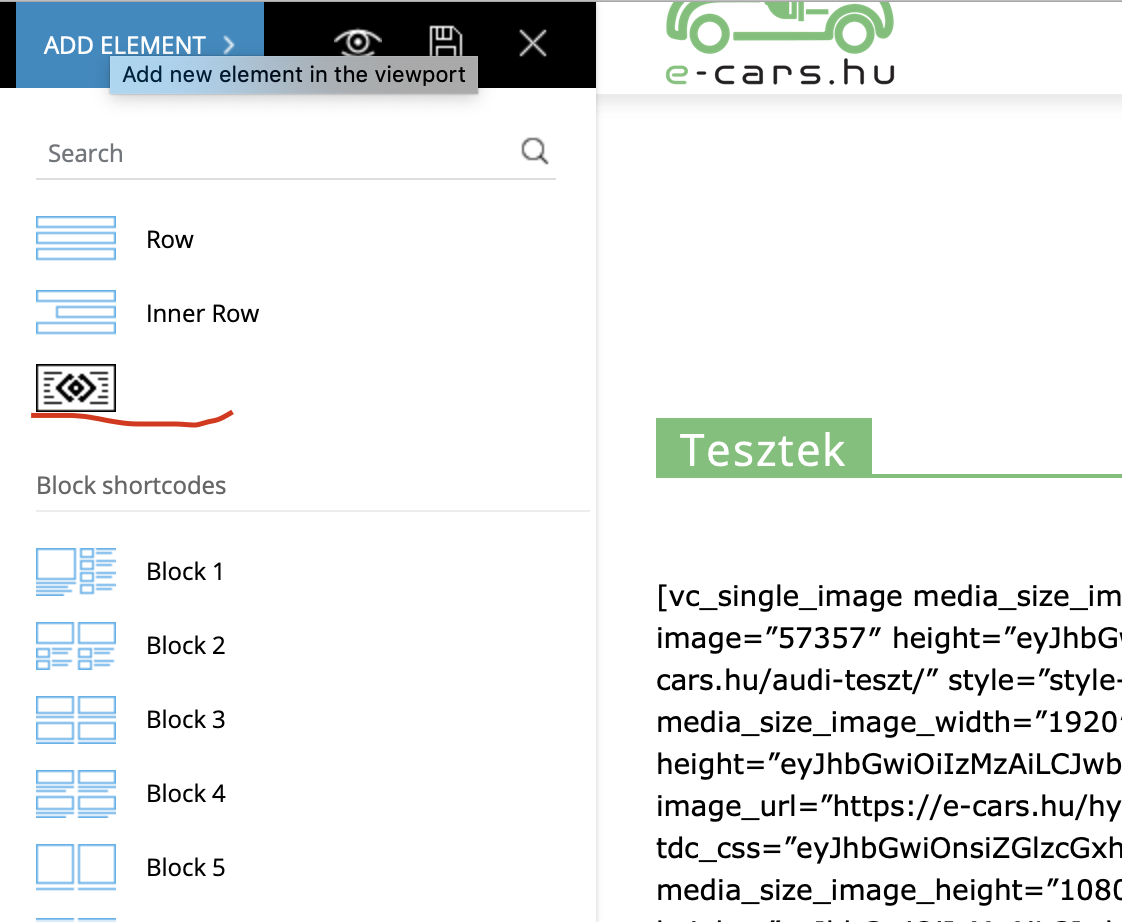
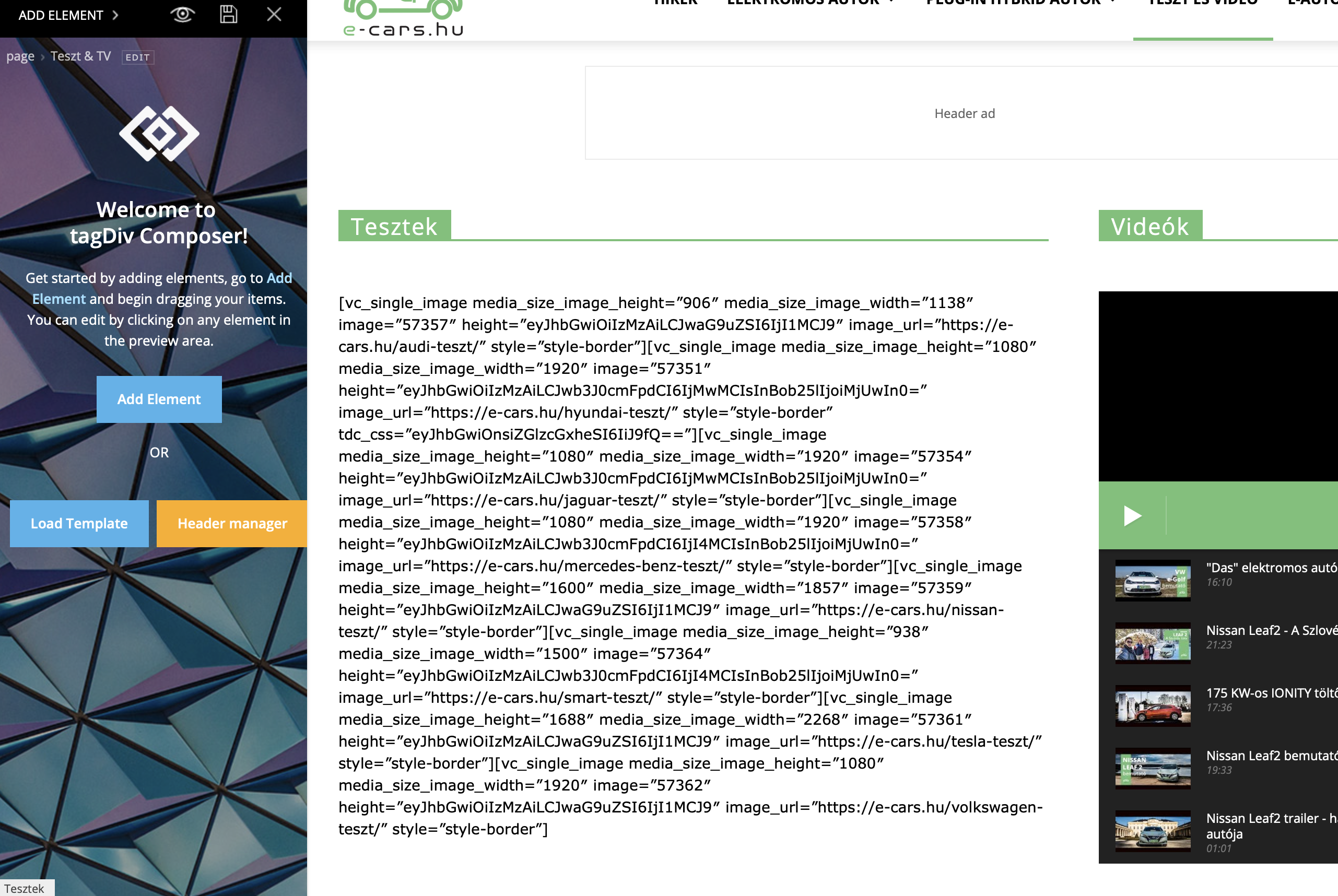
ecarshuEvery single images goes to very small after the update.
I can’t edit the pictures in the TD Composer because I can see a lot of code: vc_single_image image….
Yes, I followed the the instruction about the update, and I activated the TD Composer to.
Please fix it ASAP!
 insumedical
 Downloading installation package from http://insuguid.com/wp-content/themes/Newsmag/plugins/td-composer.zip …
Unpacking the update.
Install the plugin.
The folder already exists. / insumedical / www / wp-content / plugins / td-composer /
Plugin installation failed.
↑↑↑↑↑↑↑↑↑↑↑↑
Can not install~!
mario118 I had to put my website into maintenance mode because I do not have a backup to roll back to a previous version and the theme is completely unusable right now everything is messed up see image below. All I did was update to the latest Newspaper version, never expected these issues. Now critical plugins disabled themselves mostly TD composer and will not enable itself or update. I get the above error anytime I try to activate the plugin. What happened?? How can I fix this?
I am using a child version of the theme.
Current website condition:
https://ibb.co/YNjNPNM
-
This reply was modified 7 years by
