
- NewsmagHow to update a plugin
- NewsmagHow to update the theme
- NewsmagHow to update the WPBakery plugin
- NewsmagCategory templates
- NewsmagWhat’s included in Newsmag theme package
- NewsmagAjax view count
- NewsmagSmart Lists
- NewsmagFeatured images
- NewsmagFeatured image or video
- NewsmagModal window
- NewsmagtagDiv slider gallery
- NewsmagVideo playlist
 Anamaria
 Hello,
I recommend updating the theme to the latest version, 12.6.4 to be updated and to don’t have malware.
If you want to update the theme, you should download the latest version of it from Theme Forest account and download it.
I recommend that you update the theme manually https://forum.tagdiv.com/how-to-update-the-theme-2/ via FTP/cPanel/File Manager, also if possible disable extra plugins during the theme update to avoid any problems that may arise and make sure that you have activated the tagDiv Standard pack plugin to keep the website’s look. You can try to update the theme on a staging website.
After you update the theme, you need to update the theme plugins too.
In the worst cases, the settings in the theme panel may be lost (there have been isolated cases), in these cases, after the theme plugins that were previously used are activated, you will have to use a backup for the theme panel -> https://forum.tagdiv.com/import-export-theme-settings/
Thank you!
 gorthi
 The error is again happening after update!
 Total Motorsport Admin
Hi there, I was wondering if there is a way to have the published time displayed on a post, as well as the date.
At the moment I can have either the date, or time passed since a post was published.
Is there a setting to have the format – Feb 1, 12:20am – displayed when a post is published/updated.
Thanks
David
 Calin
Calin Hello,
To see from where is coming the error you can enabled the debug (to set it on true in wp-config.php).
It is possible that after the last theme update to be some changes to this that now affects the categories, what I can recommend is to do resave permalinks, to make sure that you have enough wp-memory limit – https://forum.tagdiv.com/newsmag-requirements-for-newsmag/ and in case that the problem persist, you can even do a test with the previous plugin version.
Thank you!
 razvans
 great. it’s working now. those values were default there. i never added anything there. fix it in a following update.
Thanks for your help! Have a nice day!
 leagcooks
Since the latest update from ALL in one SEO all catergoy links do not work and show critical errors?
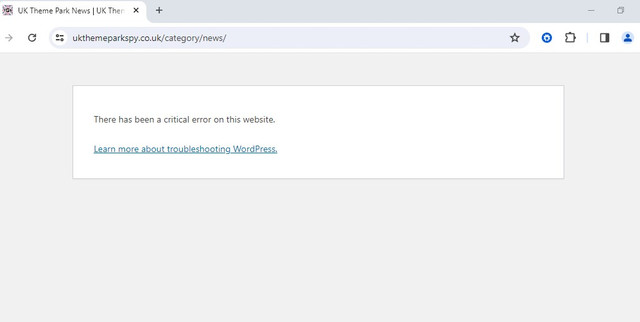
anyone else got same problem?
 urbandigital
 Hey Bettina,
Block Header 2 works but I have the following problem with this way:
It would to much time to change everything on the site manually
I dont want the line below the title, so I need block header 12 for my design.
Why doesn’t it work with this update? Will you be able to make it work for the next update again? Then I would skip this update.
Thanks,
Dimitri
 neicrazy
I’m having problems with the site after the update it’s not displaying the footer, here are the images demonstrating the settings and the current result. The website url is https://portobusca.com.br/
SITE SETTINGS:
 jbwilsonjr
 Hurrah. Found the issue. I started turning off plugins that were recently updated. I found that the Sassy Social Share plugin caused the problem. All back to normal now.
 MonkeyByte
 To be more specific, it looks like the ‘MemberPress Courses’ plugin is at issue. I I activated it, for a moment, so I could take a screen shot of what a post page looks like when active. Will attach that and I will reach out to Memberpress and let them know of the conflict.
This screen shot is with PHP updated to the latest stable offering: https://www.dropbox.com/scl/fi/f5peie9p4hnoip1444qvd/Screenshot-2024-02-20-at-11.59.16-AM.png?rlkey=2uei4hqjj3o71kuoyhgxkvybn&dl=0
Calin Hi,
1. I also asked the developer that was assigned that he had time to take a look over that task, but until now I didn’t got an answer, but since is assigned it should be done for the next update.
2. Thank you for continuing to helping us to improve the theme!
Yes, you can start a report topic as you mentioned, also you can contact us via email at contact@tagdiv.com
3. Indeed, the alt is html hardcoded in the theme files – https://i.imgur.com/MzSRT5C.png normally this should take the video title and add it to the image alt, but the only think that I have in mine is that maybe the developer made it like this to have only a few requests. I added this one on our list and the developer assigned for checking the lazy video option will check this task.
Thank you for your time!
 MikeVLC
Hello, following the latest update the Composer doesnt show the preview of the various screen sizes. Also some colours like the set colours for categories and the colour for a row divider dissappeard. How coulkd I reload the composer only if that would help. I already did deactivate and then activated the composer again as plugin but this did not help.
Site is https://ugandasafariexperience.com
Thanks for some advise
 mnasir129
 Hi,
Thanks for quick update. I have just sent an email now.
Calin Hi theheritagelab, I just checked on my install and for me is ok, but is possible that after some updates or extra settings to appears some situations like in your case.
I’m glad that you manage to resolve it!
 Bettina
 Hello @youthost!
Sure. The issue has been fixed in the latest update of the theme.
Please update the theme and plugins to the latest version.
For every update, we always recommend the following:
-> First of all, please make sure you have a backup.
-> Please deactivate all the non-tested plugins with our theme before updating.
-> Update WordPress, PHP, the theme, and plugins to the latest version: https://forum.tagdiv.com/how-to-update-the-theme-2/.
-> Check all these requirements for the theme: https://forum.tagdiv.com/requirements-for-newspaper/
Thank you!
Anamaria Hi,
Maybe the plugin is not tested with PHP version 8.3.2. Can you tell me what was the issue after you updated the PHP version with the theme and plugin?
Thank you!
 bmonkee
hi there. since updating the newspaper theme my header has now disappeared? https://bluemonkee.dev/cds/
Thanks,
Rachael
MonkeyByte Hi Anamaria,
I was able to find and fix the issue with your wonderful prompting. First, I updated PHP to 8.3.2. Then I began stepping through all the active plugins and I did find the one that was causing the issue. It was: MemberPress (https://memberpress.com/).
Which is unfortunate, it is a good plugin and service. But, there is definitely something incompatible with it and the Newspaper theme. And I vote to keep the theme 😉
Thank you for your support. It means the world. So helpful to know someone is out there with ideas to share.
 theheritagelab
 update: I fixed this, but it seems it disappeared for most people because of a setting by ACF.
theheritagelab Hey @nolandolce
Are you still able to see “Custom Fields” in your WordPress panel? It seems I cannot anymore. I can’t be sure it is after the update. @Calin, any idea?
 youthost
‘Cart Shipping Andress Update Button’ updates shipping fields but I got some problem with some parcel plugin, dont know how and why, but for a quick solution please tell me how to set a reload page action to that button after update, just to let you understand the button in cart page
<button type=”submit” name=”calc_shipping” value=”1″ class=”button”>Update</button>
 Ladiesabroad
 I have had the same Newspaper installation for eight years, every problem mentioned in this post worked fine when I last checked about three mounts ago. I have not done any configurations or changes since that, nor installed any new plugins. Only updated WP, theme and existing plugins.
– From what I know I don´t use Header live search element, if I do I have been doing so for years and the problem whith the search occurd only recently. What I am refering to is the usual magnifying icon on the same row as the menu on desktop, where nothing happens when I click on it.
– The Show Mobile Menu is enabled, and have been so for years. The hamburger is visible on mobile, but nothing happens when it is clicked.
– When I write Interactive World Maps, I mean the plugin named so https://codecanyon.net/item/interactive-world-maps/2874264. Sorry If I was unclear, since it is within the same family I thought it would be understood. Not Google Maps. The maps have worked for me for years, but dont show anymore.
Since I have not changed anything myself, I asumed it one of the plugins causing it all, but as I wrote in my original post I have tried to inactivate them one by one without any luck.
mnasir129 Thanks for the update. I have been doing changes and checking the hits but unfortunately I am still getting the hits even though i blocked the URI (/wp-json/tdw/save_css
) from cloudflare as per the screenshot. I even tried different variation(like URI, URI path, full URI etc) to make sure i am not making any mistake but it did not help.
Also my hosting provider is still not able to figure it out why hackers IPs are not getting blocked. Surprisingly when I block my own IP, it works so its very strange.
I also made couple of more changes as per below blog post suggestion:
 jozefradi
Hello, Until the last update, this theme have a lot off problem in my site: if I see a page or category Change footer and header… Try this https://www.radiandradi.com/category/dr-lazer-radi/arkivi-dr-lr-dr-lazer-radi
Is 4 days I found a lot off problem, this have change by it self, footer and header.
Please can you tell me why?
And the widget I’ve some problem to solve and appair it in the page.
 dasch234
When I try to add or remove categories from the WP Admin backend, it does it successfully, but only if I refresh the page can I see the changes. If I don’t refresh the page, everything stays there and doesn’t delete what I’ve deleted or add what I’ve added.


