

 Edward
 По-моему, никак.
По-русски названия городов “понимает”, вывод всё равно на английском.
Edward  Edward
 php_value max_input_vars 5000
php_value max_execution_time 300
php_value post_max_size 50M
php_value upload_max_filesize 50M
i cant find this in my .hthaccess
===
Depending on the host they can be set from php.ini or .htaccess
Also keep in mind:
Before trying any of those check the host documentation to see what’s the recommended method. The location of the php.ini may also differ from one server to the other, usually it’s located in the wordpress root, but on some servers it may be found in another location, you have to check the host documentation for more precise details.
You’d better contact your hosting provider to clarify these terms.
Edward Edward deleted, sorry
Edward First you need to correctly configure WordPress, set the correct read permissions on the folder: http://www.wpbeginner.com/beginners-guide/how-to-fix-file-and-folder-permissions-error-in-wordpress/
And only then try to install the Theme.
Edward 1. Try to install the Theme via ftp: https://forum.tagdiv.com/install-via-ftp/
2. After install you should check your system status parameters: http://screencast.com/t/bpnfaltKJ and try to get them all green by following this tutorial: https://forum.tagdiv.com/system-status-parameters-guide/
Edward Edward Edward Yes.
You must paste text from webpage with pressed this button in visual text editor:

Edward Edward Read this manual: https://forum.tagdiv.com/header-ads-adsense/
and etc.
Header Banner example:

Side Bar Banner example:

Edward Unfortunately the theme panel cannot be translated, there is no option for that. That could only be done by actually translating the terms in the theme files, that would require a lot of work
– https://www.screencast.com/t/hNHvTrMq
Also you would have to make these changes directly in the main theme files, not through a child theme.
Edward 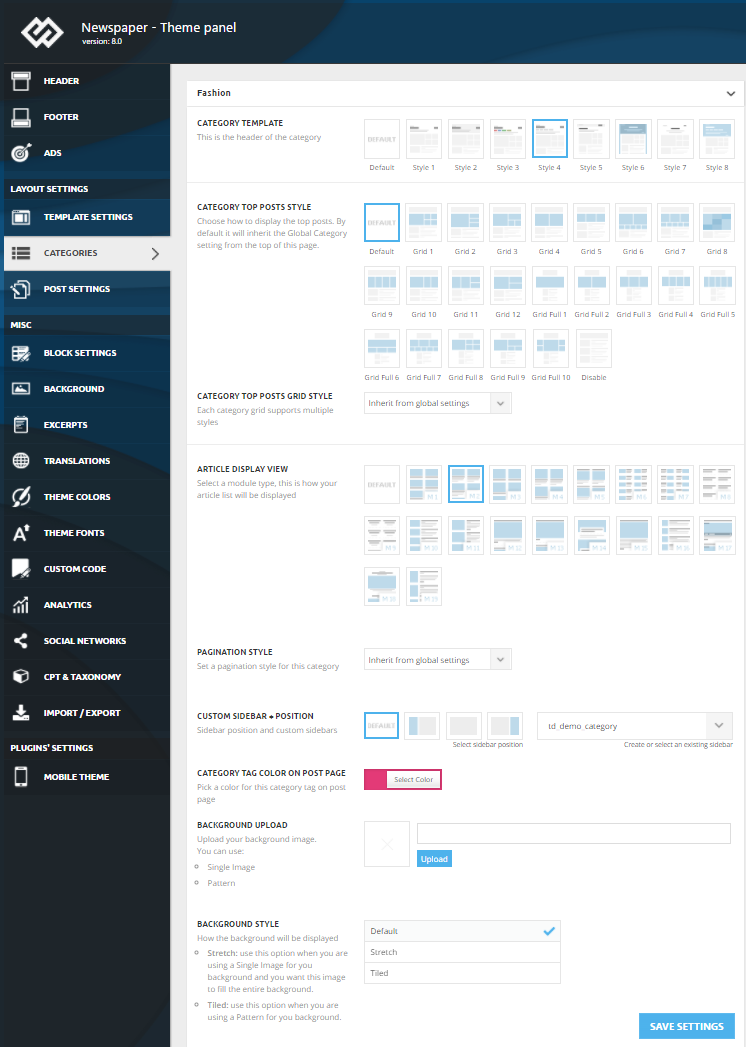 Edward Edward
 @liberoarbitrio
Spring sale with discounts was from 8 to 15 March. Today, on March 15, the prices returned to the previous ones.
Edward Future updates will not affect on Code in your Custom Code Section.
Or use Child Theme: https://forum.tagdiv.com/the-child-theme-support-tutorial/
Edward Why do you need a new commenting system?
On our websites we use built-in wordpress comments whith this plugin (lot of settings!): http://wpdiscuz.com/

But keep in mind that developers do not provide support for untested plugins.
-
This reply was modified 8 years by
Edward.
Edward Unfortunately the theme panel cannot be translated, there is no option for that. That could only be done by actually translating the terms in the theme files, that would require a lot of work
– https://www.screencast.com/t/hNHvTrMq
Also you would have to make these changes directly in the main theme files, not through a child theme.
Edward Your system parameters is ok?
Edward Edward Disable untested* plugins, check system parameters (https://forum.tagdiv.com/system-status-parameters-guide/) and try again.
* Tested Theme plugins
Required plugins:
TagDiv Composer
Optional plugins:
These plugins are installed from the /plugins folder under the main theme package
Visual Composer
Revolution Slider
tagDiv Social counter
tagDiv Mobile theme
Recommended plugins:
WordPress SEO – SEO plugin
WP Super Cache – caching plugin
Contact form 7 – used to make contact forms
WooCommerce – eCommerce solution
bbPress – forum plugin
BuddyPress- social network plugin
Font Awesome 4 Menus- icon pack, supported in the theme menus
Wp User Avatar – Change users avatars
Jetpack – plugin with lots of features *it may slow down your site
Edward Spring Sale probably…
Edward You should check your system status parameters: http://screencast.com/t/bpnfaltKJ and try to get them all green by following this tutorial: https://forum.tagdiv.com/system-status-parameters-guide/
Then try again.
Edward Your screenshot does not open.
