

 Kvr28
Kvr28 any updates on this?
Kvr28 yeah it’s been that way for the last couple days, thanks for verifying that I’m not crazy Chris!
Kvr28 @hendrawi under background settings in the theme settings choose fixed under background attachment
Kvr28 also what is the proper size for ads in articles? According to this picture you are showing that 728×90 ad will fit
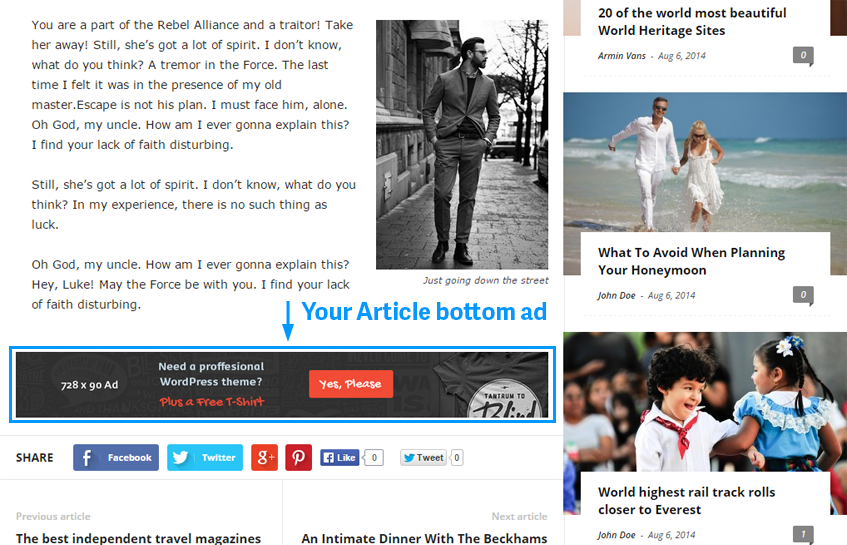
but it overlaps when I set the ad for that size on desktop

Kvr28 I’m about ready to throw in the towel with newsmag, when they switched the width of newspaper I went to another theme, I thought newsmag was a good solution. Way to many issues at this point.
Kvr28 @unplug.tips I have the same issue with facebook, no pictures show. I found two ways to get it to work, run the url through facebook url debugger https://developers.facebook.com/tools/debug/
or put the link in the facebook status box, don’t hit post, refresh the facebook page, it will ask if you are sure you want to leave the page, click yes. Put the link back in the status box, some reason the featured image shows up the second time.
Not sure what is causing this
Kvr28 Awesome, thanks Chris
Kvr28 I understand what you mean, but my OCD is going off the charts every time I see the update plugin notification
Kvr28 thanks it works good!
Kvr28 Check and make sure the pictures are not accidentally set for the H tag you are using for the smart list, I kept having pictures not showing till I realized my mistake
Kvr28 agreed, it makes searching frustrating at times
Kvr28 nope, didn’t change a thing
Kvr28 thanks chris, I will take a look
Kvr28 after further testing, it seems yoast is the problem, some reason it is conflicting with pagination. I can get everything to show if I enable category big grid, but I don’t use featured posts or the rating system, is there anyway to disable those so they don’t redirect to nothing?
Kvr28 after further testing, the only way I can see all the posts through category listing is to utilize the default permalink setting, anything else and there is an issue with pagination
Kvr28 even with set to 10, there is still missing posts
Kvr28 the only way it seems to work is if I have show blog posts set to 10, anything less and posts disappear from the category list
Kvr28 Did you activate visual composer? for some reason my site goes 500 unless the visual composer is installed
Kvr28 sure, look at the links on the numbered list
http://thehomesteadingboards.com/christmas-grand-prize-giveaway/
Kvr28 thank-you Chris, I appreciate that
Kvr28 Our site is pretty simple
 Kvr28
Kvr28 No lucian, these are featured images, all 1280×720

Kvr28 kind of difficult with hosts like wp-engine that force upgrade overnight while your sleeping
Kvr28 holy crap, that’s a lot of changes
