- ApiPractical example – How to add a new Block and Module
- Apitd_api_top_bar_template::delete
- Apitd_api_top_bar_template::update_key
- Apitd_api_top_bar_template::update
- Apitd_api_top_bar_template::add
- Apitd_api_single_template::delete
- Apitd_api_single_template::update_key
- Apitd_api_single_template::update
- Apitd_api_single_template::add
- Apitd_api_footer_template::delete
- Apitd_api_footer_template::update_key
- Apitd_api_footer_template::update
- Apitd_api_footer_template::add
- Apitd_api_smart_list::delete
- Apitd_api_smart_list::update_key
- Apitd_api_smart_list::update
- Apitd_api_smart_list::add
- Apitd_api_thumb::delete
- Apitd_api_thumb::update_key
- Apitd_api_thumb::update
 arajioni
Hello all!
Switched to Newspaper theme for my news website. I am facing now one issue, and I am not able to fix it. I have a section “Most popular” on my homepage. It is a Flex block, with sort filter “Popular”. For example in the last 24 hours.
Everything works fine, but it is a news website, and sometimes old news get spikes in traffic. This leads to the block including old posts in the most popular section.
In the previous version of the website (different theme and using the “most popular” widget) it was filtering in different way – it was selecting the most popular posts, published in the specific time range – the last 24 hours. In the case of newspaper, it is the most popular in the last 24 hours, published anytime on the website.
I am trying to find an option, to show the most readed, but also published in this period. If there is no solution, I will have to use a plugin for this, and it would be a shame, to have this amazing option built in the theme, but using extra plugin to tune it.
Thanks in advance
 acqua
acquaHello,
Google is taking the category background and not the featured images for each post
– My site: https://www.backdoorpodcast.com/
– How Google News is showing the thumbs: https://news.google.com/search?q=backdoorpodcast&hl=en-US&gl=US&ceid=US%3Aen
How do I fix it?
 Motorpsycle
One thing I hoped that a tagDiv theme would let me do was: create great looking blocks for facts and technical specs. These are a crucial parts of the texts I want to publish on the site I´m building. However, I find nothing of this sort and want to know if I have been looking at the wrong places or if there is a method of doing this. Two examples here (fun facts and technical specifications):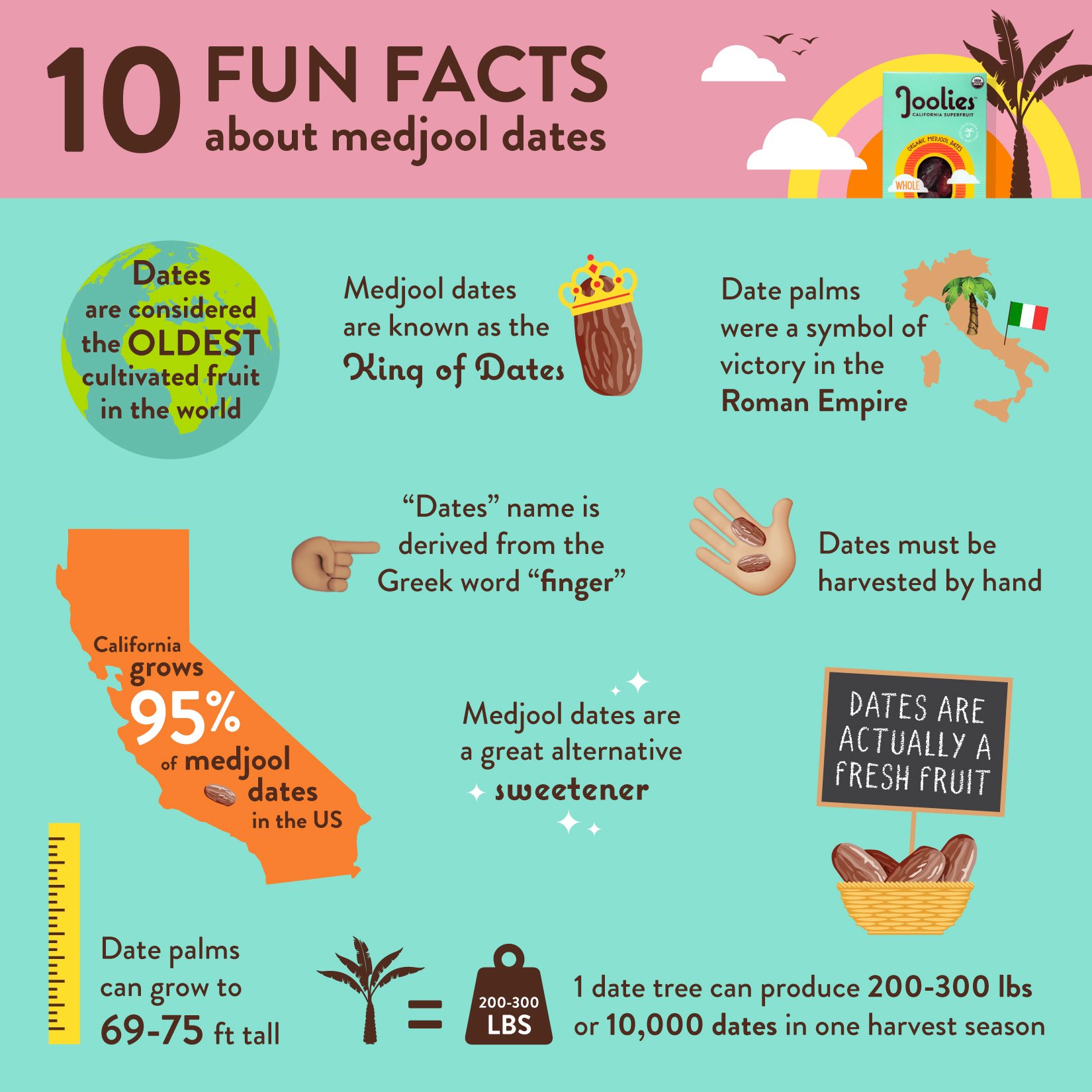

 ManuelGR
Hello,
I have categories on the web that have information and have the share button, when I check it, the URL of the category is not shared, but rather a URL of a post that I took at random.
How can it be solved?
Example: https://empleojob.es/noticias/prestaciones/
Thank!
 Calin
Calin Hello,
Your site may be infected or hacked.
– Change admin passwords and delete admin accounts you are not familiar with;
– Delete any weird/unknown plugins;
– Delete the weird/unknown themes;
– Delete the weird/unknown files;
– Clean unfamiliar Theme Panel injected code (example – https://i.imgur.com/4q70kCv.png);
– Clean WordPress files (example – https://i.imgur.com/stJCqiK.png)
– use the last theme version Newspaper v12.6.3
If you have gone through the steps above and are still facing issues, don’t hesitate to contact us via email at contact@tagdiv.com. We’ll be ready to help you as soon as possible.
Thank you!
 Anamaria
 Hello,
Please let me know what theme version you have.
Please update the theme to the latest version 12.6.3.
This malware infects not only theme files but also WordPress files or other plugin files. This malware was not detected only in our theme but also in many other themes and plugins https://www.bleepingcomputer.com/news/security/massive-balada-injector-campaign-attacking-wordpress-sites-since-2017 / -> https://cybernews.com/security/wordpress-malware-epidemic-balada-injector/ -> https://www.geoedge.com/balda-injectors-2-0-evading-detection-gaining-persistence /
You could consider reinstalling the WordPress version, reinstalling the theme, and checking for this plugin wp-zexit.php. It might be wise to inspect via FTP if it doesn’t appear in the WordPress -> Plugins. Additionally, using Wordfence to scan the website and remove unknown users would be prudent.
Thank you!
Calin Hi,
You can use the EWWW Image Optimizer
The Newspaper theme has more options then Newsmag theme, but if you prefer a simple theme to use, then the Newsmag theme is the one.
Here is an old article about those – Newspaper vs Newsmag: How to choose the perfect WordPress theme.
The pagespeed depends on what you have on your website, external resources that you are loading on the website. Also is recommended to use a cloudflare (CDN) and cache plugin.
The amp version is optional, so is no need to use it, if you want you can use only the theme or the theme with the mobile theme plugin.
Normally to update the mobile menu should not take more then a few seconds, also if is a cache used, it is ok to clear the cache.
Thank you!
 DiarioCerdanyola
I have several questions:
What plugin works to convert images from jpeg to WebP. I have tried several and they don’t work in Newsmag.
I see that many more people use the Newspaper template instead of Newsmag, is it an aesthetic issue or does it really have better results?
I see that the sample sites don’t really load too fast when parsed with https://pagespeed.web.dev/. Is Newsmag doomed to be a slow template?
I’m having trouble customising the mobile version. I can’t get the site not to disassemble when installing AMP plugins. Is AMP really worth it?
Changes to the menus on mobile take a long time to update, is this normal?
Thanks
 Bettina
 Hello @DUNKY59!
Check these guides: https://www.jezweb.info/how-to-create-a-blog-post-using-wordpress-gutenberg/ and https://forum.tagdiv.com/design-post-pages-using-cloud-library-templates/
We have 3 options for mobile versions that you can use:
1. Responsive version: A responsive version of your website looks similar to the desktop version. TagDiv Composer is used to edit the page.Click on the mobile viewport: https://www.screencast.com/t/XDQJedlggSB. There, you can see your mobile version and edit or adjust the elements to look better.
2. Mobile pages: https://tagdiv.com/newspaper-10-3-7-update-brings-customizable-and-fast-mobile-pages
3. Mobile theme plugin: The Mobile Theme is a performance-optimized theme included in the main Newspaper theme that only loads on mobile devices. It comes with its own templates and designs for pages, posts, categories, etc., so your current templates from the desktop theme will get converted to the mobile theme layout. Please see https://forum.tagdiv.com/the-mobile-theme/ and https://forum.tagdiv.com/mobile-theme-introduction/ for more information.
A full explanation is here: https://www.youtube.com/watch?v=SpGkOnJeNZY
If you need to use mobile version 1 or 2, then you need to uninstall the Mobile Theme plugin and AMP.
Thank you!
 dennisjpitocco
 Thank you for your very kind help & Happy New Year!
Bettina Hello @ilouie!
We have 3 options for mobile versions that you can use:
1. Responsive version: A responsive version of your website looks similar to the desktop version. TagDiv Composer is used to edit the page.Click on the mobile viewport: https://www.screencast.com/t/XDQJedlggSB. There, you can see your mobile version and edit or adjust the elements to look better.
2. Mobile pages: https://tagdiv.com/newspaper-10-3-7-update-brings-customizable-and-fast-mobile-pages
3. Mobile theme plugin: The Mobile Theme is a performance-optimized theme included in the main Newspaper theme that only loads on mobile devices. It comes with its own templates and designs for pages, posts, categories, etc., so your current templates from the desktop theme will get converted to the mobile theme layout. Please see https://forum.tagdiv.com/the-mobile-theme/ and https://forum.tagdiv.com/mobile-theme-introduction/ for more information.
A full explanation is here: https://www.youtube.com/watch?v=SpGkOnJeNZY
If you need to use mobile version 1 or 2, then you need to uninstall the Mobile Theme plugin and AMP.
Make a test and deactivate ALL plugins except tagDiv ones, also if you are using a cache plugin, deactivate it, clear all cache and try again.
Thank you!
 aviaciondigital
Hi,
On https://aviaciondigital.com/, home page, we have a flex block 5 configured like in the attached image.
On loading new articles the ajax returns a 500 error and doesn’t load.
WP and all plugins are up to date, cache (wp-rocket) got cleared.
https://aviaciondigital.com/wp-admin/admin-ajax.php?td_theme_name=Newspaper&v=12.6.3
BTW, can’t find how to attach an image…
dennisjpitocco Thanks, Bettina.
1. Are we not able to add CSS via the Theme Panel to apply to all boxes?
2. Tried Chrome & Firefox and was unable to find Live CSS – can you please reduce to 50% for now until we can find and adjust further on our end?
 newpaperwptheme
 My web site is: https://www.math.gr
Look at the (example) post: https://www.math.gr/uncategorized/inscribed-angles-in-a-circle/
In the editing environment, with right click on the image, in DISPLAY SETTINGS, I have three options for the tab Link to: “Media File”, “Attachment page”, “Custom URL”, “none”.
For the example post above, I have selected the “Attachment page” but I do not want to do this one by one, for every image.
I want to change the option for all the images, e.g. “none” or something else.
Bettina Hello @chaywood0896 !
The block is not from our theme. Let me know exactly what you need to modify there.
For example, if you add a block in Gutenberg from an external plugin, then you won’t have any option in the TagDiv Composer in order to modify it.
Thank you!
 chaywood0896
 This is not helpful. I know how to insert Jetpack and to use the limited formatting within Gutenberg. But Gutenberg will not, for example, allow editing the header tags for the subscription block; that is done at the theme level. The article you sent me to says “It may happen that an editor that comes with a custom theme or plugin prevents you from using the Block Editor. In that case, please contact the respective plugin or theme author for further assistance.” This is what’s happening. You’re the “theme author.” Please advise how to format Jetpack subscription blocks globally within your theme. Thanks.
-
This reply was modified 2 years by
chaywood0896.
 binwebonlinesolutions
 Hi Anamaria
Thanks for your reply.
You can confirm if this licence is used any website?
Example: http://www.diariorss.com or similar
I hope yours comments.
Thanks
Leonardo Grabow
dennisjpitocco Hi Bettina:
We want to reduce the current Image Box size to at least half the current overall square size (both vertical & horizontal).
Thank you!
Bettina Hello @joeyfatstat !
Do you have the latest update of the theme and plugins?
We have 3 options for mobile versions that you can use:
1. Responsive version: A responsive version of your website looks similar to the desktop version. TagDiv Composer is used to edit the page.Click on the mobile viewport: https://www.screencast.com/t/XDQJedlggSB. There, you can see your mobile version and edit or adjust the elements to look better.
2. Mobile pages: https://tagdiv.com/newspaper-10-3-7-update-brings-customizable-and-fast-mobile-pages
3. Mobile theme plugin: The Mobile Theme is a performance-optimized theme included in the main Newspaper theme that only loads on mobile devices. It comes with its own templates and designs for pages, posts, categories, etc., so your current templates from the desktop theme will get converted to the mobile theme layout. Please see https://forum.tagdiv.com/the-mobile-theme/ and https://forum.tagdiv.com/mobile-theme-introduction/ for more information.
A full explanation is here: https://www.youtube.com/watch?v=SpGkOnJeNZY
If you need to use mobile version 1 or 2, then you need to uninstall the Mobile Theme plugin and AMP.
From my point of view, if you don’t use the Mobile Theme plugin, then there is no reason or benefit to AMP. Unfortunately, AMP is not working with the cloud templates because the AMP’s layout is not fully customized.
The AMP version works best with default templates and not cloud templates. That’s why we integrated it with the Mobile theme plugin.
The feedback from our clients about AMP was negative and it is not used anymore, that’s why we didn’t add more customization options.
Thank you for understanding!
Bettina Hello @segunfunmi !
We have 3 options for mobile versions that you can use:
1. Responsive version: A responsive version of your website looks similar to the desktop version. TagDiv Composer is used to edit the page.Click on the mobile viewport: https://www.screencast.com/t/XDQJedlggSB. There, you can see your mobile version and edit or adjust the elements to look better.
2. Mobile pages: https://tagdiv.com/newspaper-10-3-7-update-brings-customizable-and-fast-mobile-pages
3. Mobile theme plugin: The Mobile Theme is a performance-optimized theme included in the main Newspaper theme that only loads on mobile devices. It comes with its own templates and designs for pages, posts, categories, etc., so your current templates from the desktop theme will get converted to the mobile theme layout. Please see https://forum.tagdiv.com/the-mobile-theme/ and https://forum.tagdiv.com/mobile-theme-introduction/ for more information.
A full explanation is here: https://www.youtube.com/watch?v=SpGkOnJeNZY
If you need to use mobile version 1 or 2, then you need to uninstall the Mobile Theme plugin and AMP.
Thank you!
Anamaria Hi,
Using our theme you can choose from 3 mobile versions
-> mobile responsive => https://www.screencast.com/t/oJ2ShOp47
-> mobile theme plugin => https://forum.tagdiv.com/the-mobile-theme/
-> mobile page => https://tagdiv.com/newspaper-10-3-7-update-brings-customizable-and-fast-mobile-pages/
If you created the mobile pages with tagDiv Composer, then when you install the Mobile Theme plugin, your pages will be overwritten by the plugin (the mobile theme comes with its templates for page, post, category, etc so your current templates from the desktop theme will get converted to the mobile theme layout, the page content is made without builders in mobile editor => https://www.screencast.com/t/xbgZG8kH also, the options that are provided to edit the mobile theme version are limited (this keeps the things simple)).
This is a video about Responsive Newspaper Theme, AMP & Mobile Theme, Mobile Pages & Templates -> https://www.youtube.com/watch?v=SpGkOnJeNZY
So, the mobile responsive is what you see when that you select the viewport on phone => https://www.screencast.com/t/matV17hH, so some settings may apply for each viewport(where is the border blue), and others are not(where the border is black).
The mobile page has the mobile templates from Cloud Library => https://www.screencast.com/t/YCcZ8rL8
The Mobile responsive version of the theme and the mobile page editor can be edit with tagDiv Composer, the mobile theme plugin cannot.
For example, you can have the mobile theme plugin activated and use the mobile page/mobile responsive version for the homepage/pages, but for the categories pages/404 page, you can’t use the mobile page/mobile responsive version if you have the mobile theme plugin activated.
So, if you want to design the pages with tagDiv Composer, you can use the mobile page or mobile responsive version.
No, you do not need a plugin to redirect to the homepage; this will automatically change, but please make sure that you have a cache plugin with the support alos mobile versions.
Thank you!
Calin Hello,
1. Using the mobile theme plugin the mobile version will no longer be the same – https://forum.tagdiv.com/mobile-theme-introduction/ if you need the same layout you can use the responsive version or the mobile page – https://tagdiv.com/newspaper-10-3-7-update-brings-customizable-and-fast-mobile-pages/
For pages speed what I can recommend is to have the last theme version, use the responsive version, with CDN with rocket and also make sure that you have the last theme version and you are using those options – https://i.imgur.com/73DZLL2.png –
2. For this you can use the mobile theme and amp and set the mobile theme only for amp – https://i.imgur.com/SEpWmz2.jpg – https://i.imgur.com/ClbZ3Ay.png (using tagDiv Composer you can disable the desktop header on mobile and the mobile on desktop).
Thank you!
 joeyfatstat
bangor.today
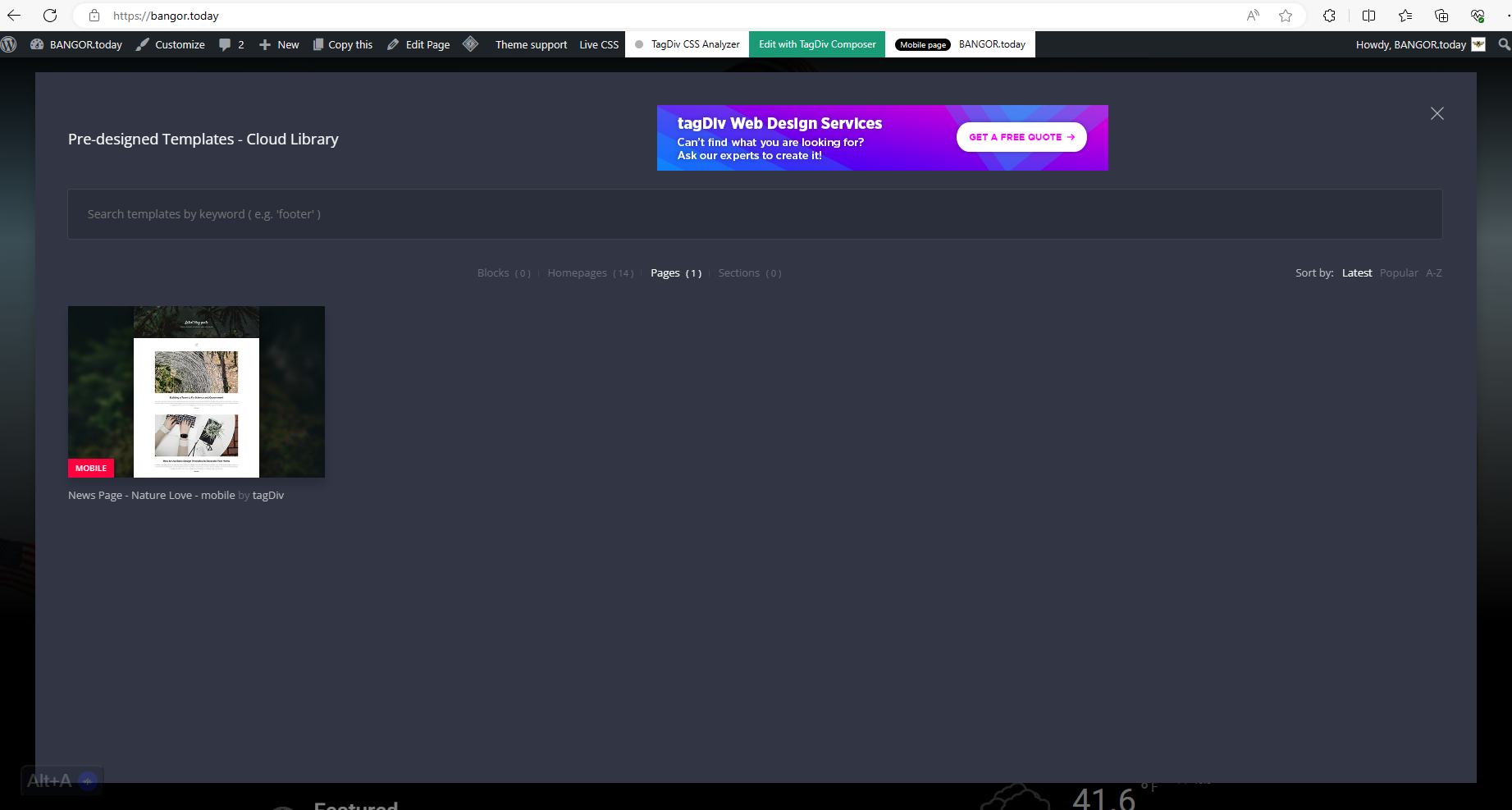
I have these cloud templates Blocks ( 0 )Homepages ( 14 )Pages ( 1 )Sections ( 0 ) I cannot find out where sections or blocks are because they are not showing up in my pop up. see here: https://bangor.today/wp-content/uploads/2023/12/aa33.png
I also cannot seem to get the Logo to display. It will display for a second and then disappear. as seen here https://bangor.today/wp-content/uploads/2023/12/Screenshot_20231226_124908_Chrome.jpg
And I have to initiate Amp in order to use TagDiv mobile?!?! As you see here 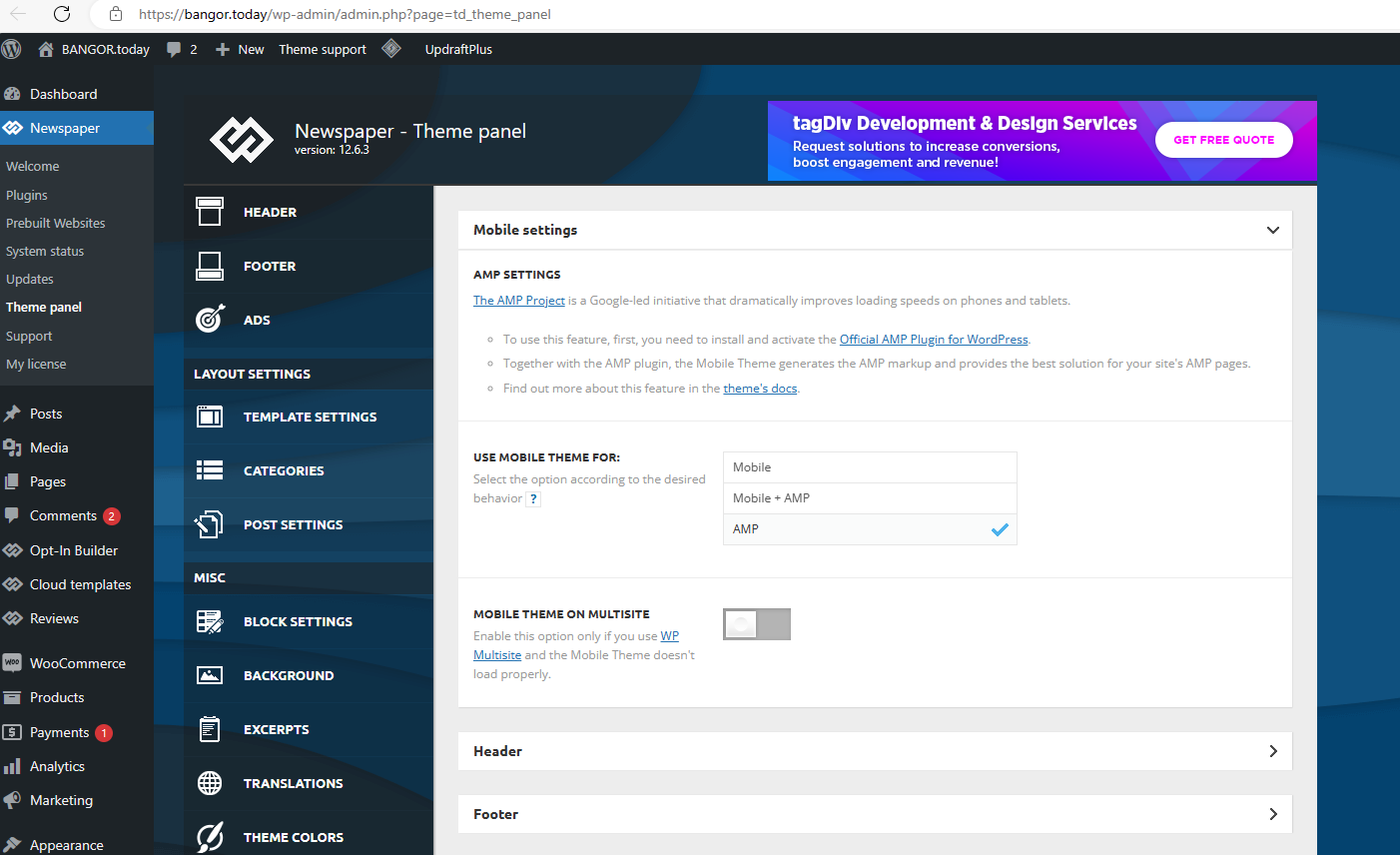
 bpsubp
when i try to install Any Plugin it doesnt install & it redirects me to this page Ooops… Error 404
Sorry, but the page you are looking for doesn’t exist.
GO TO THE HOMEPAGE https://www.economiclawpractice.com/wp-admin/plugin-install.php
Plz suggest
 globalonehr
my website is at https://globalonehr.com/
the home page has PLANS button on top right side which directs to https://globalonehr.com/get-premium/ which is perfect
but the PLANS button on post pages (for example, https://globalonehr.com/why-having-a-reunion/) redirects to https://globalonehr.com/why-having-a-reunion/tds-switching-plans-wizard/ which I do not want.
I want both the PLANS button to redirect to https://globalonehr.com/get-premium/
How do I do this? Thank you