
- NewsmagMore articles box
- NewsmagAuthor card
- NewsmagGeneral settings
 Simion C.
 Hi,
So you mean something like an excerpt of the author description text, that is not possible unfortunately. The text that is entered in the WordPress description field will be displayed exactly as entered by the author, it cannot be shortened.
Also the current author box element does not show the author socials, this is on our list of improvements along other updates for this element. We will try to add more options to it over future updates.
The team member could be an option, it also can display socials, links to accounts can be entered manually in it.
Links could be set in the description field if you should consider it
– https://www.screencast.com/t/jxDHSfjhKU
Sorry for any inconvenience.
Thanks
 ClaudiaDeLuca
Hi, i would like to create a page with a row of 4 team members using the “Author Box” element but i’ve got some issues.
In particular i would set a word limit to the biographic info, showing only a brief excerpt and not the full text.
Besides i’d like to show the social icons as in the author page.
Is it possible to do it?
Another option would be to use the “Team Member” element but in that case i can’t find a way to link each member to the corresponding page inside the website.
Can you help me?
Thanks in advance.
Simion C. Hi,
If you deactivated this setting in the theme panel
– https://www.screencast.com/t/w6xCHqeDQnBE
Then the author name will not be displayed on blocks/modules anymore. If they still are, maybe you have caching, try to clear that.
You can place custom ads in the sidebar by adding ad box widgets to it
– https://www.screencast.com/t/Ffn37eNTs2N
In those ad boxes you can choose from your custom ads. Be sure to enter corresponding ads in the theme panel custom ads as well
– https://www.screencast.com/t/vEWF5KWYT
That is probably your permalink structure, check in WordPress settings
– https://www.screencast.com/t/n16DEBNmYU
Or maybe it is the site address – https://www.screencast.com/t/q6QBaot2eoM
Let us know if you have more questions.
Thanks
 forevermogulmag
 Thanks. Two more things.
1) Is there a way to do a featured image gallery post? I don’t see how to do this.
2) For each post can we get the option to turn off post features like author box, bottom share buttons, no sidebar, previous/next article section. I think some posts that have video only looks better without all of these things under the video. It would be great to display video only and footer and and ad for example.
Thanks.
 Bogdan B.
 Hello,
The author box uses this code:
https://www.screencast.com/t/9BWbkvZDxD0b
The authors box uses this one: https://www.screencast.com/t/ZRBH1pMt4kdm
It is a different implementation.
Thanks
 angelgallegos
 Hello Simion,
I think the problem is because ‘Author Box’ selects the avatar looking trough ‘user email’ variable, and we are using same email for contributors.
In ‘page-author-box.php’ I found this:
<?php echo get_wp_user_avatar($part_cur_auth_obj->user_email, '96'); ?>
And we changed for this:
<?php echo get_wp_user_avatar($part_cur_auth_obj->user_id, '96'); ?>
So I imagine we can do the same for ‘Author Box’, but I don’t know where is that block template.
Thanks.
angelgallegosHi,
I installed ‘Allow Multiple Accounts’ plugin () in order to use a customized email for every author account but now Author-box shows same image for everyone. How can I solve this?
Bogdan B. Hello,
The author box element will show the author you specify in the author box settings like so: https://www.screencast.com/t/RTk1u2A1fbpN
You need to place the author ID. The author id can be seen when you hover over the author name in the users section of wordpress like so: https://www.screencast.com/t/i1V810Oacg
Thank you!
 orbofdarkness
Hi there,
How to achieve the Name instead of ‘Author Name’ in the author Box widget. Kindly check screenshot.
https://www.awesomescreenshot.com/image/3431104/1eae20b2d8bd07832b20f0044c351f57
Thanks,
Prasenjit.
 Alex89
Hello I can remove in the posts the “MORE FROM AUTHOR” makes for me little sense because I’m the only author : https://www.dropbox.com/s/g3vxa7ekv2w9ie2/InkedScreenshot%20%284%29_LI.jpg?dl=0. I just want to have “Related Articles”
 seeit18
 We got it working on the desktop version but the mobile version of the author page isn’t looking well. Here is the CSS I am trying but it still looks very bad on mobile:
@media(min-width:767px) {.author-box-wrap .desc {
margin-left: 17px !important;
}}
 Ginfox
I, i have the problem with title of related articles.
My title is this:
https://www.dropbox.com/s/rwbur0weg3ezzp8/File.jpg?dl=0
I need this, title on the left with color line:
https://www.dropbox.com/s/qw1057s7a9eir82/File_1.jpg?dl=0
Thanks…
Simion C. Besides the author or authors box, there would be no other elements that can display authors specifically. These are somewhat simple, maybe there will be some improvements made by us in the future in this matter. But for the moment there are no plans to do so, sorry for the inconvenience.
Maybe you can try some plugins that can display a more advanced authors box, and make tests with them.
thanks
 KCC
KCC I found it. I was getting confused with the author box at the bottom. Thanks
Simion C. Hi,
There is an author widget that will display any author you want, but it will not display the author’s latest posts. Only in the author page there will be a section that displays the author posts. Example of an author page
– https://demo.tagdiv.com/newspaper/author/admin/
The author box will not show the latest posts of an author, it is not supposed to do that. If this is required for you, maybe you can find a plugin that can display such an element and make tests with it. Sorry for any inconvenience.
Thanks
 George
 Hi,
we have in the website a part called “opinions” . So i want in different parts of the page to just show different authors withe just their avatar, and title of latest post.
So with the author box, i have avatar, name but i need the latest title article, that is why i tried to use the code above
Bogdan B. Hello,
If you want a larger image, you will first have to increase the thumb size here: https://www.screencast.com/t/9tfi2IlrTdD
Let’s assume we want a 256px image. I would then increase the max width to 256px by using css:
.author-box-wrap .avatar{

max-width:256px;

}
But now we also need to increase the margin for the text and social icons for them to position properly:
.author-box-wrap .desc{

margin-left: 270px;

}
You can add the css codes in the theme panel-> custom css box
Thank you!
Bogdan B. Hello,
I’m not sure what you plan to do. The theme has no functionality to show the latest articles for each of the authors of an author box. You can add a block filtered by the author though underneath each author to have a block shown the author’s latest posts.
Thanks
George Hi,
I understand the part of the carousel. But how can i show the latest article title? Without using carousel or anything else. I can just put three author boxes in three different columns, using author id and still do the job i need
Thanks
Bogdan B. Hello,
Sorry but the author box element was not tested in a carousel. This is a custom implementation and will require coding skills to make. Unfortunately we cannot offer a solution in this regard. You can hire a freelancer to help with the code from sites like studio.envato.com
Thank you for understanding.
GeorgeHi,
I want to use author box in a carousel, showing avatart, name and title from the latest article from this author.
I ve searched the forum, cant find anything like that. I managed to find the same function for authors box —
$buffy .= ‘<div class=”td-authors-url”>’;
$last_article = $wpdb->get_row($wpdb->prepare(“SELECT * FROM $wpdb->posts WHERE post_author = %d AND post_status = ‘publish’ AND post_type = ‘post’ ORDER BY post_date DESC LIMIT 1”, $td_author->ID), ARRAY_A);
$buffy .= ‘‘ . $last_article[‘post_title’] .’‘;
$buffy .= ‘</div>
—- ,
but copying this to author box, in any place either doesnt work, or breaks the web site.
Any advice?
Thank you
 Dulau
DulauI know Buddy Forms can enable authors to submit content from the front-end but is there a way to give credit to the author of the article by making sure that their name appears at the title and also in the author box down at the end of the article, or do i have to login as that person to post the article?
 ericatfitz
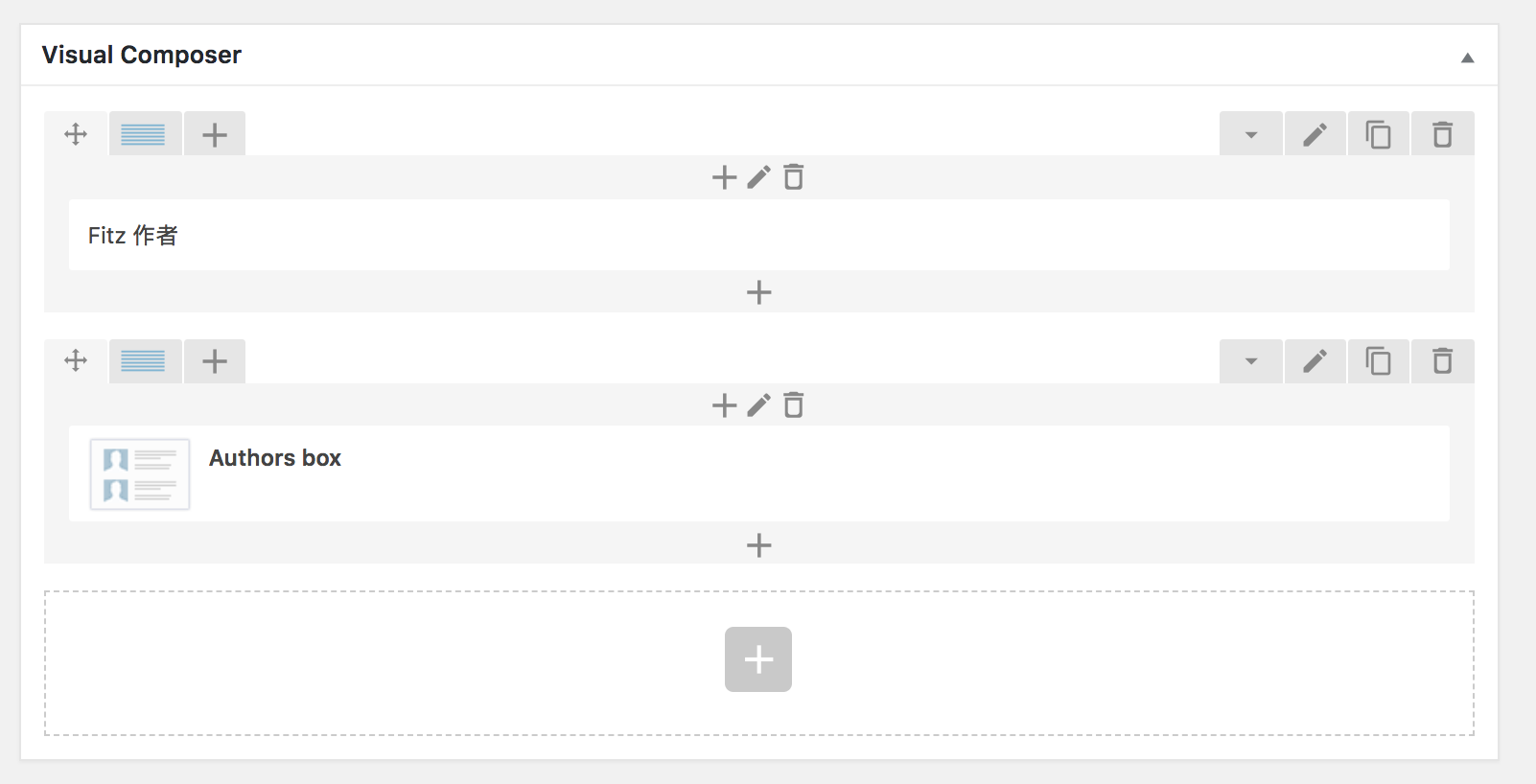
Wanted to create an Author page using the “Authors Box” element in the Backend editor, but the page just won’t load and return with HTTP 500 error. If I remove the “Authors Box” element, the page will load again.
How to solve this issue? URL is http://fitz.hk/authors
Thank you.
Simion C. Hi,
After theme update 8.7.4 disabling the author box will remove the author vcard from the post page
– https://www.screencast.com/t/BqrQbuia8
Previously disabling the author box did not remove the code. There were users that desired to remove the author vcard from the page source, so this was tied to the author box. So now if you have disabled the author box the author vcard is removed (starting with 8.7.4).
This decision or method is under review, there may be further modifications or even a return to previous functionality.
Either enable the author box and the author vcard will be included, or make a small modification in the them and uncomment these lines of code (then the data will be included regardless of author box)
– https://www.screencast.com/t/0ZapqfC5aK4G
Thanks
Simion C. Hi,
Please check the theme panel and theme documentation. The category pages can be set in general (for all at once) or per category
– https://forum.tagdiv.com/how-category-settings-work/
– https://forum.tagdiv.com/category-templates/
– https://forum.tagdiv.com/category-grid-styles/
– https://forum.tagdiv.com/category-top-post-styles-2/
Using the tagDiv composer to create/edit pages you can place any block/grid or other element you want
– https://forum.tagdiv.com/tagdiv-composer-tutorial/
– https://forum.tagdiv.com/block-settings-guide/
Author pages are created automatically, you can select the sidebar you want and also module used to display the posts below the author box
– https://www.screencast.com/t/4OeC1yrC
Let us know if you have more questions.
Thanks



