
- ApiPractical example – How to add a new Block and Module
- Apitd_api_block::delete
- Apitd_api_block::update_key
- Apitd_api_block::update
- Apitd_api_block::add
- ApiAPI – Blocks – Introduction
- Apitd_api_thumb::update_key
- Apitd_api_thumb::update
- Apitd_api_thumb::add
- ApiAPI – Thumbnail – Introduction
- Apitd_api_category_top_posts_style::update_key
- Apitd_api_category_top_posts_style::update
- Apitd_api_category_top_posts_style::add
- ApiAPI – Category top section style – Introduction
- Apitd_api_module::update_key
- Apitd_api_module::update
- Apitd_api_module::add
- ApiAPI – Modules – Introduction
- ApiUsing the Theme API in plugins
- ApiThe Theme API
 Calin
Calin Hi,
I check your website, and you console is clean,
Also please use regenerate thumbs -> https://forum.tagdiv.com/thumbnails-fix-strange-looking-images-on-blocks/
Please clear all cache, and re-save the permalinks, also please check if you are not using some plugins that can cause this problems.
Thank you.
 ThunderSky
 this is True
Since WP 5.0.3 —
You need to use the Classic Editor plugin to hide the Gutenberg layout/style.
This is what I reported.
Without that Classic Editor plugin installed and activated on a WP 5.0.3 + installation TD Composer can NOT be used because the Blue TD Composer button will not be displayed in the Add New or Edit Page view.
My situation was not a bug — it was, as they say, a FEATURE, so to speak, of WordPress’s CHANGE with version 5.0.3 to simply install Gutenberg as the Default Page & Post editor with no Option link to switch to Classic Editor anymore.
To use the TD Composer plugin WITH 5.0.3 Gutenberg block editing CORE is not possible.
Perhaps you can make changes in the TD Composer plugin in the future to temporarily override Gutenberg so that TD Composer plays nicely with Gutenberg?
At any rate, thankfully, I discovered the stand-alone Classic Editor plugin last week and NOW TD Composer works fine.
Thank you, Catalin
-
This reply was modified 7 years by
ThunderSky.
 Simion C.
 That will be the case indeed. It is the same functionality as with the latest articles template. When the pagination is used the page will change to page 2/3/4 etc. This is how the numbered pagination works.
Blocks have ajax pagination options (the loop element has them too), meaning the page will not be refreshed, only the respective section. So in this case for the loop element you could choose for example the next/prev pagination instead of the numbered type
– http://prntscr.com/ma2l2x
 baranos
Hello,
How can i do with block 15 on 2 columns?
My issue pic?
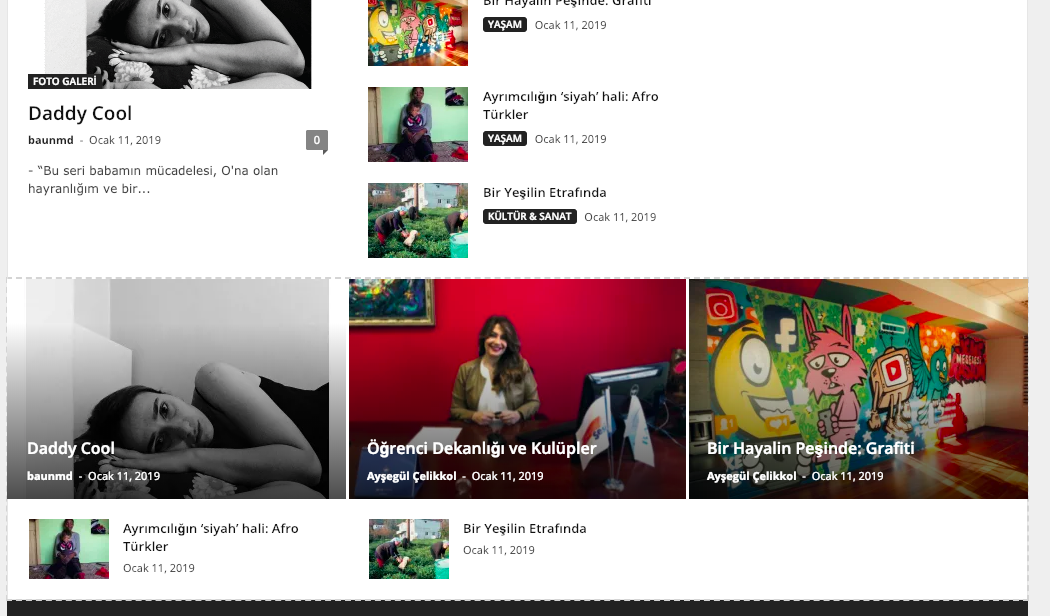
 Austenit
Hello,
How to set “Review” block not at the bottom but on the top of the post before post content?
Simion C. Hi,
Please double check check the HTML you are using, maybe one of the link tags are not closed, there will be problems if the HTML is not valid.
There is a link not closed here – http://prntscr.com/ma1vd7 it will include all the following content in the page after it if not closed.
For the color you could use some CSS – http://prntscr.com/ma1x1l to color them all at once
.tdm_block_food_menu a {

color: red;

}
For the image to have a link there would be no solution. What exactly do you want to display by this manner? Maybe there are other ways you could try. Let me know.
Thanks
 julien-2
 hi,
I already tried to change with this method : https://www.screencast.com/t/ZzIIJM4Bby. It doesn’t work. I already checked https://forum.tagdiv.com/excerpts-introduction/. All my blocks in my webiste on my homepage don’t change even if I change the setting. I succeed to change the title length but not the excerpt. You can see my website : https://www.entreprendre.fr. Even if i change word by letter, nothing changed except title. Do you have any idea the reason why ?
Thank you.
Calin Hi,
Please try the length and excerpt from blocks -> https://www.screencast.com/t/ZzIIJM4Bby , also please check our documentation for Excerpts introduction -> https://forum.tagdiv.com/excerpts-introduction/
If there is still a problem please provide some more details about on what blocks you want to set the Excerpt.
Hope this will help you!
Thanks.
 Catalin
 Hi,
Unfortunately, the theme does not have any such an option for rank numbers, sorry! The theme only has the popular posts sort order, as you can see here -> https://forum.tagdiv.com/block-settings-guide/ Also, the theme has Review functionality from here -> https://forum.tagdiv.com/reviews-2/
Thanks for your understanding!
 wilhard
I want only certain posts to be shown on a Category top post section. How can I filter posts in category top post block? Please, let me know. Thank you in advance.
Simion C. Hi,
From what I can see there are quite a few ad related errors and some others, in the mobile friendly test tool
– http://prntscr.com/m9xxzp
In the website the same errors appear – http://prntscr.com/m9xyn1
Resources that take long to load or provide 404 errors eventually, can potentially slow down the website loading speed and this will lead to problems on mobile (being detected as not mobile friendly by Google). A similar topic here
– https://forum.tagdiv.com/topic/i-have-two-problems-in-mobile-friendly-test/
Maybe investigate the resources blocked by the robots file as the test mentions, and the errors concerning the ads as a first step.
Thanks
Simion C. Hi,
You can check guides and tutorials found online, we have no documentation for the Google search console.
Here are some guides I found related to issues with the search console
– https://moz.com/blog/how-to-fix-crawl-errors-in-google-search-console
– https://www.searchviu.com/en/crawl-errors-google-search-console/
– https://pepperlandmarketing.com/blog/google-search-console-errors/
From what I can see there are blocked resources by the robots configuration as well
– https://kinsta.com/blog/wordpress-robots-txt/
– https://www.hostinger.com/tutorials/wordpress-robots-txt
– https://alienwp.com/robots-txt-guide/
Hopefully you can solve the problems you are having.
Thanks
Simion C. There are font settings for most elements of the flex blocks, check in the style tab
– http://prntscr.com/m9xd6g
The font size is the first field on the left. Let me know if you have more questions.
These are block examples created with flex blocks – https://affiliate.tagdiv.com/#/load/Blocks You can preview and even edit them. They can be imported with the cloud library
– https://forum.tagdiv.com/tagdiv-cloud-library-plugin/
 Mark Gilbert
I want to get partial italics in post titles. I can achieve this in the post title itself using <i>…</i> or …. This shows up ok in the post title. However, it is not reflected when the title appears elsewhere. See this:
https://drive.google.com/file/d/1Dkwc6m9wV4ZwvRecR4hM0fM25SRuq-nb/view?usp=sharing
…where the post title is Flying Machines New Life but not in the Block 2 loop in the sidebar where there is no italic in this title.
Is this be possible now with CSS or in a future edition of Newspaper? I would love to have this option.
Thanks, MG
 reatlat
 Issue comes with new page layout via Gutenberg editor
<figure class="wp-block-image"> </figure>
So perhaps in next release we can add js parser to get image url via attribute data-link
 nasimnazanin88
Hi,
I have a problem with the block 7 filter tab sort order setting. When I choose the popular (7 days) nothing is shown. Please see the screenshot:
https://imgur.com/a/bQo8WXL
 will-n-rogers
 *UPDATE 2* Fixed it!
Here’s how.
Open the row settings for the row containing your block 16.
Open the CSS editor at the bottom of the settings panel.
Insert this:
.td-module-title a{
color:#ffffff!important;
}
.td_block_16 .td-excerpt {
color: #dcdcdc;
}
Voila!
-
This reply was modified 7 years by
will-n-rogers.
Mark GilbertHi – I raised this before in reply to another post so my questions may have been overlooked. Here they are again:
1) I cannot get drop cap font or colour to change in Theme Fonts / Other / Dropcap. I’ve got a feeling it’s because I’m using block editor and not classic editor?
2) Likewise Pull Quote in Theme Fonts / Post Content / Pull Quote – altering font here has no effect on the Pullquote available in block editor.
3) Likewise Image Caption in Theme Fonts / Post Elements / Image Caption – altering font here has no effect on the image caption in block editor. Also, unfortunately, the image caption in block editor is centred, cannot be moved left.
Are there plans to update Theme Fonts so these adjustments will work with block editor?
Thanks
Mark Gilbert
 mchammy75
Hello,
Is there a way to know what is the recommended resolution of each of the block types, such as the images on the home page and the posts.
Also, I’m taking a lot of images from the web on my website. Is there a recommended tool to resize and optimize images to be used with the theme?
Thanks,
Matt
 awilcock
Hi – I currently have four articles on my home page, arranged in a square.
I want to add a block below, split into two even sections horizontally, to add an article by another author on the left hand column and a video into the right hand column.
I can’t work out how to use Visual Composer, or Block Editor, or whatever else I’m supposed to be doing, to add a new section/block/whatever it would be called.
Thanks
will-n-rogersHi all,
I’m fairly new to all this. Block 16 pulls my latest blog posts through to the homepage of my website, displaying the feature image, title, and an excerpt. The problem is that the title and excerpt appear in black and grey, and blend into my dark red background. I can’t figure out how to change this.
Here’s the site if you want a closer look (block 16 is near the bottom)
http://www.willnrogers.com
Any pointers?
Cheers,
Will
 Omar
OmarHi is there a way I can have rank numbers to a popular posts block? How do I achieve this please..Thanks!
 monsur
Dear Sir/Madam,
(1) How to enable star rating for each post?
(2) If I use video blog feature -https://demo.tagdiv.com/newspaper_video can I also be able to post text version of the video? For each video page on the demo the same default text is coming just below RELATED ARTICLES block. What is the reason of coming only a fixed post?
 lpeixoto92
 I’ve solve it creating a new page and adding blocks again. Thank you!
 Edward
 This problem appears when you install the theme on a site that already has content. The theme comes with it’s own thumbnails to minimize the page size and increase the page loading speed.
Read more: https://forum.tagdiv.com/thumbnails-fix-strange-looking-images-on-blocks/
