No search results were found in Documentation!
 Vlad S
 Hello !
Please provide a screenshot of your system status and make sure that it is fully set as you can see in our guide here: https://forum.tagdiv.com/requirements-for-newspaper/ Please note that this is a MUST for the Newspaper Theme to run.
Also if this does not help I would start looking for a plugin conflict, please deactivate ALL plugins except tagDiv ones, also if you are using child theme or cache plugin, deactivate them, clear all cache and try again.
Thank you !
Vlad S Hello !
I would start by reinstalling the tagDiv Composer plugin. This will automatically update it to the latest version. After this you will have to clear your cache.
If this does not work the next step is checking for plugin conflicts, please deactivate ALL plugins except tagDiv ones, also if you are using child theme or cache plugin, deactivate them, clear all cache and try again.
Let me know if this methods worked on you.
Thank you !
Vlad S Hello !
Please provide a link to your website and also a screenshot of what error do you see on front end.
Also please make sure that you do not have a plugin conflict, please deactivate ALL plugins except tagDiv ones, also if you are using child theme or cache plugin, deactivate them, clear all cache and try again.
Thank you !
 phaseoneindustrial
 Hi
your support team member Catalin has loggen in to our live site, changed the Theme to the parent theme and didnt change it back to child theme.
This is a Live site. you cannot be negligent this way, its the second time your support team has done this.please pay more attention and explain to her.
Thank you
 Calin
Calin Hi CTWL3,
If you are using standard post template -> https://forum.tagdiv.com/design-post-pages-using-default-templates/ then the widget sidebar are working, but you need to make sure that you do not have some plugin conflicts, if possible to have some plugins that are no longer compatible with our theme and creates this problem, please deactivate ALL plugins except tagDiv plugins (theme plugins), also if you are using child theme or cache plugin, deactivate them, clear all cache and try again.
Let me know the results!
Thank you!
Vlad S Hello !
The Mobile theme was specially designed for optimization on mobile devices. Unfortunately on mobile theme you cannot do much changes of design. If you want to have the same design as on desktop mode you can achieve that by simply disabling the mobile theme.
You will have to recreate your pages into the Mobile editor or completely disable the mobile theme. The mobile editor will not render shortcodes !
Also you can disable mobile theme on certain pages or posts by following this setting: 
Please take a look here: https://forum.tagdiv.com/the-mobile-theme/
Mobile theme plugin can be disabled from Newspaper Plugins as you can see here: https://www.screencast.com/t/LnkZCEVC
Also it looks like you are facing a plugin conflict. Please make sure that you do not have a plugin conflict, please deactivate ALL plugins except tagDiv ones, also if you are using child theme or cache plugin, deactivate them, clear all cache and try again.
Please note that at the moment the Support team is not 24/7 available. We answer the topics from Latest to Newest Monday – Friday from 08:00AM to 05:00PM GMT+2
Thank you !
Calin Hi tgrassey,
The problem with tagDiv Composer was solved, all you need to do is to make a theme update to Newspaper v10.3.7, but before this please make a full backup -> https://tagdiv.com/update-newspaper-theme/
Also for the problem with 500 errors,are internal server errors – https://www.wpbeginner.com/wp-tutorials/how-to-fix-the-internal-server-error-in-wordpress/
– https://wordpress.stackexchange.com/questions/312292/how-to-stop-a-500-error-on-the-wordpress-theme-folder
– https://wordpress.org/support/topic/google-search-console-reporting-a-500-error-on-my-theme-folder/
-> https://forum.tagdiv.com/topic/wp-supercache-causes-500-internal-error-and-cannot-deactivate/
Please make sure that you do not have a plugin conflict, please deactivate ALL plugins except tagDiv plugins (theme plugins), also if you are using child theme or cache plugin, deactivate them, clear all cache and try again.
Also make sure that all theme settings are as in our guide ->
– https://forum.tagdiv.com/requirements-for-newspaper/
and please increase all requirements that are lower, and follow all steps.
Let me know the results!
Thank you!
Vlad S Hello !
This most likely is a plugin conflict. Please make sure that you do not have a plugin conflict, please deactivate ALL plugins except tagDiv ones, also if you are using child theme or cache plugin, deactivate them, clear all cache and try again.
If this doesn’t work, Please contact us via email at contact@tagdiv.com and provide the following:
– admin url and credentials
– A link to this topic in order to identify you
Our team will take a look !
Thank you !
Calin Hi,
Normal if you want to edit a page, you should still be able to do it from here -> https://i.imgur.com/gdhU8AD.png here -> https://i.imgur.com/vFMOl4j.png and here -> https://i.imgur.com/wEopm7Y.jpg form me are working all of them.
Make sure that you do not have a plugin conflict, please deactivate ALL plugins except tagDiv plugins, also if you are using child theme or cache plugin, deactivate them, clear all cache and try again.
Let me know the results!
Thank you!
Vlad S Hello !
Please make sure that you have accomplished all the system requirements as in our documentation here: https://forum.tagdiv.com/requirements-for-newspaper/
Please make sure that you do not have a plugin conflict, please deactivate ALL plugins except tagDiv ones, also if you are using child theme or cache plugin, deactivate them, clear all cache and try again.
Thank you !
Vlad S Hello !
Please make sure that you have accomplished all the system requirements as in our documentation here: https://forum.tagdiv.com/requirements-for-newspaper/
Please make sure that you do not have a plugin conflict, please deactivate ALL plugins except tagDiv ones, also if you are using child theme or cache plugin, deactivate them, clear all cache and try again.
Thank you !
 Johnysko
 Also mobile version keep switching to responsive desktop version. Can it be caused by child theme plugin and using child theme?
Calin Hi HSinghHira, if this is a script you can try to set it in theme head or body -> https://i.imgur.com/sP3BxCc.png or in JavaScript section -> https://i.imgur.com/bxQYEOb.png
Or if the code was set in function.php then you can use a child theme and set in the function.php that code and in this way the code will no longer be removed when you’ll update the theme.
Hope this will help you!
Let me know the results!
Calin Hi,
Make sure that you do not have a plugin conflict, please deactivate ALL plugins except tagDiv plugins, also if you are using child theme or cache plugin, deactivate them, clear all cache and try again.
Let me know the results!
Thank you!
 providencebusiness
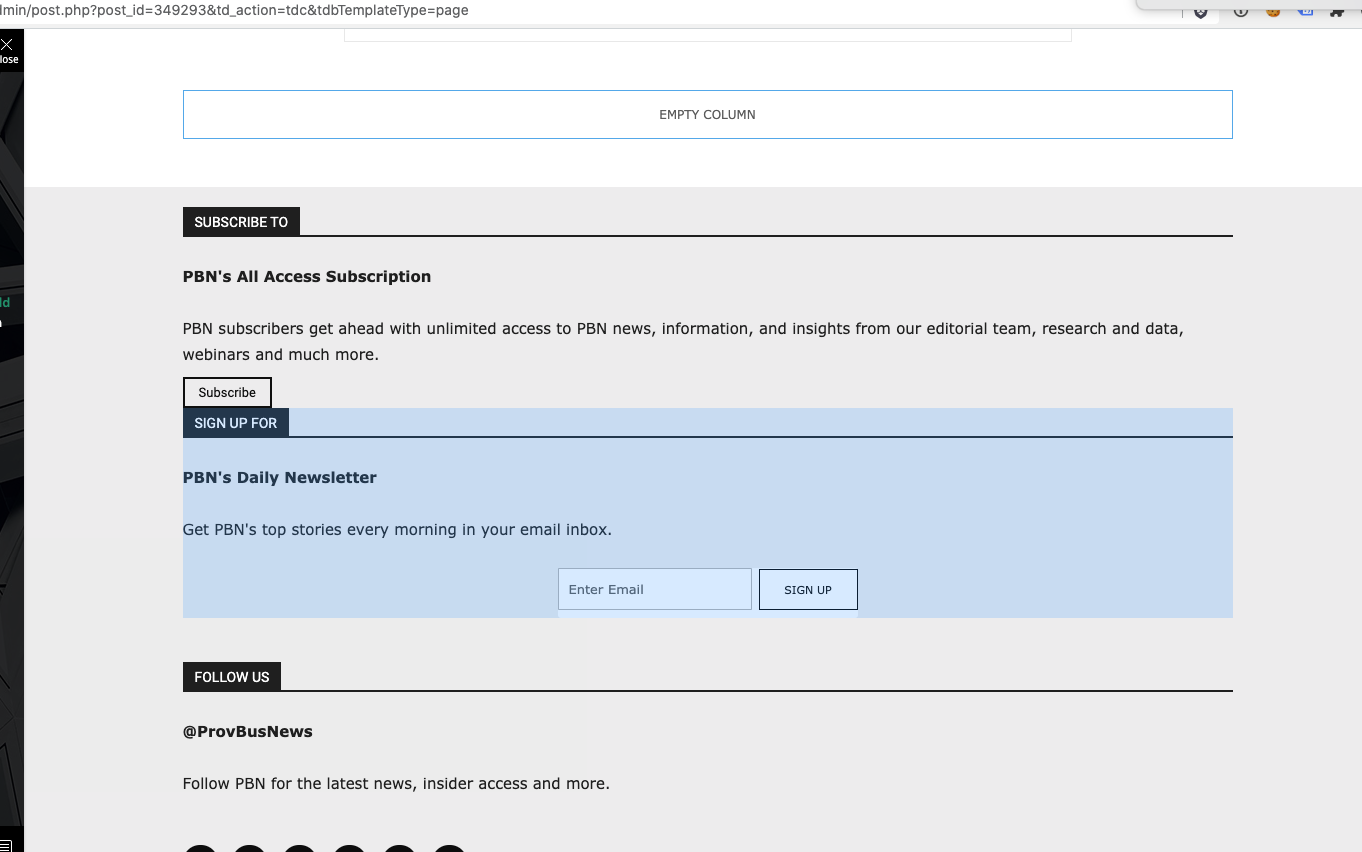
I have the latest version of the Newspaper theme, we are using a child theme with the Standard Pack plugin. I went and created a new footer template from a blank footer. In TD composer the column styles do not get injected on the live edit. See https://s3.amazonaws.com/pramadillo/_Providence_Business_News__WordPress_2020-10-26_11-41-42.png
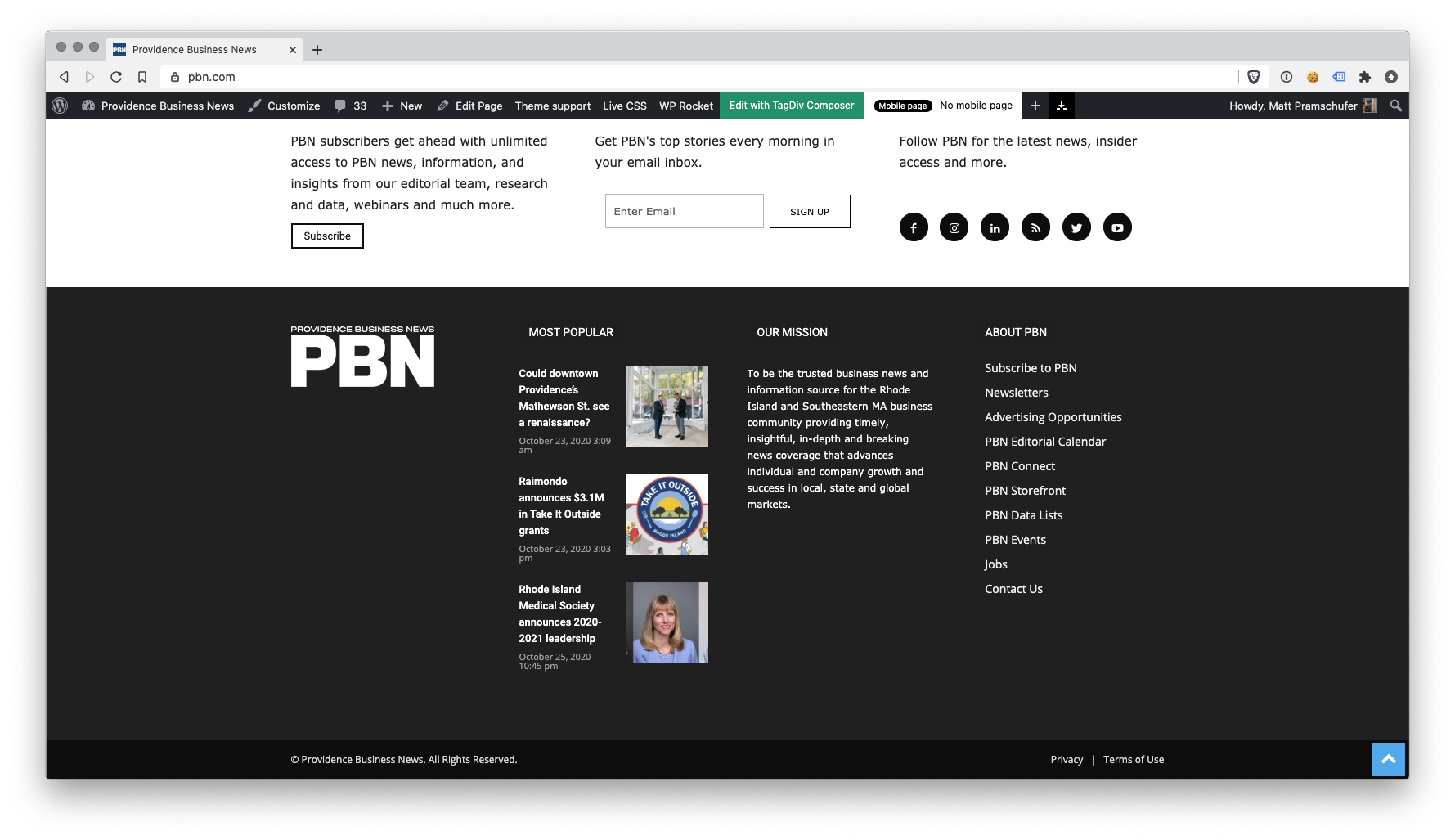
When I save the footer and assign it globally in Theme Panel, the footer column styles only appear on pages in which we build with Visual Composer.
Homepage Built with Visual Composer – https://s3.amazonaws.com/pramadillo/Providence_Business_News_2020-10-26_11-45-48.png
Individual Post Page without Visual Composer – https://s3.amazonaws.com/pramadillo/Could_downtown_Providences_Mathewson_St._see_a_renaissance_-_Providence_Business_News_2020-10-26_11-46-45.png
I have cleared cache and double checked everything and to no avail the css does not get included.
Calin Hi exitmotion, is look that you can try any article om Facebook, but it will be share only a single article, the same article or all posts.
Normal if the share is set as in our guide from here -> https://forum.tagdiv.com/facebook-share/ it should work correctly, but as in your case there is a cache problem or extra plugin, please deactivate ALL plugins except tagDiv plugins and Yoast SEO plugin, also if you are using child theme or cache plugin, deactivate them, clear all cache and try again.
Let us know the results!
Calin Hi,
If that code need to be set in the theme, I do not know if it will work using a plugin, what you can do is to set the code in head section here -> https://i.imgur.com/gAW21JL.png
if this is not working, then you need to set it manually in theme files, if you are using cloud template, the file where you need to set the code in this one wp-content/plugins/td-composer/legacy/Newspaper/header.php
Bothe plugins (tagDiv Composer and tagDiv Cloud Library) has this “format” to can be use in child theme, in this way the elements under/legacy/Newspaper/ can be edited in a child theme, this method was adopted for users like you how use cloud templates and standard pack is disabled, in this way they can use the file from composer in child.
Hope this will help!
Thank you!
 Amit
Amit Hi,
I am not sure if it will work with a child theme or not. Here is the list of files that can be overwritten by the child theme. : https://forum.tagdiv.com/the-child-theme-support-tutorial/
Yes, you can do the same for the mobile theme.
 gumball44
 Do I have to put the modified file in the child theme ?
Vlad S Hello !
Please try to reinstall the demo. I have just tested this on our side and everything works out great. Also please make sure that you do not have a plugin conflict, please deactivate ALL plugins except tagDiv ones, also if you are using child theme or cache plugin, deactivate them, clear all cache and try again.
Thank you !
Vlad S Hello !
We have tested this on our side and everything seems to be working fine here. Please make sure that you do not have a plugin conflict, please deactivate ALL plugins except tagDiv ones, also if you are using child theme or cache plugin, deactivate them, clear all cache and try again.
Thank you !
Vlad S Hello !
At the moment we are not aware of any issue like this. This most likely is a plugin conflict. Please make sure that you do not have a plugin conflict, please deactivate ALL plugins except tagDiv ones, also if you are using child theme or cache plugin, deactivate them, clear all cache and try again.
Thank you !
Calin Hi,
This is a strange case and I think is only for the new mobile version.
Make sure that you do not have a plugin conflict, please deactivate ALL plugins except tagDiv plugins, also if you are using child theme or cache plugin, deactivate them, clear all cache and try again.
Also another thing that you can do is to disable, delete and reinstall tagDiv Composer from newspaper > plugins
Let me know the results!
Thank you!
Vlad S Hello !
This indeed is a weird thing but from what our developers have looked at on our test site, instagram widget only renders the images from your feed, it does not store them.
Are you using any social media plugins ? Please make sure that you do not have a plugin conflict, please deactivate ALL plugins except tagDiv ones, also if you are using child theme or cache plugin, deactivate them, clear all cache and try again.
Let us know the result !
Thank you !
Calin Hi,
There are some general settings in theme panel, but this will apply on entire website -> https://i.imgur.com/5q4pCT3.png -> https://i.imgur.com/vkZV7fR.png
Also when you are using a custom post type, you can set templates in child theme, therefore these templates can be edited without losing the content after theme update.
Thank you!