jcdestro20
I try duplicate a template (Cloudtemplate) an all the section is blank now.
 providencebusiness
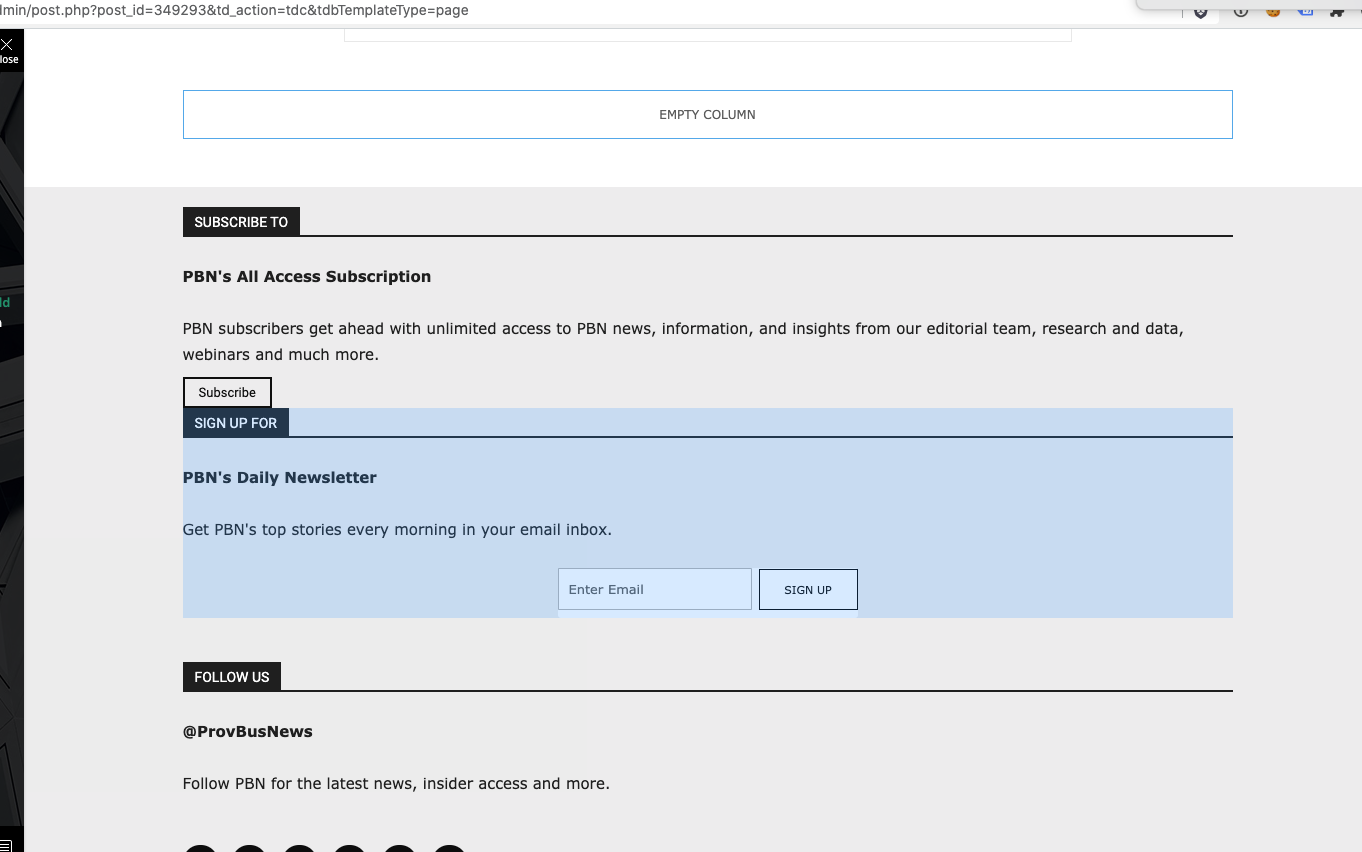
I have the latest version of the Newspaper theme, we are using a child theme with the Standard Pack plugin. I went and created a new footer template from a blank footer. In TD composer the column styles do not get injected on the live edit. See https://s3.amazonaws.com/pramadillo/_Providence_Business_News__WordPress_2020-10-26_11-41-42.png
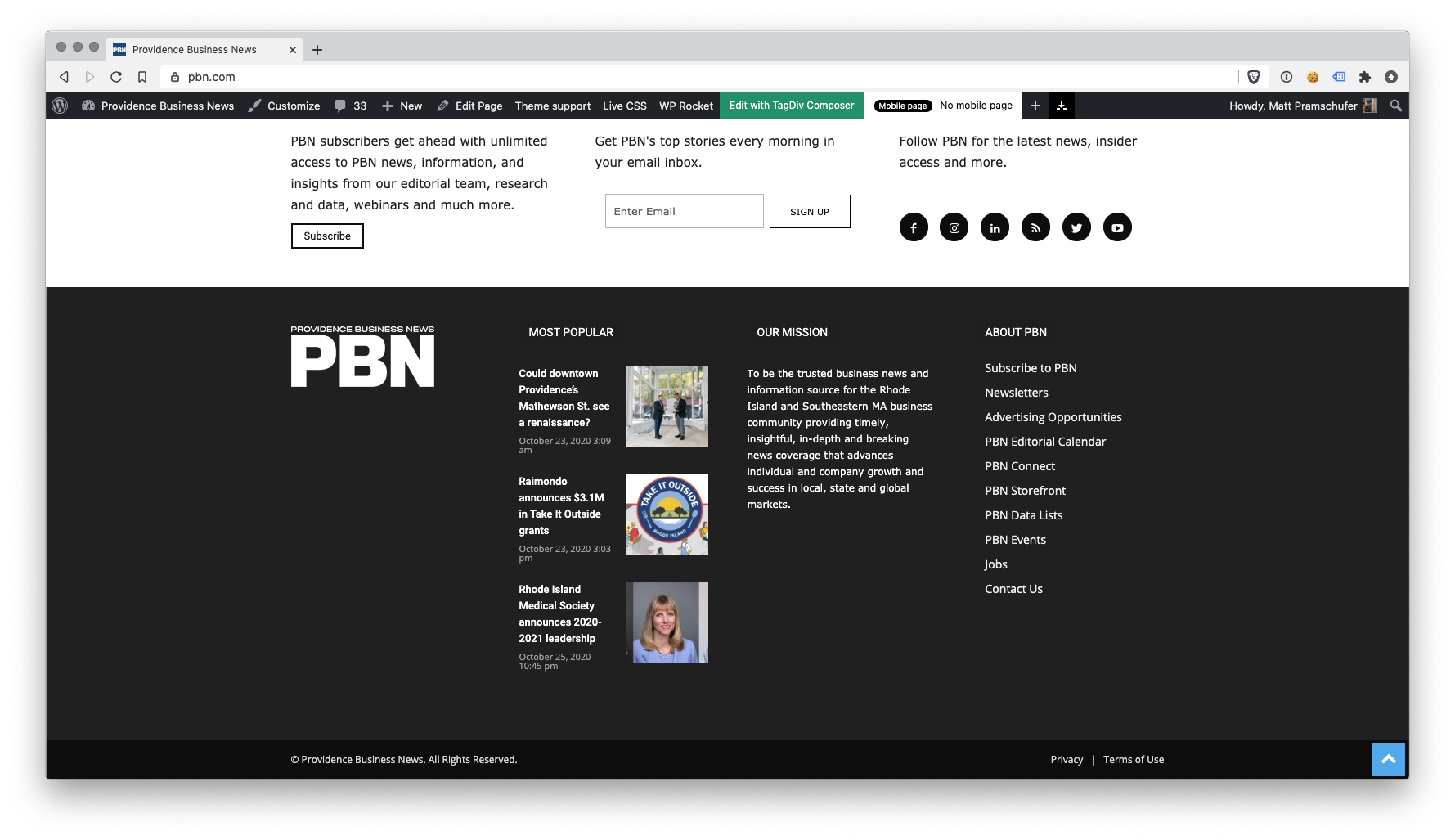
When I save the footer and assign it globally in Theme Panel, the footer column styles only appear on pages in which we build with Visual Composer.
Homepage Built with Visual Composer – https://s3.amazonaws.com/pramadillo/Providence_Business_News_2020-10-26_11-45-48.png
Individual Post Page without Visual Composer – https://s3.amazonaws.com/pramadillo/Could_downtown_Providences_Mathewson_St._see_a_renaissance_-_Providence_Business_News_2020-10-26_11-46-45.png
I have cleared cache and double checked everything and to no avail the css does not get included.
 Calin
Calin Hi,
According to our guide from here https://tagdiv.com/newspaper-10-3-7-update-brings-customizable-and-fast-mobile-pages/ now you can create mobile pages and mobile templates using tagDiv Composer. To assign that page for mobile you need to select it from the mobile list -> https://i.imgur.com/7ZvoGr6.png when this is selected will look like this (in list will be with green)-> https://i.imgur.com/eJtnJEo.png for cloud templates you need to do the same steps, but the assignations is just a little different -> https://i.imgur.com/HKKg73y.png
If there is no template assigned then it will be use the responsive version of the cloud template that is use on desktop.
Also make sure that the mobile theme plugin is not enable -> https://forum.tagdiv.com/the-mobile-theme/ or if you are using it, make sure that is only for amp -> https://i.imgur.com/foGx8BX.png otherwise will overwrite the mobile page.
Hope this will help you!
Calin Hi,
1. If I’m right and this is your website -> https://forwardky.com/ then the footer problem seems to be solved -> https://i.imgur.com/WuV1qVm.png
If is not this, make sure that you have set the same footer and there is no plugin that is interfering with it.
2. The footer template can be edited only if you are edit a page or cloud template, there is no button in cloud templates to edit it, therefore it can be edited only from the elements where is set (pages/cloud templates).
-> https://i.imgur.com/OpYJe2p.png -> https://i.imgur.com/ci9p54S.jpg
Also if is a general footer, when you edit it in one place it will display the edited version for entire website.
Thank you!
Calin Hi seanodavids,
According to our guide from here https://tagdiv.com/newspaper-10-3-7-update-brings-customizable-and-fast-mobile-pages/ now you can create mobile pages and mobile templates using tagDiv Composer. To assign that page for mobile you need to select it from the mobile list -> https://i.imgur.com/7ZvoGr6.png when this is selected will look like this (in list will be with green)-> https://i.imgur.com/eJtnJEo.png for cloud templates you need to do the same steps, but the assignations is just a little different -> https://i.imgur.com/HKKg73y.png
If there is no template assigned then it will be use the responsive version of the cloud template that is use on desktop.
Hope this will help you!
Calin Hi,
Yes, if you are using a standard demo, you can use the options from theme panel, but if you are using a pro demo, then you are using a cloud header that need to be edited using tagDiv Composer.
You can edit the logo, using use our guide from here -> https://www.youtube.com/watch?v=HXQQygkCCJo also make sure that you display the image or text -> https://i.imgur.com/Zs5shNm.png -> https://i.imgur.com/v3sEEu9.png -> https://i.imgur.com/XdXqH4B.png -> https://i.imgur.com/XdXqH4B.png on mobile -> https://i.imgur.com/wqNV6vE.png
Also you can use drag and drop to set the logo where you want, just make sure that the logo element and the navigation bar has the option inline enabled -> https://i.imgur.com/8YJeJc5.jpg
Thank you!
Calin Hi!
I’m sorry that you are facing issues using Newspaper Theme. The page loading speed for both mobile and desktop depends on many factors and you can’t compare an empty theme like Twenty Twenty with a fully functional, features loaded theme like Newspaper that helps you create a website in a few hours.
We know that you requested us to optimize the page loading speed and our development team refused your invitation as your website is slowed down by the ads loading on your website. I’m sorry, we really wanted to help you, but we can’t optimize the ads as on each page load, the speed tests are waiting for the ads to get fully loaded. So, if in a specific moment, the ads server takes 10 sec to deliver the ads, your page results will display 10 sec delay added to the rest loading time.
The other recommendation was to use the Mobile theme, and now (after the last update) optimize the pages for mobile. You can find more about the new optimization for mobile in this article – https://tagdiv.com/newspaper-10-3-7-update-brings-customizable-and-fast-mobile-pages/ .
We are not deceiving customers. We are building a long term collaboration with our customers. You can see on our demos what page loading speed score can a website loaded with content can have. ca However, page loading speed can depend on many factors, and each website is unique from this point of view.
Let me explain some of these factors and maybe they give you some starting points for optimizing your website.
External factors: server speed, if you are using CDN or not, the external resources loaded by your website like ads, fonts, tracking scripts like Facebook Pixel, Google Analytics, Twitter analytics, Hotjar and so on.
Internal factors: the number of elements on the page, image size, image formats, if you are using mobile optimized layouts, console errors, if you are using the Standard Pack plugin on not, if you are using PRO demo or a standard one.
We can’t not provide a solution for you here, right now as we do not know what are the conditions on your website. You can make the following tests:
1. Activate tagdiv Composer and Standard Pack, install a standard demo and check the page loading speed, then disable the Standard Pack and activate the cloud template and install a pro demo. You’ll see that the speed will improve significantly. Also, you should consider creating the mobile optimized pages for each of your pages to improve the speed on the small screen devices.
2. Test your website in a page speed test la GTMetrix or Google Pagespeed Insights and check the loading time on the ads, fonts and tracking scripts – if there is something there that slows your website down, take action.
Our developers are constantly working on improving Newspaper Theme performance. If you need our help, please send us an email at bogdan@tagdiv.com, we’ll evaluate your client’s website and see if there is something we can do to assist you.
Thank you for your understanding!
Calin Hi adeel_s,
You are using a cloud header -> https://i.imgur.com/PYUsb1u.png from tagDiv Cloud Library, this can be edited and adjust using tagDiv Composer -> https://i.imgur.com/ZAubxMh.png or https://i.imgur.com/NSmyoqC.png -> https://i.imgur.com/bRldJAj.png
Just select the element you want to edit and check the options from tagDiv Composer sidebar.
If you need help with something, just let me know!
Thank you!
Calin Hi,
1. Yes, this can be done as in this image -> https://prnt.sc/v5ethg then all the posts that does not has set an individual template will have the one that is set global, also this one https://i.imgur.com/3wo1GFS.png is the same with this one -> https://i.imgur.com/HDmyRxo.png
2. Usually this problem appear https://prnt.sc/v5eurl when you are using a cloud template and Wp Bakery plugin, if you have this plugin enable, please disable it and the layout will be display normal.
If the problem still persists, please provide me a link where I can inspect it.
Thank you!
Calin Hi,
I just get a footer from cloud and for me is look normal -> https://i.imgur.com/8GwmCAR.png just make sure that you do not have some plugin that can interfere with the footer template.
Let us know the results!
Thank you!
Calin Hi,
If that code need to be set in the theme, I do not know if it will work using a plugin, what you can do is to set the code in head section here -> https://i.imgur.com/gAW21JL.png
if this is not working, then you need to set it manually in theme files, if you are using cloud template, the file where you need to set the code in this one wp-content/plugins/td-composer/legacy/Newspaper/header.php
Bothe plugins (tagDiv Composer and tagDiv Cloud Library) has this “format” to can be use in child theme, in this way the elements under/legacy/Newspaper/ can be edited in a child theme, this method was adopted for users like you how use cloud templates and standard pack is disabled, in this way they can use the file from composer in child.
Hope this will help!
Thank you!
 TechieBraj
Hello team,
I am using NewsPaper default pro with cloud template. I have two issues:-
1. In cloud template there is no option to customize the FORUM page sidebar like all other template: https://prnt.sc/v69tkq (I am using BBpress with BuddyPress).
2. Since Tagdiv composer is not fulfilling my need so I am using Elementor along with Tagdiv composer. My issue is even after I select the FORUM page template to “ELEMENTOR FULL WIDTH” https://prnt.sc/v69w6n , the sidebar from tagdiv is showing on the FORUM page: https://prnt.sc/v69vuo
URL: https://www.keeptaxisalive.org/forums/
Looking forward for the solution 🙂
Thanks!
 Gastrodontti
I’ve ran into a “There has been a critical error on your website.” on my staging site for my blog. I had been building the site for weeks without any problems and then suddenly I can’t access the theme panel, can’t access Cloud templates, the site is down and nothing works.
I’m running on WordPress 5.5.1 and the System status is green. Not a plugin conflict case as only tagDiv plugins are in use.
I hadn’t been aware of the compatibility issue with 10.3.7 before this problem appeared. I rolled back to 1.3.6.1 but the problem persists. Reinstalled the theme and plugins, cleared the cache and still can’t access theme panel or Cloud templates.
Some improvement did happen with the rollback. The site is up, I can access the Composer and even edit the templates by accessing them through the site while logged in and the top admin menu. I can even use the Cloud library the create new templates but I’ve got no way of assigning them as I can’t access theme panel. And the Cloud Templates menu is as broken as ever.
I’m fresh out of debugging ideas. And as my staging is on Blogvault, it’s the kind that will expire in a few weeks. As I can’t merge an incomplete site, much less a broken site, I’m in a bit of a hurry. Any ideas?
 BruceInLouisville
Couple of quick questions about footer templates:
I imported and configured/edited a cloud footer template, using TagDiv composer on the home page. Got it looking the way I want, and happy with it.
Didn’t realize I had to then set it in the theme panel for the rest of the web site, so imported version (or something) still showing up on posts. Set Footer in theme panel to use the imported template, and all seemed to be well.
BUT —
- The cloud footer on the posts is slightly different than the one on the home page. Specifically, there is space above the list menu in the center panel on the posts, that is not there on the home page. If they are both (supposedly) using the same footer template, why would there be a difference?
- I cannot figure out how to edit the footer template itself. I can edit the one on the home page using TagDiv composer, but on the posts pages there is no option to “Edit with Tagdiv composer.” There is also no option for that in the cloud library listing.
Thoughts?
 elvisfrog
When you view the AMP version of the site fortworthbusiness.com you use to be able to click the mobile menu icon and get the menu, but now you don’t, it looks like it tries to load and if you inspect the code it looks like it is there but you can not click nor does it display? I don’t know if related, but I experimented with the new Mobile Templates from cloud template and decided not to test further and deleted the page, I checked my Mobile settings in the Theme Panel, I tried Mobile+AMP and just AMP, checked the correct menu was selected and changed the menu to test others same result, if you are not logged in the menu doesn’t display. I don’t know if it is leftover from the Mobile Template I tried to import or something else, I am trying to test plugins compatibility, but when I only activate Newspaper theme and its plugins, I am still logged in, and I can use user switching but still logged in, and when you are logged in, the menu appears, it is very weird. It had been working before. Any suggestions? I am limited minus actually disabling all the plugins, which I can’t do on the live site. NOTE: if you just do screen resize and look at the page, which I believe is just the Mobile version, menu works fine, so strictly an AMP issue. Maybe I can disable and remove the AMP mobile plugin and reinstall, but not sure what settings will be lost. Posting in part if others have the same issue and if it was in fact related to testing out the new Cloud Mobile Template.
Calin Hi ma7myd,
The code for ads need to be set in theme panel for standard demos (standard templates) -> https://i.imgur.com/I4oJrPN.png but if you have a pro demo these use cloud templates and the ads from theme panel are not use, because these can be edited only with tagDiv Composer, therefore the ads need to be set in ad box element -> https://forum.tagdiv.com/custom-ad-spots/ the ad box has 3 sections for ads: using theme panel ads -> https://i.imgur.com/KFa9ibl.png, using images/banners -> https://i.imgur.com/MfAPTaE.png and custom code -> https://i.imgur.com/2rh8SuD.png
-> https://i.imgur.com/Kb4jWCG.png -> https://i.imgur.com/WMMPTEu.jpg
Also the Pinterest feeds can be set with tagDiv Composer -> https://i.imgur.com/SYiRbiG.jpg -> https://i.imgur.com/aE9WCiN.png
Thank you!
Calin Hi araja and Komal,
If I understand correctly, you set the ads in theme panel, here -> https://i.imgur.com/c6m9lYJ.png and there are no changings on live website.
If so the these can be the situations:
You are using a pro demo, with a cloud header, these are not using the ads from theme panel. Pro demos are made using tagDiv Composer and cloud templates, all these can be edited with tagDiv Composer and the ads are set in ad box element -> https://forum.tagdiv.com/custom-ad-spots/ ; the ad box has 3 sections for ads: using theme panel ads -> https://i.imgur.com/KFa9ibl.png, using images/banners -> https://i.imgur.com/MfAPTaE.png and custom code -> https://i.imgur.com/2rh8SuD.png
-> https://i.imgur.com/Kb4jWCG.png -> https://i.imgur.com/WMMPTEu.jpg
Please check this.
If there is a blank space, the ad is provide, but if is a new ad account it takes few dais until the ads will appear.
If the account is not new and you have it at list from 1-2 weeks, then can be other problems.
Let me know the results!
Also if the problem persists, please provide a link to your websites to can inspect the ads.
Thank you!
Calin Hi inthenews,
The problem is that you do not longer have the content element in single post template, maybe somehow you delete it, to fix the problem, you need to use tagDiv Composer to edit the single post template -> https://i.imgur.com/fEnYhSv.png and add the single post content -> https://i.imgur.com/kt1xD90.png or another solution is to get a new single post template from tagDiv Cloud Library and assign it in theme panel as general.
Hope this will help you!
Thank you!
Calin Hi aassi, where are you see these notices ?
From Newspaper v10.3.3 was add a better support for WPML plugin -> https://i.imgur.com/vAjt3aG.png now you can set the header, footer, category and single template on each language in them panel, for this you need to use the translate for cloud templates -> https://i.imgur.com/Y99kgbB.png in this way on each language you’ll have only the templates made for that language, for example https://i.imgur.com/UJbzFFp.png -> https://i.imgur.com/TWZLxQZ.png -> https://i.imgur.com/CjsSkAC.png
You can duplicate a cloud template like this -> https://i.imgur.com/BLYyLc4.png after that you can edit it with tagDiv Composer.
In your case you need to do the same for 404 cloud template.
The second method is the classic one using the strings translate, this is more harder -> you need to use the this option -> https://i.imgur.com/59kl17v.png in order to use the string translate, for example for the header -> https://prnt.sc/rumozl and in WPML String -> https://prnt.sc/rumqn5 then you need to set the id of the header you want to be set for that language -> https://i.imgur.com/ghCu54I.png -> https://i.imgur.com/UAgVTC6.png -> https://prnt.sc/rumrbd
What method do you use, also it will help a loot if you cloud provide a screenshot with these notice to see exactly where these appears.
Thank you!
 Vlad S
 Hello !
That option is possible when using Cloud Library post templates: https://www.youtube.com/watch?v=I1R3j1QYod0 And you can activate or deactivate the infintie scroll from here: https://tagdiv.com/infinite-loading-for-single-posts/
Thank you !
Calin Hi,
I think that for this you are using this guide -> https://www.semrush.com/blog/your-guide-to-understanding-googles-sitelinks-search-box/?kw=&cmp=EE_SRCH_DSA_Blog_SEO_EN&label=dsa_pagefeed&Network=g&Device=c&utm_content=473320212413&kwid=dsa-837871680671&cmpid=9875219915&agpid=103365049634&gclid=CjwKCAjw_sn8BRBrEiwAnUGJDp6UWdfbezqER7Ckd7pr78VbtK_guSzjCPO5f4lI8Xf4YBwOVlCsuxoCc-AQAvD_BwE
Now if I understand correctly you need to hook the theme search function, the file for this are these:
The search from Composer, when you do not use standard pack-> wp-content/plugins/td-composer/legacy/Newspaper/parts/search.php
Standard search from standard pack-> wp-content/plugins/td-standard-pack/Newspaper/search.php
The search from cloud templates-> wp-content/plugins/td-cloud-library/shortcodes/search/tdb_search_form.php
Now I do not know the right implementation of that code, I did not set it before in our theme to know how it need to be set and how it should work, but if you can set it for a default theme it should work with our theme too, but on a standard search not on live search.
Thank you for your understating!
 Kiwimiles
 Hi,
I have downloaded a cloud template which was under “single” tab and I want to use it as a home page. Is there any way, I can do this.
Regards,
Vlad S Hello !
Please note that you will have to use multiple post templates if you want to have different layouts on different posts. Find out more about it here: https://forum.tagdiv.com/design-post-pages-using-cloud-library-templates/
You can set a global template if you want as you can see here: https://www.youtube.com/watch?v=fa7GenCHcBU&t=2s
Thank you !
Calin Hi Yogesh1,
There is a small problem, the blocks doesn’t have individual options as flex blocks to can remove these elements only for that block. Therefore you have two possibilities, use the block 9 and a custom css to remove these elements or use a flex block and adjust it, also you can import a flex block that already has a similar layout from cloud -> https://i.imgur.com/ddYX3fu.png -> https://i.imgur.com/UubqdGA.png -> https://i.imgur.com/LNzak9d.png -> https://i.imgur.com/UAjZMcm.png
Hope this will help you!
Let me know the rsults!
 Lukas Fila
 I’m sorry, I accidentally deleted the post before you could reply. If I use Default Theme settings, then everything is fine, but if I want to set my own appearance of the post for videos in Cloud – Single Post Template – Default PRO, the video is displayed as a square and I can’t make any changes to the settings so that it is correct as in Default Theme. Link to the problem here: https://litomericko24.cz/2020/10/16/experiment-with-settings-the-featured-image-in-cloud-single-post-template-default-pro/