
 Calin
Calin Hi,
If you want to edit the header you need to use the header manager and set a header from tagDiv Cloud Library.
The footer have some default templates -> https://www.screencast.com/t/mShaMP4H1H if you want to edit the footer with tagDiv Composer you need to set a footer page.
Footer templates -> https://forum.tagdiv.com/footer-templates/
Thank you!
 Tuudi
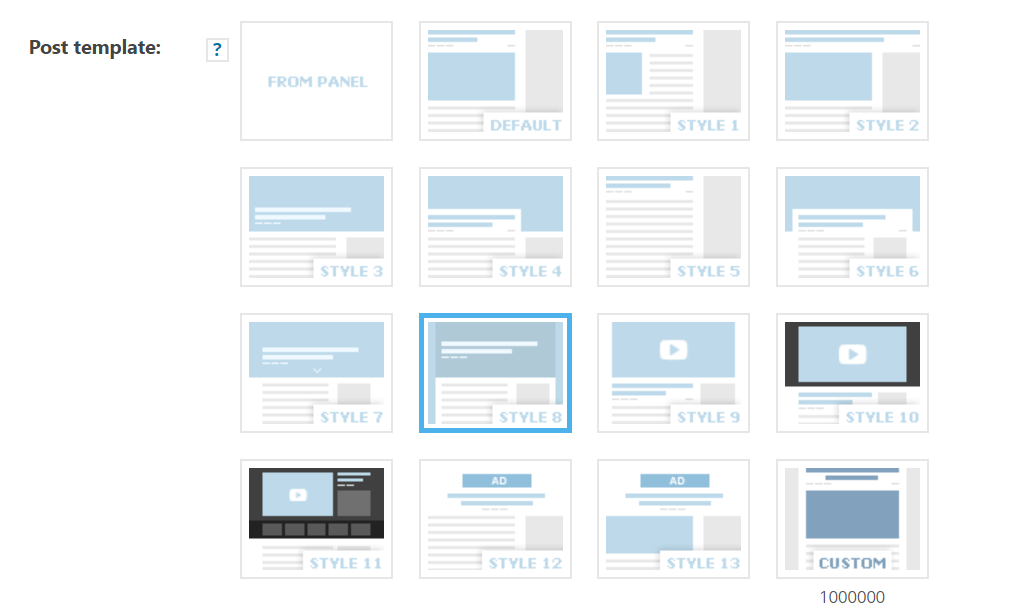
Tuudi Thanks Simion C, it seems that cloud post template could be an option. So, how and in which place I can edit default templates:
 Simion C.
 Hi,
That would be the case, the child theme is quite limited after the recent update. Most theme files have been moved in the composer plugin as mentioned here
– https://tagdiv.com/updating-the-core-of-tagdiv-themes/
So now the post template files are now in the composer – http://prntscr.com/ng3e26
You could edit them there, but the modification will have to made again after each update.
Maybe you could display the ratings in different way. Some ratings sections provided by plugins can be displayed with shortcodes. You could use a cloud post template for the posts, in the cloud post templates use a column text element in which you enter the plugin shortcode. This would be one way to display ratings on posts.
I believe this request is on our list, a rating option may be available in the theme in a future update.
Thanks
Simion C. Hi,
If the mobile theme plugin is active, what is displayed on mobile will be a different from desktop. For example the mobile homepage will display a top grid with 3 featured posts (if there are any) – https://forum.tagdiv.com/featured-posts-2/
Below that grid will be a latest articles section. The mobile theme is specially created for mobiles, it is faster than the default responsive theme version. Other pages will be empty on mobile, if there is no content entered in the mobile editor for each page
– http://prntscr.com/ng341f
Here you can read more about it – https://tagdiv.com/mobile-theme-automatic-optimization-for-mobile-newspaper-theme/
Regarding that border, from what I can see the top bar is empty (no login, no weather no socials etc). You could disable it entirely if you do not want to display any elements in it – http://prntscr.com/ng373y and the problem will be solved.
The “Read more” that the block uses cannot be disabled. You could use a different type of block, maybe a flex block (these have an show/hide “Read more” button setting).
Here are some block designs made by us that can be imported with the cloud library plugin
– https://cloud.tagdiv.com/#/load/Blocks (they are all flex blocks).
However if you want to keep using block 24 and wish to remove the button there is a solution. I could give you a code to remove it – http://prntscr.com/ng3941
Enter this code in the Theme panel->Custom code-> CSS code section
.td_block_24 .td_module_19 .td-read-more {

display: none;

}
If you want to keep the block and the button but change the text it displays, you can translate it in the Theme panel->Translations settings – http://prntscr.com/ng39vz
Please let me know if you have more questions.
Thanks
Calin Hi,
1. If you want to import pages from tagDiv Cloud Library you need to import homepages, if you want to change the post templates you need to import single post templates ( you can not set a single post template content in a page ).
You can edit/build pages and template using tagDiv Composer.
2. You need to use the header manager and check the sticky menu, scroll until you see the sticky menu and click on logo -> https://www.screencast.com/t/o6Z8zoJoWbFY
Thank you!
 DanielSage96
Hi,
Since upgrading Newspaper to the latest version I’ve had nothing but trouble.
I now get messages saying
tagDiv Composer Outdated /
tagDiv Cloud Library Outdated /
tagDiv Social Counter Outdated /
I have disabled them, re-enabled & still same message, I have now removed them & re-installed the plugins and still get the same message – WHAT IS HAPPENING.
 barelliluca
 Hi Bogdan,
I’m referring to the weird crop focus I’m experiencing after 9.7 upgrade.
In short, before it was like this:
https://web.archive.org/web/20190122023354/https://italyze.me/
Now it’s this:
https://italyze.me/
So. Below 1200px (media queries?) is looking ok:
http://i67.tinypic.com/15me1bn.png
But as soon as I go beyond the threshold it goes messy:
http://i68.tinypic.com/11u9utc.png
I’ve disabled every plugin, cleaned caches (also rebooted apache), disabled Cloudflare and everything you could tell me to try before posting here.
Help?
 angelgallegos
 Hi,
Here I’ve put after paragraph number 3, but it shows at the top of the content: https://www.elquintobeatle.com/2019/04/14/celebraran-blur-veinticinco-aniversario-parklife-concierto-especial/
It’s a custom cloud template.
Thanks.
Simion C. Hi,
That demo uses a cloud header template. In order to customize the header you will have to edit it with the composer.
Access the cloud templates section and edit the nomad header – http://prntscr.com/nfqrj2
remove the text logo and icon – http://prntscr.com/nfqx6k w2hich the demo header uses initially – http://prntscr.com/nfqxuf and make the image logo visible
– http://prntscr.com/nfqy96
Then the logo set in the theme panel will be shown. If you have more questions let us know.
Thanks
 stuartmasson
 Hi Calin. Is there any additional information on resolving this information? I’ve been having the same issues since the last update – can’t even download a blank cloud template without getting the above error, let alone edit existing templates.
I have disabled pretty much every plugin to try and resolve this, but have had no luck so far.
Thanks,
stuart
Calin Hi,
You need to have tagDiv Composer and tagDiv Cloud Library activate -> https://www.screencast.com/t/3xVQIpkAb -> https://www.screencast.com/t/HnUXhRk5GRe filter on blocks -> https://www.screencast.com/t/FQjPjuhZEa7 for post you’ll need to get the single post template from tagDiv Cloud Literary -> https://www.screencast.com/t/eYkeLqbCqV -> https://www.screencast.com/t/3qCSo9Nxtt
Thank you!
Simion C. Hi,
So you have set a cloud template for the attachment page but it is not working? I made a quick test, seems to work.
What exactly is happening in your case if you try to access an attachment page? If you use Yoast please check if this option is active – http://prntscr.com/nfpnl5 if it is active the attachment URL will be redirected to the image itself. Deactivate it and the URLs will be available.
Thanks
Simion C. Hi,
That is not possible by a theme setting unfortunately. However, note that in an ad box you can now place the ad code directly. So the ad box element can display ads that are not entered in the theme panel custom ads spots – http://prntscr.com/nfpi4j
You can place as many ad boxes as you want, while editing the page/cloud template with the composer.
Thanks
Calin Hi,
This can be done using the header manager for tagDiv Cloud Library and tagDiv Composer -> https://www.screencast.com/t/Yq77Z7eMPfR -> https://www.screencast.com/t/8R3mph59Oh
Thank you!
Calin Hi,
This can be done using the header manager for tagDiv Cloud Library and tagDiv Composer -> https://www.screencast.com/t/Yq77Z7eMPfR -> https://www.screencast.com/t/8R3mph59Oh
Thank you!
 Stevew
Hi Everyone,
I’m Steve and I love your Newspaper theme which I’ve just bought.
Apologies if this is a newbie question but I seem to be missing something and can’t find it in the doc or forum…
Q1. I can see how to create a page from a Cloud Library page but, I like the Single Post templates better for a PAGE I’m trying to create. If I import the template, duplicate then I get warnings about ‘not created with tagDiv’ and can’t see how to instantiate the template into a page. Can you help please?
Q2. I have the mobile theme and AMP running but when I look at https://ulanua.com on a mobile I see the pink FastNews header background and can’t find where to change it to the blues of the main site. I’ve cleared caches and it still doesn’t work so I may be missing a setting.
Docs, links or suggestions much appreciated.
Best regards,
Steve
Simion C. Hi,
You could use a cloud header template, this will allow you to select the menu you want to display on mobile – http://prntscr.com/nfn9ws
Here you can see the available cloud header templates, these can be imported and alos modified if needed
– https://cloud.tagdiv.com/#/load/Headers
You can also build your own using the header builder elements
– http://prntscr.com/nfnapk
So you can display a different mobile menu if you use a cloud header template, without resorting to code.
Thanks
Simion C. Hi,
I see what is happening. What you need to do is to edit that cloud header template in the composer. Then activate the sticky mode – http://prntscr.com/nfn7ty now you should see what the sticky menu displays and modify it as you want.
This way you can display totally different elements normal vs sticky. Let us know if you have more questions.
Thanks
Calin Hi,
The cloud post templates don’t have PHP files like the default predefined post templates. So adding PHP code in them is not possible, unless maybe you try using a widget that accepts PHP code and place it in the cloud template while editing with the composer composer. But that may not work.
Please check this similar topic -> https://forum.tagdiv.com/topic/adding-custom-php-code-to-show-up-on-posts-while-using-cloud-library-templated/
Thank you!
 Catalin
 Hi,
You need to import it from your Cloud Template Library, from here -> https://www.screencast.com/t/Y1WhO9oCETh and set up it to be your footer, using the Footer page functionality.
Hope this helps!
Thank you!
Calin Hi,
You can use the tagDiv Composer to edit a single post template from tagDiv Cloud Library and set in ad box were you want.
Thank you!
 khadley
 Hi, I don’t think i’m being clear. I have a site wide logo, that i want on all pages. I want a different logo for the post category called Laval. In this thread, you have helped me do that using the cloud templates.
Here is how it is working now:
So on my main category page https://www.westislandblog.com/category/laval/ i have the logo i want, it’s not the site wide logo, it says laval not west. All good
I also want all the posts that have their main category setting set to laval, to have that same topper. That was my assumption, all Laval posts, will use the template i’ve set for the laval category. This is not happening. https://www.westislandblog.com/laval-mayor-declares-a-state-of-emergency/ So my question is, how can i set up a template/template header for all posts that belong to laval category.
also another issue is the mobile menu doesn’t work in the Laval Cagegory page. I realized that i have to set up the header for mobile, so i’ve done that, the logo shows up, but not the menu.
hope this is clearer
 bob@mrrogersweborhood.com
 We’re receiving an error when trying to access ‘Cloud Templates’:
Screenshots:
https://www.dropbox.com/s/37pftz933gwdqo4/Screenshot%202019-04-22%2013.37.23.png?dl=0
https://www.dropbox.com/s/208synqi0qf4aex/Screenshot%202019-04-22%2013.37.31.png?dl=0
Only thing in our error log is multiple occaisions of:
—
[22-Apr-2019 18:27:35 UTC] PHP Warning: getimagesize(http://mrrwebdev01.org/wp-content/uploads/2019/04/logo-blue-background.png): failed to open stream: no suitable wrapper could be found in /home/mrrogersvps/public_html/mrrwebdev01.org/wp-content/plugins/td-cloud-library/shortcodes/header/tdb_header_logo.php on line 639
—
Here is our php config:
https://www.dropbox.com/s/1tpj98gkq9xu0al/Screenshot%202019-04-22%2013.44.40.png?dl=0
Can you please assist?
Thanks.
 DeChriss
 Hi Catalin,
Thanks for your answer, that made me investigate a bit deeper. 🙂
I think I found the right place in the td-cloud-library plugin within the shortcode tdb_single_review_overall.php.
$buffy .= '<div class="td-review-final-score">' . round($this->calculate_total($post_review_data)) . ($post_review_data['review_meta'] == 'rate_percent' ? ' %' : '') . '</div>';
Now, I have to search a way to hook into this single line to be safe in case of future updates. Maybe you have a idea? 🙂
Cheers,
Chris
 elvisfrog
 Odd, thing is when I first load the site and click on “Cloud Template” it seems to show nothing and then come back it populates?? I did activate this theme after having another one running and I switched back and forth, is it possible that I broke something? Not sure how the Cloud Template spot works as I noticed when I deactivated the newspaper theme it was still there.



