- TutorialsFrom WPBakery to tagDiv Composer
- TutorialsDefault Block Settings Guide
- TutorialsOffset Feature
- TutorialstagDiv Social Counter Tutorial
- TutorialsHow to Update the WPBakery Page Builder plugin
 m0re
m0re Thanks for the response. Hmm..i’ll try the TD Composer beta. I have V 3.1 of newsmag, when is the next version expected?
 Siddhartha Mukherjee
Hey Tag,
This is Siddhartha from Farbound.Net. I have been using your theme for some time now and I have to say this – it is just wonderful with its intuitiveness, stylish appeal and flexibility. Plus your updates never cease to surprise. Though my support expired a while back, I was wondering if you could still supply me with some answers.
1. Can the smart side bar by any chance and via custom CSS be made to recognize stretched rows? Say I use template style 3 with the right side bar operational and then put some stretched VC rows into the content. If I do this right now the sidebar flows right over the VC containers. If I can get the sidebar to float underneath the stretched content, nothing like it. Presently I am using visual composer to do this.
2. The Smart List is not supposed to work with Visual Composer, is it? I tried that on template 5 with visual composer, but the sidebar gets pushed right below the content. Also sometimes the NEXT and PREVIOUS BUTTONS overlap each other. Or am I doing something wrong here?
3. For templates that include the headlines and subtitles within the featured image, is there any way to adjust both the subtitles and headlines to appear better with some spacing when viewing on mobiles? Right now it becomes a jumble. But works well with just headlines. These would be template style 3 and template style 7. For an example: view this page (I noticed this on chrome with the browser size minimized) – Outpost of a vanishing world
4. I followed your instructions and successfully placed an advertisement just above the footer section with a stretched visual composer row, background-color applied. The ad was visible but the background-color was not. Did I miss something?
5. Do you plan to include new post templates in the future? A template that has the headline and subtitle on top of a rather large full width image. I am doing this right now with visual composer.
6. I noticed the social share box at the bottom has some space. Was wondering if it could accommodate a COMMENT icon inside as well along with the word ‘COMMENT’ or just the word. You know, once people reach the end of the story they can not only share it if they like but also find the COMMENT WORD there – clicking which they could directly reach the comment section. The comment icon presently available right now is very stylish but I feel not many are aware what the icon stands for. Yes, I am also well aware people who comment are very less, but since I still come across a lot of reputable media sites using the comment word big and bold, I assume the word does better than an icon.
7. Do you plan to include the option of using custom background-colors with advertisements? I managed to add a light grey to the header ad by coloring the wrapper via css but if an adblock is on viewers only see the grey box. Not that I mind, I can always put a message that says kindly turn your adblock off. Though if you do add in that option, would be very nice indeed.
Thanks
 clasione
 This is exactly what I needed thank you. It looks as though I am using Newspaper V 6.5.1 – I do not see any update notifications anywhere so I have not even thought about updating it. As far as the Plugin, I am using WPBakery Visual Composer Version 4.7.4 (VC Seems up to date but maybe it is the wrong VC Plugin). Thank you again.
 simchris
 Make sure you enough memory allocated to WP for Visual Composer; the default is not enough. See the ‘system status’ tab in the theme panel.
 umar-farooque
I try to add layout, add element but nothing add. Just display loading icon
 Jane Boursaw
 Ok, so here’s what I did. I couldn’t get the “latest articles” title to format right using the above option (adding the code into the php file). So instead, I used Visual Composer – PageBuilder+Latest Articles+Pagination – and then added the raw ad code to the top of the latest articles, using the 2/3 1/3 option. In the 2/3 space on the left, I put the ad code (centered, it fits perfectly above the latest articles section). In the 1/3 space on the right, I put a search box widget (though might change that out for an ad box at some point).
You can see what it looks like here: http://www.oldmission.net
-
This reply was modified 9 years by
Jane Boursaw.
 bilimsenligi.com
Merhaba,
Visual Composer eklentisini yükledim ancak “WPBakery Visual Composer için yeni bir sürüm mevcut. 5.0 sürümü detaylarını görüntüle. Bu tema için otomatik güncelleme mümkün değil. To receive automatic updates license activation is required. Please visit settings to activate your Visual Composer. Got Visual Composer in theme?” uyarısı alıyorum.
Ne yapabilirim.
Ayrıca türkçe destek neden yok.
Ben geçen hafta temayı aldım ve bazı sorunlar yaşıyorum.
 Bogdan B.
 Hello,
Disabling the plugin is not enough for it;s removal. It must be removed from the specific page or sidebar. Please edit your pages and manually remove the widgets as they were added in visual composer on the page and you cannot remove them all from one place. You have to edit the pages separately and remove it wherever you see it present.
On sidebars that are not created in visual composer it;s easier as you can remove the widget from the widgets area of WordPress.
Thank you!
Bogdan B. Hello,
You can ignore the update notice from visual composer. Please read this guide: https://forum.tagdiv.com/newsmag-how-to-update-visual-composer-plugin/
Thank you!
Bogdan B. @ both
If you want to place a custom ad in the posts above the related articles section you will have to use the do_shortcode function and place it inside the post template files that corresponds to the post template that yopu use. Here is an example:
<?php echo do_shortcode('[td_block_ad_box spot_id="custom_ad_1"]'); ?>
this code will render the ad from custom ad 1. You can see the shortcodes in visual composer on an ad box element (switch to classic mode in page edit to see the code and get the shrotcode)
Now to place it inside posts above the latest articles you need to add it like so:
http://screencast.com/t/8Rl1SWbTyB
Thank you!
Bogdan B. Hello,
The block titles can be changed from the block settings. Please read this guide: https://forum.tagdiv.com/block-settings-guide/
If the widgets are on pages you will have to edit the page in visual composer and press the pencil icon for each block and change it’s title.
If the sidebar is on posts or categories you will have to access the widgets area of WordPress and change the titles for the blocks from there.
Thank you!
 newsguru
 I have updated the theme and is not requesting for any theme update except the update for WPBakery Visual Composer
Bogdan B. Hi,
Is the plugin active? Did you check your system status? The plugin code needs to be changed and the id’s discovered using the provided function. If the function cannot find your id’s, you can try to disable all plugins except visual composer and speedbooster and check again. Plugins could interfere even though you remove the compatibility code from speedbooster.
Thank you!
 Catalin
 Hello aliou89,
I suppose that you do not understand very good how mobile theme works, right? So, please notice that this theme concept intend to display a Big Grid feature at the top of homepage which shows the posts which are included in Featured category, then will show a text which you added in Mobile Editor in Visual Composer from backend and at the very bottom of the page you will bring the Latest Articles module. Please keep in mind that the Mobile Theme do not recognize the Visual Composer shortcode and that’s why you did not get the demo style for mobile theme. So, for more information about our mobile theme, please check the documentation here -> https://forum.tagdiv.com/the-mobile-theme/ If you are unhappy with this layout, and if you want to have the similar structure with our demo mobile, you will simply turn off the mobile plugin and the theme will be automatically switched to the general responsive mobile mode.
Thanks for your understanding!
Catalin Hello sergioap61,
Please try to update the theme to the latest version of it which is Newspaper 7.5. Also, try to disable all the active plugins, leave just Visual Composer to active, clear all your caches and rule out any conflicting plugins. Please notice that the PlayList is fully tested with the theme and seems to work as properly as you can see in our demo, like this -> http://demo.tagdiv.com/newspaper/video-playlist/ If the problem is still there, please try to make a new clean install from scratch and check the results because it should working fine.
Thanks for the message!
Bogdan B. Hello,
Please disable all plugins except visual composer, clear cache and reset cdn files if you use it. If the issue is still there please contact us via email at contact@tagdiv.com and provide wp-admin so we can login and investigate. Please also provide a link to this topic so we can identify you.
Thank you!
 magda1973
Hi, It’s possible to hidden post-date only in home (not in the post)? Home is a page make to block of visual composer. Thanks.
Catalin Hello Gadgetsay,
You can get the shortcode from the Classic mode when you edit your page, like this -> http://screencast.com/t/t9vS2WdEaD Notice that the Visual Composer automatically generates when you choose an element from the list.
Thanks for your understanding!
Catalin Hello Baracuda011,
Please keep in mind that the shortcodes (from visual Composer) are not recognized by our Mobile Theme, as my colleague Bogdan said you above. If you are not satisfied with our mobile theme you should disable this plugin and the theme will be automatically switched to general responsive mobile which will recognize your shortcodes.
If you want to use some shortcodes to your posts you can do it in Editor Mode, like this -> http://screencast.com/t/UEyO0W1Xw
Hope this helps!
Thanks for your understanding!
 LTH
LTHHello,
I have a little problem with the comment count on my homepage.
My first posts, managed by Visual Composer, are in a Slide + Block 21 configuration. All posts show O comment. This is not the right comment count.
The other posts, managed by Newspaper, are in a Block 21 configuration. They have the right comment count.
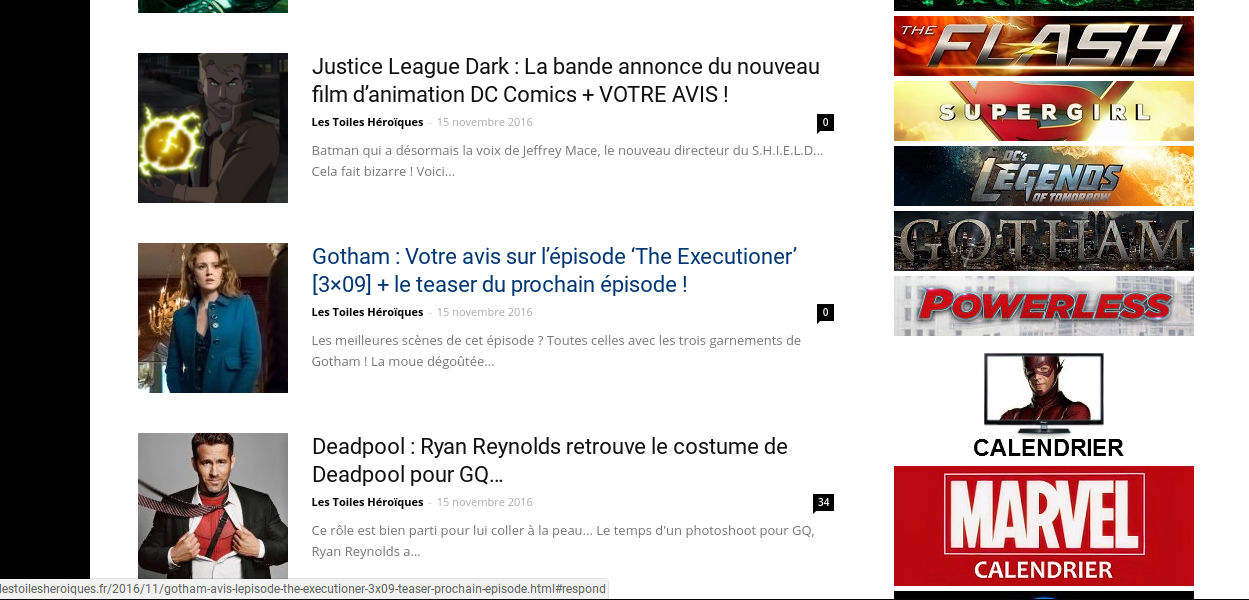
I noticed the following thing :
=> With Visual Composer, the comment count’s adress is http://exemple#respond.
=> With Newspaper, the comment coun’ts adress is http://exemple#comments.
What should I do to solve this problem?
Thank you in advance.
simchris In my layouts, I make the home page sidebar a widget sidebar; then I use the normal appearance > widgets to put stuff in that sidebar on home page.
No need to get new version of Visual Composer just because there is an update.
Just ignore the update notice.
I have actually moved to the TD COmposer beta, as it’s simpler, more lightweight and doesn’t get pokey updates every 10 weeks.
simchris sticky post means the post that is ‘stuck’ at top of the forum every time you look at it
https://forum.tagdiv.com/topic/how-to-update-visual-composer/
REF:
Emil G
#34790
Jan 19, 2015 at 8:57 am
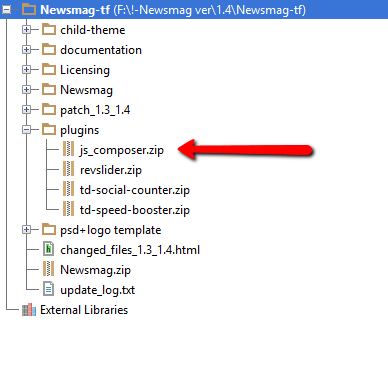
The Visual Composer plugin that comes with the theme is licensed to the theme, the license specifies that only we can provide the updates and you don’t have to buy it or register it. We provide updates on a regular basis, after we test the plugin for theme compatibility the plugin is included in the latest theme update, inside the Plugins folder:
https://forum.tagdiv.com/wp-content/uploads/2015/01/visualc_newsmag.png
Here is the guide on how to update the plugin – https://forum.tagdiv.com/how-to-update-visual-composer-plugin-wpbakery/
Conclusion – We’re testing the plugin latest version, if everything is ok we will include it in the next update and only then you can update the plugin by downloading the theme latest version and following the procedure presented in the plugin update guide.
Emil G.
 richardgaspa
WPBakery Visual Composer has been upgraded for a while now to version 5.0. I just downloaded the newest version of Newspaper but don’t see the upgraded VC 5.0 upgraded plugin. When will it be available as it has many new features?
Jane Boursaw Thanks so much. This will be a custom ad from one of my local advertisers (not AdSense). Right now, it’s just a “your ad could be here” ad, with a link to my advertising page.
My website is: http://www.oldmission.net.
I’ve got “show title” checked, so you can see the ad there right now, along with the “Latest Articles” title at the top. I mean, even if we could get the “Latest Articles” below the ad, that would be better for me.
Seems like there must be a way to just drop that ad code into Visual Composer…? But I don’t see an option to have it JUST above the latest articles. If I drop it in there, it covers the whole space, left to right, through the right-hand sidebar.
Thanks for the tip re the rotating ads – will check out that plugin!
 digitaleditor
 Thanks.
Filters (blocks) seem backwards. I know its composer or wordpress but it would be easier just to say only category id in this block rather than all the category ids you want excluded.
Or am I reading this wrong?
Stewart