
- TutorialsFrom WPBakery to tagDiv Composer
- TutorialsDefault Block Settings Guide
- TutorialsOffset Feature
- TutorialstagDiv Social Counter Tutorial
- TutorialsHow to Update the WPBakery Page Builder plugin
 Bettina
 Hello!
You should be able to change the background color by editing the page with TagDiv Composer, make sure to select the row, and you have some settings in the CSS tab: https://www.screencast.com/t/fOC3aNve
Thank you!
Bettina Hello!
Please edit the page with TagDiv Composer and please check the element’s settings. Let the offset field empty with no space, no value, then the posts will display. Check also the filter.
Thank you!
Bettina Hello!
If you have a cloud/PRO template, but you can’t edit the footer, then edit your homepage with TagDiv Composer, scroll till footer, click on footer zone and you can edit/delete the elements there.
Thank you!
Bettina Hello!
1. From Theme panel -> Mobile Theme, check this option :https://www.screencast.com/t/DiI2eBnPqXB , but the design is looking pretty similar. For more information, you can check our documentation:
– https://forum.tagdiv.com/the-mobile-theme/
– https://forum.tagdiv.com/tagdiv-amp-plugin-tutorial/
2. You have only some settings for this layout, which you can find in Theme panel -> Mobile Theme. Please note that you can not edit it with TagDiv Composer.
Let me explain you which options you have:
1. Responsive version: A responsive version of your website is looking similar like on desktop, edit the page with TagDiv Composer, click on the mobile viewport: https://www.screencast.com/t/XDQJedlggSB ; there you can see your mobile version and you can edit the elements there.
2. Mobile pages: https://tagdiv.com/newspaper-10-3-7-update-brings-customizable-and-fast-mobile-pages/
3. Mobile theme plugin: https://forum.tagdiv.com/the-mobile-theme/
If you want a responsive version for your mobile version, then you should uninstall the Mobile Theme plugin which has its own templates and your responsive version will appear automatically.
Thank you!
Bettina Hello!
First of all, please make sure you have the plugins also up to date. Example:
1. disable TagDiv Composer
2. uninstall(delete) TagDiv Composer
3. clear cache (if cache plugin exists)
4. install TagDiv Composer
5. activate TagDiv Composer
6. clear cache (if cache plugin exists)
Also, please check if this code is missing from your htaccess: https://www.screencast.com/t/iN0R93dD3p from our requirements https://forum.tagdiv.com/requirements-for-newspaper/
Here is an article about how to fix this problem: https://kinsta.com/knowledgebase/there-has-been-a-critical-error-on-your-website/
Thank you!
 Ramon Santana
 Hi,
I’ve marked this option, but doesn’t work on post template.
I’m using tagDiv Composer and post template from Cloud Library.
 orleff
Hi! Today I updated the newspaper theme to 11.2 and the site is not loading the theme, just showing some shortcodes:
[td_block_big_grid_slide td_grid_style=”td-grid-style-1″ limit=”12″ autoplay=”10″ category_id=”8959″ sort=””]
[td_block_5 limit=”12″ category_id=”152″ ajax_pagination=”” custom_title=”Новини” header_color=”#2364aa” td_ajax_filter_type=”td_category_ids_filter” td_ajax_filter_ids=”668, 670, 8785, 94, 145″ td_filter_default_txt=”” td_ajax_preloading=””
This is usually the case when tagdiv_composer plugin is not started, but now it’s not the case. Please help
Site: Rockthenight.eu
 Piotrk87
Hi guys,
I have installed the TagDivShop plugin and I am looking at the default product page now.
To me it looks quite ok, the only thing I wanted to change is a background color / font color of a certain element. It’s a black bar with a black text on it.
Please take a look at the picture and advise me how can I do this? The composer does not work with default theme.
Piotr
 kyniu
kyniu I have not cache plugin and child theme
I deactivate ALL plugins except tagDiv
I reinstal tagDiv Composer
still same
Example site (on my site):
https://piekielniszefowie.pl/mobbing-w-lodziarni/
still not show Popular posts (last 7 days) – but only not show, there no error…
 georgebe1
 periodical.apartments
Hi!
I see the following errors in the console:
https://www.apartments.news/wp-content/plugins/td-composer/css-live/assets/external/ace/ace.js,qver=29b8eed74f3fa54e90e15885fee4a238.pagespeed.jm.mgV2mVvenK.js
https://www.apartments.news/wp-content/plugins/td-composer/css-live/assets/external/ace/ace.js,qver=29b8eed74f3fa54e90e15885fee4a238.pagespeed.jm.mgV2mVvenK.js

The file itself is located in the folder:

What can it be and how to fix it? Please help.
 Alwaysblues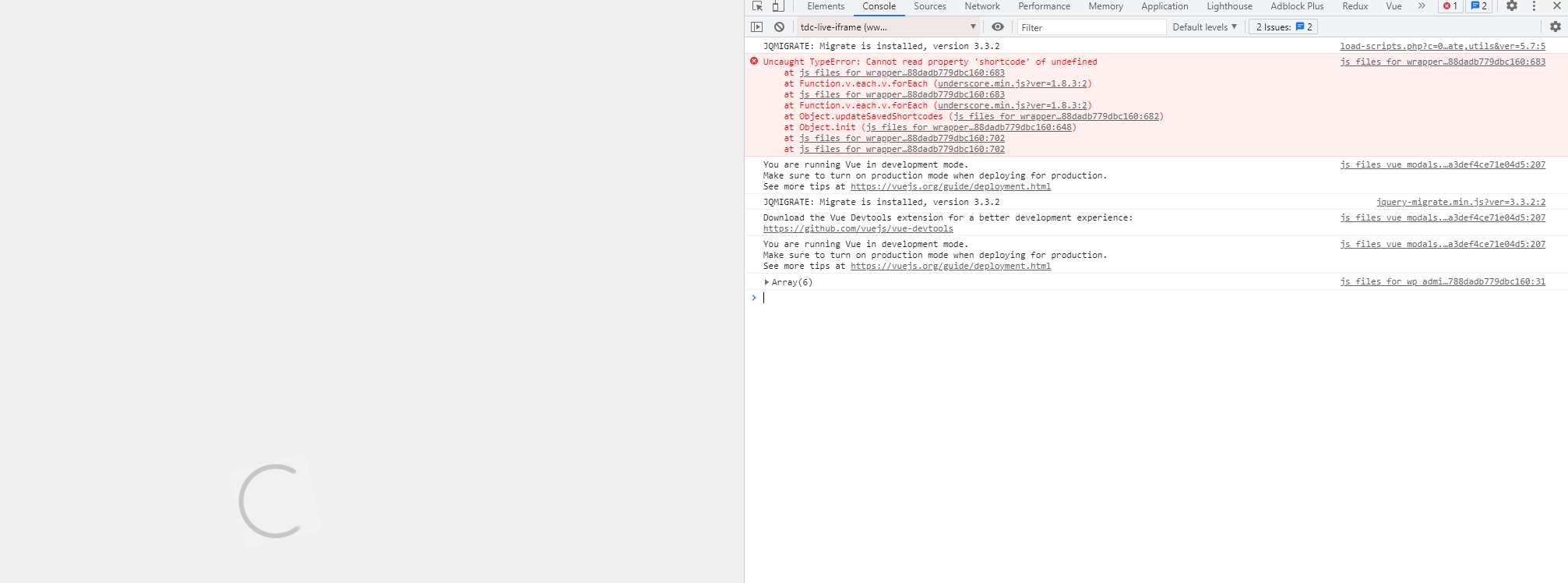
 charamis
How do I remove Latest Articles in the bottom of the home page. TagDiv composer has no option on this.
 Abder Fath
Hello,
I can’t find the “Edit with TagDiv Composer” button, I can edit the header but not the footer (https://i.ibb.co/VWctbMG/footer.png)
Also it shows two footers instead of one https://i.ibb.co/XFgVxVR/foooter.png
 Emmarnit
Hello, i have always been seeing, ‘there has been a critical error on your website’ I will then contact my hosting and will be told the error was caused by tagdiv composer or td standard pack https://ibb.co/Kb04KCG .
What i will have to do is, disable these plugins and then reactivate again, it has happened several times.
today it happened and my hosting asked Me to contact support,https://ibb.co/GkNH1KZ
please how do i solve these errors caused by the two plugins used to build the website?
my website: emmarnitechs.com
 Calin
Calin Hi,
If you are using a single post template from tagDiv Cloud library, then the path is this one wp-content/plugins/td-cloud-library/shortcodes/single/tdb_single_content.php
If you are using standard post styles, then the path is this one wp-content/plugins/td-standard-pack/Newspaper/parts/single or for default template from theme when tagDiv Standard pack is activate wp-content/plugins/td-standard-pack/Newspaper/loop-single.php or single.php when tagDiv standard pack is not activate wp-content/plugins/td-composer/legacy/Newspaper/loop-single.php or single.php
I hope this will help you!
 Vlad S
 Hello!
You will have to first start looking for a plugin conflict. please deactivate ALL plugins except tagDiv ones, also if you are using child theme or cache plugin, deactivate them, clear all cache and try again.
Also you can try and remove and re-install the tagDiv Composer plugin and please send us a link to your website in order to take a look.
Let us know the results.
Thank you !
 ppirong
My site (http://designgised.com) sometimes showed an error message saying “Page is not working. HTTP Error 500” when I opened it. In addition, my site sometimes showed an error message saying “Error at zones: 6(models) : 0(dom). The model does not match the content Current state has involved an issue. You could try an UNDO operation (CTRL+Z / CTRL+SHIFT+Z)” when I edited a page using TagDiv composer. Please check my site. If my site will be blocked when you will open it, please let me know your IP address and I will open the connection from your IP, because any connections from abroad will be blocked by my server firewall. If you need admin ID and password, please send me an email and I will let you know them by email.
Vlad S Hello!
Unfortunately that is not available at the moment. As a workaround you can use a Inline text element, add it using tagDiv Composer and arrange it using css: https://www.screencast.com/t/mjnPN0b7J; https://www.screencast.com/t/fcM0JLMd The values were used for my layout. You can change those and arrange it as you want.
Thank you!
Vlad S Hello!
When using a header template you can design it as you want since you are able to edit it using our page builder tagDiv Composer. You can see a lot of tips and tricks on tagDiv Composer here: https://www.youtube.com/user/tagdiv
You will have to import a template that is the closest to what you are looking to achieve and then simply make the changes remained.
Thank you!
Vlad S Hello!
You will have to first start looking for a plugin conflict. please deactivate ALL plugins except tagDiv ones, also if you are using child theme or cache plugin, deactivate them, clear all cache and try again.
Also you can try and remove and re-install the tagDiv Composer plugin and please send us a link to your website in order to take a look.
Let us know the results.
Thank you !
kyniu Debug (for 1)
Fatal error: Uncaught Error: Call to undefined function quads_is_admin_page() in /home/kobieta/szefowie/wp-content/plugins/quick-adsense-reloaded/includes/scripts.php:69 Stack trace: #0 /home/kobieta/szefowie/wp-includes/class-wp-hook.php(303): quads_check_ad_blocker('') #1 /home/kobieta/szefowie/wp-includes/class-wp-hook.php(327): WP_Hook->apply_filters(NULL, Array) #2 /home/kobieta/szefowie/wp-includes/plugin.php(470): WP_Hook->do_action(Array) #3 /home/kobieta/szefowie/wp-content/plugins/td-composer/includes/wpeditor.php(404): do_action('admin_print_foo...') #4 {main} thrown in /home/kobieta/szefowie/wp-content/plugins/quick-adsense-reloaded/includes/scripts.php on line 69
I turn off WP QUADS and now it works but… your ad system still doesn’t work – So I do not have the ad system
 iamkevalkaria
After updating the Tag Div Composer and Mobile plugin. My site stopped working. please fix the issue
site: https://www.animemedia.net/
 usacarry-2
Why do some of the cloud templates allow me to edit them in TagDiv Composer but some of them don’t?
 WalnutHillDesign
 I’m interested in the same.
How can we display the image caption on the TD Composer “Single Image” element. Would like to display the caption set for the image below the image, but I’m not finding any option to show/hide it.


