
No search results were found in Documentation!
 Vlad S
 Hello !
Please note that all the PRO demos and the library templates are fully editable using tagDiv Composer, in order to change the background color / image you will have to edit all the ROWS as you can see here: https://www.screencast.com/t/QlYxvmdoUxea
Thank you !
 Calin
Calin Hi,
If you are using a cloud header -> https://i.imgur.com/K7SvCDD.png you can edit it using tagDiv Composer -> https://i.imgur.com/NdRo7lR.png most of theme can be stretch directly because are set in a separate row from the rest of header elements, like in this case -> https://i.imgur.com/72PVR2N.png -> https://i.imgur.com/Nj84k9K.png if for you is not the same loo, please add in header a new row like this https://i.imgur.com/slfYqb9.png -> https://i.imgur.com/pi5DSZS.png and drag and drop the menu in it also do not forget to set on the row a background color -> https://i.imgur.com/OSG7Chc.png and stretch it -> https://i.imgur.com/lPcJjLm.png
If you are using a standard header style -> https://i.imgur.com/ATKyicc.png then you can use the option from theme panel -> https://i.imgur.com/27dFrQL.png this option is recommended only if you are not using a pro demo.
If there is still a problem, please provide me a link to can inspect your menu and there I will be able to provide some more information step by step for what to do.
Also we have only few video tutorials, you can check them here -> https://www.youtube.com/user/tagdiv
Thank you!
Calin Hi,
After you install the theme and you activate it, you can import the demo you like -> https://forum.tagdiv.com/installing-demos/ then all you need to do is to add new posts to your website, also maybe you want to make some changes for categories, then you can adjust the posts you want to display on your homepage using tagDiv Composer and our guide for blocks -> https://forum.tagdiv.com/flex-block-settings-guide/
If this is not what you mean, just let me know!
Also if you have other questions, do not hesitate to ask, we are here to help!
Thank you!
 shikharagrl
 I have pretty much incorporated all the changes mentioned in the link and I am attaching the system status of my newspaper theme as well.
Please Note – I have installed wp cache plugin as well, it doesn’t make a difference.
Furthermore, I have scrutinised the same issue, on Newspaper own demo version of the themes and friends using the newspaper theme (of i am aware of), and can send the video for the same. I don’t think, the speed or resource error would be there, in newspaper own database of demos. The error is solved after installing plugin for wp menu, but the plugins are not so good, and I really want to keep my theme safe and clean using the Newspaper own theme menu.
 EdWest
 Thanks for the reponse, that did work however the site looks nothing like the demo. Even after tweaking the settings I cant get this home page layout to look like Clear Voice.
Have set the Home page to “posts” but the template options, none look like Clear Voice when applied.
https://thewestsider.com.au/snaps/clearview.JPG
https://thewestsider.com.au/snaps/thewestsider.JPG
Calin Hi antonmh,
Our theme is not reset itself, can you remember what was the last things that you did? maybe you disable/enable some plugins, or maybe you change a demo, please provide some more details abut everything you remember, also please let me know what you lost, the theme settings, the pages/posts. If is about the theme panel settings, you can restore a backup from theme panel -> https://i.imgur.com/8reyDuD.png
Thank you for your understanding!
 starboardcreative
How can I change the light blue background color behind the whole top portion of the homepage on the “Estates Pro” demo? https://demo.tagdiv.com/newspaper_estates_pro/ I can’t figure it out from the editor or with custom CSS. I need to change it to a very light orange. Thanks!
 cyprusglobal
I purchased the theme and activated it but there was no content. I installed the Default Pro demo with full content.
What should I do to be permanent? I am not professional and I don’t want to use blank theme. Please help me.
 mikerono15
I keep getting TagDiv importer error when installing a new demo
Calin Hi,
1. If you are using the Gossip Pro demo you can drag and drop the “latest article”, but grad it with the entire row not only the posts loop elements -> https://i.imgur.com/jTqsAYH.jpg
2. For the moment the modulus from the blocks do not have an option to display the sub-titles, only the excerpt, this can be done only if you make some changes in theme files.
3. The excerpt size can be set as general in theme panel for all modules that are display in theme panel -> https://i.imgur.com/VQk9lZM.png on individually using tagDiv Composer -> these are the only ways that you can change the excerpt size.
4. You can set the ads in ad box, in these ad box you can set banners ads that are set in theme panel, or you can set in them the code -> https://i.imgur.com/xJpVYl7.png you can check more about this in our guide from here -> https://forum.tagdiv.com/custom-ad-spots/
Hope this will help you!
Thank you!
shikharagrl https://drive.google.com/file/d/1ICTLnwEQ0hsGyvgoxHXucV5ZhsmM3_Vy/view?usp=sharing
Here it is, and the ads on the site don’t make a difference. I have faced the same issue, on almost all newspaper theme-based sites, including the demos.
Calin Hi xrelmate,
We are sorry for the bad experience that you had with our theme!
Usually there should be no problems with our theme to change the templates without making any changes from theme panel or pages/templates or change the demo you have installed.
We try to answer to as many questions and problem we can in support hours, we are sorry that most of the time we can provide one or maybe two reply for the same user, sorry!
Also fr a better performance using our theme we recommend to set the theme requirements as in our guide from here -> https://forum.tagdiv.com/requirements-for-newspaper/ also you can check this topic for a better optimization of your website -> https://forum.tagdiv.com/topic/my-website-is-damn-slow/
As for the website custimization, if you are using a standard demo then you can use the options from theme panned to add/remove elements from your website. If you are using a pro demo you need to use tagDiv Composer to can edit the cloud templates.
We can provide a refund if you are not satisfied with the theme, you can request it here
– https://themeforest.net/refund_requests/new
Thank you for your understanding and sorry for the inconvenience!
 antonmh
Hi
I am trying to resolve some issues with my new site.
I am using the ‘Gossip’ demo which I have adapted. Please see the attached screenshots below to see how it is at the moment, for reference.
1) The section that is ‘Latest’ (under the ticker) needs to be the same width as the section below it. I have looked through the settings but there isn’t anywhere that needs adjusting. Originally this section was moved from the bottom of the site (in the Gossip demo it is called ‘Latest Articles’). I just dragged it up the page but it is not staying the same width. How can I make it the correct width?
2) In my setup, in the first section area I have excerpts show. I know these can be turned off, but is there a way to show the Subtitle from each post here instead? I can’t see a setting for it to be switched on, so wondered if it is possible to add it in any way?
3) With the excerpts in the above section, the universal setting should be at 25 words. But for some reason mine are all varied in the blocks. I have gone through the theme and also each block in the composer to change them to 25, however they are not changing. Is there a setting anywhere else that needs to be changed?
4) I am trying to add ads from my Google Ad Manager account. However nothing is appearing in the leaderboard area in the header, as you can see. I have read through your documentation but I can’t find information for Ad Manager. Can you give me instructions on how to add it and where to place the code specifically?
Please let me know, and thanks in advance for you support!
Anton


Calin Hi xrelmate, if the options for these are missing from theme panel, then you are using cloud templates or a pro demo, this can be edited using tagDiv Composer and you can use the right click to remove the element you do not need -> https://i.imgur.com/LhIMoPZ.png
Also to can stretch the menu on full width, you need to make sure that this one is not set in the row that is holding the entire header and stretch it like this ->? https://i.imgur.com/I9f2Q8e.png -> https://i.imgur.com/LOEiVG5.png
Hope this will help you!
Calin Hi,
Now in pro demos you can set the social media in footers using tagDiv Composer and adding the social elements -> https://i.imgur.com/eedDG3v.png -> https://i.imgur.com/T8SM5er.png
Also for classic footers you can activate the social icons from theme panel> footer> footer info content -> https://i.imgur.com/OzBkNHQ.pngand you can add more socials from theme panel> social networks -> https://i.imgur.com/SHZMoMD.png
Hope this will help you!
Thank you!
Calin Hi,
Normal if you are using only standard demos, then the footer that you have set on homepage should be the same for the entire website, only using cloud templates you can set different footers per pages/templates.
What you can do is to make a test and let only theme plugins enable (tagDiv Plugins), comment the css and make sure that you clear the browser cache after that check again.
Let me know the results!
 Tonyruik
Hello,
im using this theme/demo: https://demo.tagdiv.com/newspaper_style_pro/
I would like to ask you for one thing. If I want to have this design on mobile, I have to deactivate plugin mobile theme?
If I do that, I can still use AMP plugin without mobile theme plugin?
And the last thing, if is mobile theme plugin active, the site is much faster than without. So if I deactive mobile theme plugin to have the style pro design on mobile it will affect the fast of the website on mobile?
Thanks and have a nice day
TOny
Calin Hi GOadvance,
If you choose to use a demo, a pro demo, this can be edited using tagDiv Composer and you can set per -> https://i.imgur.com/6rDykCA.jpg -> https://i.imgur.com/5PUrEmV.jpg
Please provide me a link where I can see this indentations on the right and left of the blog, in this way I will be able to provide an working answer.
Thank you!
Calin Hi financemediaromania, we recommend to use on pages only the builder that was used to create that page, for example, our demos are made using tagDiv Composer builder -> https://forum.tagdiv.com/tagdiv-composer-tutorial-2/ therefore the pages need to be edited only with this builder. If you want to use other builders we recommend to make a new page and use on it only that builder.
Also make sure that all theme plugins are activate (tagDiv plugins) -> https://i.imgur.com/4ANxgry.png
Let me know the results!
Vlad S Hello !
Please note that all the PRO Demos and Cloud Library templates are fully editable using tagDiv Composer. By opening Composer on your page you will be able to simply right-click and remove the unwanted elements: https://www.screencast.com/t/k6LavjV6DXki
Thank you !
 Topy
TopyHello, I use Megazine Pro demo, the look of the theme in my mobile doesn’t like the one in your demo. In my mobile, there’re 3 grids without feature images and below them there’re latest posts section. The layout doesn’t look like those I’ve already done in desktop.
shikharagrl Hello, The mobile scroll up code helped. thanks a lot.
the mobile menu lag is still there, and I checked out all demos and sites made on newspaper and it is consistent problem in the theme. I can send you a screenshot and video too, the lag is very minor, in microseconds, but I’ll still be able to send
 Titine
 Hi Calin,
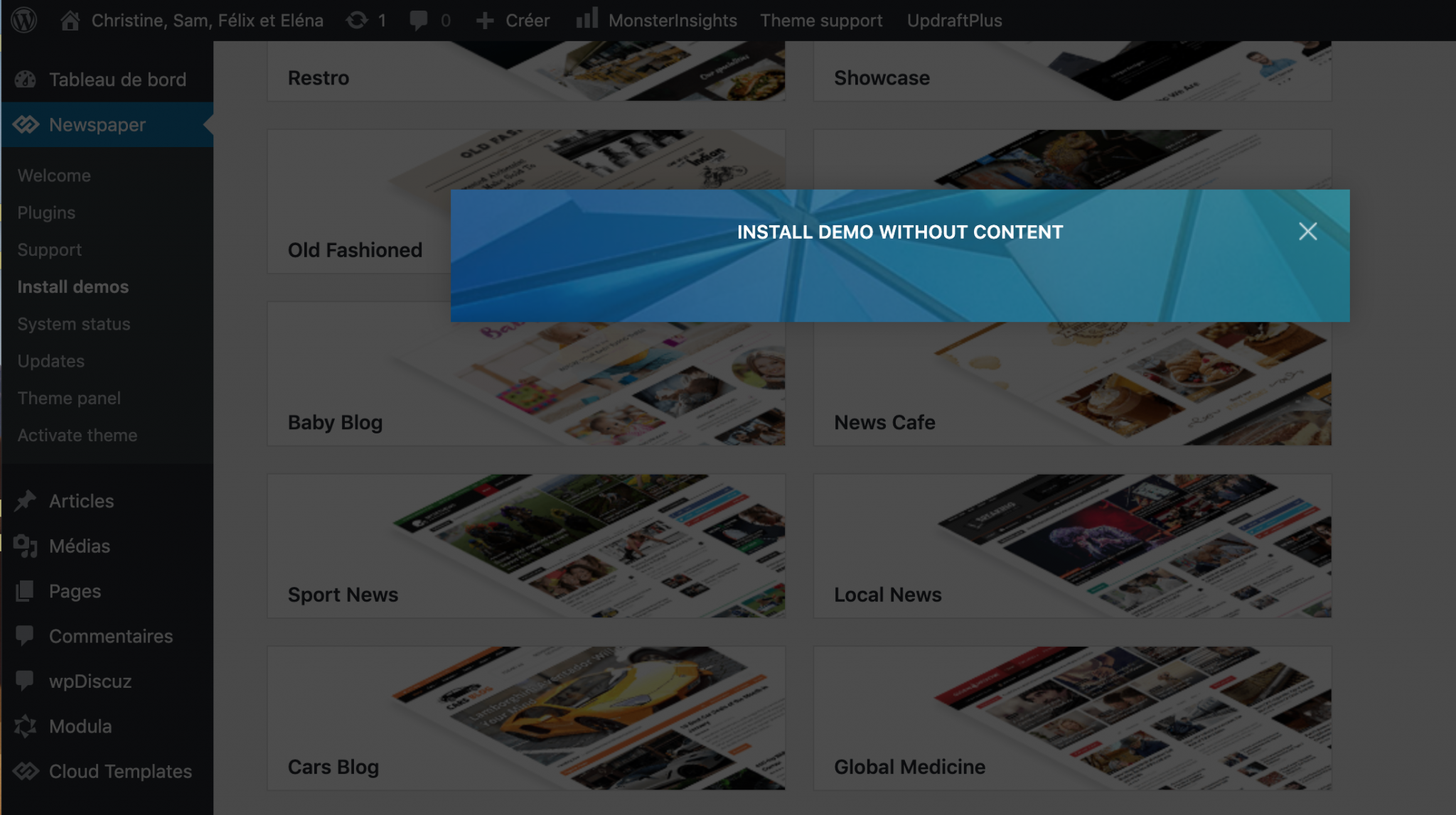
The Newspaper theme is activated, I made sure to use only tagDiv plugins and I tried in other browsers and I am still getting the same issue: I can’t install demos. Can you help me? Please find a screenshot below.
-
This reply was modified 6 years by
Titine.
Calin Hi Titine,
Please make sure that the theme is activate and that you are using ONLY theme plugins (tagDiv plugins) -> https://tagdiv.com/newspaper-theme-installing-demos/ also please try withe other browsers too.
If the problem persists, please provide me some screenshots.
Let me know the results!
Calin Hi findlay,
If you are using a standard demo, with standard templates you can remove the dates using the settings from theme panel -> https://i.imgur.com/kj722w3.png -> https://i.imgur.com/fcMQ7mm.png
If you are using a pro demo with cloud templates, then you can edit them using tagDiv Composer and use the right click to remove the dates from cloud templates -> https://i.imgur.com/JBBqzjC.png -> https://i.imgur.com/roJgDtd.png
Hope this will help you!
Let me know the results!



