- NewsmagInstalling pre-built websites
- NewsmagIntroduction
- NewsmagSmart Lists
- NewsmagTheme thumbs
 Calin
Calin Hi,
I’m glad that you managed to install the demo https://forum.tagdiv.com/installing-demos/
If you have other questions related to the theme, please let me know!
 akashmpct
Hi I want to install Demo content same as mentioned in Demo https://demo.tagdiv.com/newspaper_magazine_pro.
Can you suggest how can i install or if you can install it for me.
http://cnb.fcn.temporary.site/website_a96f1d82/
 jects
jectsHi,
Here’s my question.
1. Can I delete the sidebar and make the theme to single page. The Company info will be the first.
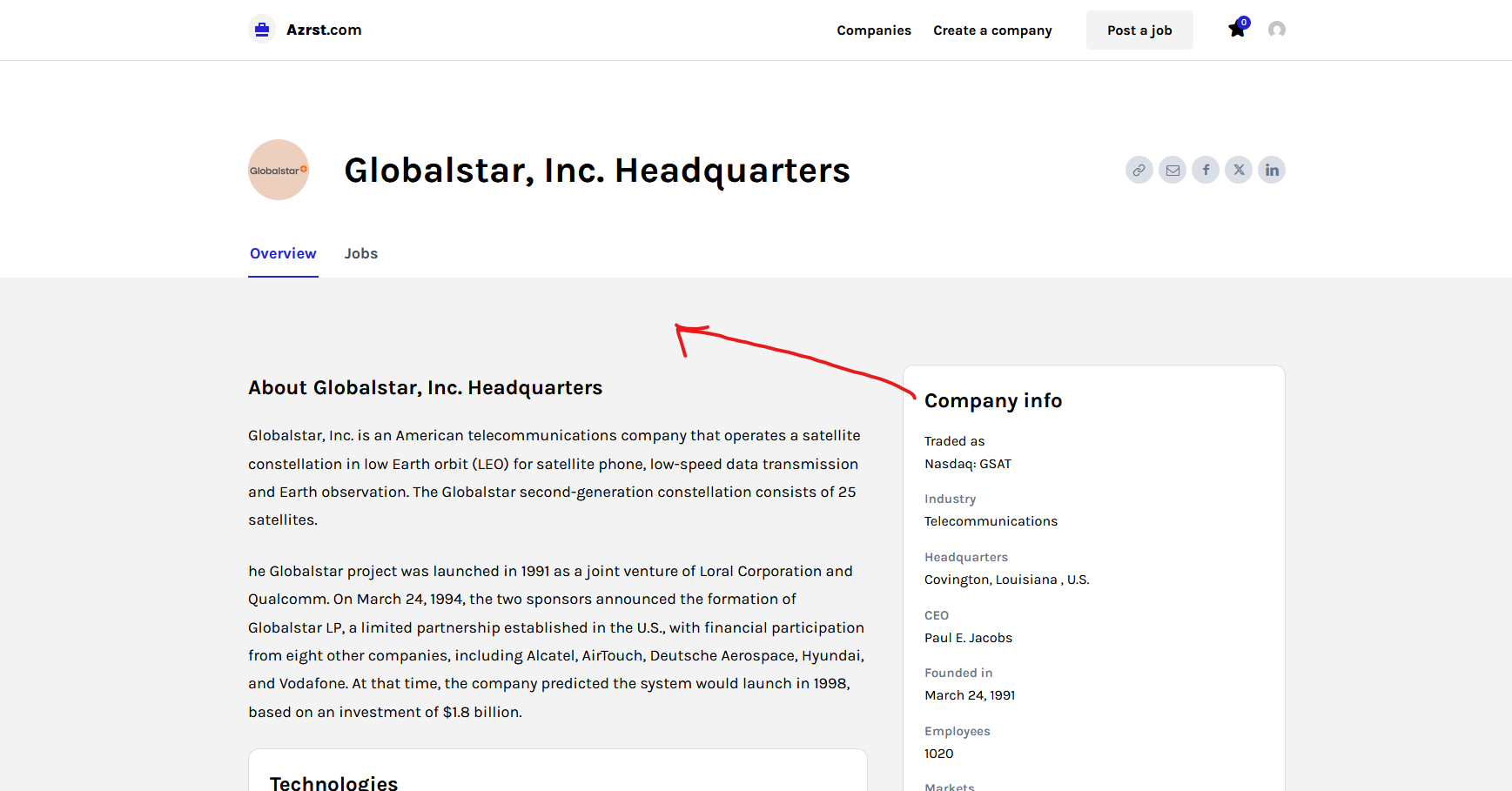
2. Job hunt pro have no demo with Ads, Is this theme have Ad option?
Thanks
Calin Hi,
The image is 472×556 https://demo.tagdiv.com/newspaper_office_nexus_pro/wp-content/uploads/2024/03/preparing_your_workspace_for_tomorrow.png. The elements behind and over teh image are part of the image itself.
Calin Hi,
If those are taxonomies and not categories, then it can be added with custom code or with an extra plugin like ACF or similar, but based on the demo you have installed, it is also possible to have installed a theme dedicated plugin https://prnt.sc/-hcPUNiDVhJq, which indeed adds extra CPT and taxonomies.
Thank you!
Calin Hi,
Yes, it can be used, but I will suggest using the ACF plugin instead, because the Real Estate Plugin is hardcoded for that demo and you need to manually change the code in the plugin and adjust it according to your needs. By using ACF, you can create CPT’s, taxonomies and custom fields that can be used with the theme, you can create a cloud template and even modules and blocks for those
Calin Hi,
Right now, you set the old blog template. This applies when you set the blog under the wordpress settings – https://prnt.sc/L6mb44D9iEYM. When it’s set it no longer takes the demo style you have. Now the demo coaching pro when is installed alredy have a page blog that is adapted to the demo layout, indeed is set as a category, but this can be set as a normal page that will act like a blog, if you wnat I can set it for you, for this, please contact us via email and provide temporary wp-admin access https://www.wpbeginner.com/plugins/how-to-create-temporary-login-for-wordpress-no-passwords/ also, inlcude the link of this topic to identify you faster.
Thank you!
Calin Hi,
1. Regarding the drop in rankings and the “Crawled – currently not indexed” message
If this is a relatively new website, fluctuations in rankings and indexing can happen, especially after major changes like switching themes. When you install a new theme, the structure, layout, HTML markup, and sometimes even the internal linking or metadata can change. Because of this, Google may need to re-crawl and re-evaluate the pages, which can temporarily affect rankings or indexing.
Also, if the previous theme included specific layouts, schema markup, or internal links that helped Google understand the site, those elements may not exist in the same form in the new theme. In that case, Google will treat the pages as updated content and reprocess them, which may take some time before rankings stabilize again.
The message “Crawled – currently not indexed” usually means Google has already crawled the page but has not yet decided to include it in the index. This is fairly common for new or recently changed pages, and indexing can take some time.
Since you mentioned that:
– your sitemap and robots.txt are correctly configured
– your hosting environment is clean
– the site was recently changed
it is most likely that Google simply needs time to re-crawl and reindex the site after the theme change.
2. Setting the Blog page with our theme
With our theme, the blog can be configured in two different ways:
Option 1 – Use the demo layout
You can use the category layout that comes with the demo. In that case, the page will display posts from a specific category using the theme’s custom design.
Option 2 – Use the default WordPress posts page
If you want a page that automatically displays your latest posts, you can set it from the WordPress settings:
Go to: Dashboard → Settings → Reading
Then, under “Your homepage displays”, select the page you want to use as the blog in the “Posts page” field. Example: https://prnt.sc/krjZvnt_oQX_
Thank you!
Calin Hi,
Could you please provide a link to the website? Is this a new or old site, and you just changed the theme? Do youuse any SEO plugin, usually those create sitemaps that are used by GSC to index the website. Also, if this is a new site, there will need to be some time to be entirely indexed.
Also, the demo you are using alredy have a block pages, that can be diedt with tagDiv Composer, select teh block and check teh filter tab of the blog, should be set on all categories and the sort on lates (this is how blogs works, but if you want to display only articles from a category, then you can create teh category blog and set it in the filter)
Calin Hi,
1. If you have the demo installed, then the same single post template should be used, “Single Post Template – Free News”. Also, make sure that you are not using the tagDiv Mobile theme plugin.
2. Use tagDiv Composer, edit the homepage, select any element and after that from the left sidebar, you select the mobile viewport, then select the menu element – https://prnt.sc/dJV0CGbkkWbU, and you can edit the page ase as you would the menu. Or if you want, you can simply remove that element and add the menu element – https://prnt.sc/mYRxWJ3nI0Xt
 madpixel
 please help me also with this 2 problems:
1. In demo there is a diferent layout for the post. Can you tell me the name and how to set it?
2. I want to set me menu for the mobile version, now if you click it goes to search and I want to be menu.
 boweber
Why isn’t latest articles showing up in the top grid section of the home page?
Filter > Sort Order is set to “Latest”
I’m using the Default Newspaper Pro demo.
madpixelHello tagDiv Support Team,
I am currently using your theme on our website (Newspaper theme), and I am encountering a layout inconsistency compared to the demo version.
Specifically, the news container (main content box) on our live website appears significantly narrower than in the demo. In the demo version, the container stretches much wider and visually covers the right newsletter/sidebar area, creating a full-width layout effect. On our website, the container remains constrained and does not extend across the screen in the same way.
Here are the details:
• Our website: https://www.roaliment.ro/
• Demo reference: https://demo.tagdiv.com/newspaper_free_news_pro/2023/12/14/td-post-fashion-finder-biggest-shows-parties-and-celebrity-for-new-years/
• Issue: The main news container width is smaller than the demo version
• Desired result: Full-width layout similar to the demo (comparable to en.edairynews.com style – content stretched across the screen)
Could you please advise:
1. Which exact setting controls the demo container width?
2. Whether additional CSS is required?
3. If this is related to a specific template or page builder configuration?
Also in demo there is a diferent layout for the post design. Can you tell me the name?
Thank you in advance for your support.
Best regards,
Claudia Ana Bocean
RO.aliment Media
 gleloudas
 Hello,
we are aware of what you are mentioning but the issue remains the cart css is still incomplete as visible here: https://prnt.sc/rt54n8Jn5mfR (add remove buttons are definatelly missing css) so we would like to fix the issues.
Before applying the hotfix i mentioned i check your demos, from what i noticed they are all old and none of them (unless mistaken) has block layout … so none of these css are working.
So:
1) can one of you check the reason why this happened on our website or not?
2) please provide a wordpress demo that used block in the checkout so we can check what css files are used in specific.
Kind regards,
Alexandros S.
Calin Hi,
This depends on more factors, on the plugins and template you are using, for example, on our live demo https://demo.tagdiv.com/newspaper_shop_kids_store/checkout/ – https://prnt.sc/w5yjBwJa2C0G those are the files – https://prnt.sc/DWEI7DKyMvQX
Now those mentioned by you are from the WooCommerce plugin, so not related to the theme; most likely, some extra plugin was interfering with the WooCommerce plugin, and you got those results.
Thank you!
 Azerty514
Here’s an example:
On the demo homepage of newspaper_cali_sight_pro
https://demo.tagdiv.com/newspaper_cali_sight_pro/
If you look at the HTML source code, you’ll see some strange CSS code on the ACF fields. The front-end display is correct, but the problem is that this CSS code affects SEO.
Featured attractions

.tdi_172{margin-bottom:10px!important} .tdb_module_title{display:block;position:relative;margin:0;font-family:var(--td_default_google_font_2,'Roboto',sans-serif);font-size:21px;font-weight:400;line-height:1.2}.tdb_module_title a{transform:translateZ(0);transition:box-shadow 0.2s ease;-webkit-transition:box-shadow 0.2s ease}.tdb_module_title .tdb-module-title-excl{font-family:var(--td_default_google_font_2,'Roboto',sans-serif);color:#fff;background-color:#ff0000;padding:4px 8px 2px;margin-right:8px;font-size:14px;font-weight:500;line-height:1;vertical-align:middle}.tdb_module_title .td-element-style{z-index:-1}.tdb_module_template_637 .tdc-row .tdb_module_title_0{text-align:left;font-family:var(--sans-serif)!important;font-size:16px!important;line-height:1.2!important;font-weight:500!important}.tdb_module_template_637 .tdc-row .tdb_module_title_0:hover a{box-shadow:inset 0 -1px 0 0 var(--cs-black);color:var(--cs-black)}.tdb_module_template_637 .tdc-row .tdb_module_title_0 a{color:var(--cs-black)}.tdb_module_template_637 .tdc-row .tdb_module_title_0 .tdb-module-title-excl{display:inline-block}River City Queen

.tdi_196{margin-bottom:10px!important}Cielo Balloons Temecula

.tdi_220{margin-bottom:10px!important}Trail Park Beach
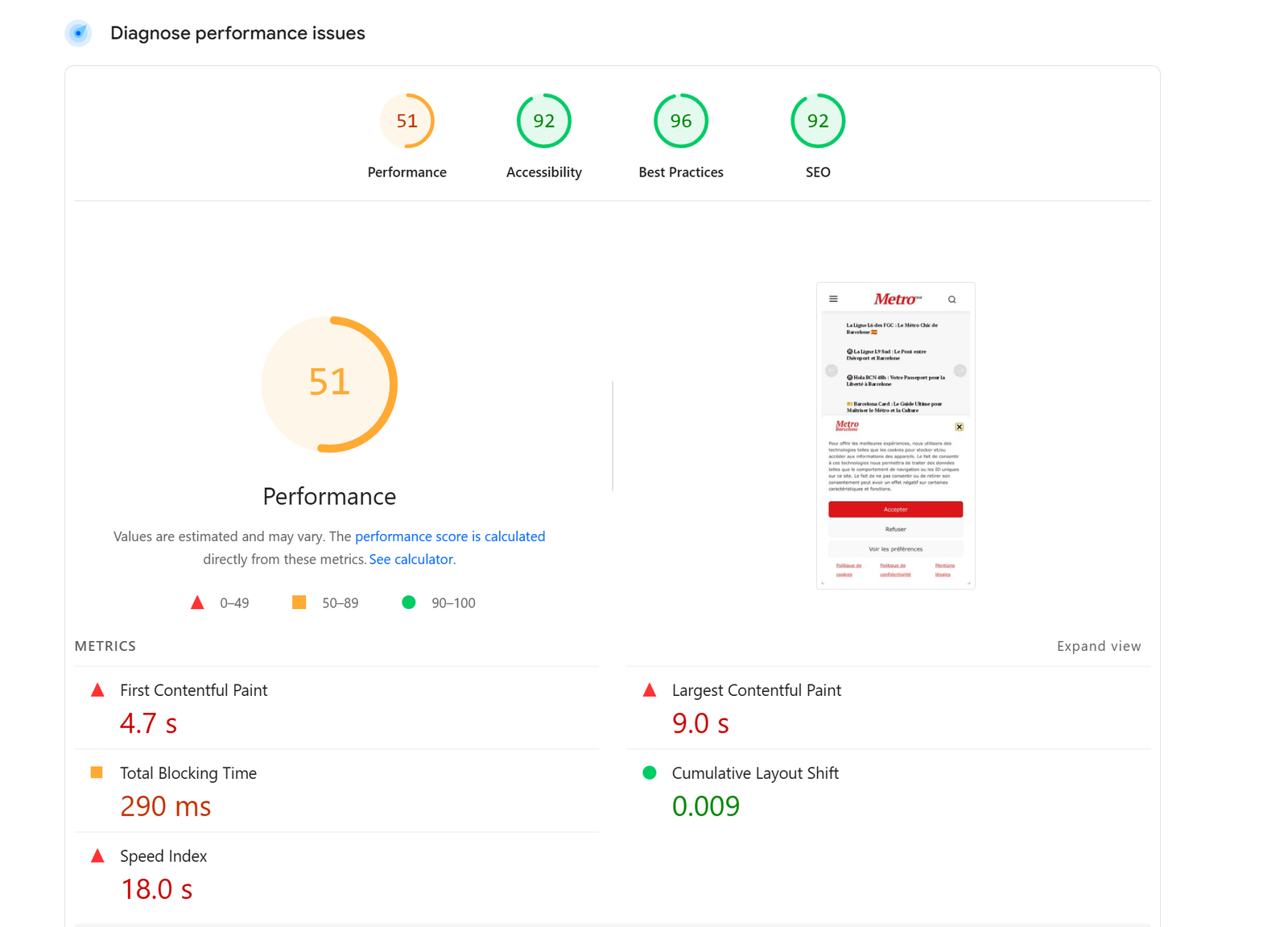
 Metro Barcelone
Hi, I took the newspaper demo Newsweek!
Very slow loading page speed. Homepage sometimes not even loading!
It is the first time it happens to me after purchasing around 20 licenses (from newspaper) for different websites.
Is it the theme or the demo?
I am using w3 total cache. I have cleared the cache several times.
Nothing changes even if using airlift plugin.
I also cleared the cache on server side.
Here a screenshot: http://metrobarcelone.fr/wp-content/uploads/2026/02/Screenshot-2026-02-26-044549.png
Can you please let me know where the problem is?
How can I improve page speed – this is very slow
Thanks
Marc
 playcenterng
I’m trying to build my website with the newspaper plugin and im getting the error: An issue has been encountered while trying to validate your license key. I have tried resetting key from the System status tab and activating it again, but it still didint work…
what do i do?
Calin Hi,
The mentioned theme files are free and are provided with the theme. Those can be installed from Newsapper > plugins > dedicated plugins for prebuilt websites (those were made for a few demos we provided before the theme compatibility with the ACF plugin to be at the level it is today – https://forum.tagdiv.com/introduction-cpt-acf-newspaper-theme/ , using those plugins means to make the edits inside the plugin’s files – https://forum.tagdiv.com/edit-modules-flex-block-x/).
Now my recommendation is that you can use the acf plugin to create the CPT’s, taxonomies, and custom fields you want to have, then you can use the module builder to create the blocks you want to have and Cloud templates to create the templates for your taxonomies and CPTs – https://forum.tagdiv.com/custom-post-type-support/
Thank you!
Calin Hi,
Please change the user and password and please do not share them on the forum.
I made the necessary settings, and now the website is as in our demo. I saw that the images were removed, but this is not a good practice to delete the images from media as long as they are used on the website, so my suggestion is to keep the images until you no longer ned the content that has been added with teh demo. After those are removed, you can remove the images from media associated with those articles, provided with the pre-builder website install.
 GreaterWarangal
Please update me how to use the plugin and also is this plugin is free or proversion we have to use for extra features?? Did ACF plugin pro features are required??? Do let me know about the other plugins also Job Hunt PRO Plugin, Coaching PRO Plugin, Doctors PRO Plugin did i need to purchase to use any extra features is there any demo videos for these plugins.
Thanks
 Dianamariaribeiro
Could you please out my website as in demo?
next-gen-africa.org
 softwarearnab@gmail.com
I have installed wordpress. Used theme tagdiv newspaper. I have installed demo template and content from cloud. While loading the website, it showed a flash big arrow that targets to header menu.
I want to disable it. Please guide me.
 Carlos Colina
Hello tagDiv Team,
I hope you are doing well.
I am writing regarding a long-standing issue I have been experiencing with the Newspaper theme. This problem has been happening for approximately 7 years. I always hoped that future updates would eventually fix it, but unfortunately, it still persists.
The issue occurs when I use Cloudflare with the “Cache Everything” rule enabled (caching full HTML). This configuration has significantly improved my website performance and loading speed, which is extremely important for my project.
However, the problem is specifically with the mobile menu.
Randomly, when visiting the site on mobile and tapping the menu icon (hamburger icon) to open the side menu, the menu becomes completely unresponsive and does not open. The icon appears, but tapping it does nothing.
This issue:
Only happens on mobile devices.
Happens randomly — sometimes the menu works perfectly, other times it becomes blocked.
When it fails, it stays blocked until cache is cleared or refreshed.
Seems related to Cloudflare caching full HTML content.
Because it is random, you may sometimes see it working and sometimes not.
Please test this URL on a mobile device:
https://www.bibliatodo.com/TestimoniosCristianos/de-indigente-a-predicador-testimonio-impactante/
I have also recorded a video demonstrating the issue and will provide the video URL below.
After many years trying to investigate and solve this on my own without success, I was even considering changing the theme. However, I realized I never formally contacted you about this issue.
So I am reaching out with the hope that you can guide me toward a proper solution or best practice configuration when using Cloudflare Cache Everything together with Newspaper theme.
Could you please advise:
Is there any known compatibility issue between Newspaper and full HTML caching?
Is there a recommended Cloudflare configuration for this theme?
Are there specific scripts, cookies, or paths that should be excluded from caching?
Is there a known fix for the mobile menu becoming unresponsive under aggressive caching?
I truly appreciate your support and guidance.
Thank you very much in advance.
Best regards.
 boda
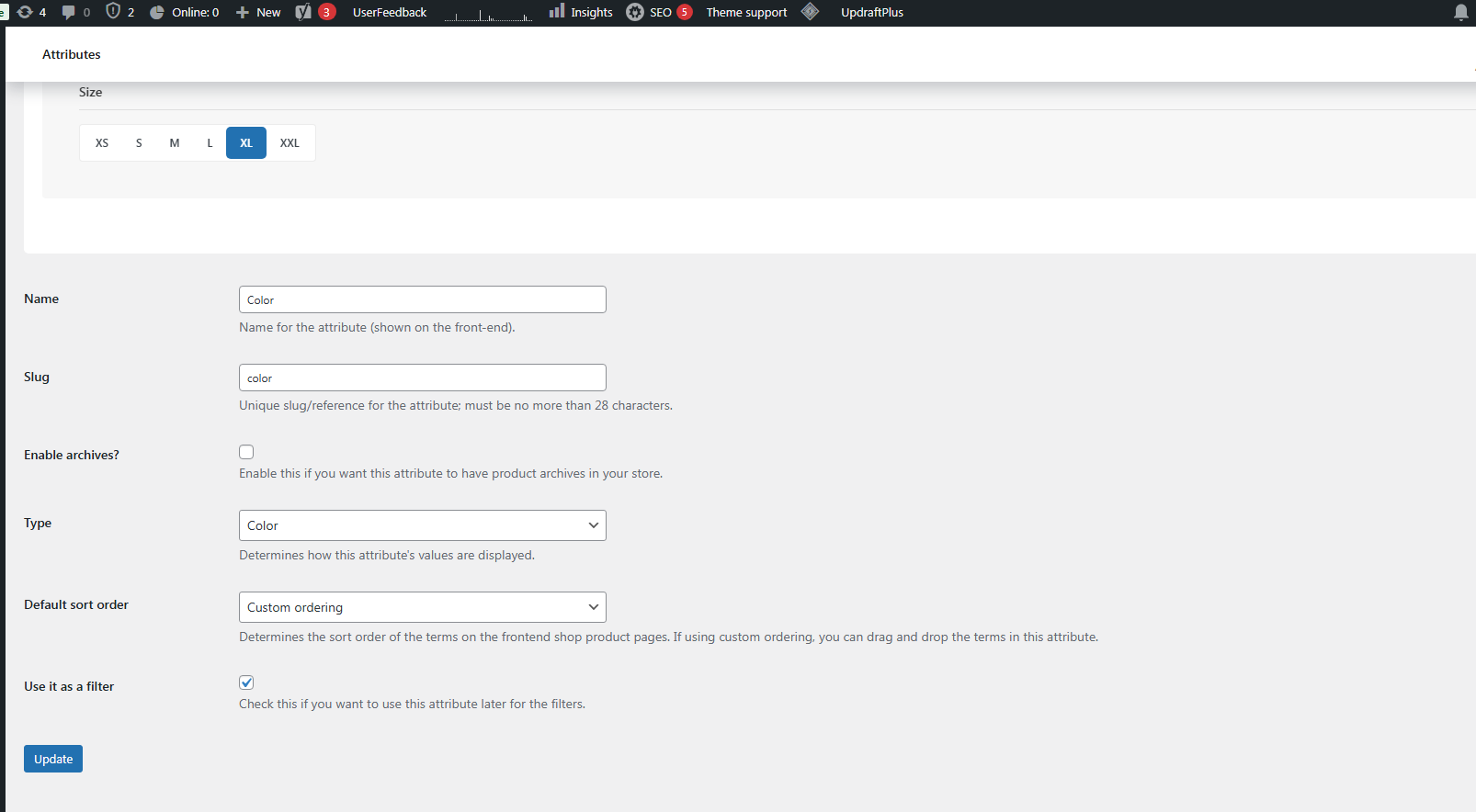
boda Thanks so much, Calin, I couldn’t do it without your help. Please, there is only one issue. Whatever the setting I choose, nothing changes in the color and size of the circle style, like the demo style
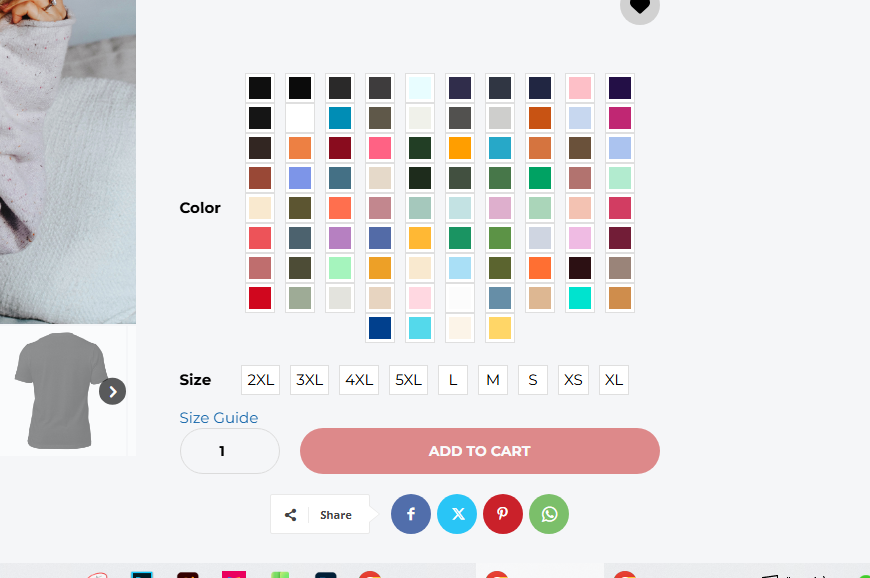
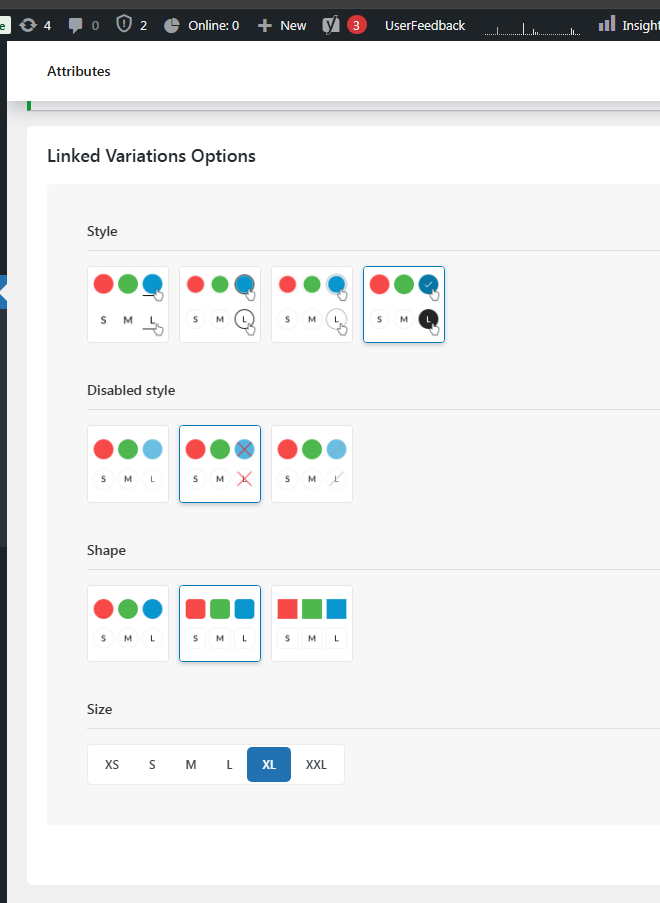
thanks so much again <3