- NewspaperHeader Builder
- NewsmagHeader styles
- NewsmagHeader ads
- NewspaperHeader ads
- NewspaperHeader styles
- Apitd_api_header_style::delete
- Apitd_api_header_style::update_key
- Apitd_api_header_style::update
- Apitd_api_header_style::add
- ApiAPI – Header style – Introduction
- NewspaperSearch setup for custom post type
- NewspapertagDiv Composer – Website Manager
- NewspaperBookmark – Save For Later
- NewspaperWooCommerce: Happy “Add to Favorites!”
- NewspaperModal Popup
- NewspaperFlex Block Settings Guide
- NewspaperPosts Loop Element
- NewspaperHow to Add a Logo in Newspaper
- NewspaperDefault Category Settings
- NewspaperWhen tagDiv Composer is Not Working
 Simion C.
 Hi,
Please check this guide https://forum.tagdiv.com/add-logo-newspaper/
So in the composer you can switch to the mobile header https://prnt.sc/1ptXmMAn6dsC then click on the logo and remove the demo logo https://prnt.sc/VjSp1uJqKfbw
Then the same for the mobile sticky headerhttps://prnt.sc/u2q9o4aIefxO
As a note, the Metropolitan demo uses 2 headers, one for the homepage and one for the rest of the website. Both of them must be customized https://prnt.sc/n1xSPoyZYDcI
Please try it.
Thanks.
 dan009
 Resolved, the flex block 3 was added in the header.
 martialwarrior
I have asked for TagDiv support for help with an issue with the header logo image on the Front Page of my Newspaper themed website, https://www.thethinkingconservative.com/. TagDiv’s support person, Bettina, did something to make the logo fit in a larger space on my Front Page which I wanted done, but did not explain how she did it although I asked. There is an issue with what she did however, the larger header logo shows up larger in the Brave browser, but not in the Chrome browser.
I have no idea what Bettina did and a different support person did not know either and told me to upload a larger image in the TagDiv editor for the Front Page. When I attempted to upload a larger logo image like your support recommended, it literally broke the Front Page of my website and now it won’t open in TagDiv Composer no matter how long I wait, so I can no longer edit the Front Page in TagDiv Composer and the Front Page is no longer showing correctly on the website. The header area, menu etc. is missing from the entire website.
This code can be seen at the bottom of the broken Front Page
[td_flex_block_1 modules_on_row=”” image_size=”” image_floated=”hidden” image_width=”eyJwaG9uZSI6IjMwIn0=” image_height=”eyJwaG9uZSI6IjExMCJ9″ show_btn=”none” show_excerpt=”eyJwaG9uZSI6Im5vbmU
I have checked and everything is correct with the templates, menus etc. and it is not a plugin issue, but because I can’t open the homepage to edit it there is nothing I can do. I deleted the larger image I had uploaded from the library, but the image didn’t show up in uploads in File Manager in cPanel which I thought was strange.
I do not want to upload a new Front Page template as it took so much work to get the Front Page correct and I can’t just upload the header template because I can’t open the Front Page with the TagDiv editor.
Please look at the Front Page of the website and you will see the issues.
How do I fix this?
Simion C. Hi,
That must be the default mobile logo. It can be customized like so https://forum.tagdiv.com/add-logo-newspaper/
So in the composer you can switch to the mobile header https://prnt.sc/3sVCI3w2ZjBR then click on the logo and remove the text, should be here https://prnt.sc/AaN7JQ0OuhfB Then you can set your own logo.
Please try it.
Thanks.
 duck1970
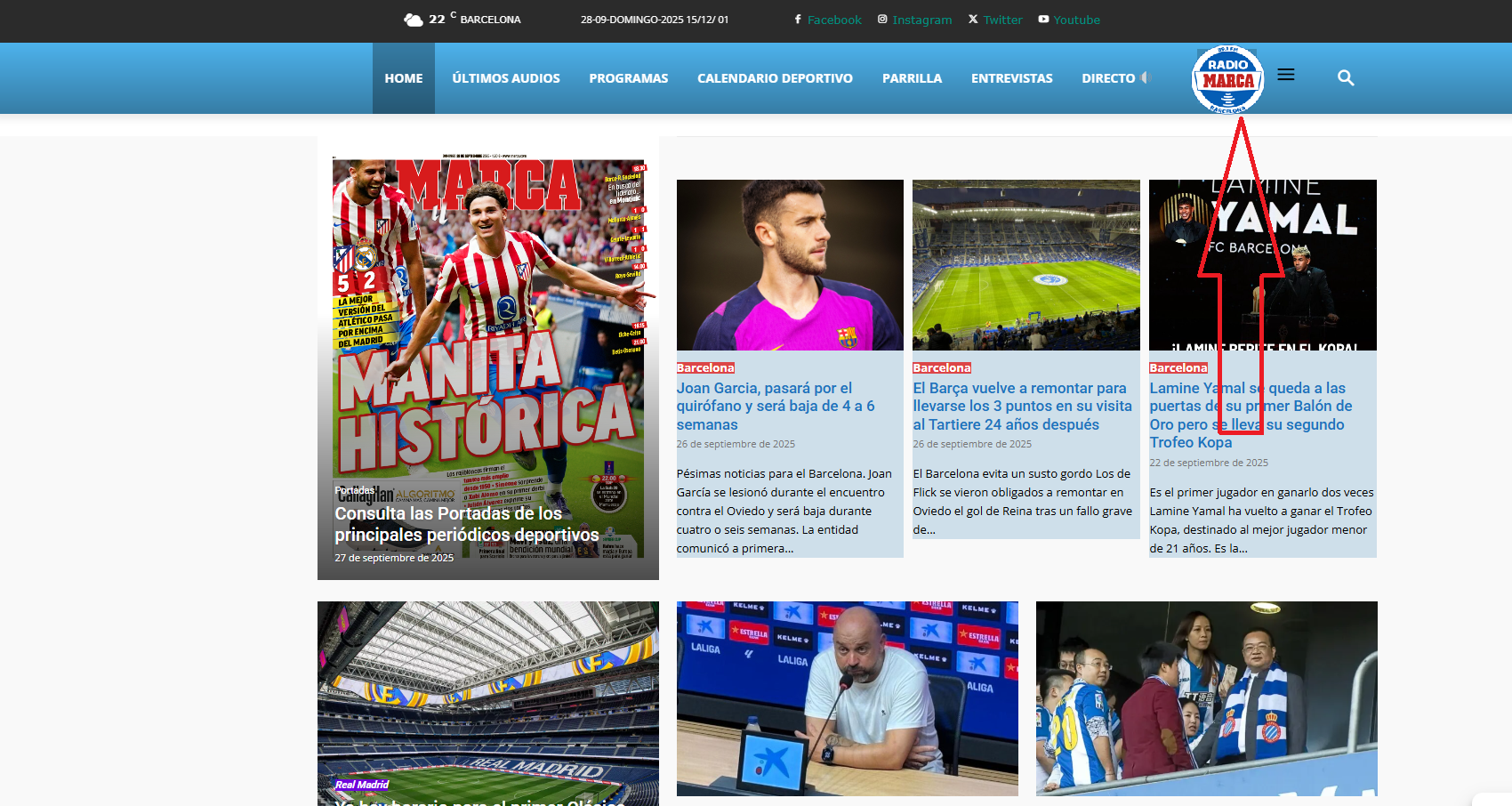
Hello, I’d like to know if it’s possible to insert a logo into my header menu, as shown in the attached example photo?
If possible, I’d like your guidance on how to do this.
Thank you very much.
https://www.radiomarcabarcelona.com/newspaper/LOGO.png
 bariise
Description:
Hello TagDiv Support,
After enabling CSP on my site, the browser shows this error:
Content Security Policy blocks the use of ‘eval’ in JavaScript.
It looks like td-composer or some Newspaper JS files are still using eval() or new Function(). To make the site work, I would need to add ‘unsafe-eval’ in the CSP header, but this is not secure.
Can you please confirm if there is an update or patch that removes the dependency on eval() in the Newspaper theme / tagDiv Composer plugin?
I am currently using:
• Newspaper theme version: [insert version]
• tagDiv Composer version: [insert version]
I would like to know if there is a safer solution than enabling ‘unsafe-eval’ in CSP.
Thank you!
 thebackbenchers
hi this is my website where i installed newspaper – https://midnightblue-wren-996070.hostingersite.com/
i was able to change the logo on desktop header but didn’t found a way to do same in mobile header, please help me
Simion C. Hi,
While we added options to refine the search for cloud header templates, for the mobile theme we didn’t unfortunately. And as far as I know there aren’t any immediate plans to add such an option. So the search will be performed as it normally would, displaying posts and pages.
If maybe you excluded pages from the desktop search, and you want to exclude them from mobile, you could use a plugin, it’s the easiest way. Like this one https://wordpress.org/plugins/exclude-pages-from-search-results/ or a similar plugin. Then you won’t have pages in the search results anymore.
Thanks.
 VideotexGlobal
I am urgently trying to get this theme setup. Newsmag does not show up in the main admin navigation. Clicking on appearances, the theme is active. But if click on the theme details, and then the header tab under it does not give me the theme panel option. I’ve tried deactivating plugins but that didn’t help.
Please assist.
 RPECAdmin
How do I change the text “Newspaper” in the header of the mobile version?

VideotexGlobalI am very frustrated. Trying to setup this theme and I do not see the theme manager. If I click on header tab I don’t have any options just standard admin menu. I also get prompts to upgrade to pro but if I try to do that it gives a 404 error.
Is there no direct email for support??
Simion C. Hi,
I can’t say unfortunately. Maybe there is a conflict with the theme, we don’t regularly test elementor. You could use the composer we provide with the theme. I see you are trying to built an About page, there are a few ready made pages in our cloud library https://cloud.tagdiv.com/#/load/Pages
We recommend using our composer with the theme if possible. There can be conflicts if other page builders are used. I see the header and footer on the website are built with the composer, so you could use the composer to build the page content as well.
Thanks.
Simion C. I see. And I believe you are using cloudflare APO as well. If so, is this option active? https://developers.cloudflare.com/automatic-platform-optimization/reference/cache-device-type/ If not, please activate it.
By using that option for the menu there are two versions of the header. One that has the header menu and one that doesn’t. If the one that doesn’t have it gets cached, then that is displayed for everyone until the cache gets cleared. With the cache by device type enabled in cloudflare it should not happen anymore. But if it’s already active, then it’s pretty strange.
Thanks.
 iancollins
 Hi, I have spent hours debugging. If I copy paste the short code for the webpage into another new page in the same site, it renders with the same problem. I have a multi site installation. If I select another site and do the same, the page is absolutely fine. It therefore appears to be something about the original site that is wrong, especially since past backups have the same problem. That problem, which I can define better, is that none of the rows are stretching as specified, they all show as a 1200 or 1400px block. Additionally, i have a background image as a hero section which has negative top margin to push the image under the header section. This has been working for weeks. But now the row does not move up, instead the image inside the row moves up. Another row with background image also demonstrates clearly that the row is not stretching. Something with the theme and this site seems to be affecting the design. I tried removing custom CSS and JS in theme panel, makes no difference. Same with the backups, its got to be the theme or theme settings but i looked over all the obvious things. Hope you are able to find something and happy to give you access.
Simion C. Hi,
There is a setting that could have this effect in some cases, it depends on the caching configuration.
In the composer if you click on the header menu on desktop, is this option active? https://prnt.sc/G7wrnliJdZt7 If it is, please disable it and clear the cache.
Normally that should not cause a problem. But for example if the cache is not created separately for desktop and mobile, and the mobile version is cached first, the visitors will see the desktop header without the menu. It can be random, depending on which version is accessed first after the cache is cleared. What caching are you using for the website?
Let me know.
Thanks.
 Swapnil123
Hello,
I am using the Newspaper theme and I would like to add my own personal/custom ads instead of using Google AdSense. Could you please guide me on:
How to upload my custom ad images (e.g., banners, squares, etc.).
What image sizes/dimensions are recommended for different ad placements (header, sidebar, in-article, footer, etc.).
How to insert these custom ads in the theme (e.g., through tagDiv Composer, widgets, or shortcodes).
If there are any specific settings I need to adjust in the theme panel.
I want to make sure the ads are responsive and display properly across devices.
Thank you!
 Calin
Calin Hi,
I see, it appears that the auto ads have the maim-um position and the css can not overlap it, so I thin the solution her will be to Here are the simple disable Auto Ads in the header section using your AdSense account:
Log in to your Google AdSense account.
– Go to Ads-> By site.
– Find your website and click Edit.
– A live preview of your site will open.
– In the preview, click on the header area.
– A small menu will appear, select Exclude area.
– Repeat if you want to block other sections.
– Click Apply to site (top right) to save changes.
 Mediv
MedivHello,
I’m trying to create a home page where it’s all just a single image (with the header and footer) how do i do that?
Calin Hi,
The mobile header will be displayed when you eit the desktop header, then in tagDiv Composer you select the mobile viewport or you use the Manager to select the headers – https://forum.tagdiv.com/header-manager/
Thank you!
 mikespothelfer
Hello Support Team,
I’ve noticed two issues on my website ecommerce-watchblog.de that I need help fixing:
At the very top of the header area, there is a black horizontal line running from right to left. How can I remove this?
On the homepage article list, the text under the article image does not extend to the right edge. Instead, the line break happens too early, roughly in the middle of the content area. This happens both on desktop and mobile. How can I fix this so the text uses the full width properly?
Thanks in advance for your support!
Best regards,
Mike
 SiemenG
Hello,
For my new website speed is very important.
I just read that the speed will improve by deactivating the Standard Pack.
On my website http://www.hola.be the top header is the only thing that isn’t working.
Is it possible to fix this without the standard pack?
Kind Regards,
 rahlplx
I am trying to use a different mobile header template on my site, but I cannot find the option anywhere in the panel. I already checked the settings and the documentation, but the option doesn’t appear.
https://prnt.sc/a_gUTwB4b4jH
Calin Hi,
Here is a more recent video for how you can use tagDiv Composer https://www.youtube.com/watch?v=SoGQ0d5kIBg&list=PL6CsDkMaejhoHETIWoxnRB4zefz8L8PYg. This will display how to create a header, footer, and page from the beginning.
Thank you!
Calin Hi,
You just need to add to that button the class:
tdm-pmh-close
– https://i.imgur.com/24OlVXc.png
To have the pop-up on all devices, you should set it in the footer, not in the header. Also, you can check each viewport in the part from the tagDiv Composer to see how it is looking.
Thank you!
Calin Hi,
If ads are covering the header area of your website on mobile devices, you can resolve this by adjusting your Google AdSense Auto Ads settings.
Please follow these steps:
– Sign in to your Google AdSense account.
– Go to Ads > Overview.
– Click on the Edit icon for your site under “Auto ads.”
– In the Ad formats section, disable specific formats like Anchor ads or Vignette ads, which often affect the visibility of header content on mobile.
– Save your changes.
This should prevent ads from obstructing the header area on mobile devices.
Thank you!