- NewsmagHomepage – How to build and set it
- NewsmagtagDiv Composer Tutorial
- NewsmagNewsmag documentation
- NewsmagMain menu
- NewsmagLogo & Favicon
- NewsmagPage templates
 Bettina
 Hi!
I checked your website page and it seems you have a different header.
If you have a responsive version, then please edit the homepage with TagDiv Composer, click on the mobile viewport: https://www.screencast.com/t/XDQJedlggSB and check if the header is set it correctly.
Hope that helps!
Thanks!
 CountryCaller
Is there a way we can add an external shortcode with TD Composer?
I cannot find an element for shortcode.
 anogaa
Hello,
I have two questions, please answer them,
1) I want to actually achieve Automatic Pagination on Blocks like after 5 seconnds the post should refresh on the homepage. Like the user should not bother to click on next or prev to refresh the post.
2)Currently on Td- composer only we can show categories on pages, can we show tags in place of categories labels. I want to actually have tags on front block in place of category
Please answer them asap. It would be your great help
Thank you in advance
 floriz123
Hi there
There seems to be some CSS stuck into the theme settings and we can’t locate it and take it out. If you look at the source code of the homepage you will find this line:
background-image:url(“https://lm.lentus.com/wp-content/uploads/2019/07/Rotterdam-Receives-First-Ever-Blockchain-Container-1-300×125.jpg”) !important;
It seems to be stuck in the settings somewhere but we tried everything but can’t locate it. Could you please assist?
https://www.logistics-manager.com/
Kind regards
Floris
 healthmarketing
 UPDATE:
I have deleted the thumb regen plugin, reinstalled it, redone the regeneration and now the thumbnails are fine.
I still have the same problem with the header logo https://www.dropbox.com/s/7nlz8m0jkjlcrxn/Screenshot_20210320-145506.jpg?dl=0
However as you can see here, I can experience this issue only on the homepage and on category pages, not inside the articles https://www.dropbox.com/s/kigu0ztjov0ksvj/Screenshot_20210320-145455.jpg?dl=0
Any suggestions?
healthmarketingHi,
I’m trying to configure the mobile theme.
I’ve upload the header logo with the size required in mobile theme setting and every article has its own photo.
However as you may see here the header logo is cropped and no image is displaying properly.
What am I supposed to do? Where I have made some mistake?
https://www.dropbox.com/s/f451g6x5v1wzn0n/Screenshot_20210320-141557.jpg?dl=0
Thank you
 ultra30spf
Hi everyone,
Quick question – can anyone guide me on How to edit the image on the homepage slider?
I cannot see any literature on this or YouTube videos.
Thanks,
Tom
 designandtravel3@gmail.com
 Yes. I remember that I’ve deactivated the mobile tagDiv plugin because it has only the default mobile homepage design which I do not want it. I want my homepage design to look exactly like a mobile homepage design.
.
I still don’t know how to solve error.
 Anamaria
 Hello,
If I understood correctly, you made a mobile page for the homepage, but you want to use AMP and Mobile Theme plugins for the other posts/pages, for this you can disable the mobile theme plugin for the homepage from the Gutenberg editor using the following option => https://www.screencast.com/t/sEqNOLaOC
Hope this helps you!
Thank you!
Anamaria Hello,
If you refer to the category that appears on blocks on the homepage like this => https://www.screencast.com/t/u2agawsXK, then you can display only one category, but you can set which category will be display when you make/edit a post from Post Settings => https://www.screencast.com/t/xxLpnWypnIC
Hope this helps you!
Thank you!
 dragula
By default, there is a class name tdb-menu-item-inactive that is adding menu li on the homepage. may I know why tdb-menu-item-inactive class is adding to the homepage menu? how to change inactive to active class?
 elvisfrog
 So does that mean you can’t have AMP & Mobile Plugin installed and active if you want to use the “create mobile template”? If not do you Disable AMP and Disable or OFF Enable/Disable Mobile Theme for the, let’s say, Homepage Page? I was working on just making a mobile template page for homepage, but everything else AMP and Mobile original.
Thanks!
 Ascerendant
I’ve run into a curious problem after upgrading WordPress to 5.7
Ever since the upgrade the teaser-images on the homepage-block will not load in some browsers. This happens in Edge for me and in Firefox for others as well. Instead of the uploaded picture there’s just the typical grey box as if the image was not present or not loaded. However: Once the browser-window is resized or reloaded with Strg+F5 the images show as intended. As soon as you reload the site again though or navigate on it though, they are gone again. It’s like they don’t load at first and only the resize of the window somehow triggers them to load.
Here are two screenshots of the phenomenon (Pictures not loaded & after resizing the browser window): https://www.flickr.com/photos/192586386@N08/?
I’d be very greatful for any pointers as to how this could be fixed or what produces this effect.
 dazemkt
 Thanks for your fast answer!
Yes I have created the homepage and mobile like you have described, anyway I think it is working now.
I have created now category templates for mobile and it happens again that not every language has the “new” header. But I think now it is a caching problem although I delete the cache after editing the pages.
 N.A. Cramm
 @Kirsten: I think by making a category “Volume 1 2021”, and “Volume 2 2021” you can make a category dropdown on the homepage that goes to a archive template with only those articles tagged with “Volume 1”
 ilpasqua
Hi
Is there a way to insert a fixed advertising banner behind the content of each page or behind the content of the Homepage?
For example like this: https://leccochannelnews.it/.
Tks a lot
ilpasqua
Bettina Hello!
Edit your homepage with TagDiv Composer, click on the mobile viewport: https://www.screencast.com/t/XDQJedlggSB and check if the logo and headers are set it correctly for each language and if not you can modify from there.
Let us know about your results!
Thank you!
 ader
aderIf I apply CSS code for H3, it will impact my homepage article title and sidebar article title.
May I know how to fix it?


Below is my CSS
h3{
counter-reset: money;
counter-increment: section;
margin-top: 2.4rem;
font-size: 1.4rem;
line-height: 1.6;
}
h3:before{
content: counter(chapter) “.” counter(section);
color: #fff;
background-image: linear-gradient(45deg, #000000 0%, #000000 1%, #000000 100%);
box-shadow: 0 1px 4px rgba(0,0,0,0.3);
border-radius: 50px;
padding: 0.2rem 0.5rem;
margin: 0 0.8rem 0 0;
}
 Anonymous
Hello!
Viewing a report from Query Monitor, I found out a lot of duplicate queries being made by TD-Newsletter.
In Dashboard: https://paste.pics/BVWGG
In the homepage: https://paste.pics/BVWG4
In a post: https://paste.pics/BVWGM
How can I fix that?
Thanks!
 marcorroma
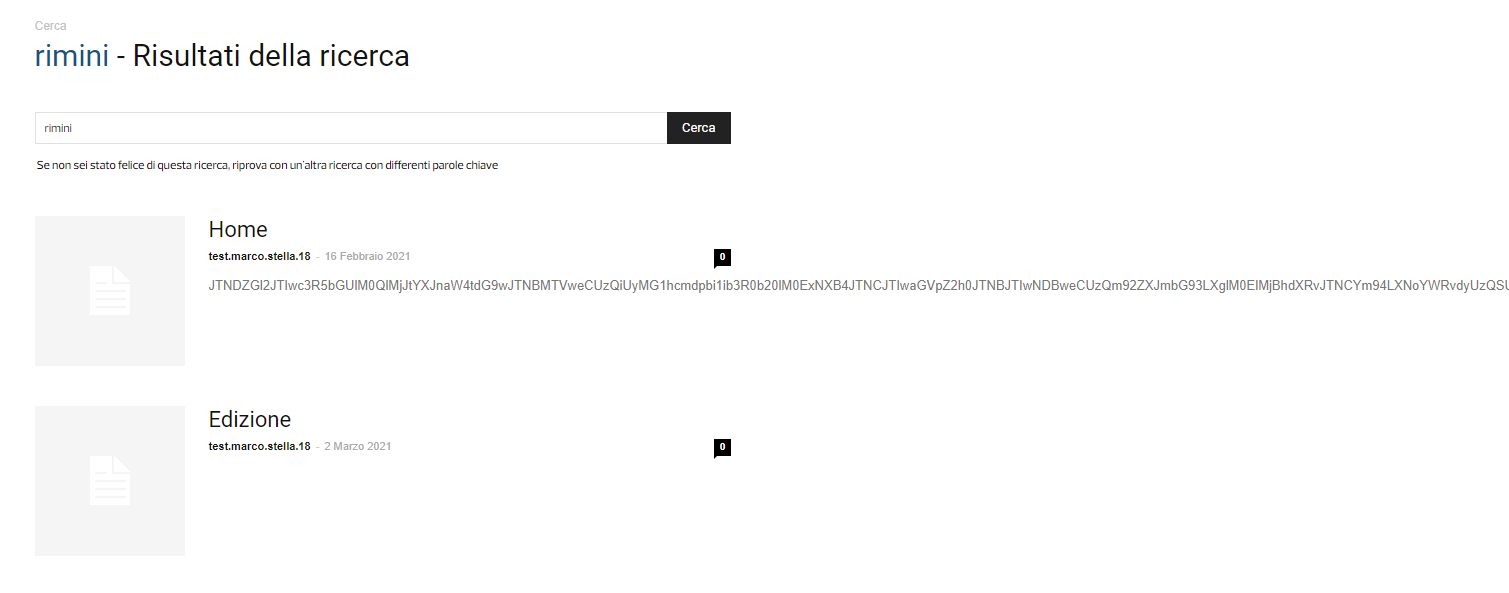
Hi, is it possible to exclude pages from search results?
If I search for some keywords used on my homepage I have this:
https://i.ibb.co/Q8rDPcK/screen.png
Thanks
 kellygeorge
Hi,
The theme was working fine a few days ago, but now a couple of the elements on the homepage are showing as code.
When I open the composer there is no option to edit these. I can’t highlight them, edit, or delete them.
I have added screenshots in a doc.
https://docs.google.com/document/d/10jAg0jbSqoZQUKgnodeHS0cehM21_qwTHN25PgQ-VIQ/edit?usp=sharing
The site is here.
https://dyediy.com/
Also, the Instagram widget in the footer is not showing any pictures yet, but I think it’s all set up correctly.
Thanks,
Kelly.
 EXB
EXBHello,
For some reason now, the ad banner usually located on the right of our logo on the homepage is moving down but only on the homepage, not anywhere else:

When it should be this (displayed correctly when I’m logged in WordPress for some reason):

Do you have any idea where it might come from? Our desktop readers are complaining a lot about it. The website is this one .
Thank you for your time
Bettina Hello!
Please check which page you have set up as your homepage in the WordPress settings, access Dashboard -> Settings -> Reading, and see the first field called “Homepage”.
If you have selected there the page NEWS, then that is a reason why when you modify the homepage the NEWS page reflects the same changes.
Thank you!
 Benedict Paramanand
Hello All,
My domain is https://sustainabilitynext.in
I added 12 posts for this month issue, but it displays only 8 posts.
How can I display all the 12 posts. Can you please guide me.
Anamaria Hello,
I checked your website and seems you have the same logo on the homepage and the post => https://www.screencast.com/t/WcIBaTgx8YUr -> https://www.screencast.com/t/WCqcUTmSd.
If this is not what you mean, please let me know!
Thank you!