- TutorialsFrom WPBakery to tagDiv Composer
 Rocco Mussuto S
http://www.clienting.fr
Hi,
When I click on any of the preregistered courses and articles (in the homepage), the page that opens is empty and doesn’t display any information.
Thanks in advance for your help
 c386
c386Hi,
We’re using an SVG logo as our homepage header and I’d like this to serve as the H1.
Unfortunately, when enabled, the H1 pulls through as a styling parameter followed by the text logo and tagline.
Example of how the H1 appears:
.st0{fill:url(#SVGID_1_);} .st1{fill:url(#SVGID_0000649589713346394300001742013770_);} TitleTagline
When using an SVG logo, is there an optimal way of going about the H1, or a method of specifying H1 manually?
Thanks!
 Yohanndev83
Hi, I have finished preparing the template on a duplicated development site: dev.foobar.com.
Now, I am looking to import everything ( theme/page/template) to http://www.foobar.com.
I have tried the following steps:
Using the import/export feature from the theme control panel.
Using WordPress import/export on “Cloud Templates”.
Using WordPress import/export on Pages (selecting a specific date to only include the latest changes).
It’s not working. The issue seems to come from WPML because:
The links between translated homepage and mobile homepage are missing.
Some modules are also affected.
Additionally, I need to manually reassign some header templates to make them “global” again.
I also tried exporting the SQL database by extracting all wp_posts and wp_postmeta related to [“page”, “tdb_templates”]. I also considered the IDs generated in wp_icl_translations.
However, this made things even worse!
I need to deploy to production before the end of the year, and this is the first time I am struggling so much with this theme. This is not my first time dealing with WPML either.
Can you help me?
 gabor
gaborHi to All,
On a WordPress 6.7.1, PHP 8.3 with no other theme and plugin
– installed the prebuild website World Matters,
– then go to homepage logged in as admin,
– click on Edit with TagDiv Composer
– got the following error:
“Error at zones: 6(models) : 0(dom). The model does not match the content Current state has involved an issue. You could try an UNDO operation (CTRL+Z / CTRL+SHIFT+Z)”


 Proposition Media
 Update:
When I load an header template (from Cloud) the TD Composer for that header works, but still not for my old one. Still does not show up on homepage when i choose it for Global.
Still cant edit any other pages or templets either.
-
This reply was modified 1 year by
Proposition Media.
-
This reply was modified 1 year by
 cyberhrc
Hi
When i use AMP + Mobile theme i would like to remove author from homepage [ so i can only see thumbnail and post title ]
Also, is there some code where i could use TAG for grid instead of category? [ since we use TAG for our top news on homepage desktop ]
 Bettina
 Hello!
You should import a blank cloud template from the Cloud Library and rebuild the design using the tagdiv Composer shortcodes. You can customize only cloud templates with the help of the tagdiv Composer.
We recommend using cloud/PRO templates to have the possibility to edit them with the TagDiv Composer, which contains a lot of functions and features; please check our tutorial here: https://forum.tagdiv.com/tagdiv-composer-tutorial/
More documentation about the cloud templates is here:
– https://forum.tagdiv.com/cloud-library-templates/
– https://forum.tagdiv.com/design-post-pages-using-cloud-library-templates/
– https://forum.tagdiv.com/cloud-library-category-templates/
About pages here: https://forum.tagdiv.com/page-templates-2/ -> https://forum.tagdiv.com/homepage-how-to-build-and-set-it/
Check out this video about how to create a website from scratch: https://www.youtube.com/watch?v=SoGQ0d5kIBg
Thank you!
Bettina Hello!
I suggest you use cloud templates to choose the shortcodes on each page.
We recommend using cloud/PRO templates to have the possibility to edit them with the TagDiv Composer, which contains a lot of functions and features; please check our tutorial here: https://forum.tagdiv.com/tagdiv-composer-tutorial/
More documentation about the cloud templates is here:
– https://forum.tagdiv.com/cloud-library-templates/
– https://forum.tagdiv.com/design-post-pages-using-cloud-library-templates/
– https://forum.tagdiv.com/cloud-library-category-templates/
About pages here: https://forum.tagdiv.com/page-templates-2/ -> https://forum.tagdiv.com/homepage-how-to-build-and-set-it/
Check out this video about how to create a website from scratch: https://www.youtube.com/watch?v=SoGQ0d5kIBg
Thank you!
 SC HOJE News
Hello TAGDIV Support Team,
I hope this message finds you well. I am experiencing an issue with the Newspaper theme that I hope you can help me resolve. I recently added the Big Grid 04 block to the homepage of my website, but I’ve noticed that this block is also appearing on individual posts, which is not intended.
Could you please assist me in understanding why this is happening and how I can configure it so that the Big Grid 04 only appears on the homepage?
Thank you in advance for your attention and I look forward to your solution.
Best regards,
 Ericky
I’m trying to download Cali Sight from the Prebuilt Websites section, but it’s not working properly. When I download other demos, all pages and details load seamlessly in one go. However, with Cali Sight, only the homepage appears—no headers, submenus, or content load at all.
Could you assist me with this issue?
Bettina Hello!
Please edit the homepage with the tagdiv Composer and choose a header template from the Website Manager or go to the Dashboard -> Cloud Templates and set a header template as global. Check this guide: https://forum.tagdiv.com/header-manager/
Clear all caches and check the results on your front end.
More documentation about the cloud templates is here:
– https://forum.tagdiv.com/cloud-library-templates/
– https://forum.tagdiv.com/design-post-pages-using-cloud-library-templates/
– https://forum.tagdiv.com/cloud-library-category-templates/
Thank you!
 Liammcmullen
 Anamaria
I rebuilt the homepage from the default template and it seems to have fixed the issue.
Thanks for you help.
 hoyatnews
Hello dear support team,
We are using the Newspaper theme for our website. Sometimes the website turns blank and there would be only the title and tagline of the site and nothing more. The website is http://www.Hoyat.News. Then, I usually log in – where I can see the theme and website properly – and click on customize the homepage and save it – without bringing any changes. How could I avoid this issue?
Regards,
 Anamaria
 Hello,
I have tried to check y our website, but is not working -> https://i.imgur.com/fFVa2zp.png
Please check if you have the same footer template for the homepage like for the other pages.
You need to edit with tagdiv Comnposer and scroll util to the footer section and you can select and edit the text or delete the elements/blocks using the right-click.
Thank you!
Anamaria Hi,
Please let me know where you added the favicon.
You can to add the favicon, in Theme Panel -> Header -> Logo and Favicon => https://www.screencast.com/t/H4ucPC2wwz
Also, on the homepage there’s an option Customize icon => https://www.screencast.com/t/I2uVvP4b -> Site identity -> Site icon -> Change image -> publish => https://www.screencast.com/t/lY9WEOZEj also, here https://i.imgur.com/s3kT6q8.png
Also, you can check this article https://developers.google.com/search/docs/advanced/appearance/favicon-in-search
Thank you!
Liammcmullen I have tried everything you have suggested but the problem still persists. I have noticed on other pages where sticky is working this class is present before the other elements:
<div class=”clearfix”></div>
When I make the column sticky on the homepage this is not there. Not sure if this is related?
How can I add this if it’s required?
 ldbdubn
Hello everyone,
I’m facing a strange issue on my website, and I’m hoping someone here might be able to help me diagnose and resolve it. Here’s what’s happening:
The homepage of my website works perfectly fine without any issues.
However, the article pages are completely broken. The layout is messed up, it seems like the responsiveness is gone, and the entire design just falls apart.
Additionally, when you navigate to an article page, there is no option to edit with TagDiv, whereas this option is available on the homepage.
What makes this even more puzzling is that this issue appeared suddenly and without any changes on my end. I didn’t update any plugins, themes, or WordPress core. No server configurations were altered either. It was working fine one moment, and the next, the article pages were broken.
Here’s what I’ve tried so far:
Checked the homepage: Everything is fine there, so the problem seems to be specific to single article pages.
Tested with a different theme: When I switch to a default WordPress theme (like Twenty Twenty-Three), the article pages load correctly. This suggests the issue might be with my current theme.
Permalink settings: I reset the permalinks by saving the settings again, but this didn’t resolve the issue.
Plugins: I deactivated all plugins to see if there was a conflict, but the problem persisted.
Debugging: I enabled WP_DEBUG, but there are no critical errors logged for the broken pages.
Checked browser console: There are some errors related to missing or broken JavaScript and CSS files. It seems like certain resources aren’t loading properly on the article pages.
This issue seems to be tied to my main account in DirectAdmin. The strange part is that Redis, which works fine for all other accounts on the server, is not visible or functional for my main admin account. This makes me wonder if the issues are interconnected.
Has anyone encountered a similar problem before? Could this be a server misconfiguration, or is it solely an issue with my theme? I’m open to any suggestions or troubleshooting steps you might have.
Thank you in advance for your help!
Best regards,
Stevan
 Les
Les Hi I aveh not set it to blogpost please see the images below Reading Settings
Your home page displays Your home page displays
All this a=has happened since the last update I hahe tried changing the pa to another page the changing it back I have cleared the chace in fact I have disbled all other plugings so the only plugins running are yours I do believe that this is your problem Ind I need it to be fixed I can give you the login details for the site so your techs can fix it
regads Les
Your latest posts
A static page (select below)
Homepage:HOME
Posts page:— Select —
Blog pages show at most
5 posts
Syndication feeds show the most recent
5 items
also from theme customazation page
Your home page displays
Your latest posts
A static page
Home page HOME
+ Add New Page
Posts page
— Select —
+ Add New Page
also here is what is being displayed
[tdc_zone type=”tdc_content” tdc_css=”eyJhbGwiOnsiYm9yZGVyLWNvbG9yIjoiI2Y5ZGQ0ZCIsImRpc3BsYXkiOiIifX0=”][vc_row][vc_column][td_block_big_grid_slide category_id=”147″ el_class=”donotlazyload”][vc_empty_space][/vc_column][/vc_row][vc_row][vc_column width=”2/3″][td_block_ad_box spot_img_horiz=”content-horiz-center” spot_id=”custom_ad_5″ custom_title=” ” f_title_font_weight=”700″ f_title_font_family=”fs_9″ spot_code=”JTI2bmJzcCUzQiUwQSUwQSUzQ2ElMjBocmVmJTNEJTIyaHR0cHMlM0ElMkYlMkZ3d3cuY29uc2Npb3VzbGl2aW5nZGlyZWN0b3J5LmNvbS5hdSUyRnZpcC1tZW1iZXJzaGlwJTIyJTNFJTNDaW1nJTIwY2xhc3MlM0QlMjJzaXplLWZ1bGwlMjB3cC1pbWFnZS0yODMxNSUyMGFsaWduY2VudGVyJTIyJTIwc3JjJTNEJTIyaHR0cHMlM0ElMkYlMkZjb25zY2lvdXNsaXZpbmdtYWdhemluZS5jb20uYXUlMkZ3cC1jb250ZW50JTJGdXBsb2FkcyUyRjIwMjQlMkYwOCUyRkNsLURpcmVjdG9yeS00MDAteC0yNzMtcHgtODAwLXgtNTAwLXB4LnBuZyUyMiUyMGFsdCUzRCUyMiUyMiUyMHdpZHRoJTNEJTIyODAwJTIyJTIwaGVpZ2h0JTNEJTIyNTAwJTIyJTIwJTJGJTNFJTNDJTJGYSUzRSUwQSUwQSUwQSUyMA==”][td_block_2 category_id=”452″ post_ids=”News” td_ajax_filter_type=”” custom_title=”What’s New” limit=”6″ header_color=”#3aa4af”][td_block_ad_box spot_img_horiz=”content-horiz-center” spot_id=”custom_ad_5″][td_block_2 category_id=”155″ custom_title=”Coming Events” ajax_pagination=”” header_color=”#4db2ec” td_ajax_filter_type=”” block_template_id=”td_block_template_1″
Anamaria Hello,
You have now set the homepage as a blog page, which you can not edit with tagDiv Composer. please navigate to the Settings > Reading section and set here your homepage that you have made and used before -> https://i.imgur.com/NLGxSOZ.png
Thank you!
Anamaria Hello,
Did you add a new row in the content zone where to add the column text? Maybe you added the shortcode in the header or footer zone that is why you have it on the homepage
-> https://i.imgur.com/381J9qm.jpg
-> https://i.imgur.com/wVGxYeg.jpg
-> https://i.imgur.com/0O3iGEg.jpg
So please check it.
Thank you!
 charles123
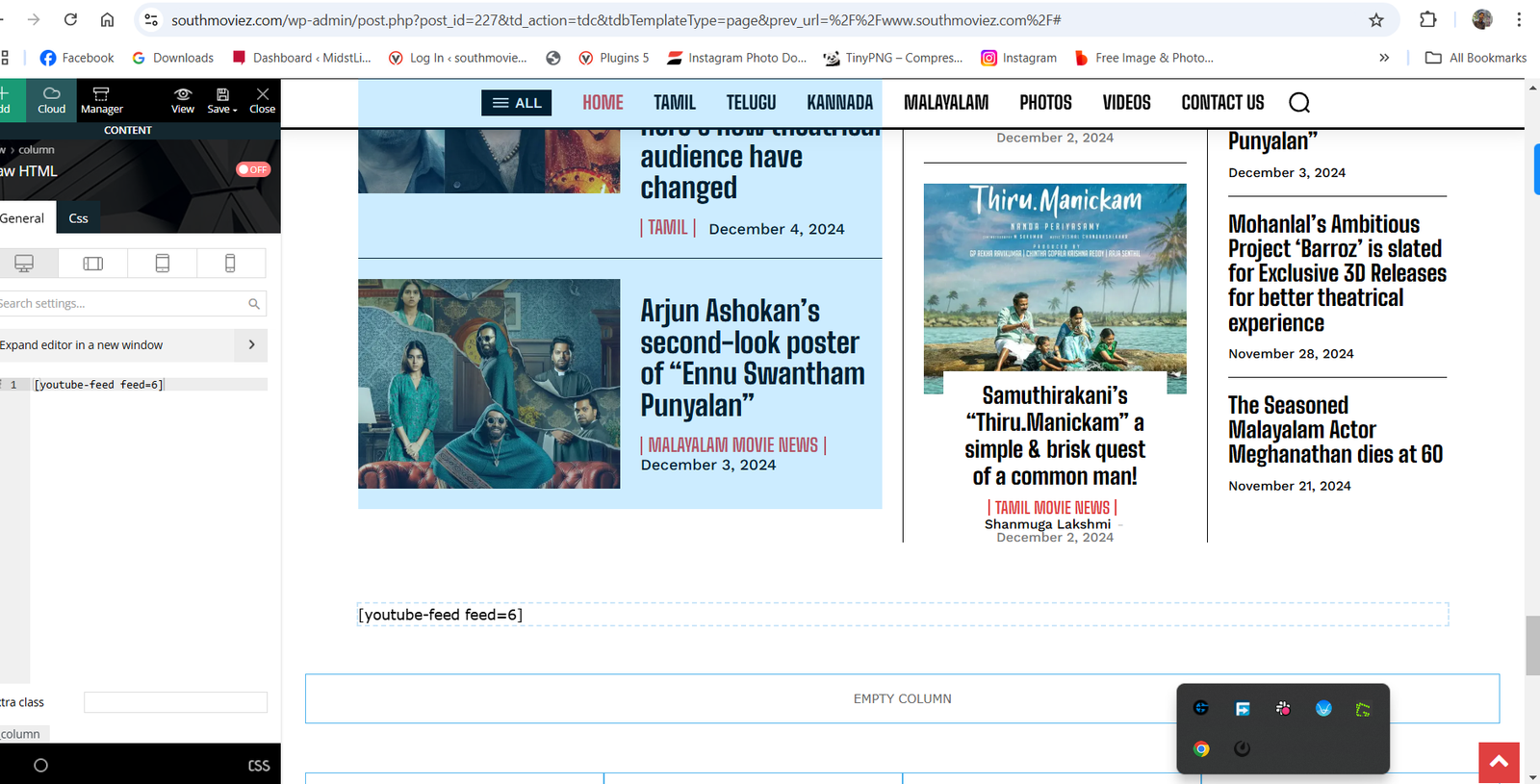
 Question, I have added column text and replaced it with the code. The problem is the widget I have added in column text is also showing on the homepage. What could be the reason?
Also when I drag and drop “Column Text” on the top it shows the footer.
charles123I am trying to find a shortcode widget on the Tagdiv composer, But I am unable to find a widget need your help on this.
Attached is a screenshot for reference – https://www.southmoviez.com/wp-content/uploads/2024/12/2024-12-05-17_04_52-Settings.png
I have tried custom HTML, but that also doesn’t work.
Liammcmullen Hi Anamaria
No the issue is still there. It’s on the homepage & the most read panel on the right should stick until the ad comes into frame.
Can you check again please
Thanks
 Simion C.
 Sorry for the delay.
You may have a point about the footer lazyload. However, to know for sure I suggest doing it like this.
Activate the footer lazyload, then clear all the caching, also CSS and JS.
Using the URL inspection tool from Google test the homepage https://support.google.com/webmasters/answer/9012289?hl=en
Check what Google sees in the homepage, like this https://support.google.com/webmasters/answer/9012289?hl=en#view_screenshot or there should also be a “View crawled page” link to see the HTML.
If the footer content is there, then there is no problem.
In terms of CSS and JS settings, I see you are already minifying and combining the resources. But I don’t think the delay JS option is active https://prnt.sc/33MTHwnBWFFQ Were there issues after activating it perhaps? That setting helps a lot with the score, but can also break some things.
It usually takes some time to make the website as fast as possible. The best case scenario is to activate every possible optimization setting from the theme and from the litespeed plugin. This can result in visual or functionality issues. Then it is about tuning the options, excluding resources that break or depend on others, etc. It can take a lot of time and testing.
Thank you!
 bilaalsadiq
Hi,
I am encountering an issue using the Flexbox 1 element on the homepage of our website (thefootballweek.org), under the “World Voices” section.
I have a category which I want Flex Box 1 to display the latest articles for, I am able to load the category, but I am unable to load the latest articles.
Strangely, I can see it working in the TagDiv editor, but when I click save, it stops working on the published page, meaning that there is an issue occurring between the editor and display of the page.
Please see the attached screenshots for further context: https://imgur.com/a/84FUWYw
I have updated the theme, and I have also ensured that there is 0 offset value so it shouldn’t skip any posts.
If you could please advise.
Many thanks