- NewsmagHomepage – How to build and set it
- NewsmagtagDiv Composer Tutorial
- NewsmagNewsmag documentation
- NewsmagMain menu
- NewsmagLogo & Favicon
- NewsmagPage templates
 TransportOnline
I am struggling now for days with this issue. I have created a homepage with tagDiv. Watched it in mobile version,. saved it but when I go to the mobile version of the website is totaly different from what I designed.
Also I can’t change the blocks that do show up in the mobile version.
Also the footer of the mobile version is totaly different from the dekstop version. And I can’t seem to get it right.
What am I doing wrong here?
(testwebsite: test.transport-online.nl)
 drjqool
My site URL is jimmybydesign.com.
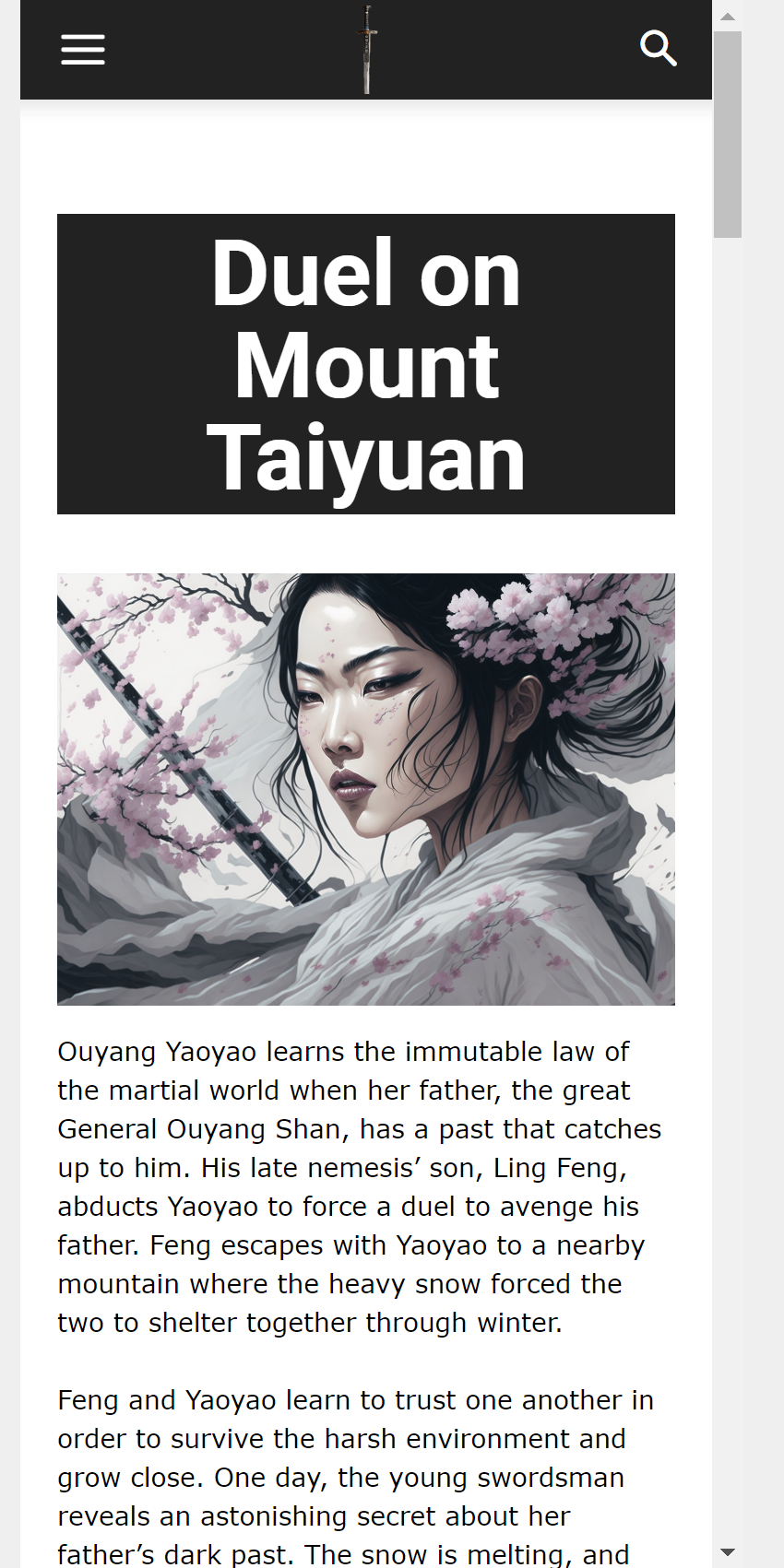
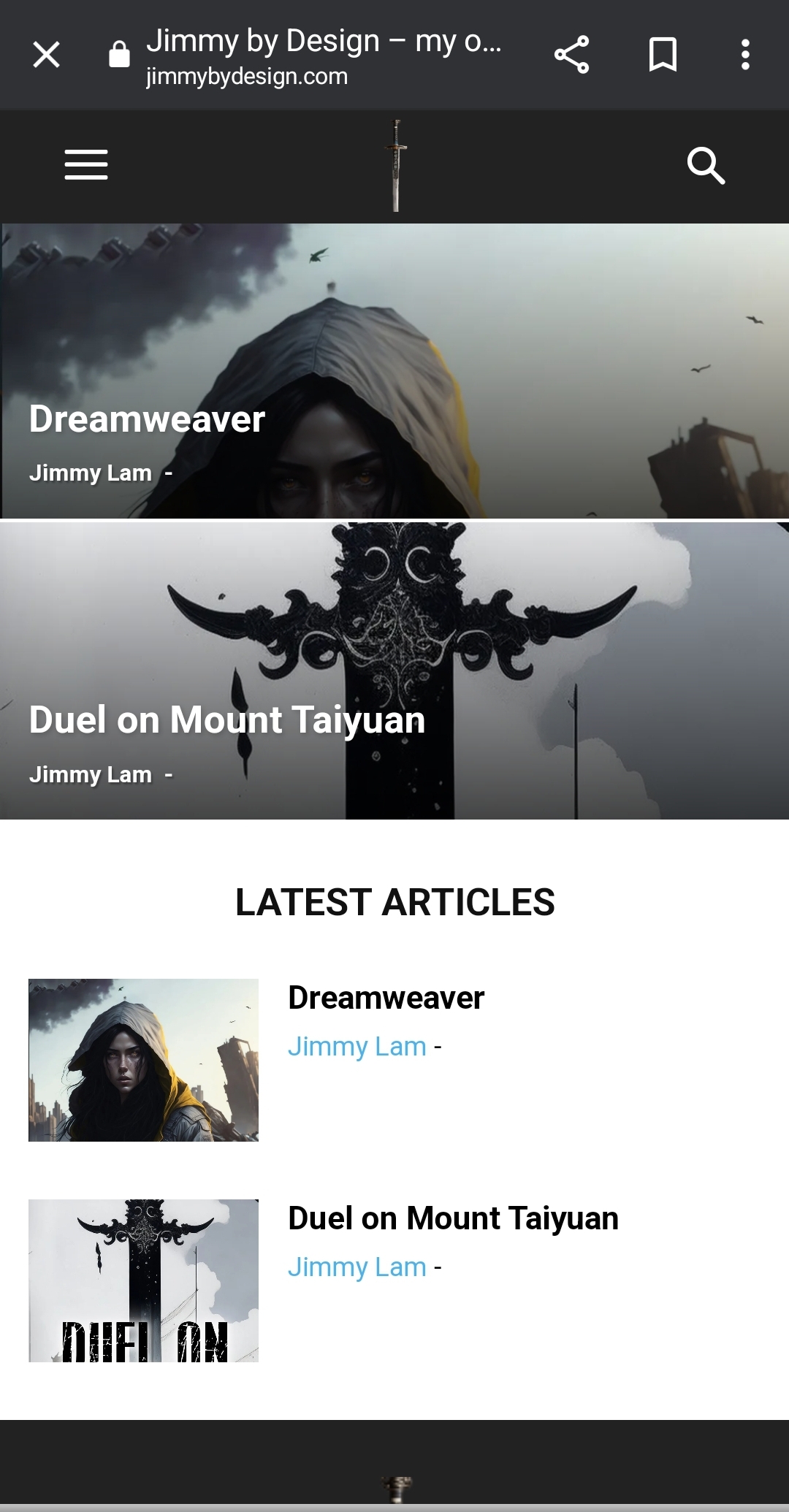
My problem is even after I set up my mobile homepage, what loads is something entirely different and I don’t know what I need to do to get this to load properly. Below are some screenshots of what I’m talking about.
This is a screen shot of how the mobile homepage should look: https://jimmybydesign.com/wp-content/uploads/2023/12/chrome_2023-12-06_18-00-51.png
This is how it turns out if visiting the site via mobile: https://jimmybydesign.com/wp-content/uploads/2023/12/Screenshot_20231206_180206_Chrome.jpg
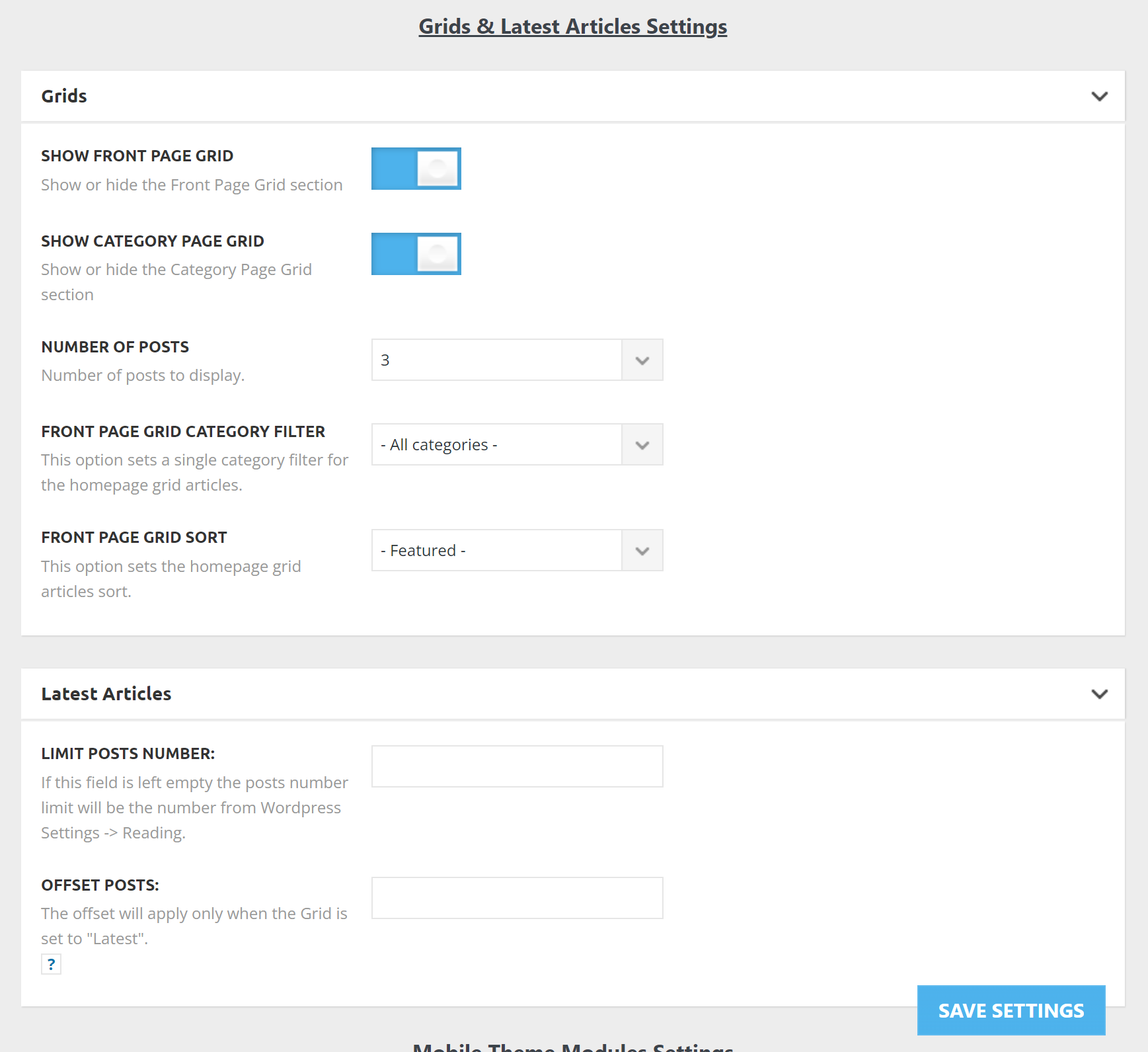
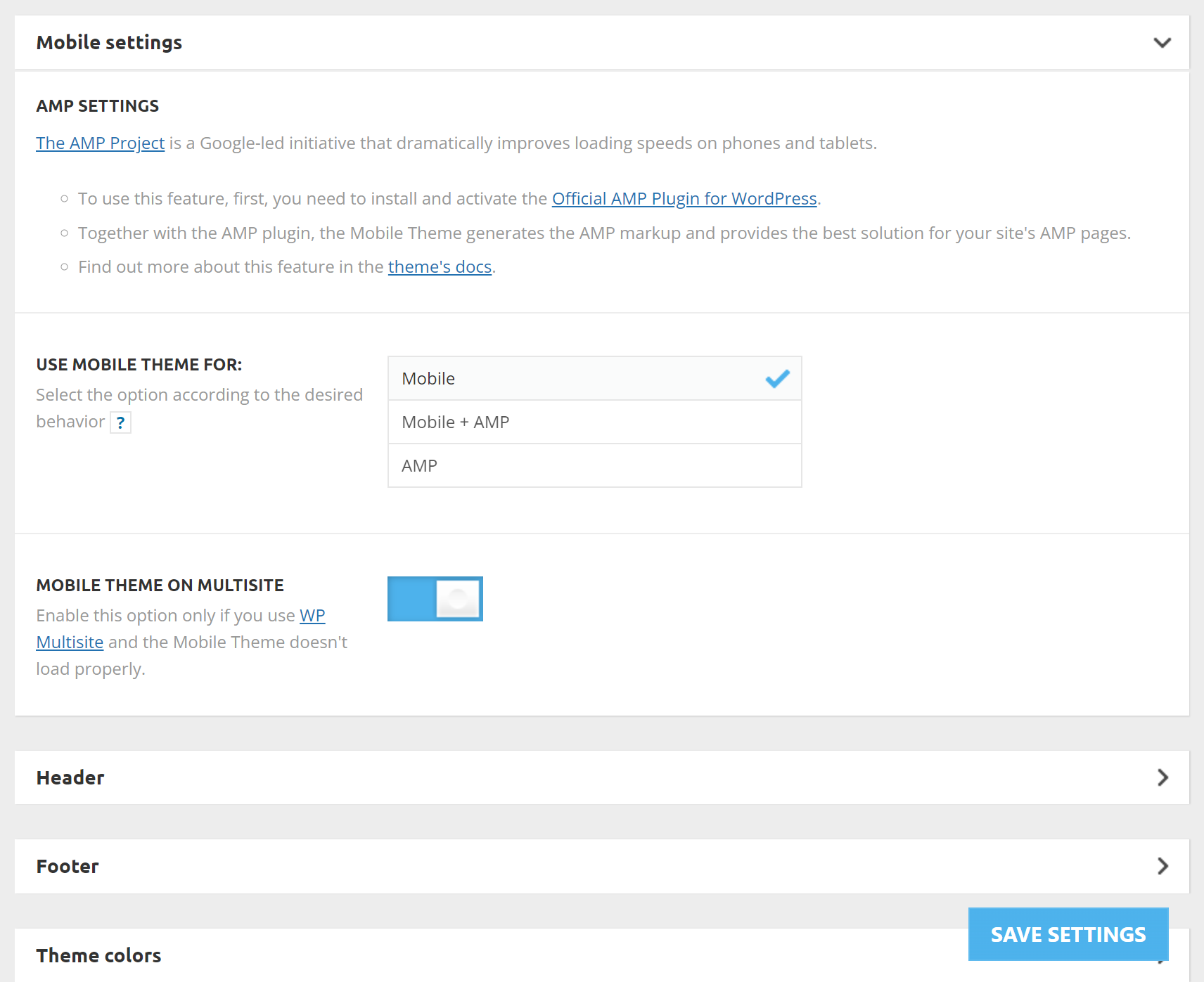
These are my mobile Newspaper theme panel settings:
https://jimmybydesign.com/wp-content/uploads/2023/12/chrome_2023-12-06_18-06-54.png
https://jimmybydesign.com/wp-content/uploads/2023/12/chrome_2023-12-06_18-07-55.png (FYI on this is I’ve set the Mobile theme on multi-site on/off but it doesn’t seem to affect anything. My mobile phone still loads that weird screenshot instead of the actual mobile version of the site.
Proof the mobile homepage is set up: https://jimmybydesign.com/wp-content/uploads/2023/12/chrome_2023-12-06_18-09-40.png
Please help!
 arajioni
 Hello!
I tried clearing all website cache + browser cache + incognito window + testing on the MacBook with different safari version, and the issue is there.
Here you can see the screenshots.
The overlap in a single post – https://paste.pics/4a15735e25b09675bd4cdccc018b3765
The overlap on the homepage – https://paste.pics/f8ee178e196d89d0a07390b15bf6565c
arajioniHello!
I decided to use the Pulses Pro demo. Everything is fine, except I discovered a huge Safari browser issue.
When scrolling down, the mid-column overlaps over the left column. This happens on the homepage when you scroll down – https://www.budnavarna.com
Also in a single post page, when the text is long – https://www.budnavarna.com/2023/12/06/milioni-ot-plana-za-vazstanovyavane-i-ustojchivost-idvat-kam-varna-i-regiona/
I am using Safari 17.1 desktop.
I saw in the forum that a user had the same issue with Safari but didn’t share how he fixed it.
I tried to disable the sticky header, and all plugins and to remove and add columns again – nothing fixed the issue.
Thanks in advance!
 leagcooks
 Hi Calin,
You can only do that with the blocks on the homepage tho?
 Anamaria
 Hi,
Please check the console when you hit the save button. Please check this topic https://forum.tagdiv.com/topic/tagdiv-composer-does-not-save-only-content-of-homepage/
Thank you!
Anamaria Hi,
To be able to edit the page and follow the above steps please create the page with tagdiv Composer, to add the content in the page you can use column text and text with title. https://forum.tagdiv.com/homepage-how-to-build-and-set-it/
Thank you!
Anamaria Hi,
Using our theme you can choose from 3 mobile versions
-> mobile responsive => https://www.screencast.com/t/oJ2ShOp47
-> mobile theme plugin => https://forum.tagdiv.com/the-mobile-theme/
-> mobile page => https://tagdiv.com/newspaper-10-3-7-update-brings-customizable-and-fast-mobile-pages/
If you created the mobile pages with tagDiv Composer, then when you install the Mobile Theme plugin, your pages will be overwritten by the plugin (the mobile theme comes with its templates for page, post, category, etc so your current templates from the desktop theme will get converted to the mobile theme layout, the page content is made without builders in mobile editor => https://www.screencast.com/t/xbgZG8kH also, the options that are provided to edit the mobile theme version are limited (this keeps the things simple)).
This is a video about Responsive Newspaper Theme, AMP & Mobile Theme, Mobile Pages & Templates -> https://www.youtube.com/watch?v=SpGkOnJeNZY
So, the mobile responsive is what you see when that you select the viewport on phone => https://www.screencast.com/t/matV17hH, so some settings may apply for each viewport(where is the border blue), and others are not(where the border is black).
The mobile page has the mobile templates from Cloud Library => https://www.screencast.com/t/YCcZ8rL8
The Mobile responsive version of the theme and the mobile page editor can be edit with tagDiv Composer, the mobile theme plugin cannot.
For example, you can have the mobile theme plugin activated and use the mobile page/mobile responsive version for the homepage/pages, but for the categories pages/404 page, you can’t use the mobile page/mobile responsive version if you have the mobile theme plugin activated.
So, if you want to design the pages with tagDiv Composer, you can use the mobile page or mobile responsive version.
Thank you!
 Calin
Calin Hello,
When you changes the website address make sure that the homepage and site url are the same – https://i.imgur.com/gBc4DBC.png also, for further assistance please provide some screenshots with the problem.
Thank you!
 Simion C.
 Hi,
You could try it in a testing/staging install first. A copy of the website can be created with the duplicator plugin for example, or by any other means. Then you can remove the Newsmag theme and its plugins, and install the Newspaper theme and its plugins.
Then it depends on how you want to proceed. One way would be to install a Newspaper demo, which will provide a new homepage and the templates. Or you can import demo parts, they are all available in the cloud library https://cloud.tagdiv.com/#/load/All
Besides sharing a few blocks from the composer, they are different themes after all.
In terms of risks, not sure what to say. Be sure to move your ad codes, analytics codes, also check the SEO, set the widget sidebars. If you use a child theme perhaps, that will have to be remade, in case it is still needed. If you have other pages, check those as well after switching the themes, they may have to be rebuilt or adjusted.
Let me know if you have questions, we can discuss more.
Thank you!
 Bettina
 Hello @RPECAdmin !
This site can’t be reached. Let me know exactly which element is there. Did you enable it from the theme panel settings, or can you click it when you edit the homepage with the TagDiv Composer?
Thank you!
 furlanj
 Hello everyone, I am facing the same issue. I need to create an opinion section on the website that, in the post, has:
the author’s photo;
The author’s name;
Short biography;
Title;
Support line;
Article text;
And, on the homepage, the link, with:
the author’s photo;
The author’s name;
Article title;
Do we have a solution, more or less pre-built, for this?
Best regards,
Jonas Furlan.
 Snippet Media
When i go to our site: http://www.saarmagazine.nl
most of the time it shows our mobile template in stead of our desktop desktop homepage. The desktop homepage shows a grid of three recent posts, dhe mobile template shows one large post. Next to this it doesnt show the logo and menu header on desktop (when it shows the mobile layout).
Also when I go to a blog from the website on my desktop, it shows the mobile layout for posts in stead of the desktop layout. So the image shows smaller and the text is on the left side of the screen and very narrow. Also without logo/menu header.
When i do a hard refresh on that page it seems like the cache erases so i get the right version, but my colleages never get to see the right version.
Here you see the mobile layout showing on a blog desktop (just showing the top of the page), + missing logo and menu and text on the left side):
https://www.saarmagazine.nl/wp-content/uploads/2023/12/Schermafbeelding-2023-12-04-om-14.59.41.png
Here you see what it should look like (image showing entire page):
https://www.saarmagazine.nl/wp-content/uploads/2023/12/screencapture-saarmagazine-nl-ik-wil-zeggen-tegen-vrouwen-die-wel-kinderen-hebben-2023-12-04-15_02_59.png
We’re already usng WP super cache.
And I also tried the Newspaper Mobile Theme, but the same problem appears. I hope you can help me!
 shebaskhan
 Thanks for your reply. It’s a new installation, no changes have been made. It is in the homepage (https://saudiweek.com/demo/)
Cannot edit or add anything.
 candc
candcHello,
I am currently renewing a site created with the NewsPaper theme version 12.6.2, originally built using NewsPaper8 series. The original site was developed using WPBakery, but I am now transitioning to the tagDiv Composer for this renewal.
I am using the default template with a sidebar, but I want to create the homepage (front-page) without using a sidebar. This means that while the template for a standard page (page.php) includes a sidebar, I intend for the homepage not to have one. I have prepared the homepage using the tagDiv Composer. However, after setting this page as the homepage (front-page) and trying to edit it, the following error message appears in the tagDiv Composer editing screen, preventing further editing:
“Error at zones: 6(models) : 5(dom). The model does not match the content Current state has involved an issue.”
The homepage displays correctly without the sidebar, as desired. This error does not occur if the page is not set as the homepage, allowing for re-editing of the page.
This issue arises whether I use a template from the Cloud Library for the homepage or create it as a regular page using tagDiv Composer and then set it as the homepage. Other standard pages, aside from the homepage, are displayed as intended with sidebars.
I suspect the error may be due to the homepage using a different template than the standard page template. How can I resolve this issue? I am not using any original templates except for the header and footer. The homepage design is different from the pages created with WPBakery, so I do not believe this is an issue related to their compatibility.
Thank you for your assistance.
 nolandolce
Hi Team,
For some reason the “next prev ajax” isn’t working correctly. So when I’m using flex block 1, and turn pagination on, using next prev ajax, within designer it shows as two right/left arrows appearing below the content. However, in the published version, the two arrows appear at the sides of the row of content (an arrow on each side). This is a problem because the arrows are partially hidden behind the content, so a user can’t actually find them. Any ideas about this? You can see our homepage, https://rareparenting.com to see what I mean. First row.
Thanks!
 semsem
Hi all ,
I am facing this issue which prevent me to modify the homepage :
Errors at columns: 2(models) : 11(dom). The model does not match the content Current state has involved an issue. You could try an UNDO operation (CTRL+Z / CTRL+SHIFT+Z)
Please help
 oqt
oqtHello,
Just made a fresh installation of the theme and enabled a specific homepage. https://hub.onequity.com/
I edited the Theme Accent color to green, within Theme Panel > Theme Colors > General Theme Colors. But when refreshing the site, still receiving the old red colors. I also installed wp super cache just in case it was cache issue, but no luck.
Can you advise please?
thanks
 Judy
JudyMy site was running perfectly – after the last wordpress and Newspaper theme update the homepage and post are a mess.
 Kieran
Hi,
We keep encountering an issue where our users are being prompted with this broken home page for mobile, we’ve designed a clean mobile one and for some reason, this page sometimes shows but then proceeds to switch back?
What we are being shown on mobile: https://www.awesomescreenshot.com/image/44568000?key=ff610497b1d71b55c021de9ca0450bb7
What it should look like: https://www.awesomescreenshot.com/image/44567999?key=40b22d67d534e3eb211f8422f04a6960
Connected to our landing page: https://www.awesomescreenshot.com/image/44568010?key=6f1c3a98662cf277a121ab3369eeb1f5
We’ve done everything we could, but we are unsure on why this issue keeps occurring,
We hope you can help us.
 JustOneForTheRoad
Hi
My website is http://www.justonefortheroad.com and I have done an audit and unsurprisingly have encountered a few issues. Some I am able to sort and others are beyond my levels of expertise.
The two that are concerning me just now are as follows:
Canonical Issue
I believe my homepage is suffering from an issue here however when I try to set up a 301 redirect through YOAST Redirections I am unable to redirect the http:// version to the https:// Obviously I am doing something wrong and maybe its not this URL that needs redirecting. Can anyone shed some light on what actions I need to take. Remember I am no expert!!
Mobile Header
When viewing some POSTS on Mobile I am getting a giant search magnifying glass or large white space in the header area. Its strange because I had a couple of URLS suffering from this but they now seem to be working. One that currently is not right (however who knows it might change) is on my mobile https://www.justonefortheroad.com/autumn-in-berlin/ (search magnifying glass issue) and https://www.justonefortheroad.com/the-authentic-tenerife/ (space issue)
I did not create this website and I have asked the technical guy who did and he cannot see anything wrong and suggested I raise this ticket.
Any help appreciated so thanks in advance
Rupert
 Gekkies
 Hi Bettina,
Now the search results took over my homepage, and this happened when all of my plugins were disabled: https://youtube.com/shorts/p1S2rjI2Twk?si=8_g6ppnF4f-P_vb5
I dont have a cpanel as i have a custom hosting.
I can give you the admin credentials, wich website do you want? I have it on gadgetgekkies.nl aswell as on internetgekkies.nl
Gekkies Hi bettina,
I already did this nut it did not work. I use Newspaper on more of my websites and it all works fine there. Only for gadgetgekkies.nl and internetgekkies.nl it wont work.
If I request the search result, the URL does refresh, but the URL simply displays the homepage. Please check my video.
I have deactivated all plugins, cleared the cache, and the same thing happens.I would like to see a solution, please
Gekkies Hi bettina,
Yes: https://app.screencast.com/GvbgZDvhPxInl
It still won’t work. Sometimes it does, but then my homepage chaches the search URL and then my homepage is suddenly the search result.
Gekkies Hi Bettina, i know it changes but it wont show the results but just the homepage: Again, This only happens on mobile. Check the video to see what i mean: https://www.youtube.com/shorts/GQQOfE19Zh4