
No search results were found in Documentation!
 casprom
Hi guys,
Recently we’ve updated WordPress to 6.0.1 and one of my clients that uses your theme has reported to me that she sees a warning sometimes that says:
The featured image should have a size of at least 1200 by 675 pixels.
It’s not clear if this message shows up because of the theme itself or if it was introduced to WordPress in this update, since they have been uploading feature images for a while in many sizes and only recently this message started showing up.
It’s clear that they have to properly resize the images to work as Feature Image, but I just want to figure out if this message comes from the theme or WordPress itself.
 hrhq2020
Hi
I have asked this in differing ways but on our homepage http://www.hrheadquarters.ie each individual post can appear in several differing positions – in the carolousel as latest post and then as recent one AND in the category sections in 2 differing sizes – most recent in category and then recent ones in category.
My problem is I need to show the full post image in each slot without it being cropped in anyway so that a sponsor logo at the bottom of the image appears.
Any suggestions appreciated….thanks
Declan
 fredredwoods
 Hello —
With all respect, I find your answer to not be helpful.
I understand that the iframe width works for you. I watched the video of you inserting the embed code directly as HTML. I already tried that — the problem is with that method too.
Previously it worked for me, and now it does not.
Disabling the plug-ins is not practical — it would shut down many pages of my site. But if that’s what I need to do to convince you that I have a problem here, then I’ll do it in the middle of the night some time.
But I sincerely doubt that one of these plug-ins is affecting the iframe width. The video width works on Pages — it does not work on Posts.
You have programmers there. Can’t someone look at this page and figure out what is wrong?
Please help.
Thank you.
—————————–
Here is a simple test page:
https://arcata1.com/?p=3044&preview=true
It consists of:
<p>Here the Youtube code is inserted directly as HTML.</p>

<p> </p>

<p>width = 315</p>

<p> </p>

<p><iframe title="YouTube video player" src="https://www.youtube.com/embed/612uI4Z7jsc?start=7065" width="315" height="177" frameborder="0" allowfullscreen="allowfullscreen"></iframe></p>
Here is a list of my Plug-ins. Many are back-end, and only affect the editing, or fixing thumbnnails, etc. The music players were added yesterday — the video width problem occurred before that.
A2 Optimized WP
Admin Menu Editor
Advanced Editor Tools (previously TinyMCE Advanced)
CP Media Player – Audio Player and Video Player
Duplicator
GTranslate
Jetpack
mb.miniAudioPlayer
PDF Embedder Premium
PDFjs Viewer – Embed PDFs
podcast player
Post Type Switcher
Regenerate Thumbnails
Regenerate Thumbnails Advanced
Relevanssi
Select Show modified Date in admin lists
tagDiv Cloud Library
tagDiv Composer
tagDiv Newsletter
UpdraftPlus – Backup/Restore
WP Downgrade | Specific Core Version
WPForms Lite
Yoast SEO
YYDevelopment – Show Pages ID
Here’s a description of the plug-ins:
A2 Optimized WP
A2 Optimized – WordPress Optimization Plugin
Admin Menu Editor
Lets you directly edit the WordPress admin menu. You can re-order, hide or rename existing menus, add custom menus and more.
Advanced Editor Tools (previously TinyMCE Advanced)
Extends and enhances the block editor (Gutenberg) and the classic editor (TinyMCE).
CP Media Player – Audio Player and Video Player
CP Media Player – Audio Player and Video Player allows you to post multimedia files on your website or blog in a simple way while providing compatibility with all major browsers such as IE, Firefox, Opera, Safari, Chrome and mobile devices: iPhone, iPad, Android.
Duplicator
Migrate and backup a copy of your WordPress files and database. Duplicate and move a site from one location to another quickly.
GTranslate
Translate your website and make it multilingual. For support visit GTranslate Support Forum.
Jetpack
Security, performance, and marketing tools made by WordPress experts. Jetpack keeps your site protected so you can focus on more important things.
mb.miniAudioPlayer
Transform your mp3 audio file link into a nice, small light player. ! IMPORTANT – if you customized the skin for the previous version you need to regenerate it from here.
PDF Embedder Premium
Embed mobile-friendly PDFs straight into your posts and pages. No third-party services required. Compatible With Gutenberg Editor WordPress
PDFjs Viewer – Embed PDFs
Embed PDFs with the gorgeous PDF.js viewer
podcast player
Host your podcast episodes anywhere, display them only using podcast feed url. Use custom widget or shortcode to display podcast player anywhere on your site.
Post Type Switcher
A simple way to change a post’s type in WordPress
Regenerate Thumbnails
Regenerate the thumbnails for one or more of your image uploads. Useful when changing their sizes or your theme.
Regenerate Thumbnails Advanced
Regenerate thumbnails fast and easy while removing unused thumbnails of existing images; very useful when changing a theme.
Relevanssi
This plugin replaces WordPress search with a relevance-sorting search.
Show modified Date in admin lists
Shows a new, sortable, column with the modified date in the lists of pages and posts in the WordPress admin panel. It also shows the username that did the last update.
tagDiv Cloud Library
Access a huge collection of pre-made templates you can import on your website and customize on the frontend using the tagDiv Composer plugin.
tagDiv Composer
tagDiv Composer – Create everything on your website right on the frontend with this drag and drop builder. Perfect for articles, pages, headers, and footers. No coding skills required.
tagDiv Newsletter
Easily add newsletter subscription fields for your visitors with the tagDiv Newsletter plugin for WordPress. It brings you 8 beautiful styles to choose from.
UpdraftPlus – Backup/Restore
Backup and restore: take backups locally, or backup to Amazon S3, Dropbox, Google Drive, Rackspace, (S)FTP, WebDAV & email, on automatic schedules.
WP Downgrade | Specific Core Version
WP Downgrade allows you to either downgrade or update WordPress Core to an arbitrary version of your choice. The version you choose is downloaded directly from wordpress.org and installed just like any regular release update. The target version WordPress allows you to update to remains constant until you enter a different one or deactivate the plugin either completely or by leaving the target version field empty.
WPForms Lite
Beginner friendly WordPress contact form plugin. Use our Drag & Drop form builder to create your WordPress forms.
Yoast SEO
The first true all-in-one SEO solution for WordPress, including on-page content analysis, XML sitemaps and much more.
YYDevelopment – Show Pages ID
Simple plugin that show you the pages and posts #id number
 Bettina
 Hello!
In order to modify the images sizes from the blocks, you need to use flex blocks: https://forum.tagdiv.com/flex-block-settings-guide/ and cloud templates.
We recommend to use cloud/PRO templates in order to have the possibility to edit them with the TagDiv Composer which contains a lot of functions and features, please check our tutorial here: https://forum.tagdiv.com/tagdiv-composer-tutorial/
Documentation here:
– https://forum.tagdiv.com/cloud-library-templates/
– https://forum.tagdiv.com/design-post-pages-using-cloud-library-templates/
– https://forum.tagdiv.com/cloud-library-category-templates/
Check also our video tutorials here: https://www.youtube.com/c/tagdivThemes/videos
Thank you!
 Anamaria
 Hello,
So, when you add the featured image in the post, you can select the image size
Also, inside the post, if you have Single Post Featured Image will take the image in original sizes.
Another solution could be to use the element called “Single post BG featured image” and in this case, the element has a setting for the image height and width.
Also, please provide the link to your post where the image is blurred.
Thank you!
Anamaria Hello,
There is a difference between a single post featured image and a single post bg featured image.
Single Post Featured Image will take the image in original sizes.
Another solution could be to use the element called “Single post BG featured image” and in this case, the element has a setting for the image height and width.
Thank you!
 mgiannelis
Hello
Single post feature images should all be the same size on my site But they are all showing different sizes. I have normal single post image block. (not bg) so they should all be the same size.
Some are showing too high and some to short. Everything is being different. With current setting all should be the same
Why not showing all the same dimensions???
mgiannelis pixerize
 Hi Calin,
I can’t open a new topic and wanted to ask you about the issue with images.
I have finished the website, and now is 1GB “heavy” I was looking around and found that each image I upload for featured image, have 20-23 instances of each.
Do we really need all of the thumbnails sizes, and do your theme use all of them?
What we can do to reduce number of instances per each uploaded image?
Thank you
 dhejswnl
I set it up in the theme panel because I knew that the media file image is created by size.
However, I know. These set sizes are not only thumbnails, but all images are applied
Can I leave only a certain size for the image to be used in the writing, and can I set only the size that I use for the thumbnail?
In addition, I would like to delete media files of various sizes that were previously created.
Bettina Hello!
Please make sure you use the “Single Post Featured Image” element and not the “Single Post Bg Featured Image” element. Make sure you edit your mobile version and adjust the sizes.
Thank you!
 bitswapnow
 Actually that was not it. I think its an issue with the newspaper Crypto Pro themes multiple image sizes its using and im using OctoLooks Scraper to download images from other websites to my media and then use and embed. Im seeing like 16 different photo sizes in the media folder but a lot are blank and throw up some error when trying to view the image and on the webpage is a blank or grey holder where said image should be. Any help is much appreciated.
 webdog
I attempted to find my previous post with the same title but it doesn’t appear to be archived, so… here we go again.
I am using a child-theme of Newspaper
I do not have any alterations to the theme. I use the child theme merely as a good practices measure.
Newspaper theme is set to auto update.
Every time a new version updates the tag-div plugins uninstall and a majority of previous set settings in the theme panel revert to the defaults, such as logos, template thumbnail sizes, choice of headers, and more that I cannot remember but, I’ll make a list as I now have to once again go into the theme panel and change them.
Also I have to reactivate the theme with my purchase code every update as well.
I find this highly annoying, time-consuming and generally a pain in the ass.
Here is a printout of the WPeMatico status report of the current setup, including server information, plug-ins, etc…
### Begin Debug Info ###
— Server Environment
Hosting Provider: DBH: localhost, SRV: wildsage.us
WebServer Info: Apache
MySQL Version: 5.6.41
PHP Version: 7.4.29
Disk Total Space: 1.48 TB
Disk Free Space: 1.25 TB
— Required Apache Mods
Mod Rewrite: Enabled
Mod Mime: Enabled
Mod Deflate: Disabled
— PHP Environment
Post Max Size: 260M
Max Input Vars: 3000
PHP Time Limit: 300
PHP Memory Limit: 512 MB
Allow URL fopen: On
ini_set: On
Disabled Functions:
Display Errors: On (1)
error_reporting levels: E_ERROR, E_WARNING, E_PARSE, , E_CORE_ERROR, E_CORE_WARNING, E_COMPILE_ERROR, , E_USER_ERROR, E_USER_WARNING, , , E_RECOVERABLE_ERROR, , ,
— PHP Extensions
cURL (php.net/curl): 7.81.0
ZipArchive: Enabled
DOMDocument: Enabled
GD Library: Enabled
XML (php.net/xml): Enabled, and sane
PCRE (php.net/pcre): Enabled
Zlib (php.net/zlib): Enabled
php.net/mbstring: Enabled
iconv (php.net/iconv): Enabled
OpenSSL(php.net/openssl):Enabled
MCrypt (php.net/mcrypt): Disabled
— Session Configuration
Session: Enabled
Session Name: SSESS6f380fa6739ae0d497146b3199b96450
Cookie Path: /
Save Path: /var/cpanel/php/sessions/ea-php74
Use Cookies: On
Use Only Cookies: On
— WordPress Environment
— User Browser
Platform: Windows
Browser Name: Chrome
Browser Version: 101.0.4951.64
User Agent String: Mozilla/5.0 (Windows NT 10.0; Wi
n64; x64) AppleWebKit/537.36 (KH
TML, like Gecko) Chrome/101.0.49
51.64 Safari/537.36
Home URL: https://wildsage.us
Site URL: https://wildsage.us
Version: 5.9.3
Multisite: No
Admin Email: admin@webdoghosting.net
Current User Email: sage_rebel@wildsage.us
— WordPress Configuration
Language WPLANG: en_US
Language Setting: Default
Permalink Structure: /index.php/%year%/%monthnum%/%day%/%postname%/
Active Theme: WildSage 10.3.1651792370
Show On Front: page
Page On Front: Home (#80241)
Page For Posts: Unset
Remote Get: wp_remote_get() works
Remote Post: wp_remote_post() works
Table Prefix: Length: 3 Status: Acceptable
Memory Limit: 256 MB
WP Max Upload Size: 260 MB
Registered Post Stati: publish, future, draft, pending, private, trash, auto-draft, inherit, request-pending, request-confirmed, request-failed, request-completed, acf-disabled, spam, dp-rewrite-republish
FileSystem Method: direct
WP_DEBUG: Disabled
WP_DEBUG_LOG: Disabled
WP_DEBUG_DISPLAY: Enabled
DISABLE_WP_CRON: Not set
WP_CRON_LOCK_TIMEOUT: 60
ALTERNATE_WP_CRON: Not set
— Campaigns Infos
Total campaigns: 32
Campaign ID: 80461
Campaign type: feed
Publish as: post
Campaign Status: publish
Number of feeds: 1
Max items: 3
Last Run: May 12, 2022 8:46 am
Next Run: May 13, 2022 8:45 am
Campaign ID: 96784
Campaign type: feed
Publish as: post
Campaign Status: publish
Number of feeds: 1
Max items: 1
Last Run: May 12, 2022 8:46 am
Next Run: May 13, 2022 8:45 am
Campaign ID: 84995
Campaign type: feed
Publish as: post
Campaign Status: publish
Number of feeds: 1
Max items: 1
Last Run: May 12, 2022 1:21 pm
Next Run: May 12, 2022 3:20 pm
Campaign ID: 83318
Campaign type: feed
Publish as: post
Campaign Status: publish
Number of feeds: 1
Max items: 1
Last Run: May 12, 2022 3:11 pm
Next Run: May 12, 2022 4:10 pm
Campaign ID: 84232
Campaign type: feed
Publish as: post
Campaign Status: publish
Number of feeds: 1
Max items: 2
Last Run: May 12, 2022 3:11 pm
Next Run: May 12, 2022 5:10 pm
Campaign ID: 88833
Campaign type: feed
Publish as: post
Campaign Status: publish
Number of feeds: 1
Max items: 1
Last Run: May 12, 2022 2:11 pm
Next Run: May 12, 2022 4:10 pm
Campaign ID: 96675
Campaign type: feed
Publish as: post
Campaign Status: publish
Number of feeds: 1
Max items: 1
Last Run: May 12, 2022 1:26 pm
Next Run: May 12, 2022 5:25 pm
Campaign ID: 106278
Campaign type: feed
Publish as: post
Campaign Status: publish
Number of feeds: 1
Max items: 2
Last Run: May 12, 2022 3:01 pm
Next Run: May 12, 2022 8:00 pm
Campaign ID: 107979
Campaign type: feed
Publish as: post
Campaign Status: publish
Number of feeds: 1
Max items: 1
Last Run: May 12, 2022 11:01 am
Next Run: May 12, 2022 4:00 pm
Campaign ID: 108047
Campaign type: feed
Publish as: post
Campaign Status: publish
Number of feeds: 1
Max items: 2
Last Run: May 12, 2022 3:01 pm
Next Run: May 12, 2022 8:00 pm
Campaign ID: 108050
Campaign type: feed
Publish as: post
Campaign Status: publish
Number of feeds: 1
Max items: 1
Last Run: May 12, 2022 11:21 am
Next Run: May 12, 2022 3:20 pm
Campaign ID: 108058
Campaign type: feed
Publish as: post
Campaign Status: publish
Number of feeds: 1
Max items: 2
Last Run: May 12, 2022 3:01 pm
Next Run: May 12, 2022 8:00 pm
Campaign ID: 67142
Campaign type: feed
Publish as: post
Campaign Status: publish
Number of feeds: 1
Max items: 1
Last Run: May 12, 2022 12:31 pm
Next Run: May 12, 2022 4:30 pm
Campaign ID: 68432
Campaign type: feed
Publish as: post
Campaign Status: publish
Number of feeds: 3
Max items: 1
Last Run: May 12, 2022 5:26 am
Next Run: May 13, 2022 5:25 am
Campaign ID: 83826
Campaign type: feed
Publish as: post
Campaign Status: publish
Number of feeds: 1
Max items: 1
Last Run: May 12, 2022 2:36 pm
Next Run: May 12, 2022 4:35 pm
Campaign ID: 108933
Campaign type: feed
Publish as: post
Campaign Status: publish
Number of feeds: 1
Max items: 1
Last Run: May 12, 2022 2:36 pm
Next Run: May 12, 2022 4:35 pm
Campaign ID: 52644
Campaign type: feed
Publish as: post
Campaign Status: publish
Number of feeds: 1
Max items: 1
Last Run: May 8, 2022 2:26 pm
Next Run: May 13, 2022 2:25 pm
Campaign ID: 57034
Campaign type: feed
Publish as: post
Campaign Status: publish
Number of feeds: 1
Max items: 1
Last Run: May 10, 2022 3:26 am
Next Run: May 17, 2022 3:25 am
Campaign ID: 108957
Campaign type: feed
Publish as: post
Campaign Status: publish
Number of feeds: 1
Max items: 1
Last Run: May 12, 2022 2:26 pm
Next Run: May 13, 2022 2:25 pm
Campaign ID: 10902
Campaign type: feed
Publish as: post
Campaign Status: publish
Number of feeds: 3
Max items: 1
Last Run: May 12, 2022 4:11 am
Next Run: May 12, 2022 4:10 pm
Campaign ID: 76442
Campaign type: feed
Publish as: post
Campaign Status: publish
Number of feeds: 1
Max items: 2
Last Run: May 12, 2022 12:56 pm
Next Run: May 12, 2022 3:55 pm
Campaign ID: 76443
Campaign type: feed
Publish as: post
Campaign Status: publish
Number of feeds: 1
Max items: 2
Last Run: May 12, 2022 1:41 pm
Next Run: May 12, 2022 4:40 pm
Campaign ID: 18506
Campaign type: feed
Publish as: post
Campaign Status: publish
Number of feeds: 1
Max items: 1
Last Run: May 3, 2022 3:11 am
Next Run: May 17, 2022 3:10 am
Campaign ID: 4098
Campaign type: feed
Publish as: post
Campaign Status: publish
Number of feeds: 2
Max items: 1
Last Run: May 12, 2022 9:51 am
Next Run: May 12, 2022 3:50 pm
Campaign ID: 17201
Campaign type: feed
Publish as: post
Campaign Status: publish
Number of feeds: 1
Max items: 1
Last Run: May 12, 2022 7:51 am
Next Run: May 12, 2022 7:50 pm
Campaign ID: 19273
Campaign type: feed
Publish as: post
Campaign Status: publish
Number of feeds: 1
Max items: 1
Last Run: May 12, 2022 4:36 am
Next Run: May 12, 2022 3:35 pm
Campaign ID: 489
Campaign type: feed
Publish as: post
Campaign Status: publish
Number of feeds: 3
Max items: 1
Last Run: May 12, 2022 12:11 pm
Next Run: May 12, 2022 5:10 pm
Campaign ID: 72425
Campaign type: feed
Publish as: post
Campaign Status: publish
Number of feeds: 2
Max items: 1
Last Run: May 11, 2022 5:01 pm
Next Run: May 12, 2022 5:00 pm
Campaign ID: 72426
Campaign type: feed
Publish as: post
Campaign Status: publish
Number of feeds: 1
Max items: 1
Last Run: May 11, 2022 5:06 pm
Next Run: May 12, 2022 5:05 pm
Campaign ID: 72427
Campaign type: feed
Publish as: post
Campaign Status: publish
Number of feeds: 2
Max items: 1
Last Run: May 12, 2022 6:51 am
Next Run: May 12, 2022 6:50 pm
Campaign ID: 94736
Campaign type: feed
Publish as: post
Campaign Status: publish
Number of feeds: 1
Max items: 2
Last Run: May 12, 2022 4:51 am
Next Run: May 12, 2022 4:50 pm
Campaign ID: 105759
Campaign type: feed
Publish as: post
Campaign Status: publish
Number of feeds: 3
Max items: 1
Last Run: May 11, 2022 8:41 pm
Next Run: May 14, 2022 2:40 am
— WPeMatico Configuration
Version: 2.6.15
mailmethod: mail
mailsndemail: noreply@wildsage.us
mailsndname: WPeMatico Log
disabledashboard:
roles_widget: Array
(
[administrator] => administrator
[editor] => editor
[author] => author
)
dontruncron:
enable_alternate_wp_cron:
disablewpcron:
set_cron_code:
cron_code:
logexternalcron:
disable_credits: 1
disablecheckfeeds:
enabledelhash: 1
enableseelog: 1
enablerewrite: 1
enableword2cats: 1
customupload: 1
imgattach: 1
imgcache: 1
fifu:
gralnolinkimg:
image_srcset:
audio_attach: 1
audio_cache: 1
gralnolink_audio:
customupload_audios: 1
audio_allowed_ext: mp3,m4a,m4b,aac,ra,ram,wav,ogg,oga,flac,mid,midi,wma,wax,mka
video_attach: 1
video_cache: 1
gralnolink_video: 1
customupload_videos: 1
video_allowed_ext: asf,asx,wmv,wmx,wm,avi,divx,flv,mov,qt,mpeg,mpg,mpe,mp4,m4v,ogv,webm,mkv,3gp,3gpp,3g2,3gp2
images_allowed_ext: jpg,jpeg,jpe,gif,png,bmp,tiff,tif,webp,ico,heic
featuredimg:
rmfeaturedimg:
force_mysimplepie:
set_stupidly_fast:
simplepie_strip_htmltags: 1
simplepie_strip_attributes: 1
strip_htmltags: base,blink,body,doctype,font,form,frame,frameset,html,input,marquee,meta,noscript,object,param,script,style,phoenix-ad-outstream
strip_htmlattr: bgsound,class,expr,id,style,onclick,onerror,onfinish,onmouseover,onmouseout,onfocus,onblur,lowsrc,dynsrc
woutfilter:
campaign_timeout: 300
throttle: 4
allowduplicates:
allowduptitle:
allowduphash:
jumpduplicates:
disableccf:
add_extra_duplicate_filter_meta_source: 1
nonstatic: 1
emptytrashbutton: 1
cpt_trashbutton: Array
(
[post] => 1
[page] => 1
[attachment] => 1
[customize_changeset] => 1
[oembed_cache] => 1
[user_request] => 1
[wp_block] => 1
[wp_template] => 1
[wp_template_part] => 1
[wp_global_styles] => 1
[wp_navigation] => 1
[jb_store_css] => 1
[acf-field-group] => 1
[acf-field] => 1
[wpematico] => 1
[make-me-feed] => 1
)
campaign_in_postslist: 1
column_campaign_pos: 2
disable_metaboxes_wpematico_posts:
disable_categories_description: 1
enable_xml_upload: 1
entity_decode_html: 1
disable_extensions_feed_page:
overwrite_audio: rename
clean_audios_urls: 1
rss_audio: 1
rss_audio_enclosure: 1
rss_audio_ifno: 1
strip_all_audios:
enable_audio_rename:
audio_rename: {slug}
audio_upload_ranges:
audio_upload_range_mb: 5
overwrite_video: rename
clean_videos_urls: 1
rss_video: 1
rss_video_enclosure: 1
rss_video_ifno: 1
strip_all_videos:
enable_video_rename:
video_rename: {slug}
video_upload_ranges: 1
video_upload_range_mb: 4
— WPeMatico Full Content Configuration
Version: 2.4
License Status: valid
License Expiration: 2023-02-09
— WPeMatico PROFESSIONAL Configuration
Version: 2.14
enablekwordf: 1
enablewcf:
enablecustomtitle: 1
enablefullcontent:
enableauthorxfeed:
enableimportfeed:
enablemultifeed: 1
enabletags: 1
all_badtags:
enablecfields: 1
enableimgfilter: 1
enableeximport: 1
enablepromenu: 1
enable_ramdom_words_rewrites:
end_of_the_line: 1
end_of_the_line_characters:
enable_custom_feed_tags: 1
enable_filter_per_author:
enable_word_to_taxonomy: 1
License Status: valid
License Expiration: 2023-02-09
— Must-Use Plugins (1)
Health Check Troubleshooting Mode: 1.7.2
— WordPress Active Plugins (38)
Native PHP Sessions for WordPress: 1.2.4
Advanced Custom Fields: 5.12.2
Autoremove Attachments: 1.3.1
Bulk Delete: 6.0.2
Child Theme Configurator: 2.5.9
Custom Post Type UI: 1.12.0
Yoast Duplicate Post: 4.4
Enable SVG, WebP, and ICO Upload: 1.0.1
Envato Market: 2.0.7
Everest Coming Soon Lite: 1.1.1
Featured Image from URL (FIFU) Premium: 5.6.3
Site Kit by Google: 1.74.0
Health Check & Troubleshooting: 1.4.5
Jetpack Boost: 1.4.2
Jetpack: 10.9
Really Simple SSL: 5.3.2
Regenerate Thumbnails: 3.1.5
Shortcodes Ultimate: 5.12.0
Easy Updates Manager: 9.0.12
tagDiv Cloud Library: 2.3 | built on 12.05.2022 9:11
tagDiv Composer: 3.4 | built on 12.05.2022 9:11
tagDiv Mobile Theme: 2.1 | built on 12.05.2022 9:11
tagDiv Social Counter: 5.1 | built on 12.05.2022 9:11
tagDiv Standard Pack: 1.5 | built on 12.05.2022 9:11
Envato Toolkit: 1.4
Unsplash: 1.0.1
UpdraftPlus – Backup/Restore: 1.22.12
Yoast SEO: 18.8
WP Crontrol: 1.12.1
WP-Optimize – Clean, Compress, Cache: 3.2.3
WPeCounter: 1.2
WPeMatico Custom Hooks: 1.2
WPeMatico: 2.6.15
WPeMatico Better Excerpts: 3.3.1
WPeMatico cats2tags: 2.3
WPeMatico Full Content: 2.4
Make Me Feed: 2.9
WPeMatico Professional: 2.14
— WordPress Inactive Plugins
— WordPress Cron Schedules
Next due: Schedule: Hook
May 12, 2022 10:21 pm: WPeMatico: wpematico_cron
May 12, 2022 10:22 pm: Every 5 minutes: jetpack_sync_full_cron
May 12, 2022 10:25 pm: Every 5 minutes: jetpack_sync_cron
May 12, 2022 10:30 pm: Once Hourly: jetpack_clean_nonces
May 12, 2022 10:34 pm: Once Hourly: wp_privacy_delete_old_export_files
May 13, 2022 12:20 am: Twice Daily: puc_cron_check_updates-fifu-premium
May 13, 2022 5:32 am: Twice Daily: td_instagram_cron_job
May 13, 2022 6:25 am: Sitemap Interval: jp_sitemap_cron_hook
May 13, 2022 6:28 am: Once Daily: wp_scheduled_auto_draft_delete
May 13, 2022 6:29 am: Once Daily: jetpack_v2_heartbeat
May 13, 2022 6:30 am: Once Daily: jp_purge_transients_cron
May 13, 2022 6:34 am: Twice Daily: wp_update_plugins
May 13, 2022 6:34 am: Twice Daily: wp_update_themes
May 13, 2022 6:34 am: Twice Daily: wp_version_check
May 13, 2022 6:35 am: Twice Daily: get_transient_features
May 13, 2022 6:35 am: Twice Daily: jetpack_waf_rules_update_cron
May 13, 2022 6:35 am: Twice Daily: googlesitekit_cron_update_remote_features
May 13, 2022 6:37 am: Twice Daily: wp_https_detection
May 13, 2022 12:49 pm: Once Daily: wpo_minify_purge_old_cache
May 13, 2022 12:49 pm: Once Daily: wpo_smush_clear_backup_images
May 13, 2022 1:01 pm: Once Daily: wpo_cron_event2
May 13, 2022 6:18 pm: Once Daily: recovery_mode_clean_expired_keys
May 13, 2022 6:34 pm: Once Daily: wp_scheduled_delete
May 13, 2022 6:34 pm: Once Daily: delete_expired_transients
May 13, 2022 6:35 pm: Once Daily: wpseo_permalink_structure_check
May 13, 2022 6:46 pm: Once Daily: wpseo-reindex
May 13, 2022 10:13 pm: Once Daily: tribe_common_log_cleanup
May 13, 2022 10:13 pm: Once Daily: tribe_daily_cron
May 15, 2022 6:01 am: Once Weekly: wpo_weekly_cron_tasks
May 16, 2022 10:59 pm: Once Weekly: wpseo_ryte_fetch
May 18, 2022 6:49 pm: Once Weekly: updraft_backup
May 18, 2022 6:49 pm: Once Weekly: updraft_backup_database
May 19, 2022 3:01 am: Once Weekly: health-check-scheduled-site-status-check
May 19, 2022 4:01 am: Once Weekly: wp_site_health_scheduled_check
— WordPress user Defined Constants
Array
(
[KB_IN_BYTES] => 1024
[MB_IN_BYTES] => 1048576
[GB_IN_BYTES] => 1073741824
[TB_IN_BYTES] => 1099511627776
[WP_MEMORY_LIMIT] => 256M
[WP_MAX_MEMORY_LIMIT] => 512M
[WP_CONTENT_DIR] => /home2/wildsage/public_html/wp-content
[WP_DEBUG] =>
[WP_DEBUG_DISPLAY] => 1
[WP_DEBUG_LOG] =>
[WP_CACHE] => 1
[SCRIPT_DEBUG] =>
[MEDIA_TRASH] =>
[SHORTINIT] =>
[MINUTE_IN_SECONDS] => 60
[HOUR_IN_SECONDS] => 3600
[DAY_IN_SECONDS] => 86400
[WEEK_IN_SECONDS] => 604800
[MONTH_IN_SECONDS] => 2592000
[YEAR_IN_SECONDS] => 31536000
[WP_CONTENT_URL] => https://wildsage.us/wp-content
[WP_PLUGIN_DIR] => /home2/wildsage/public_html/wp-content/plugins
[WP_PLUGIN_URL] => https://wildsage.us/wp-content/plugins
[PLUGINDIR] => wp-content/plugins
[WPMU_PLUGIN_DIR] => /home2/wildsage/public_html/wp-content/mu-plugins
[WPMU_PLUGIN_URL] => https://wildsage.us/wp-content/mu-plugins
[MUPLUGINDIR] => wp-content/mu-plugins
[FORCE_SSL_ADMIN] => 1
[FORCE_SSL_LOGIN] => undefined
[AUTOSAVE_INTERVAL] => 60
[EMPTY_TRASH_DAYS] => 30
[WP_POST_REVISIONS] => 1
[WP_CRON_LOCK_TIMEOUT] => 60
[TEMPLATEPATH] => /home2/wildsage/public_html/wp-content/themes/Newspaper
[STYLESHEETPATH] => /home2/wildsage/public_html/wp-content/themes/Newspaper-child
[WP_DEFAULT_THEME] => twentytwentytwo
[DISABLE_WP_CRON] => undefined
[ALTERNATE_WP_CRON] => undefined
[WPEMATICOHK_VER] => 1.2
[WPEMATICO_VERSION] => 2.6.15
[WPEMATICO_BASENAME] => wpematico/wpematico.php
[WPEMATICO_ROOTFILE] => /home2/wildsage/public_html/wp-content/plugins/wpematico/wpematico.php
[WPEMATICO_PLUGIN_URL] => https://wildsage.us/wp-content/plugins/wpematico/
[WPEMATICO_PLUGIN_DIR] => /home2/wildsage/public_html/wp-content/plugins/wpematico/
[WPEMATICO_CATS2TAGS_VERSION] => 2.3
[WPEMATICO_CATS2TAGS_STORE_URL] => https://etruel.com
[WPEMATICO_CATS2TAGS_ITEM_NAME] => WPeMatico cats2tags
[WPEMATICO_CATS2TAGS_ROOT_FILE] => /home2/wildsage/public_html/wp-content/plugins/wpematico_cats2tags/wpematico_cats2tags.php
[WPEMATICO_CATS2TAGS_PATH] => /home2/wildsage/public_html/wp-content/plugins/wpematico_cats2tags/
[WPEFULLCONTENT_REQ_WPEMATICO] => 2.6
[WPEMATICOPRO_VERSION] => 2.14
[WPEMATICOPRO_UPDATE_CAMPAIGNS] =>
[WPEMATICOHK_ROOT_FILE] => /home2/wildsage/public_html/wp-content/plugins/wpematico-custom-hooks/wpematico_custom-hooks.php
[WPEMATICOHK_DIR] => /home2/wildsage/public_html/wp-content/plugins/wpematico-custom-hooks/
[WPEMATICOHK_URL] => https://wildsage.us/wp-content/plugins/wpematico-custom-hooks/
[WPEMATICOHK_STORE_URL] => https://etruel.com
[WPEMATICOHK_ITEM_NAME] => wpematico-custom-hooks
[WPEM_ADMIN_DIR] => /home2/wildsage/public_html/wp-admin
)
### End Debug Info ###
 Kaino
Kaino I have all sizes activated, uploaded full image and regenerated the images and it’s still blurry on chrome.
I checked your demo https://demo.tagdiv.com/newspaper_pro/ on chrome, same issue, blurry images, this is a serious issue. On mobile it looks all fine.
 Bettina
 Hello!
Please change the image height in different viewports from the TagDiv Composer, so in this mode you’ll have different sizes for your images based on the device type.
Thank you!
mgiannelis That’s not help to me actually.
What settings?
If I change settings for those images sizes to fit on the desktop correctly. It will then make them way to big for the laptop screen.
Please elaborate
 yourexpatfinance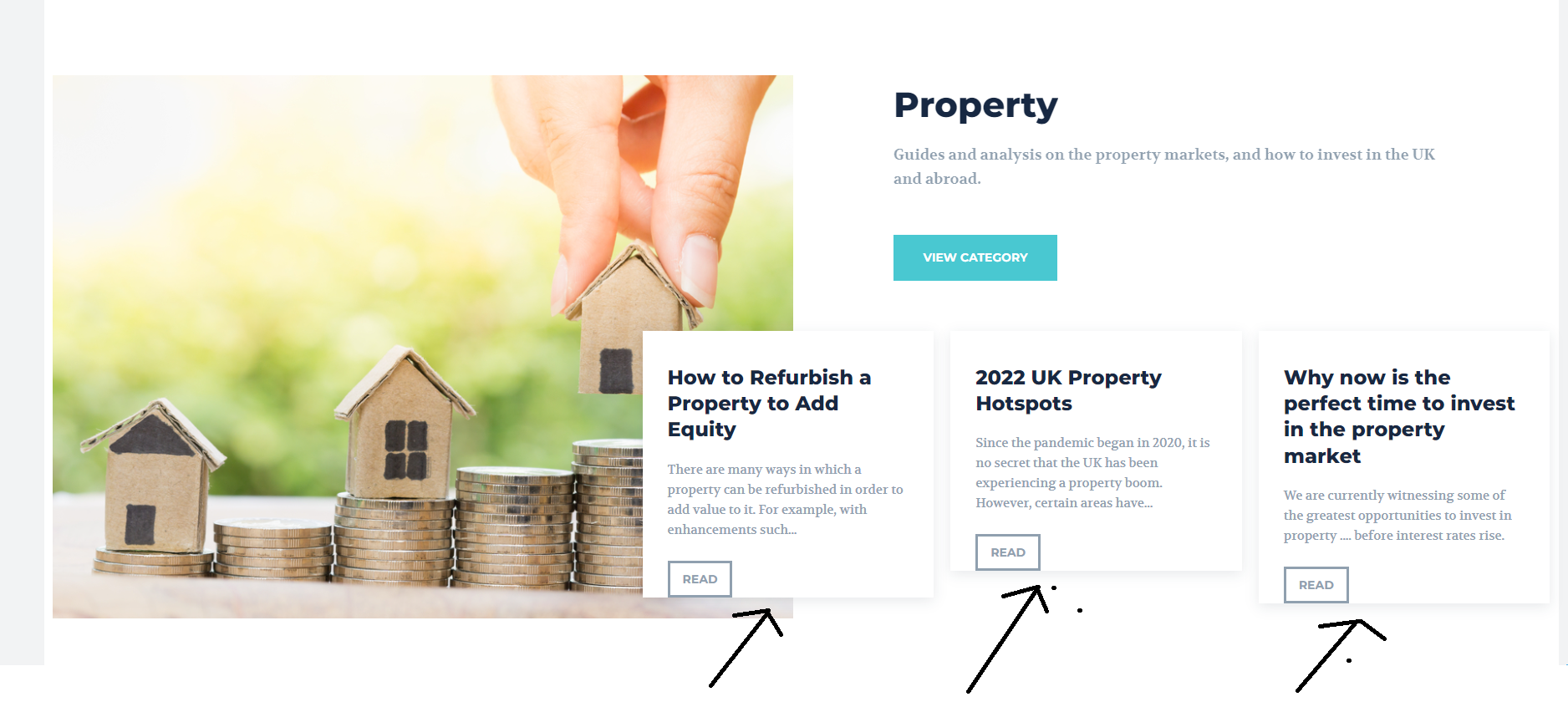
Hi. I have a blog InvestementKnowledge.co.uk
The post boxes on the homepage(and elsewhere in the website) are never aligned properly, they are of different sizes. (see image).
How can I get each box to be exactly the same size so it looks even and not badly aligned?
mgiannelisHello.
The front top middle images on my site show as different sizes on desktop and laptop.
In laptop they look fine. But on desktop screen they are squished and look all wrong.
How can I make them both look the same.
caspromHi guys,
We’re having an issue since we’re using the elements “Slide” and all the imagens seem to get too blurry. We’re tried different ratios and sizes, but it always gets like this (https://drive.google.com/file/d/1UZCe6EG8ZkmLyTpnSM7166jyEahhGxcO/view?usp=sharing). It’s weird because in editing it looks good (https://drive.google.com/file/d/1Kv7Wi1wqP1U9_X_0E18ElbNUMc9SMAjN/view?usp=sharing) but when we save and view it goes back to being ugly. A little help?
 Simion C.
 Hi,
The post templates use thumbnails to display the featured image, these would be the sizes that are used for them – https://i.imgur.com/7hCV0YQ.png
If the original image used as featured is large enough to allow the theme to create the needed thumb, depending on the post template used, and if the thumb size is active, the theme will create the thumb and use it. If the image is not large enough or the thumb size is not enabled, the theme will use the original image.
Could you provide an example of this issue happening on the website? I will check it. Let me know.
Thank you!
 crodexter
Hello,
I don’t know much of the HTML and I am not sure/dont’ know does this loads all images in srcset.
Tis is code: https://www.codepile.net/pile/RvmpOByj
I am trying to fix LCP (Largest Contentful Paint)
Since that code is from mobile theme I odn’t understand why there are other image sizes.
Can I remove them from mobile theme?
Thank you
Bettina Hello!
Please note that the element “Single Post Bg Featured Image” doesn’t have the setting to display the caption, only the “Single Post Featured Image” element has it:
https://www.screencast.com/t/poYC47fe
https://www.screencast.com/t/CtgupYpJ0
And please just look if your caption is not set it as hide caption.
The differences between BG featured image and single post featured image:
– the description (capture) will not appear in BG
– the image size you can set only in BG, so in a single post featured image will take the image in original sizes
– more options for styling in a single post featured image than BG
Thank you!
Bettina Hello!
Set up your thumbs from Newspaper -> Theme panel -> Block settings -> Thumbs on modules/blocks. If you deactivate a dimension from there, next time when you will upload an image, it will not be resized to that dimension.
After changing the thumbnail sizes you need to regenerate your thumbnails using a plugin. Check this: https://forum.tagdiv.com/using-the-theme-with-existing-content/
Thank you!
 Calin
Calin Hi,
The single post featured image it is using only the theme sizes, therefore I recommend to choose a size like 300×0, 696×0 (a size that has x0) in this way the image will look good.
Thank you!
Bettina Hello Sven!
Please send the credentials via email, not in this thread.
They are cropped automatically: https://forum.tagdiv.com/featured-image/ ; that’s why you can disable the thumbs you are not using. Set up your thumbs from Newspaper -> Theme panel -> Block settings -> Thumbs on modules/blocks. If you deactivate a dimension from there, next time when you will upload an image, it will not be resized to that dimension.
After changing the thumbnail sizes you need to regenerate your thumbnails using a plugin. Check this: https://forum.tagdiv.com/using-the-theme-with-existing-content/
Thank you!

