- TutorialsHow to install Revolution Slider
- TutorialsHow to Install bbPress forum
- TutorialsFrom WPBakery to tagDiv Composer
- TutorialsDefault Block Settings Guide
- TutorialsImport Revolution Sliders
- TutorialsSystem status parameters guide
- TutorialsHow to Update the WPBakery Page Builder plugin
- TutorialsExisting content
 simchris
 Hello #nowsathkwt
be sure you do this
1) https://forum.tagdiv.com/how-to-make-the-site-faster/
page cache, speed booster plugin beta
2) add the elements to htaccess file for expires headers, caching, etc.
3) make sure your server had gzip/deflate compression
4) install image optimize plugin, or change default compression in functions.php, re-render your images for compression
5) run speed test at GTmetrix (etc.); fix suggestions
Your site
http://gtmetrix.com/reports/connectkuwait.com/j8vmwWPR
note issues
* you don’t have expires headers on your site content; you need to add those to your htaccess file per my recommendations in this topic thread
* need to optimize images further
* you won’t be able to fix the stuff you’re loading off other sites like the .me.uk domain which is responsible for many of your “rating errors” — you’re loading images, CSS, JS and such from many other sites, and these all slow down your site and don’t meet the current optimization standards.
 Bryson T
 I’m experiencing the same issue on my site at DC Nation in the 2nd row, Trending Articles. The most popular of that block of 3 posts is showing a count of 234 views since the theme was installed.
However, this post Clinton-Dix Scouting Report shows more than 700 views on the counter since the theme was installed and yet it does not show up in the Trending Articles row.
There are many other posts like that which do not show on the Trending Articles row. Use of the “last 7 days” sorting is enabled for that row and the theme and I am running no caching plugins (I deleted the default cache plugin for WordPress). I also do not filter that block by category or author, only by “last 7 days” popularity.
Same issue as OP. Thanks for checking into it.

 glennwpaul
 Ok. I just did a fresh install to see if that would fix it, but its still the same. Thanks for looking…
 Marius
 Reply via email!
 vertexpolygon
Hi,
An other question about translation. My wp-config is well configured with :
define('WPLANG', 'fr_FR');
But Visual Composer stays in English.
I have checked the plugin folder and found js_composer-fr_FR.mo.
I have tested on two configurations (local and hosted and the problem is the same)
No other Visual Composer plugin is installed.
How to activate the translation for this plugin please?
Thank you
 boar
boar Radu – could i get some tip from you how i can fix it?
 lopaidea
Help!
I have some difficulties:
By installing “bbPress” newspaper on the subject, the “breadcrumbs” do not work, while work properly without bbPress.
I would also like to know how I can view the pages category posts in random order.
thanks
 r1kay
r1kay Hi marius,
My HTC One is running Android V4.3 and comes with the stock Android Browser, same is for the Galaxy S4. They both run on V4.3, which is factory default, and both have the stock browser pre-installed. So this has nothing to do with older V2.x android versions!
boari have clean WP 3.8.1 from wordpress.org + theme “newspaper”
after instalation i have problem – only this txt
Fatal error: Call to undefined function wpb_map() in /wp-content/themes/Newspaper/includes/wp_booster/td_global_blocks.php on line 24
screenshot – http://www.tinypic.pl/mniyqotwpywp
 esmus
esmusHello,
I want my site to be as fast as the demo site, but it isn’t although I installed w3 total cache just with “page cache enabled” and also activated the “tagDiv speed booster”. With these plugins my site’s scores are 72/100 for mobile and 86/100 for desktop.
What else should I do to make my site as fast as the demo site?
 mikep138
Hello, i just installed the theme and have been using the page builder to make a full width homepage however the big slider does not pull any images and only shows the text bounding box for one of the articles it is pulling.
glennwpaulHello
I just installed the theme and it seems to be off a couple pixels on the left. I uploaded a background spec image to make sure things are lined up and noticed. Please take a look…
Fresh server, fresh install of wp.
http://smashr.com
any ideas?
 theullim
hi, i have a problem to make header menu. i have changed appearance menu, category, theme panel etc.. but it still dosen’t work.
it keeps written “Click here-to select or create a menu”
i updated wordpress version and all recommended plugins..
even i installed demo data but didn’t work as well.
plz check my homepage and reply asap..
my homepage address is this :
http://the-ullim.com/wordpress/
hope it goes well until the end of day.. thanks!
 Gillbergh
 i do not have speedbooster installed.
I am also not using the wpml plugin.
i have my wp site hosted on my localhost
 mmtt
mmtt No, as I’m developing a site on my localhost for a client so there’s no url plus it’s in the admin. Can someone confirm whether or not the bug exists on their install as well. I have the latest version of Newspaper. You can tell if it exists on your install by adding/editing a taxonomy. When you click add new item if you look at the response in FireBug you’ll see the extra lines and notice that no message gets pushed onto the screen. This may be the source of some of the other issues posted here as it would likely cause several problems as it adds blank lines to every admin-ajax.php response. I’ve narrowed it down to the shutdown hook which calls wp_ob_end_flush_all() which flushes all the output buffers. Somewhere in the theme there is an output buffer that’s getting filled with empty lines. Possibly there are a few blank lines at the top/bottom of one of the files. I can’t seem to find the source of the new lines.
 Dave_The_BMXER
Hi There, I’ve installed the latest theme and added my ad code and the entire block seems to not be displaying.
Is this a bug or something I have configured wrong?
Thanks.
 Radu A
 hi,
please disable Speed Buster plugin if you have it installed
also, I have found this regarding the error that you have:
http://support-rt.com/discussion/8201/revolution-slider-plug-in-no-slides-found-please-add-some-slides/p1
Thanks for you message.
Radu A.
 anastasios
Hello,
I have the following problems on explorer. I just installed a fresh 3.1 in case some files were missing with the updates.
1. On single sidebars and footer do not load.
2. header style 1 does not work
I appreciate your help
 atensis
 Hi Marius,
Thanks, but now on the desktop browser the images are no more 500 px wide, they are to small. When I resize the window the images would be 500px wide.
For example: http://www.alphamann.net/zu-viel-getrunken-30-fotos/
Here is the css code I have installed:
.single .gallery img {
	width: 500px !important;
	height: auto;
}

.gallery-number {
	position: absolute;
	left: 0;
	top: 0;
	background: #ff6a62;
	padding: 0 10px;
}

.gallery-item {
	margin-top: 0 !important;
	margin-bottom: 22px !important;
}

@media (max-width: 767px) {
	.gallery-item {
		width: auto !important;
	}
}
Could you please check this again? Thank you very much!
Marius Hi,
@dillermand16 is possible with a plugin + custom code, i will give you the right solution step by step.
1. Install this plugin Advanced Custom Fields
2. Create a custom field like here: http://screencast.com/t/DvpIBngoAa
3. Add this code like here: http://screencast.com/t/UQ90sN6CbIj
code:
if( get_field('my-event-date') ) {
                $buffy .= '<time  itemprop="dateCreated" class="entry-date updated' . $visibility_class . '" datetime="' . date(DATE_W3C, $td_article_date_unix) . '" >' . get_field('my-event-date') . '</time>';
                $buffy .= '<meta itemprop="interactionCount" content="UserComments:' . get_field('my-event-date') . '"/>';
            } else {
                $buffy .= '<time  itemprop="dateCreated" class="entry-date updated' . $visibility_class . '" datetime="' . date(DATE_W3C, $td_article_date_unix) . '" >' . get_the_time(get_option('date_format'), $this->post->ID) . '</time>';
                $buffy .= '<meta itemprop="interactionCount" content="UserComments:' . get_comments_number($this->post->ID) . '"/>';
            }
4. Edit a post and you will have the date filed here: http://screencast.com/t/LRLiZkvujV
5. Done: http://screencast.com/t/LRLiZkvujV
Hope you manage it, if not please reply back.
Thanks!
 zokolus
 Thanks for your suggestion BoredDaddy….I have also installed Easy Adsense plugin, until they fix the issue.
 hawkswine
 Hey guys!
I’m tech savvy, but not a power user. I’m on 2.4 (what I purchased at) and would like to upgrade to the latest version. Is there a walkthrough for upgrading somewhere? Or do I just take the latest Newspaper download and upload it to the theme folder via my FTP like I did for the original install?
Also, is there a email newsletter I can join to get notices about future patches?
 julingn
 Hi,
problem seems to be solved. The “bad” links were coming from a social media plugin. No new 404 links were reported in WMT since I deactivated it.
In the meantime I searched a little bit for errors including numbers like http://www.example.com/12345/ –> a lot of wordpress installs have this duplicate content problem but as long as google doesn’t care about it I can live with it.
Thanks for all your help.
Dave_The_BMXER Hmm it seems I have to install the sample data first.
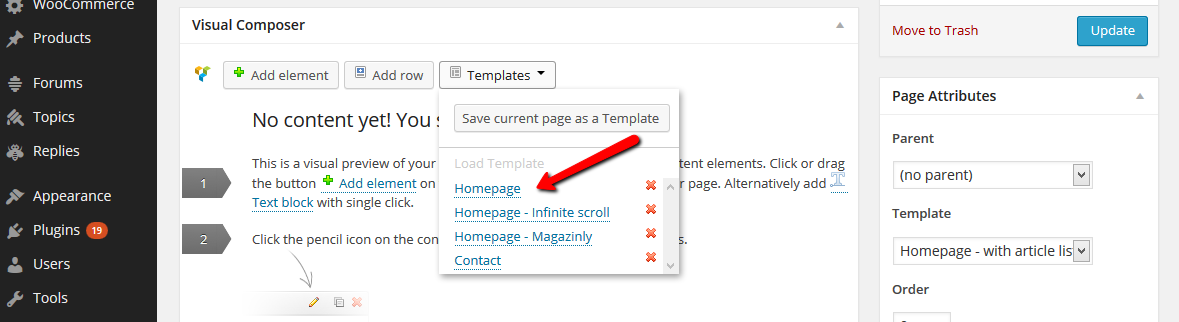
Dave_The_BMXERI just installed this Theme and was working my way through the documentation to create a home page and I don’t see anything here
https://forum.tagdiv.com/wp-content/uploads/2013/10/Homepage10.png
Instead I see “No Custom templates yet”
Should these Templates have come installed?
Thanks