- NewsmagLogo & Favicon
- NewsmagWhat’s included in Newsmag theme package
- NewsmagMain menu
- NewsmagHeader styles
- NewsmagFooter templates
- NewsmagTheme colors introduction
 Leofitz
Hello, I’m using the Newspaper theme with ‘Magazine’ layout. My site is updated to v.11.
Could you help me stabilize the display of my site’s background image the reloading of page layouts?
I’ve tried unsuccessfully to resolve an ongoing issue with the distracting reloading of my site background image, and page layouts as one toggles through the top menu navigation. On the loading of a new site page page there is sometimes a flashing blank white screen that’s then replaced with the page content, or, a flashing re-sizing of the page. On page loading the background image may also briefly disappear, showing the green default background.
Can you suggest a solution for this? I would like the background image to be ‘nailed’ in place through all page navigation, and the frame of the page to be set in size and location. As one navigates between pages only the interior images and text content change without layout shifting or resizing. These problems are seen when clicking the following page links; Home logo, Home, About, Resources, Contact.
My A2hosting account does have Litespeed server support.
The site is https://marketwisetrader.com
I can send you username/password by email if needed.
I appreciate your assistance.
Lon K
 stephanwhelan
Hi support – upgraded to Newspaper 11 and doing some tests. Looks like the Mobile Theme has an issue. On first load the search icon doesn’t appear and the logo is offset to the left. This is on all pages on the mobile theme version. After about 15-20 seconds the search icon appears and the logo resets properly. See examples:
https://pasteboard.co/K8mv6vk.png
https://pasteboard.co/K8mvl0q.png
 AlexG
AlexG In the header we have the logo and a banner, when I update the theme it disappears and only shows the name and slogan with text. Is there any way to provide access privately?
 samdyz
I recently updated my website to the latest version.
https://bikeadvice.in/
Here are the issues
1) At my homepage the ‘Latest News’ Articles are now displayed completely (full articles). How can I change back to the
normal view of the small featured image at the left, followed by the headline (and optional excerpts), like it was since the beginning. I follow the Pagebuilder + latest articles + pagination template.
2) Category pages have also reverted to a different Module. I don’t understand why?
3) Mobile homepage header is not showing my website’s image logo (I will try to manually revert this back).
From the theme panel the different module displays have also been taken away?
Please help.
 luisle
Hi, can i change header and body?. I install demo Magazine Pro, but i want to show header 100% with, and in the zone where i see the logo, show only the logo with a background color.
I can send you a image like i want to show the header, i think is easy an possible, but with the tools of the theme into the backoffice, i can’t do this.
Regards.
 Calin
Calin Hi Desh, what simchris said is true, also if you want to use a gif or animation, in this case is better to use a proper header style, so in case that your gif size is bigger, set a header with full width for logo -> https://i.imgur.com/6cqLgCS.png
Thank you!
 johnsnow
 Thank you.
Where I can see all history and version of edited pages?
I pressed once “back” at “tag div composer” then pressed “Save” and it erased 2 days of work. All menus disappeared, all logos ,page types and so on.
Despite the fact that I edited this page and saved it 100 times before.

 Bettina
 Hello!
Edit the homepage with TagDiv Composer, access Website Manager click on Header -> Mobile Menu(you should be able to see your mobile version in Composer now), and set your correct header as Global template, hit the button save.
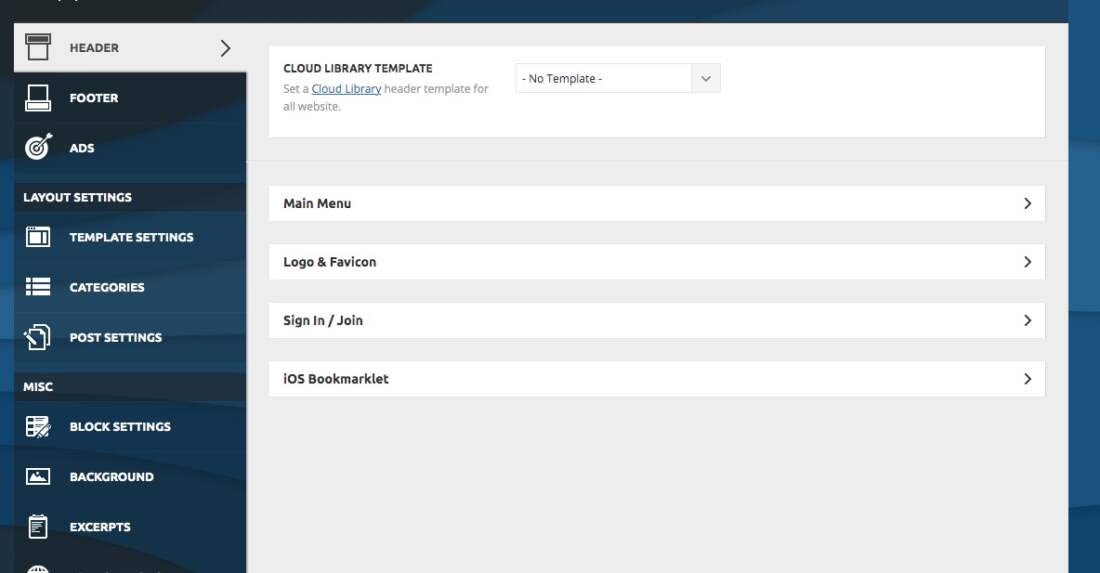
If the problem is still there, then check in the theme panel settings if you have set up the logo from your mobile version and remove it (Newspaper -> Theme panel -> Header -> Logo and favicon).
Thank you!
Bettina Hello!
Please download it from here: https://www.filesharesite.com/files/202106/1624351847logo_style_news.eps.html
Thank you!
 Vlad S
 Hello!
The About us and About me are pages not posts. You can find them in Dashboard – Pages. For the footer logo you are able to remove it using tagDiv Composer, Simply open tagdiv composer on any page, scroll to the bottom, right click on the element and delete it: https://www.screencast.com/t/yR5wA9ZaCNLx
Thank you!
 Craig
CraigHi Team, Love the theme!
I have my own logo on Photoshop and have tried both SVG and PNG but have been unable to upload a logo that looks sharp.
Would appreciate any help – http://www.newzealandguide.co
 simchris
 PNG is better to use these days as it scales very well unlike GIFs which are not responsive, in most cases.
If you’re trying to do animated logo, try looking into animated PNG files (APNG), which are relatively new (I did my first animated GIF89a image Spring 2005; while animated PNG are far more recent).
There are dedicated programs, and I think if you use Photoshop, you can export from a timeline animation.
((I don’t work here.))
 Alex
AlexHi, I have a problem with the H1 of the Homepage. I have a logo and if I do a check it says “H1 duplicate”. If I go with “composer” to click on “disable H1” with a check it tells me “H1 is missing”. How can I manage a unique H1 on my homepage? I would like the logo not to be an H1 and set an H1 by deciding the content of the words. I would therefore like a single H1. How do I set my handwritten H1 on the Home page?
This I am asking you is very important because we are investing a lot on SEO and having a missing or duplicated H1 has devastating effects on SEO and consequently on Authority and site traffic in the eyes of Google.
Thanks in advance for your response and support.
my site is: https://www.moviemag.it
 cc.mark
 Yes I’ve also updated to 11 and lost my entire site. Newspaper basically looks like a clean install. All Custom CSS – gone. All client ads – gone. All thumbnails – gone. Homepage – gone. Logos – gone.
Only thing left are the post pages themselves.
Thankfully I have daily backups but as of now they aren’t any different. This happened about a week-2 weeks after the update.
 MrToast19
The Style News PSD Logo is missing from the download. Can someone provide this please.
 katsar0v
 Hello Vlad,
unfortunately even in v11 the logo has missing width and height, here is a screenshot:
https://drive.google.com/file/d/1h–VCYc_DJqeEgZ1BD8ubWpHCdwbB-8c/view
It would be good if you could fix this, so the pagespeed score gets even better.
Greetings,
Kristiyan
 Desh
DeshHi there, I uploaded a header logo ( http://www.thedigihype.com) as a GIF but it won’t work. Can I not have a header logo that plays as a gif? This is the logo I want on file:///private/var/folders/b7/__8k2yn51tl5_sd9k3sxn86h0000gn/T/Adobe%20Photoshop%202021/SaveForWeb/BrowserPreview/BrowserPreview_tmp.html
samdyzHello,
The button in my website’s header section is visible in desktop version, but not showing up on mobile.
I want to show the same button beside the logo on mobile.
Kindly help how can it be achieved.
Please check my website: https://bikeadvice.in/
Thanks!
 gznani
Hello there,
I’m having trouble with the Footer section of my site:
A) On the computer
1. In all except ”Style4”, the text “ABOUT US” or “ABOUT ME” appears in the upper row of the footer text. I did not write such an article.
2. Even though I removed the logo from the footer, it continues to be displayed.
B) on mobile
1. The text “ABOUT US” or “ABOUT ME” appears on the top row of the footer text. At the same time, the text “FOLLOW US” appears on the social icons. I did not write such an article.
2. Even though I removed the logo from the footer, it continues to be displayed.
Thank you
 luqueriasas
Hello there, with the last update the header style config has disappeared from the admin dashboard. I can’t change anything related to this, and the logo has disappeared too. The website is https://www.brufol.org
https://www.brufol.org/wp-content/uploads/2021/06/Captura-de-pantalla-2021-06-18-a-las-19.25.20.jpg
I have downgrade and upgrade and deactivate all plugins. Nothing worked.
Thanks in advance,
Lucas
Bettina Hello!
Did you tried to add a logo when you edit the homepage with TagDiv Composer like this?: https://www.screencast.com/t/QgU3FFpgjJHT
Let me know the results!
Thank you!
 devjaind123
Hello sir,
My website is Techbenzy.com. My issue is if I visit my website or someone visit my website on mobile then the mobile logo of the website first appears at the right side of the theme. So What should I do.
Following are the image of it.
https://drive.google.com/file/d/1XGwfTKpdUIJAPDraXIUaoBo0xi4FHXEK/view?usp=sharing
johnsnow Thank you for your answer.
How to put menu and logo to the center?

Bettina Hello!
1. Please provide me more information about this issue, also a screenshot in order to help you.
2. Unfortunately, we do not have a tested plugin with our theme in order to achieve what you need.
3. Edit the homepage with TagDiv Composer and you can change the color from the element or row settings depending on the case.
4. Please make sure you added the logo in the element settings in Composer. Please note that if the background is black and the logo is black too, then it can not be visible.
Thank you!
 byteblock
 Failed to update
An error occurred while updating Newspaper: The update cannot be installed because we will be unable to copy some files. This is usually due to inconsistent file permissions. images/admin-panel/logo-panel.png, images/no-thumb/medium_large.png, includes/wp-booster/wp-admin/images/plugins/plugins-installed-success.png, includes/wp-booster/wp-admin/images/plugins/visual-composer.png, includes/wp-booster/wp-admin/images/plugins/tagdiv-amp.png, includes/wp-booster/wp-admin/images/plugins/invoice.png, includes/wp-booster/wp-admin/images/plugins/cloud-templates.jpg, includes/wp-booster/wp-admin/images/plugins/standard-pack.jpg, includes/wp-booster/wp-admin/images/plugins/social.png, includes/wp-booster/wp-admin/images/plugins/rev-slider.png, includes/wp-booster/wp-admin/images/plugins/success.jpg
-
This reply was modified 5 years by
byteblock.