- NewsmagTheme colors introduction
- NewsmagSmart list ads
- NewsmagIntroduction
- NewsmagMain menu
- NewsmagLogo & Favicon
- NewsmagHeader ads
- NewsmagSmart sidebar
- NewsmagSharing buttons
- NewsmagCategory tag on modules/blocks
- NewsmagBackground introduction
 Bettina
 Hello!
Let me explain you which options of mobile versions are:
1. Responsive version: A responsive version of your website is looking similar like on desktop, edit the page with TagDiv Composer, click on the mobile viewport: https://www.screencast.com/t/XDQJedlggSB ; there you can see your mobile version and you can edit the elements there.
2. Mobile pages: https://tagdiv.com/newspaper-10-3-7-update-brings-customizable-and-fast-mobile-pages/
3. Mobile theme plugin: The Mobile Theme is a performance optimized theme included in the Newspaper main theme and it loads only for mobile devices. It comes with its own templates for page, post, category, etc so your current templates from the desktop theme will get converted to the mobile theme layout. For more details, please take a look here: https://forum.tagdiv.com/the-mobile-theme/ https://forum.tagdiv.com/the-mobile-theme/
A full explanation you can find here: https://www.youtube.com/watch?v=SpGkOnJeNZY
We recommend to use cloud/PRO templates in order to have the possibility to edit them with the TagDiv Composer which contains a lot of functions and features, please check our tutorial here: https://forum.tagdiv.com/tagdiv-composer-tutorial/
Documentation here:
– https://forum.tagdiv.com/cloud-library-templates/
– https://forum.tagdiv.com/design-post-pages-using-cloud-library-templates/
– https://forum.tagdiv.com/cloud-library-category-templates/
Check also our video tutorials here: https://www.youtube.com/c/tagdivThemes/videos
Thank you!
 Anamaria
 Hello,
@Brain916, Please provide more details about your issue.
Did you deactivate the mobile theme plugin?
Thank you!
 Brain916
 Sorry for the lack of reply, but this is still an on going theme. It switches from the mobile version I made from TagDiv Cloud to the standard mobile theme with the template.
Bettina Hello!
I can not understand your issue because you write about Mobile theme but seems mobile pages and in your website you have for sure other version.
So, if you sent an email, then we will take a look and reply to you as soon as possible.
Thank you for understanding!
Bettina Hello!
Just to be clear, let me explain you which options of mobile versions are:
1. Responsive version: A responsive version of your website is looking similar like on desktop, edit the page with TagDiv Composer, click on the mobile viewport: https://www.screencast.com/t/XDQJedlggSB ; there you can see your mobile version and you can edit the elements there.
2. Mobile pages: https://tagdiv.com/newspaper-10-3-7-update-brings-customizable-and-fast-mobile-pages/
3. Mobile theme plugin: The Mobile Theme is a performance optimized theme included in the Newspaper main theme and it loads only for mobile devices. It comes with its own templates for page, post, category, etc so your current templates from the desktop theme will get converted to the mobile theme layout. For more details, please take a look here: https://forum.tagdiv.com/the-mobile-theme/ https://forum.tagdiv.com/the-mobile-theme/
A full explanation you can find here: https://www.youtube.com/watch?v=SpGkOnJeNZY
If you need a responsive version or to build mobile pages, then please deactivate the Mobile theme plugin and see the results!
Thank you!
 maxonline
I refer to this page only (which is using the template I’m testing): https://www.staging2.massimobasso.com/i-leoni-del-serengeti-e-la-migrazione-degli-gnu/
I’m trying to speed up the page, the main reason I’m switching from another theme, but results are not the best. .. But one thing at this time.
The issue ON MOBILE (no problem with DESKTOP) is LCP which is identified as it follows.
div.vc_column > div.wpb_wrapper > div.td_block_wrap > div.tdb-featured-image-bg
<div class=”tdb-featured-image-bg”>
Is it possible to exclude this image from lazy loading and preload or prioritize the loading of this image?
I’m using Wp-Rocket and Shortpixel adaptive images with my own CDN for JS and CSS.
Any other trick to speed up the entire page?
Thank you
Massimo
https://www.massimobasso.com
 Anonymous
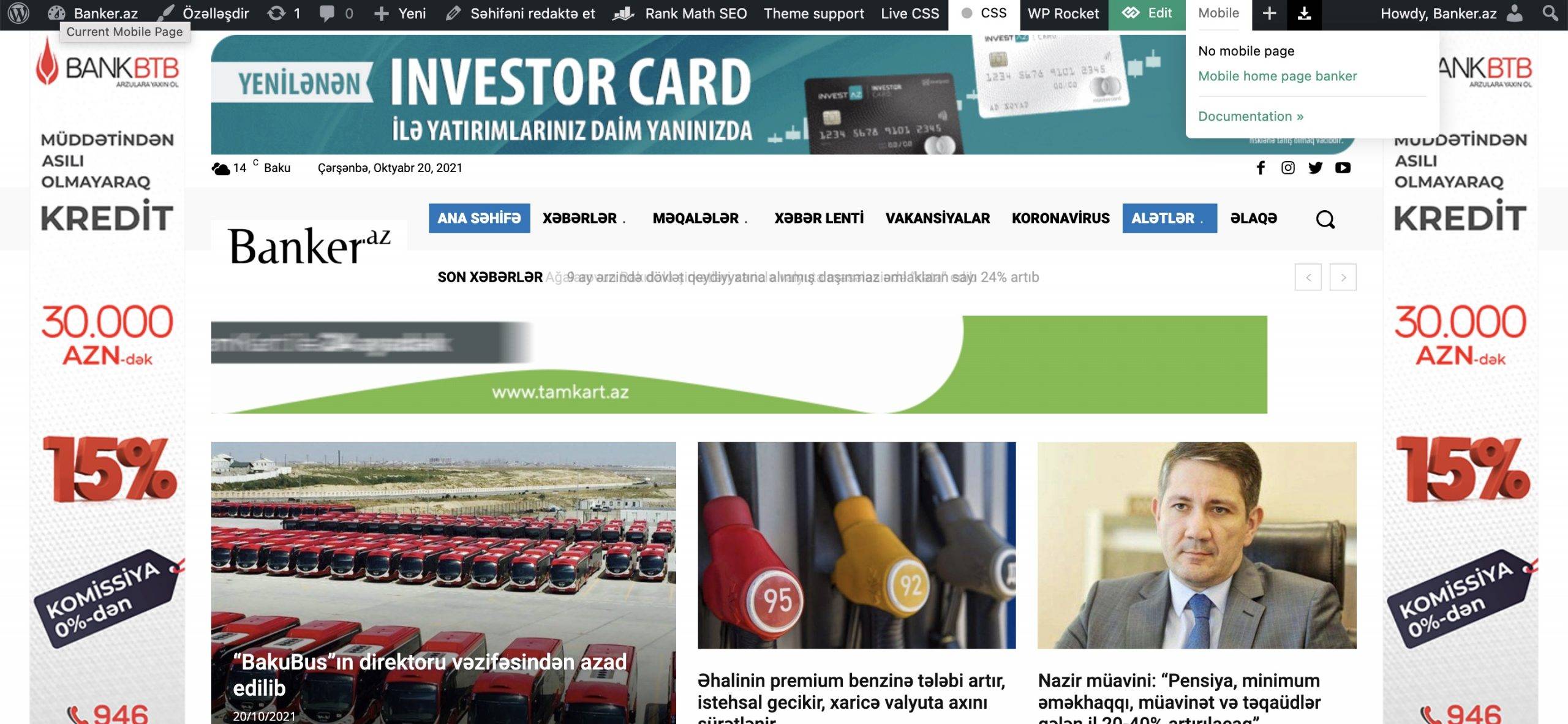
 is it possible we damaged CSS so it’s not able to switch to the mobile theme? you see that i already created mobile template, but when you enter my website banker.az it’s not showing mobile theme. pls check that. how fix problem?
 mverminski
I just purchased and installed a prebuilt website for this theme. It appears the mobile menu is showing above the desktop site, and when you scroll the home page it does not look correct. Can you please tell me what is going on? Is it because my client is using cheap Managed WordPress hosting with GoDaddy?
https://b8h.c8e.myftpupload.com/ is the demo site.
Bettina Hello!
Just to be clear, let me explain you which options of mobile versions are:
1. Responsive version: A responsive version of your website is looking similar like on desktop, edit the page with TagDiv Composer, click on the mobile viewport: https://www.screencast.com/t/XDQJedlggSB ; there you can see your mobile version and you can edit the elements there.
2. Mobile pages: https://tagdiv.com/newspaper-10-3-7-update-brings-customizable-and-fast-mobile-pages/
3. Mobile theme plugin: The Mobile Theme is a performance optimized theme included in the Newspaper main theme and it loads only for mobile devices. It comes with its own templates for page, post, category, etc so your current templates from the desktop theme will get converted to the mobile theme layout. For more details, please take a look here: https://forum.tagdiv.com/the-mobile-theme/ https://forum.tagdiv.com/the-mobile-theme/
If you want the Lead shortcode in your mobile version, then you need to use either the option 1 or 2. But, you need to deactivate Mobile Theme and AMP plugins in order to have that shortcode in your mobile version.
I hope it’s more understandable now!
Thank you!
Bettina Hello!
You need to enable this option: Mobile + Amp – Displays content using the Mobile Theme on both mobiles and AMP by accessing Newspaper -> Theme panel -> Mobile theme.
Thank you!
Anonymous dear Bettina,
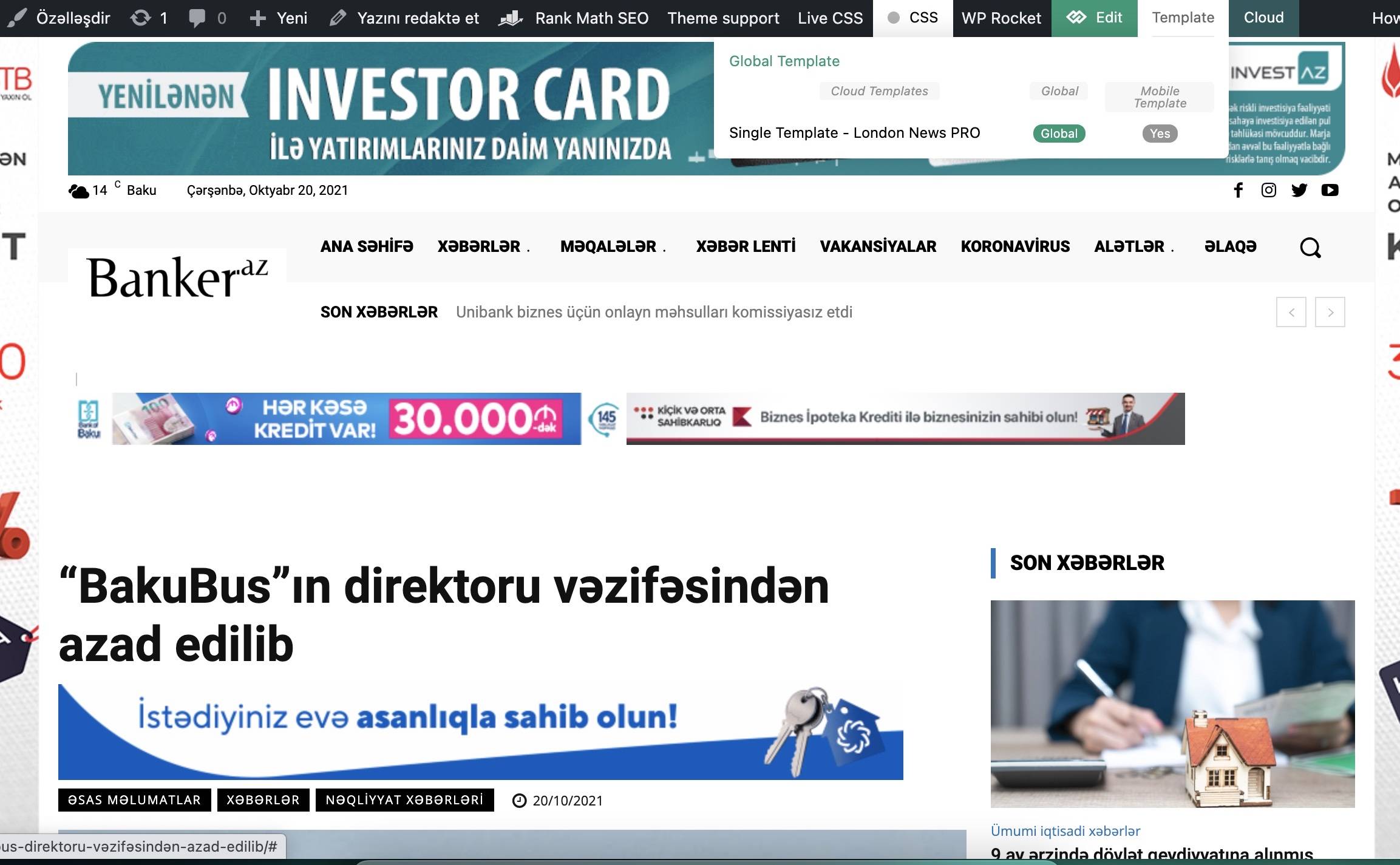
i know how i can edit Mobile theme. I already created that and it worked. now it’s not working, in spite of that i’ve not deleted it. pls see images. may be i deaktivated it somehow?
 fabriziomartini
 Thanks for the reply, Bettina.
Is there any other option to have this box available also in mobile?
Based on what I see in the MOBILE THEME options, I can only use MOBILE or AMP. Does it mean that I can’t have the box “Subscribe to our newsletter” in mobile view?
https://paste.pics/EH22B
Anonymoushi
in my website (banker.az) i’ve changed something or something happened, in mobile it’s opening desktop version adapted ,not mobile theme. actually i created that theme for that page and it worked fine. can’t fix this issue. can you please tell me what i’m doing wrong? i’ve cleared cach ,didn’t helped.
https://banker.az/wp-content/uploads/2021/10/Screen-Shot-2021-10-20-at-16.45.19-scaled.jpg
https://banker.az/wp-content/uploads/2021/10/Screen-Shot-2021-10-20-at-16.52.02.jpg
 totojisic100k
Hello
As a result of checking the AMP version of the website, it was found that the standard URL refers to the AMP version in the following way.
. 예: On AMP HomePage
The standard URL is as follows.
<link rel=”canonical” href=”https://www.fknapredak.com/?amp=1″>
It has to be:
<link rel=”canonical” href=”https://www.fknapredak.com/”>
Is there a plug-in that modifies the site’s standard URL? We are using TagDiv’s Newsmag mobile theme as an AMP theme, so we recommend you contact the theme author to make sure you add the correct standard URL.
The problem with amp not working normally, how should I correct the standard address?
Bettina Hello!
If you use Mobile theme or AMP plugin, then it will not display on mobile because those templates are not customizable with the TagDiv Composer and are overwriting the pages.
Thank you!
Anamaria Hi,
Please make sure you have the mobile theme plugin activated.
You can find more detailed information about the mobile theme here https://forum.tagdiv.com/mobile-theme-introduction/ -> https://forum.tagdiv.com/the-mobile-theme/
Also, please check this topic where I explained each mobile version -> https://forum.tagdiv.com/topic/mobile-version-not-working-properly-2/
Thank you!
Anamaria Hello,
Using our theme you can choose from 3 mobile versions
-> mobile responsive => https://www.screencast.com/t/oJ2ShOp47
-> mobile theme plugin => https://forum.tagdiv.com/the-mobile-theme/
-> mobile page => https://tagdiv.com/newspaper-10-3-7-update-brings-customizable-and-fast-mobile-pages/
This is a video about Responsive Newspaper Theme, AMP & Mobile Theme, Mobile Pages & Templates -> https://www.youtube.com/watch?v=SpGkOnJeNZY
So, if you imported a mobile template please make sure is assigned => https://i.imgur.com/eOR4mMa.png.
Thank you!
 vijaykhatri96
 In my theme panel, I can’t see mobile theme pplugin.
 Carvibz
Hello,
I have a problem where it seems the mobile theme seems to be excluding the desktop one. Here is my website:
https://www.carvibz.com/
I just installed a Gossip PRO mobile template just to make sure the one I made isn’t the problem. On desktop it’s showing as it would on a tablet based on mobile theme. Meanwhile, the mobile posts seem to be showing the responsive version of desktop and not the mobile template I gave them. But the desktop version is showing correctly even though the main page isn’t.
Have you guys seen anything like this before? Is it a setting I’m missing, a problem with the header?
Anamaria Hello,
1. You can disable the mobile theme plugin only for pages and posts, not for cloud templates.
2. if you referring to this => https://i.imgur.com/q9mCiSH.png, then you can disable the date from Theme Panel -> Block Settings -> Meta info on Modules/Blocks => https://i.imgur.com/9wnr4Tn.png this setting applies to all blocks on the mobile theme.
Thank you!
Anamaria Hello,
To change/remove the background image for the menu on mobile, please access Newspaper -> Theme panel -> Background -> Mobile menu/search background and change/remove the image from here https://www.screencast.com/t/ATV1Jr7s
Thank you!
 tsc_site
Hi, I am using Mobile Theme Plugin and I love it. I deactivated it for the homepage and I want to know two things:
1. Can I deactivate the Mobile Theme Plugin for the category pages like this one: https://dev.tudosobrecachorros.com.br/category/saude/doencas/
2. How can I edit the category pages with Mobile Theme plugin? For example, it is showing the dates below each post and I don`t want to.
Thank you!
 Ulises
Hi since the last time I updated the theme It keeps saying is NOT REGISTERED
Look here my activation is correct but in mobile or desktop keeps saying NOT REGISTERED
https://ibb.co/qWGkkFX
https://ibb.co/pjFWv0D
https://ibb.co/NFGPrQ5
If you need I can provide the purchase code from Themeforest.
Bettina Hello!
I just replied to you here: https://forum.tagdiv.com/topic/mobile-theme-is-not-working-3/
Do not create more topics with the same issue please!
Thank you!
Bettina Hello!
I’m sorry, these are not steps, but more options for the mobile version. Please re-check! That black version is from the Mobile theme plugin and you can not customize it with the TagDiv Composer. I explained above what you need to do, please read and let me know what you can not achieve.
Next time, please provide more information about your issue and your website link.
A solution for sending a screenshot/video is this:
Download, capture, send: https://www.techsmith.com/jing-tool.html
After making the screenshot, you will have a link, paste it here.
Thank you!