- ApiAPI – Top Bar Template – Introduction
- ApiAPI – Single Template – Introduction
- ApiAPI – Footer Template – Introduction
- ApiAPI – Smart Lists – Introduction
- ApiAPI – Thumbnail – Introduction
- ApiAPI – Category top section style – Introduction
- ApiAPI – Category top section template – Introduction
- ApiAPI – Modules – Introduction
- ApiAPI – Blocks – Introduction
- ApiAPI – Header style – Introduction
- ApiUsing the Theme API in plugins
 yourbackupemployee
 you need to refresh the page – these are google ads, sometimes there are no ads showing up due to geo locations and other variables.
But the inline article banner is still not wrapping paragraphs around as supposed to.
 marijn390
Hi,
On my website 112vlissingen-souburg.nl, no advertisements are displayed on some pages and on others. It strikes me that this is mostly on pages a few weeks old. In addition, the ads are not always displayed on the mobile version of my website.
Here some screenshots:
– https://ibb.co/pyLfvhs
– https://ibb.co/DYPr6LT
I have been dealing with this problem for a long time but no one can assist me. I hope one of you can help me. In any case, I would really appreciate it.
 tongsalai
 Other pages display ads normally. Use the same Ads code.
https://prnt.sc/1jefidb
 msakande
 Hi Anamaria,
thanks for your assistance.
When I refresh a lot of time, I can get the cloud templates.
But sometime the problem happen.
I have another problem with tag composer
As you can see in this picture
https://iev.wju.mybluehost.me/wp-content/uploads/2021/08/tag-composer-Error.png
I cannot Edit with TagDiv Composer
Can you advise please?
 HMMedia
Hello,
I have a problem with Safari mobile browser. It’s loading 2-3 days older content, than every other type of browser. Even if I use an iPhone which never visited the site before. Is someone has a solution to this?
Andras
tongsalaiI have a problem with the first page adsense ads not showing. I don’t know why. ฺBut other pages display ads normally. Please help me.
This is my website >>> https://krustation.com/
 priyadarshana1989
Dear Team,
I just newly installed newspaper prebuilt website ( default pro theme)theme,
I just trying to use article inline ad, i have created “in- article ” ads unit in adsesnse , and added the code snippet to the theme panel >article in line add box, but no any ads showing in line article,
Kindly advise
**Please note , other adsensense ad units ( created separate ad units for each box)added to theme panel header box,side bar box,article top box working smoothly **,
 dinhhiep
 Ok, step by step.
1. I installed the Newspaper theme, and chose “Pulses Pro” pre-made website. I activated “Design only”.
2. I chose “Cloud Templates”, then clicked on “Category Template” and edit it with TagDiv Composer.
3. Now the screen changed to the Tagdivie Composer Interface. The main category page is designed like this:

4. Situation: When my category has some sub-categories, there will be a list of sub-categories, right below the category description. Like in this live web link:
https://www.banyantimes.com/section/business/
However, if my category has NO subcategories, there is a menu list of other same-level categories, which I do not like, as in this live web link:
https://www.banyantimes.com/section/sports/
5. Questions: How can I remove the menu in the second case where the category has no sub-categories?
Or, what are other options I can enter for “Categories to show when display as list” in TagDiv Composer?
 itictmedia-nl
When I press the CSS analyzer my website loads for a short while, than puts up a white screen and than just refreshes the page again, but it never shows a pop up or something to analyze the CSS.
I have tried uninstalling all other plugins but that doesn’t seem to block it.
I am using Chrome.
Anybody has an idea what I’m doing wrong?
Best regards,
Huub
 oblacno
Hello, I have problem, AUTO ADSENSE for AMP not show in post, I addsed code to AdSense Auto Ads for AMP ads are displayed at the bottom of the page, but not in the post. Auto adsense on Single Post Template – MOBILE works no amp.
Same problem with Cloud Templates all single post template. Auto adsense works on Default PRO in the single post template(PC), on other single post templates it doesn’t work for pc. BY ad unit adsense code works, there is a problem with AUTO adsense for amp post and other template pro single post(PC Computer). All possible options tested.
https://imgur.com/Bqf1ka3
https://imgur.com/cLYGUwf
https://imgur.com/GYa01gz
https://imgur.com/ZYiEghu
https://imgur.com/RZqHY7l
SAME problem https://forum.tagdiv.com/topic/adsense-in-article-auto-ads-not-showing-in-gourmet-pro-single-post-template/
 viniciusyamada
Since 11.1 update, Tagdiv changes ADs to another language version. For example, I use gay.blog.br in Portuguese, but i have versions in English and Spanish. So, when i update, the Portuguese version takes English Ads.
 PFN365
Hello, my mobile theme that I created in TagDiv is showing up when I visit from desktop. This is also happening to several others. Please advise on how to fix this so people don’t see mobile when on desktop.
Screenshot: https://www.profootballnetwork.com/wp-content/uploads/2021/07/Desktop.jpg
 fernando-d
Hello there!
When I try to use a tracking pixel in my ads, they create a blank space in article inline ad spots. I don’t know why. It doesn’t generate this blank space when the same ad appears in any other location, such as header spot.
Following instructions from my ad server, I use this kind of code for tracking pixel:
img src="URL_GOES_HERE" alt="" width="0" height="0"
Any help would be much appreciated.
Greetings!
 xmchile
Hi! I have been trying to solve this issue, but nothing works out, neither the new Newspaper 11.1 version. I can´t roll back to WordPress 5.7. I show these screenshots if any other site is getting the same problem. Thank you!

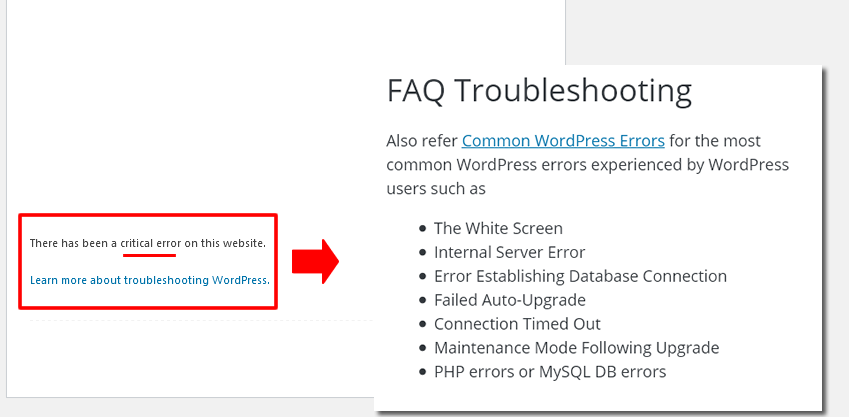
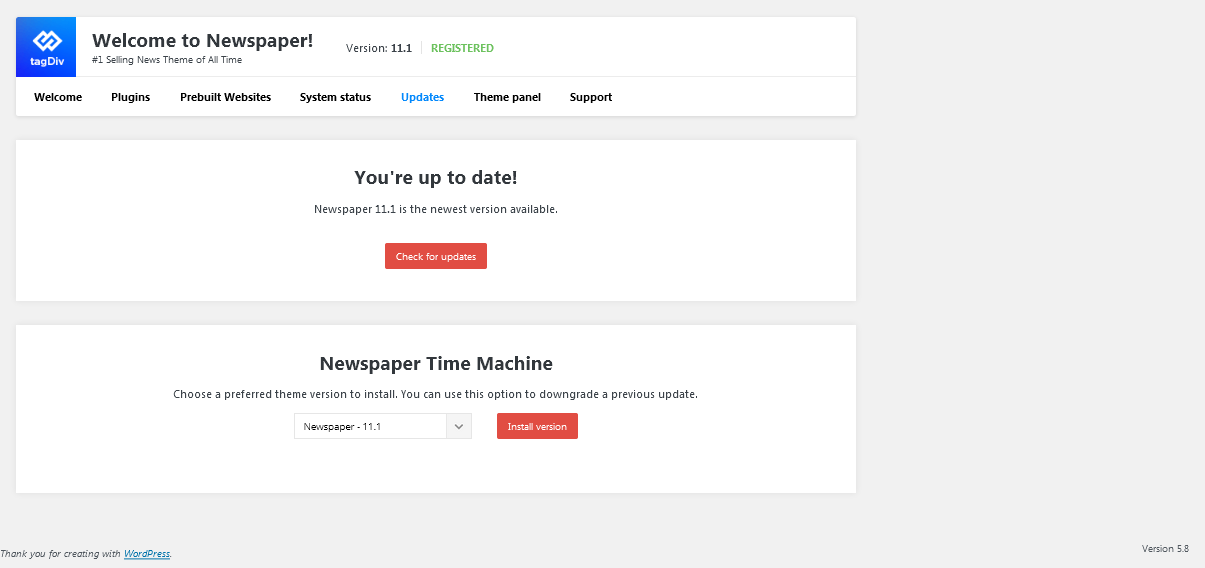
 garimanag
 Hi,
1. The mobile theme I have set for my website is not the one that is showing. It doesn’t even have the footer or side widgets that my desktop version does. I have tried changing the settings but it just won’t change. 
2. Page Speed- Page speed is ok because I have literally stripped off every widget from my website. I am not even using full-size images, just a post block without the ‘load more’ button. I had to remove almost every block from the home page to make it load a bit faster. 
3. I am using version 11.1, PHP 7.4, All my plugins are updated yet the speed test constantly shows low scores with tons of theme-related issues since I purchased the theme.
” tagDiv Composer has a negative impact on your performance metrics and should be removed or replaced. Overloads your site with CSS and JavaScript making a negative impact on your performance. The recommendation is to use the default WordPress block editor if you want a fast site”
“The newspaper has a negative impact on your performance metrics and should be removed or replaced.”
3. Even on a single post page I had to remove the featured images as it was negatively impacting the page load time. 
The mobile theme template is showing some other version though 
Basically, my site is just text right now. My main concern is the mobile theme which is constantly showing errors in the speed tests. I tried fixing it but somehow desktop version and mobile version are different.
I have a Travel and lifestyle blog. Not using images is NOT an option for me. ( Using Smush plugin for optimizing images) I need a fast-loading and responsive theme.
 MarijaZT
 Ok. I will use another template for a single post and footer to be able to work with TagDiv Composer… On the other hand, I`m not sure I follow all this with console & ads not found… For the first time use ads on my site, all I needed to do was paste the code in the right place… Can you please provide detailed instructions how to set back again google ads on my page?
Thank you!
 Anamaria
 Hello,
For mobile ads, you can set only once after x posts to show ads => https://i.imgur.com/uzIRqmU.png using the mobile theme plugin.
Unfortunately, another option doesn’t exist.
Thank you!
Anamaria Hello,
The page speed is not related only to the theme that you are using, this is affected by plugins/content/ads/ external resources, etc.
I just checked your website and it looks that your images used on the map => https://www.screencast.com/t/YK8KTa7qT are not optimized, for example, you can use the EWWW Image Optimizer plugin, also, you can try other plugins like Autoptimize, but I am not sure if it works on the images from this map (you can contact the authors of the plugin and ask how you can set the height and width on images if you succeed then you will have a better score). Your website needs an optimal speed that’s why you need to make some settings also to help for the improvement.
Also, to increase the page speed you can check these similar topics for more solutions:
– https://forum.tagdiv.com/topic/optimize-script-to-improve-site-speed/
– https://www.infophilic.com/get-almost-100-pagespeed-newspaper-theme/
– https://forum.tagdiv.com/topic/a-few-tips-for-newspaper-x-speed-high-cpu-usage-issues/
– https://tagdiv.com/how-to-increase-page-loading-speed/
However, page loading speed can depend on many factors, and each website is unique from this point of view.
Let me explain some of these factors and maybe they give you some starting points for optimizing your website.
External factors: server speed, if you are using CDN or not, the external resources loaded by your website like ads, fonts, tracking scripts like Facebook Pixel, Google Analytics, Twitter analytics, Hotjar and so on.
Internal factors: the number of elements on the page, image size, image formats, if you are using mobile optimized layouts, console errors, if you are using the Standard Pack plugin on not if you are using PRO demo or a standard one.
Also, you can try to update on a staging website or subdomain the theme to version 11 and try our tool https://www.youtube.com/watch?v=tnkVapqhIHc
Our tool is running only on normal pages and not for posts or categories for example.
“This custom tool performs an automatic test to find missing CSS rules applied by user interaction. Moreover, you can manually interact with a chosen section/component from the page while the tool records all the involved CSS. It will generate the final CSS file for this page and also will split the rules in Critical CSS to be loaded in the website’s header.” ( https://tagdiv.com/whats-new-in-the-newspaper-theme-10-4-update/ )
For mobile, you can use a mobile theme plugin or mobile page, you can find more information in these articles
-> https://forum.tagdiv.com/the-mobile-theme/
-> https://tagdiv.com/newspaper-10-3-7-update-brings-customizable-and-fast-mobile-pages/
This is a video about Responsive Newspaper Theme, AMP & Mobile Theme, Mobile Pages & Templates -> https://www.youtube.com/watch?v=SpGkOnJeNZY
Thank you!
 mainage
I am currently using an advertising plugin called ‘ADS Pro’.
After creating an ad space in Newspaper Theme, I entered a shortcode from ‘ADS Pro’ plugin, like [bsa_pro_ad_space id=1] in ‘custom ad 1~5’ of in Newspaper Theme ADS pannel.
In Newspaper Theme ADS pannel, Header ad, Sidebar ad, Article ad works fine. However, in ‘custom ad’, the space is captured, but the image is not displayed.
Does ‘custom ad’ require another actions?
 GeertBoettger
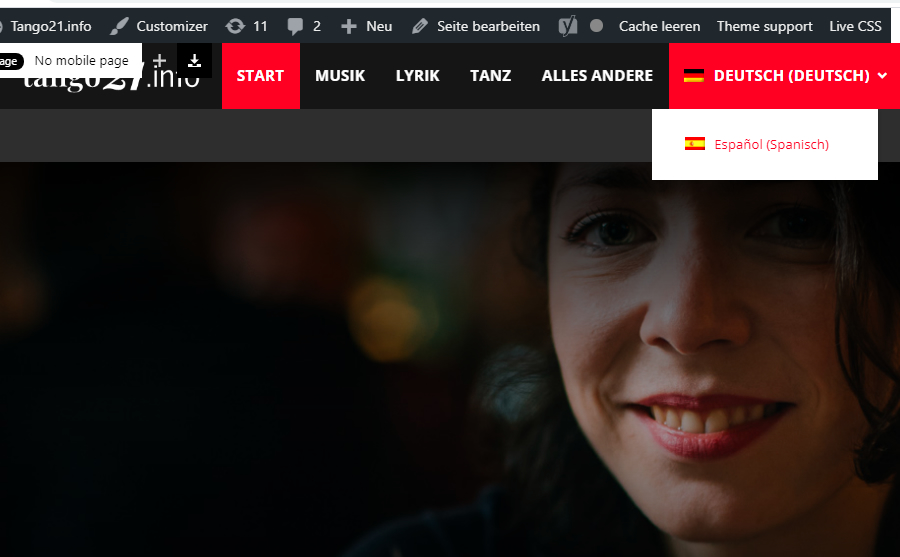
I am having problems switching languages.
My website http://www.tango21.info it has german as a main language, when I try to switch spanish it does not show the spanish homepage.
If I am logged in the website shows the two language options. Everything works well.
I attach two screenshots. Common unser not logged in cannot switch to spanish language in the Homepage.
http://tango21.info/wp-content/uploads/1-Tango21-not-logged-in.jpg
I am logged in, when I am in the german homepage and I want to switch the language to Spanish there is no problem
http://tango21.info/wp-content/uploads/2-logged-in.jpg
The spanish homepage url is: http://tango21.info/?lang=es
Whe I am logged in, the website works well and shows the right Spanish homepage.
http://tango21.info/wp-content/uploads/3-espanol.jpg
If I try to go straight to the Spanish homepage website, it shows page not found.
http://tango21.info/?lang=es
The homepage website works fine when I am logged in and didnt work as a common visitoir. Categories and other menu works ok.
I would really appreciate your help.
 Calin
Calin Hi,
If you set the ad with tagDiv Composer in ad box element you can use this option -> https://i.imgur.com/gOsrNSw.jpg or if you are using the code from this article -> https://forum.tagdiv.com/using-other-ads-non-adsense-ads/ use the code from here https://pastebin.com/GjGXKxFV with target=”_blank” on link.
I hope this will help you!
 PoliticaMagazine
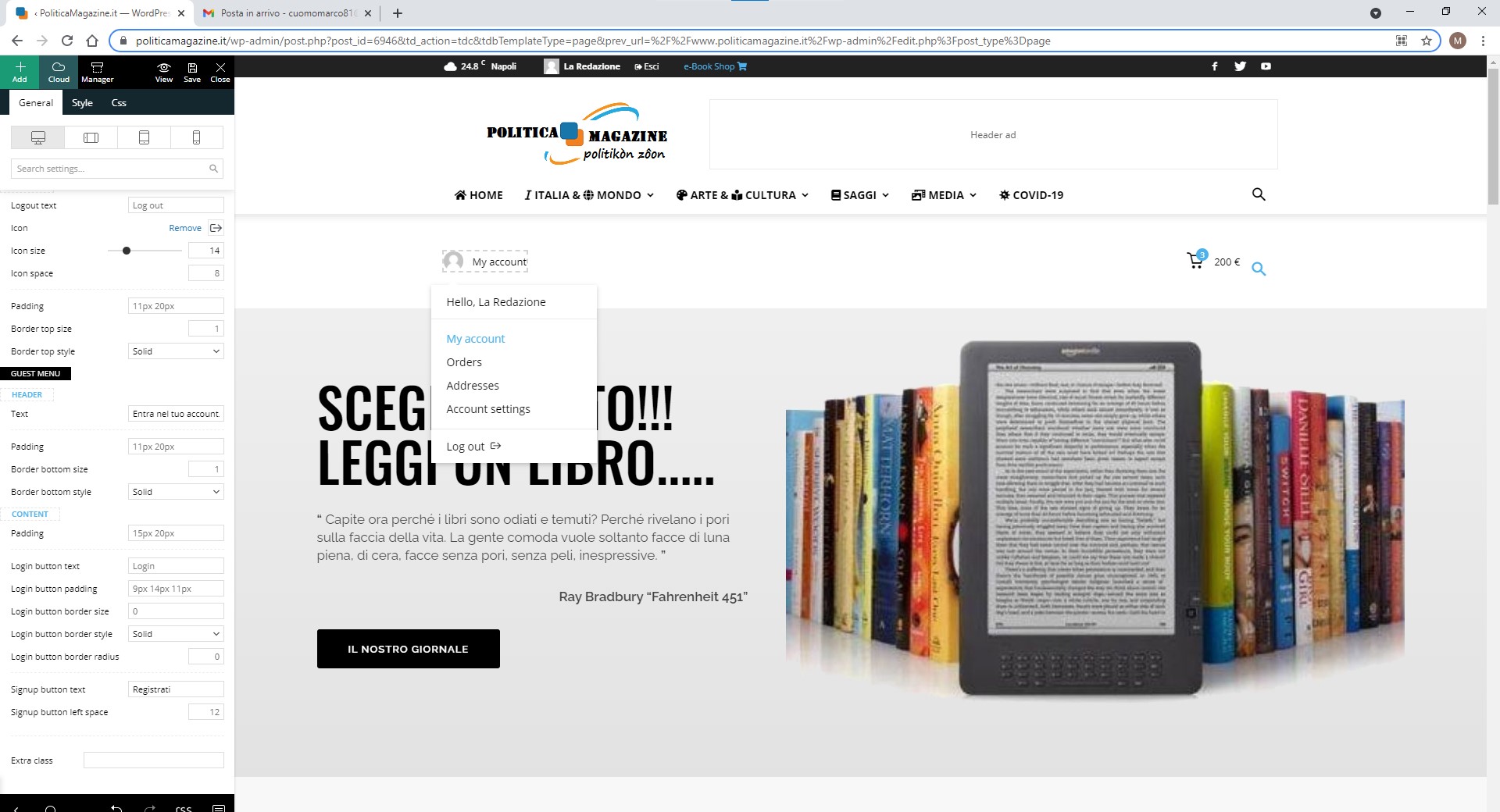
 All other problems have been resolved. I wanted to know if you can translate the references of the My account menu: hello …, orders, addresses, account setting
https://www.politicamagazine.it/wp-content/uploads/2021/07/Immagine-2021-07-14-121126.jpg
 rubie
rubieHello, when a text is printed, I want to redirect to another page. so i want to add a link how can i do that. can you describe? thank you for your help.
 jiggersndrams
Hi, instead of the elements like menu, footer, etc., I’m getting a code. Please refer to a picture.
You can check it on our website http://www.jiggersndrams.com
I appreciate your help,
Timea
 Ekta_19
The data of any news channel should be updated very quickly which is done on the desktop version but it takes a long time to update in mobile. The same person can visit the website many times but he/she must get updated news all the time so please help us to make quick responding and up to date website
one another thing is we had updated the background color of a Mobile header from the
@media (max-width: 767px)
.td-header-wrap .td-header-menu-wrap-full, .td-header-wrap .td-header-menu-wrap, .td-header-wrap .td-header-main-menu {
background-color: #192756 !important;
height: 54px !important;
position: fixed;
}
the file is updated but sometimes that shown default color like https://vraslan.com/G9News/wp-content/uploads/2021/07/WhatsApp-Image-2021-07-12-at-7.53.30-PM.jpeg and sometimes #192756 https://vraslan.com/G9News/wp-content/uploads/2021/07/WhatsApp-Image-2021-07-12-at-7.53.29-PM.jpeg let me know how to fix it
give us a proper size of a featured image which will have to display properly on any sized screen here is some screenshots https://vraslan.com/G9News/wp-content/uploads/2021/07/WhatsApp-Image-2021-07-12-at-7.53.31-PM.jpeg and https://vraslan.com/G9News/wp-content/uploads/2021/07/WhatsApp-Image-2021-07-12-at-7.53.32-PM.jpeg