
- NewsmagUsing other ads
- NewsmagSidebar ads
- NewsmagImport / Export theme settings
- NewsmagRequirements for Newsmag
- NewsmagNewsmag documentation
- NewsmagHow to update the theme
- NewsmagBlock settings tutorial
- NewsmagIntroduction
- NewsmagPage Menu
- NewsmagMega menu
- NewsmagLogo & Favicon
- NewsmagFooter templates
- NewsmagTheme thumbs
- NewsmagBackground introduction
- NewsmagVideo playlist
 haykdigital
I’m trying to use Amazon’s A9 (Native Shopping) ads on my site, and it seems like the AMP Ads box only supports AdSense (see screenshot)

A9 does support amp — see here: https://github.com/ampproject/amphtml/blob/master/ads/a9.md
Besides this box, is there any other place where I can add code into all my AMP pages? (Similar to the normal Ads interface in the theme panel)?
Are there any work arounds to support this?
 edtech_c
Hello,
my theme panel is not responsive . I can only access the header but when i click on other tab its not working. Also the media tab is also blank but when i go to post and try to upload from there i can see all the medias. I made a revert to backup previously it works but i lost quite a lot of posts so i restore the backup without plugins and themes only the database, uploads and others. But then it bring back the unresponsive theme panel and media page blanks.
 Sebastian Escobar
 Links do not show actual pages in site. I have a link for the home, another for “We” (page) and “Contact”, also a page.
http://compone.cl/wp-content/uploads/2020 /03/chilecientifico-movil.jpg
I can see that I have to make special content for these pages in the mobile editor, although this can be very limiting. But my problem is with the start link. How can I make a mobile “home” page for “home”? Vlad said it is not possible. Is that so?
 meltatek
 I have the same mistake. I can’t share the URL because it’s a client’s website. But it’s exactly the same thing. The other ad slots work, but the inline ones don’t.
I used to solve it using adinserter. But if you use a tagdiv template for the single posts. adinserter it doesn’t work well and the ads are duplicated
 arcadiandev
Hey,
I have a weird issue that I am stuck on.
When scrolling to the bottom of an article (post) it just immediately leads into another article, and another after that, and another, etc. each article should just be independent pages to avoid loading issues.
Any advice?
 globe_slcc
We currently have three ads: 1 header ad, 1 sidebar ad (for a rectangle) and 1 custom ad (for another rectangle).
We placed the head code from Google AdSense to the Header Script Code part of the Analytics/JS Codes section in the Theme Panel.
Then, we placed the body code from Google AdSense into the appropriate Header, Sidebar and Custom ad sections in the Theme Panel.
We also confirmed where each adspot is selected on the home page In TD Composer.
On the home page, we can see the source code for each ad, header and body, in the proper places, but the ads are not appearing in any browser, with adblockers disabled and the site whitelisted.
Any ideas as to what the issue may be?
Thank you.
 aneejian
 Hi Calin, unfortunately changing the ad codes did not work. I tried different adcodes and they did not work. Also in the cases that you referred in the link, the available width is shown as 0, and the explanation says it is because of mobile and desktop setting.
In my case, it specifically says available space is 72. So it seems to be something introduced with the update.
Other ad codes and locations are working properly. Issue is only with inline article ads.
 r1kay
r1kayI am using Infinite Scroll with it loading 5 articles before it stops. But right now it’s set up to load all 5 articles immediately below each other. This isn’t good practice and messes with ads that are paid on CPM as they all get loaded at once. Is it possible to have the infinite scroll feature load 1 article at a time?
 ruanfllll
Despite placing other sizes, the google adsense banner appears only in size 336×280 on mobile.
This happens when I use the mobile theme
How to solve?
 codeofarms
Hello,
Is it possible to have an infinitely scrolling single post – similar to how Fast Company does it (https://www.fastcompany.com/90456004/travel-smarter-with-jonathan-adler-tan-france)? When you reach the bottom of the post content on their site, it loads another article (and changes the URL)?
 lbinternet1
 Good afternoon,
I tried sending you guys message through my email by replying directly but i noticed it did not go and bounced back as failed message. Also your response above did not help as I have tried that its coming up as a text editor rather than giving me the option to edit using the blocks. I am used to the WP bakery page builder and you guys are using another page builder that i am not familiar with and makes it difficult for me to edit the code as i am not good in coding.
I have more questions below
Instagram on the homepage is not properly set so it keeps disappearing all the time
How can I do the video news like ur demo, theme use is Romanian
How can i edit the footer so i can add the newsletter and also remove ur company watermark
How can I change the footer title colour
How can I have the ads to work on posts
How can I make the category menu more wider so it gives me the option to add more categories
How can I close the gap between the posts on the homepage for the big banner
How can I make the posts with the box like ur demo
How can I make the menu sticky when scrolling down the posts
Check http://www.irepsalone.com for more understanding
Thank you
Sebastian Escobar Hi, really the module is this 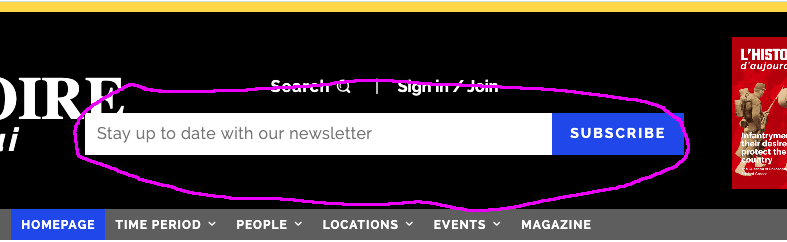
although I am very happy that you helped me with the other “bar” because I also had that doubt.
Anyway, I would like to know what is the module to “subscribe”.
 Calin
Calin Hi,
Yes, the code was set in the single post template on the content in ads tab, these can be change using tagDiv Composer.
If you have other questions, please let us know!
Thank you!
Calin Hi,
So you can chose from theme panel the thumbs you want to be created -> https://i.imgur.com/LD8QXWM.png also the WordPress create some thumbs -> https://i.imgur.com/7SnVN9C.png also you can make a backup and go in wp-content\uploads and delete manually the images that you do not longer want; do this only after you deactivate the thumbs you no longer want to use.
Another plugin for thumbs is Thumbnail Regenerate plugin you can get it from our documentation from here -> https://forum.tagdiv.com/thumbnails-fix-strange-looking-images-on-blocks/ unfortunately this will not remove unused thumbs.
Hope this will help you!
Thank you!
 connect5thgen
 UPDATE – I have Removed all other code from THEME PANEL – ADS (EXCEPT the LEADERBOARD )
– in the theme panel
https://screencast-o-matic.com/watch/cYntojwPjg
And it’s not in the Category Template — Where else can it be?
Calin Hi,
If I’m right you want to set banners on your website, for this you can use our documentation from here -> https://forum.tagdiv.com/using-other-ads-non-adsense-ads/ also the ads size can be check here -> https://i.imgur.com/hxrDJhY.png -> https://blog.bannersnack.com/banner-standard-sizes/
Thank you!
 hundredkorea
Hello
I use Newspaper theme, and it was greast.
So I purchased one more account for another website.
and set it AWS lightsale assount.
I can not use tagdiv composer.
If i deleted some row or some element, it is not working and show translucent gray page.
what is happen to my site
if i drag some element
http://newspick.castpick.co.kr/wp-content/uploads/2020/02/error-02.jpg
I can see this gray page
http://newspick.castpick.co.kr/wp-content/uploads/2020/02/error-01.jpg
 barbitania
 Hi Vlad!
Thank you for your answer.
Ive checked the photos of the below block (“M2” from the Category layouts) and the horizontal images are bigger than 800x600px so they should be enough… still they are cut weirdly to uneven sizes. How can we solve it?
Also if we use vertical images than they will not crop perfectly to the same size as other images?
(Or…am I understanding right?: to achieve a seamless look like on your demo pages ALL the featured images would need to have same width-and-height ratio because they are NOT being cropped to a specific block grid size?)
Also there is an other problem: if you check the upper block (which is “Big Grid 12”) our problem is that the images are showing up too big. (Only the top parts of the heads are visible even though the images have a lot more content than that)
You can find a screenshot here to be sure we are looking at the same view: https://www.dropbox.com/s/e5m8nseqkfcn2v8/Screen%20Shot%202020-02-26%20at%2022.31.27.png?dl=0
Can you tell me if these problems have solutions?
Thank you,
Anna
 sobelarry
Hi there,
I am using Cloud Template for my posts, I found some of the items (i.e. widgets, ads, share buttons, etc) will be displayed twice – one in the correct location, and the other in either “above footer” location, or “below top menu” location. Here is an example – https://biologydictionary.net/aldosterone/
In this case, the social shares should not be displayed above footer. Interestingly, if I choose the location of social shares to “before article”, the duplicated social share buttons will be displayed below logo.
Could you please help?
P.S. I less prefer to simply “hide” the extra item, because I am worried the problem is because the html is not set up correctly, which will impact my site performance.
 mysterionx
I bought a new license today and when I went to activate the theme nothing other than a continuous loop when I hit the ‘activate’ button occurred. On top of all of this, when I try and save any changes in the theme settings it will still get caught up in a continuous loop without saving and I cannot access any of the cloud templates or add a new one. The only thing that is on that page is an error message that reads ‘invalid reply from server endpoint’.
Please help.
 bierhier
Dear users
Is there a preferred way to bindle the CSS links in the theme? A lot op other plugins use a lot of CSS linking I try Autoptimize it loads ok but my google rank is going down. Is there a validated/preferred way to bundle CSS/JS linking?
krs
aneejianI have a custom developed quiz on my webpage. The last list item is misalligned because of the style
`.tagdiv-type ul li:not(.blocks-gallery-item):last-child, .tagdiv-type ol li:not(.blocks-gallery-item):last-child {
margin-bottom: 0;
}`
Issue pages: https://aneejian.com/angularjs-quiz-1/ and https://aneejian.com/angularjs-quiz-2/
The issue occurs with all newspaper templates. For other themes it is ok.

 bxp331
I’m running Newspaper 9.7.2 and use the theme panel’s Ads > Header ad panel to call a shortcode for displaying ads in the site’s header. Recently, the shortcode is getting stripped out on some pages, but not on others. Of course, the result is that any time the shortcode is stripped out, we don’t display an ad.
What would account for this? What’s the fix?
Here are links to two pages:
Ads DO NOT display in header (bad!):
https://foodtradenews.com/
Ads DO display in header (good!):
https://foodtradenews.com/2020/01/13/wallace-rabenold-among-15-redners-executives-promoted/
Here are 3 things to reference:
1. Theme panel settings (ADS > HEADER AD > YOUR HEADER AD):
https://ibb.co/M12NywY
2. Source code of bad header:
<!--HOME TOP AD-->
<div class="ftn-ad-universal-top">
<div class="ftn-header-ad-wrapper">
<div class="ftn-header-ad-center">
<div class="adsanity-shortcode"></div>
3. Source code of good header:
<!--HOME TOP AD-->
<div class="ftn-ad-universal-top">
<div class="ftn-header-ad-wrapper">
<div class="ftn-header-ad-center">
<div class="adsanity-shortcode"><div class="ad-alignnone"><div class="ad-row">
<div id="ad-10387" class="ad-970x90 adsanity-970x90"><div class="adsanity-inner">

	<a rel="nofollow" href="https://foodtradenews.com/ads/iddba-billboard-ad-february-2020/" target="_blank"><img width="2560" height="238" src="https://i1.wp.com/foodtradenews.com/wp-content/uploads/2020/02/IDDBA_0220-scaled.gif?fit=2560%2C238&ssl=1&cache-bust=1582562205" alt="" /></a>
</div></div>

</div></div>
Thanks for your help!
Calin Hi,
The auto ads for amp need to be set in mobile theme in in amp ads -> http://prntscr.com/pt3bmw
Only one code is need to be set in theme panel, the other one is a standard code and is already add in our theme -> http://prntscr.com/pkwtzh also the code need to be set only in AMP ads -> http://prntscr.com/pkwum2
Thank you!
 dcal588
Hello everyone,
If anyone could shed some light on these issues…
Perhaps I am using this wrong but I got my site loaded with the Newspaper theme. I am using the Gadgets Pro demo. I was able to get it installed and it created a new home page for me with a ton of content even though I told it not to load any content. It loaded mine for the most part but also loaded a bunch of filler. Well, I went in to try and delete everything and move things around but the moment I do that I get an error like:
“changeData Error: Element model id is not in $refEl data! Current state has involved an issue. You could try an UNDO operation (CTRL+Z / CTRL+SHIFT+Z)”
In instances where it does let me move things, it just moves things on top of other things. Nothing appears to be inside of a row for some reason. My understanding is that this works on a column and row system. I try to insert a row and then put something inside but all it does is place that item in there and completely disregards what is below it and just lays on top of other things. This leads me to believe some things are not in any kind of row or column. It is a very odd issue and I don’t know if I am explaining it correctly but basically it doesn’t act as it does in the tutorials. If anyone has any insight. The website used to run on OceanWP and used Elementor. Thank you so much for any support you can provide!
David



