- NewspaperWP Rocket and Newspaper Theme: Optimization Guide
- TutorialsDefault Block Settings Guide
- TutorialsOffset Feature
 Emil G
 Hi,
1. The TagDiv gallery is just an element which can be added on any page or post, there’s no post format for it. To remove the featured image you could use post style 5 – http://screencast.com/t/yJvQ4vYuR
There’s also a general option in Theme Panel – http://screencast.com/t/K4Rtz15xJ
And a general template option – http://screencast.com/t/4vXzk6BNttH
2. You mean to automatically change the image on load? unfortunately the theme doesn’t have such an option, it may be possible with custom modifications on the code.
3. The thumbs used on it are cropped automatically, not sure what you mean, please provide more details.
Thank you!
 Lucian
 Hi NickSi,
For that you need to add a background image for the category because the category template style 6 has a transparent section here: http://screencast.com/t/nt1BE5sel in which you’ll see the bg image. This is our demo category template 6 page configuration: http://screencast.com/t/LpmEymLbJBw – http://demo.tagdiv.com/newspaper/category/template-style-6/
Thanks
 StockFanatic
Hi,
Referring to the following category (Video) : http://singaporestockmarketnews.com/category/video/
How do i remove the following paragraph?
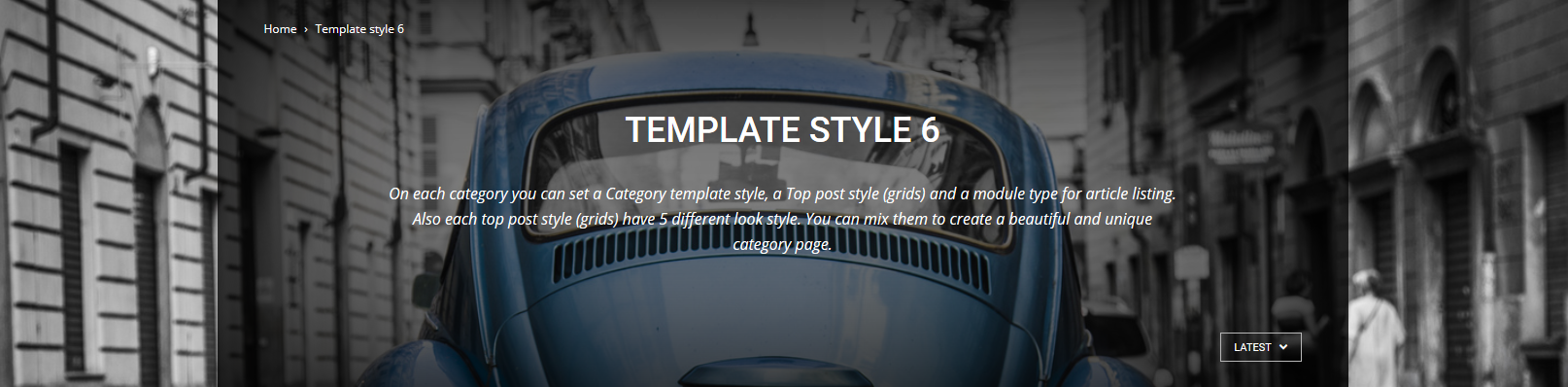
“On each category you can set a Category template style, a Top post style (grids) and a module type for article listing. Also each top post style (grids) have 5 different look style. You can mix them to create a beautiful and unique category page.”
Hear from you soon. Thank you
Regards,
StockFanatic
 paty0323
I´ve read your documentation and look it up online an there is nothing about my problem. When I am trying to create my homepage with visual composer i do not have any themes to upload so i can not costumize my homepage, i do not know if i did anything wrong with the install. I have themes in the other cap of default templates but i select one and it does not take effect. Please help and thank you
 josito
Hi, I am trying to create a text block or raw html on VC with the background transparent like the categories style 6 template https://forum.tagdiv.com/wp-content/uploads/2015/05/2015-06-15_16-44-07.png but i am failing (my css skills are almost zero), I will pay 15$ by paypal if someone can create the page and export it.
Some css expert is able to do that?
Cheers!!
 lersontik
Hi there,
I’m new for Newspaper6 theme and can’t set up link social networks in template panel. When I set it, it shows the link on icon to ‘my website name.com’/’social network’, then it shows 404 page!
Please help me how to set it.
Thanks a lot.
Lucian Hi,
Thanks Shashank Shekhar!
@kapson
You need to change the page template, like @Shashank Shekhar wrote, change it to default form here: http://screencast.com/t/VOKacVPy
Thanks
Emil G Hi,
In Newspaper you can control the excerpts from Theme Panel -> Excerpts – http://screencast.com/t/9O2FJ3ClC
If you use the default blog page and the articles are displayed in full you can change this behavior from Theme Panel -> Template settings – by setting another module for the Blog page – http://screencast.com/t/ORIwhn8Zk
Or you could create a custom page using the desired blocks and set it as a homepage from Settings -> Reading – http://screencast.com/t/mLFL3gl9uq
Thank you!
 dano1066
I have created a custom page template based off the single.php template file. Everything is working perfect except that the admin toolbar does not display. when i scroll down while logged in the themes header is dropped down as if the toolbar was there, but it is not and it looks really bad. I need to use this toolbar so i need it to display. Here is the basic structure of the page.
require('wp-blog-header.php');

get_header();

show_admin_bar(true); //doesnt make the toolbar show.
#my custom content
get_footer();
https://codex.wordpress.org/Toolbar this is the toolbar that i want to display on my custom pages. Anyone know what im missing here? Any guides say that the theme im using must have wp_footer(); at the end of the </body> tag. Im assuming this is already present since the theme displays the toolbar fine on other pages.
 Shashank Shekhar
 If you scroll down, you’ll see the options for latest articles loop.
The template selected is Page builder + latest articles with pagination.
So, change it to default.
Shashank ShekharHi, I have 3 ads on each page.
I am using post template 11 on few pages, so if I show ad for page template 11, there will be 4 ads — it violates adsense policies.
Is it possible to remove a particular ad position for that post? or all posts using that template?
Like we could edit the template and remove the code for article bottom ad?
Or we could remove the code for article inline ad?
But only for template 11.
Thanks. 🙂
 CityTuan
Fatal error: Call to undefined function vc_column_offset_class_merge() in H:\root\home\google-002\www\site1\wp-content\themes\Newspaper\vc_templates\vc_column.php on line 22
When I tried to install a default demo, and the homepage displayed such error.
I don’t know what is wrong
 mitechnews
Hello,
We are new to Newspaper 6 and helping a client build their new website using this theme. We have searched the documentation and looked over the video tutorials, but could not find what might not allow the post images to show up on the home page.
The home page template being used is the default template.
We have tried setting an image on one post with a featured images…unfortunately that did not help.
We think there is another setting in the post perhaps that is governing if the image shows on the home page template.
The development site can be seen at http://mtn.smartfindslive.com
Thanks for any feedback.
 Beldar
Hello, I created several pages on theme. One is the home, while the rest are single page with defined themes. The problem is that I’m using WP Super Cache and when I publish something, the pages are not updated, or the principal or the other.
For example, published an article about comics, and this does not feature on the homepage or in the comics section or in the comics category.
This is the homepage: http://www.lacasadeel.net/
This is the cómics page: http://www.lacasadeel.net/seccion-comics
And this is the comics category page: http://www.lacasadeel.net/comics
Any solution? Because I can not be updating the pages individually each time I post something… What I would like is that each time you post an entry, the blocks in which they would have to show that entry is updated, it was like working in the above template.
 Andrei L.
 Hi
The query that add the post in category and archive pages it’s made in loop.php template http://screencast.com/t/dtQtLmOe and you have to apply the modification to that file.
Thanks!
 ThomasW
I want to create a page with the template pagebuilder + latest articles + pagination.
When i select a category filter still all post are displayed.
LG, Thomas
Lucian Hi,
I’m not sure what you mean so, if possible, please provide more details or if you need to have a featured posts slider instead of the default gird now present on category pages, you can comment the category grid from the category template then use the page builder to build a customized slider, configuring it as you need and place it in the category template using the wp do_shortcode function: http://www.wpbeginner.com/wp-themes/how-to-use-shortcodes-in-your-wordpress-themes/
Hope this helps!
Thanks
Andrei L. Hi
This blog http://demo.tagdiv.com/newspaper_classic_blog/ it’s built with page builder with latest as a page template and contains one big grid 4 followed by a text block and the latest article section with modul 4 used for layout and a sidebar left as you can see here: http://screencast.com/t/TjhAzBzA Also you can install the classic demo and check the setting.
Thanks!
 Alin [tagDiv]
 Hi,
You can use the default template if you don’t want latest articles on your page – http://screencast.com/t/JlmRWnVRzo it has now the same functionality like Homepage blank template from previous version.
Thanks!
 gettinenglish
Hello,
I have problem with post templates.
In Theme options I marked as default template (style 7). When I edit some post I want to change post template to default because earlier I had different template. Now I can’t change the template because i can’t see this “window” where can i change it. It’s disspered. I try tu everything but I dont know what happened.
Could you help me with that?
Regards,
Matthew
 xczech
Hello, I am using new newspaper on http://www.xczech.com and it is insanly cool template. Thanks a lot. I am preparing site and I would like to ask how to make post as link.
I expain what I need:
I need to make some posts on main page as links to outside of main site. I have crowdfunding subsite make on different template and I want to post it from the mainpage. Please if you can give me advice how is best solution to do.
 k24
k24 With the last template if you set to Homepage blank that part went away. Is there a similar setting for the new version of the template?
 fergusga
 Found it through trial and error. You need to change the template type in the page, there doesn’t seem to be any option in theme panel which is where it would make more sense.
Thanks for taking the time to respond.
Graham
Alin [tagDiv] Hi,
As you can see your page content is ending at the sidebar last article is – http://screencast.com/t/aE1pZAbis4Q8 and then start latest articles(Popular on your site) which is another content added automatically when you use page template wit articles. A solution is to display more articles(not only 3) on BUSINESS SPOTLIGHT block – http://screencast.com/t/wEaJggxoc
Thanks!
 euzebius
We have a problem of display for the pages. All the Big Grid is not correctly displayed in the pages, they are disordered and not align.
See on http://www.iphonologie.fr/ios-9/
The template used is BIG GRID 3
How to fix this?
PS: Big grid have no problem on the category and tag
thanks.
Rajo