
No search results were found in Documentation!
 FILM COMBAT
Dear [Designer/Support Team],
I am currently using a WordPress theme purchased from Envato Market for my business website. While running the website, we encountered an issue when sharing article links on social media. Specifically, the content images do not appear in the preview when the links are shared, which affects the visibility and engagement of the posts.
Our web developer attempted to resolve this issue but concluded that it might be a design-related fault in the theme. We are reaching out to your design team for support in resolving this issue. Could you kindly assist us in troubleshooting this problem, or advise on how to modify the theme to ensure that the content images display correctly during link sharing?
We are also seeking external support from a newspaper design team but would appreciate your guidance to ensure the best results.
Looking forward to your response.
Thank you for your assistance!
Best regards,
[Tirumalasetty Venkatesh]
Film Combat
 vkmdigital
Hello,
We’ve recently seen the Free News Pro theme under Newspaper theme and made the purchase. We’ve been trying to set up our website just like the one that we see on live preview (with all the possible navigations etc.). We will do the rest if we can achieve the very basics of the theme. Is there any one-click setup option available to import this theme as it is? Or any direct documentation available?
Thank you in advance 🙂
——————–
Installed here:
http://ekofinansturk.com
Free News Pro demo here:
https://demo.tagdiv.com/newspaper_free_news_pro/
 mayhemrockstarmagazine
 evilbrake
 Ok! Here is the print of the preview: https://qa.paintbox.com.br/print2.png
Thanks!
Marcus
 Anamaria
 Hi,
Please select the error in the tab network -> preview, and you can see the cause.
Thank you!
Anamaria Hi,
If the settings are not saved, you can inspect them by right-clicking -> inspect -> console -> select the error in the tab network -> preview, and you can see the cause.
Please check this topic https://forum.tagdiv.com/topic/tagdiv-composer-does-not-save-only-content-of-homepage/
Thank you!
 thiru
thiru Thanks. First thing, I am not getting alerts when you guys respond to my queries even though I subscribe for alerts.
You can not use flex blocks without the plugin or theme
I dont understand this, I already have installed Newspaper theme and it has installed the required plugins.
The elements from the tagdiv Composer can not be used in the default templates.
Ok, I got this.
Check the settings of the flex blocks: https://forum.tagdiv.com/flex-block-settings-guide/
There are special filters as well and the block knows to filter by the current category for example. You can also copy-paste the block or save it as element and use it in another cloud page
I need more clarity on this, I have used tagdiv composer and used few blocks and created pages. Are you saying I can create a my own elements to be used on Tagdiv composer by using a block, change the settings and save as my own element template for further using on pages?
So you are confirming that there is no provision provided by Newspaper theme/plugins to embed the blocks or posts of specific category or filters on Posts by embedding short codes?
I saw reference to embedding blocks @ https://forum.tagdiv.com/set-block-inside-post-content/ ?
[td_flex_block_1 modules_on_row="" limit="1" hide_audio="yes" show_btn="none" show_excerpt="none" show_review="none" show_com="none" show_date="none" show_author="none" image_floated="float_left" sort="random_posts" image_width="200px" meta_padding="25px 0 0 25px" modules_category="above" modules_category_margin="0 0 10px 0" tdc_css="eyJhbGwiOnsiYm9yZGVyLXRvcC13aWR0aCI6IjEiLCJib3JkZXItYm90dG9tLXdpZHRoIjoiMSIsInBhZGRpbmctdG9wIjoiMTIiLCJwYWRkaW5nLWJvdHRvbSI6IjgiLCJib3JkZXItY29sb3IiOiIjZWFlYWVhIiwiZGlzcGxheSI6IiJ9fQ=="]
-
This reply was modified 2 years by
thiru.
 mixalisandrou
 Thank you Calin, I have changed all the values in the css files from 1140 to 1280 and from 1141 to 1281 but it still gets overridden by something.
I believe its some js code that sets the default viewports that I cannot find. If you can please point me to those files, I think I can solve the problem.
The goal is to have the Desktop breakpoint at 1280 instead of 1140, everywhere (including in the composer preview). If it cannot be changed, then unfortunately the theme will not work for our purpose and all the design work will have to be redone on another theme. 🙁
 hakabilg
Hi, I cannot import any section from the cloud when trying to design a page using tagdiv composer. The pop-up to confirm seems to appear behind the preview window. Or the preview popup does not disappear. Has this happened to anyone? I can import templates using the ‘cloud templates’ tab on the main menu, but like I said, when I try and create a page where I would like to import different sections from templates using the tagdiv composer, it does not allow me. Please see image

 Tribun74
Hi,
I still have the problem, that new posts dont show in the Toplist from my Actionmovie Ranking in the correct order:
https://www.flimmerkiste.net/die-besten/actionfilme/
There is a new movie´I posted “Alien 2”: Ranking Points 9.5. but it dont show up in the Top 30 list.
https://www.flimmerkiste.net/filme/aliens-die-rueckkehr/ This must be shown before the “John Wick” Title with 9.3 Points.
Can you help me? I wish to make more such Ranklists, but only after this works correctly.
Thank you!
KR
Frank
 David Vascott
Hi, I have a popup modal login for my site forwardlawreview.com. I have styled the colours and fonts in the theme panel. It looks fine on the desktop site – an orange login button and opaque white background etc – but on the mobile site the background to the popup modal login is semi-transparent (making it hard to read) and the button isn’t coloured etc. I don’t understand why the logins look different on the desktop and mobile versions. Please can you help?
 Bikul
BikulHello,
I added Instagram and it shows the preview images from there. I thought I could click on them to get to that specific Instagram post. Is it possible to do that or just make the images clickable?
At the moment I see as clickable elements only the name of the Instgarm channel and the Button “Follow”.
Thank you for Feedback
Bernd
Anamaria Hi,
Please check the console when you hit the save button and see if there is an error. With right-click -> inspect -> console -> select the error in the tab network -> preview, you can see the cause and check the suggestion from here https://forum.tagdiv.com/topic/newspaper-theme-panel-settings-are-not-being-saved/ -> https://community.godaddy.com/s/question/0D58W00007ggvUDSAY/403-forbidden-error-not-sure-why
Thank you!
 DigitalManager
I have created a new page call Blogs and added to controls to display articles where the filter has been set to the Category Blog. However, I then created a new page called Vlogs and added two controls to display articles where the filter has been set to the Category Vlog. However, when I review the Blogs page it has the filter set as category Vlog, I change it back the Blog and save. I open up the Vlogs page and suddenly the filter is now set to category Blog.
Any thought?
Anamaria Hi,
Please check the console when you hit the save button and see if there is an error. With right-click -> inspect -> console -> select the error in the tab network -> preview, you can see the cause and check the suggestion from here https://forum.tagdiv.com/topic/newspaper-theme-panel-settings-are-not-being-saved/ -> https://community.godaddy.com/s/question/0D58W00007ggvUDSAY/403-forbidden-error-not-sure-why
Thank you!
Anamaria Hi,
If the settings are not saved, you can inspect them by right-clicking -> inspect -> console -> select the error in the tab network -> preview, and you can see the cause.
Please check this topic https://forum.tagdiv.com/topic/tagdiv-composer-does-not-save-only-content-of-homepage/
Thank you!
Anamaria Hi,
For issues with the NewsPaper theme and page indexation errors in Google Search Console, here are a few recommendations:
Check the robots.txt file: Ensure your robots.txt isn’t blocking critical pages from being indexed. Use the “URL Inspection” tool in Google Search Console to verify if pages are blocked.
Review Sitemaps: Ensure that your sitemap is submitted correctly and accessible by Google. It’s a good practice to manually submit it through Google Search Console after any significant site updates.
Fix Crawl Errors: Look for any specific crawl errors in Google Search Console. Pages with 404 errors, server errors (5xx), or soft 404s can prevent proper indexation.
Update the Theme: Ensure that your NewsPaper theme is up to date, as outdated themes might have bugs or compatibility issues that affect SEO. Also, check if any plugins or custom code interfere with indexation.
Structured Data Errors: If your pages have schema markup (rich snippets), ensure that it is implemented correctly. Incorrect schema data can lead to indexing issues or poor SEO performance.
Page Speed Optimization: Slow-loading pages can impact indexation. Use tools like Google PageSpeed Insights to check if slow page speeds are an issue and optimize your website for performance.
Check for Duplicate Content: Ensure your site isn’t producing duplicate content or thin content, as this can negatively impact Google’s ability to index your pages properly.
Mobile Usability: Google’s index is mobile-first, so ensure that your theme and website are fully optimized for mobile devices. Fix any mobile usability issues reported in Search Console.
Thank you!
Anamaria Hello,
Please click on this https://i.imgur.com/vuif0eN.png and add the license like in this guide to activate https://forum.tagdiv.com/newspaper-6-how-to-activate-the-theme/ and check the console if the theme is not activated. With right-click -> inspect -> console -> select the error in the tab network -> preview, you can see the cause.
Please ensure you don’t have mixed content errors; you can check the console. You have to use an SSL plugin to fix it and then try to activate it again -> https://www.hostinger.com/tutorials/fix-mixed-content-wordpress/ -> https://wordpress.org/plugins/really-simple-ssl/
Check all these requirements for the theme: https://forum.tagdiv.com/requirements-for-newspaper/
Thank you!
 HDFCterm
I have reset already my license key with this domain http://www.colorsreview.com but I see Active.
How can I remove this domain on my License key. because I sold my blog with this domain. Before I sold I reset my License key with Option System Status but it is shows Active again.
Please Delete Permanently for this domain
img copy
 hcmbest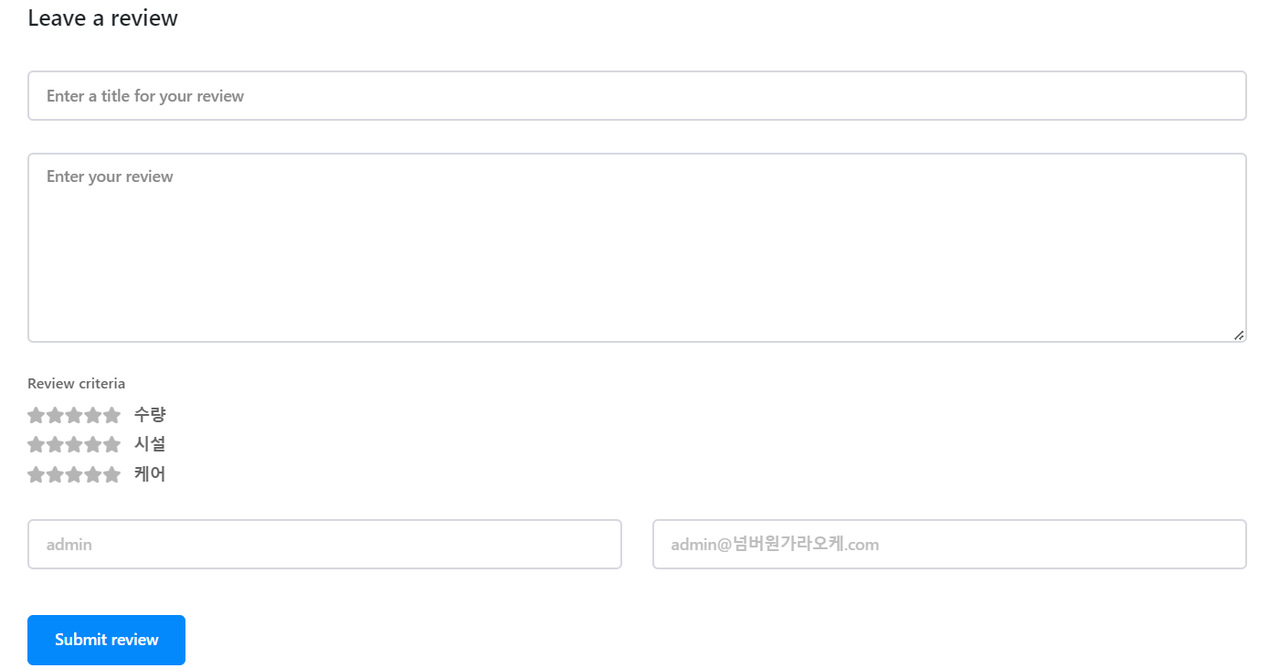
I am using WordPress Post for reviews, and I don’t want to require the email field. I also want to delete the email form. How can I do that?
 E K
E KWe have a few reviews on our homepage, and the reviewers’ names are marked as h1s. Although the SEO tag is h3 in the testimonial block, an h1 tag is appended to the names. Please advise.
Please advise us on how to ensure these are not seen as H1
E KWe have a few reviews on our homepage, and the reviewers’ names are marked as h1s. Although the SEO tag is h3 in the testimonial block, an h1 tag is appended to the names. Please advise.
https://ibb.co/djSRrty
https://ibb.co/Bs1kKVx
Please advise us on how to ensure these are not seen as H1
E KWe have a few reviews on our homepage, and the reviewers’ names are marked as h1s. Although the SEO tag is h3 in the testimonial block, an h1 tag is appended to the names. Please advise.
 IdentidadyFuturo
 I have reviewed your response and:
1.- It appears in the mobile viewport but not on mobile devices.
2.- I am not using any mobile-specific page on the website.
3.- I think the problem might be the code. The one I am using is this:
<div class=”td-all-devices”>

</div>
 taphuocanh
Hi,
I just updated Newspaper theme to version 12.6.7 and the accompanying plugins. I found an error at Block 17 when the posts could not be displayed. According to my test, the source code of the shortcode is used for block 17 at the tagDiv Standard Pack plugin version 2.6 has an error when in the render method to call the inner method. The arguments that are transmitted to the inner method are not in the right order between $td_column_number and $limit arguments.
Hope you review the source codes to avoid the same errors.
Thank!


