
No search results were found in Documentation!
 Anamaria
 Hello,
Please let me know if you have added the single review elements in the single post template -> https://forum.tagdiv.com/reviews-2/
Thank you!
 kirovinvest
3 times in a row i make different changes on my Homepage template, which most of the times i got bugged were different, no exact timing or no exact reproduce of issue.
It caused me to invest a time of work and then notice that the TagDiv returns error on Homepage while editing and bugged the page on few places. Also doesn’t let me edit elements / mark them while in editing page. Issue happens only on the Homepage template, others are OK.
The only thing I can think of, is when I restore the website backup again, to update theme and it’s plugins, as it’s been few months, but not sure if it’s related though. So is there an easy fix on this or someone experienced it?
The thing is that it doesn’t show the error while “Saving”, on the “Saving” gives always success but after some time if you re-visit home page for editing it, you’ll notice that it’s glitched like on the screenshot and won’t let you mark / edit / work on it and leaves few columns glitched, smashed, strange.
Preview image: https://ibb.co/vXc8sLh
 tipshub-ro
Hello! I followed the documentation and activated everything it said, but the stars for the review do not appear on the article page.
https://ibb.co/vH2VC5H
https://ibb.co/g7tZvDB
https://ibb.co/XsN0KSj
 Bettina
 Hello Alexis Lambert!
Make a test and deactivate all plugins except tagDiv ones. Also, if you are using a cache plugin, deactivate it, clear all cache, and try again.
Update the theme, WordPress and PHP version.
Check this thread: https://wordpress.org/support/topic/this-block-has-encountered-an-error-and-cannot-be-previewed-42/
Thank you!
Bettina Hello!
Google frequently updates its search algorithms to improve the quality of search results, and these updates can impact how your site ranks in search results. Some common factors that might influence traffic drops include:
Algorithm Updates: Google rolls out updates to improve search quality. These updates can affect how your website is ranked.
SEO Practices: Changes in best practices or penalties for certain SEO tactics (like keyword stuffing or poor-quality backlinks) might affect your site’s ranking.
Content Relevance: If your content isn’t as relevant or useful compared to newer content, it might rank lower.
Technical Issues: Issues like slow page load times, broken links, or mobile usability problems can impact your rankings.
Competitor Activity: New content or improvements by competitors can affect your site’s visibility.
It’s a good idea to check Google Search Console for any notifications or insights about your site’s performance, and to review any recent changes you’ve made to your website.
Thank you!
 simchris
 Issue with Twitter; seeing this with our newsmag themes today too. As always, social media is hit/miss on caching content. Sometimes the image not shown, but then appears later on. Sometimes you have to ping your post using the sorta defunct developer preview tool – which still pings, but does not show preview (LOL). X is crap.
Anamaria Hello,
Please click on this https://i.imgur.com/vuif0eN.png and add the license like in this guide to activate https://forum.tagdiv.com/newspaper-6-how-to-activate-the-theme/ and check the console if the theme is not activated. With right-click -> inspect -> console -> select the error in the tab network -> preview, you can see the cause.
Please ensure you don’t have mixed content errors; you can check the console. You have to use an SSL plugin to fix it and then try to activate it again -> https://www.hostinger.com/tutorials/fix-mixed-content-wordpress/ -> https://wordpress.org/plugins/really-simple-ssl/
Check all these requirements for the theme: https://forum.tagdiv.com/requirements-for-newspaper/
Thank you!
 casprom
 I tried but didn’t find anything. In the meantime we published this article which is a good example https://squared-potato.pt/x4-foundations-analise/
The author even tried to put the review score but when it saved and published, all gone!
I’ve sent an email yesterday with credentials if you need to login. It in your contact email.
Anamaria Hello,
To have this you need to create a custom field type file -> https://prnt.sc/w_eY-jyDE6ct use this element to upload the audio file in the doctor’s account -> https://prnt.sc/Weg09CGq4fNq use the custom field to show the audio file https://prnt.sc/O1qhO7jGdbq7 and there you can download -> https://prnt.sc/c0cNFRPtiTOn
For review, you can use single user reviews -> https://forum.tagdiv.com/user-reviews/
Thank you!
Anamaria Hi,
If the settings are not saved, you can inspect them by right-clicking -> inspect -> console -> select the error in the tab network -> preview, and you can see the cause.
Please check this topic https://forum.tagdiv.com/topic/tagdiv-composer-does-not-save-only-content-of-homepage/
Thank you!
Anamaria Hello,
Please click on this https://i.imgur.com/vuif0eN.png and add the license like in this guide to activate https://forum.tagdiv.com/newspaper-6-how-to-activate-the-theme/ and check the console if the theme is not activated. With right-click -> inspect -> console -> select the error in the tab network -> preview, you can see the cause.
Please ensure you don’t have mixed content errors; you can check the console. You have to use an SSL plugin to fix it and then try to activate it again -> https://www.hostinger.com/tutorials/fix-mixed-content-wordpress/ -> https://wordpress.org/plugins/really-simple-ssl/
Check all these requirements for the theme: https://forum.tagdiv.com/requirements-for-newspaper/
Thank you!
Anamaria Hi,
Please check the console when you open edit content; if there is an error like this, please go to the Network tab, select the error, and select Preview -> https://i.imgur.com/iiBOHwP.png
Maybe the problem is caused by the server host
I think you will have a 403 or 404 error, so please check this topic -> https://forum.tagdiv.com/topic/wp-editor-for-text-with-title-and-column-text-not-updating-content/ and try the suggestions. Also, please check the cache, clear/purge all cache.
Please check this topic with the same error https://forum.tagdiv.com/topic/err_http2_protocol_error-on-go-daddy-hosting/
Thank you!
 50PlusToday
 “you can inspect them by right-clicking -> inspect -> console -> select the error in the tab network -> preview”
Where do I find the INSPECT link? I don’t see it in the left menu under dashboard or anywhere else
 Mar
MarHello,
In the doctor pro theme there are options to upload images and also a CV. I need the option for each doctor that want to register his profile to upload an audio file also, and this file has to be available to all the visitors of that profile for download and also the possibility to leave a review from the users for that audio. Like for example the doctor wants to upload his last conference to let it available for download to all the visitors.
Thanks!
thank you!
Anamaria Hi,
If the settings are not saved, you can inspect them by right-clicking -> inspect -> console -> select the error in the tab network -> preview, and you can see the cause.
Please check this topic https://forum.tagdiv.com/topic/tagdiv-composer-does-not-save-only-content-of-homepage/
Thank you!
Anamaria Hi,
Please check the console when you open edit content; if there is an error like this, please go to the Network tab, select the error, and select Preview -> https://i.imgur.com/iiBOHwP.png
Maybe the problem is caused by the server host
I think you will have a 403 or 404 error, so please check this topic -> https://forum.tagdiv.com/topic/wp-editor-for-text-with-title-and-column-text-not-updating-content/ and try the suggestions. Also, please check the cache, clear/purge all cache.
Please check this topic with the same error https://forum.tagdiv.com/topic/err_http2_protocol_error-on-go-daddy-hosting/
Thank you!
 infograt
WP Editor in TagDiv Composer wont load
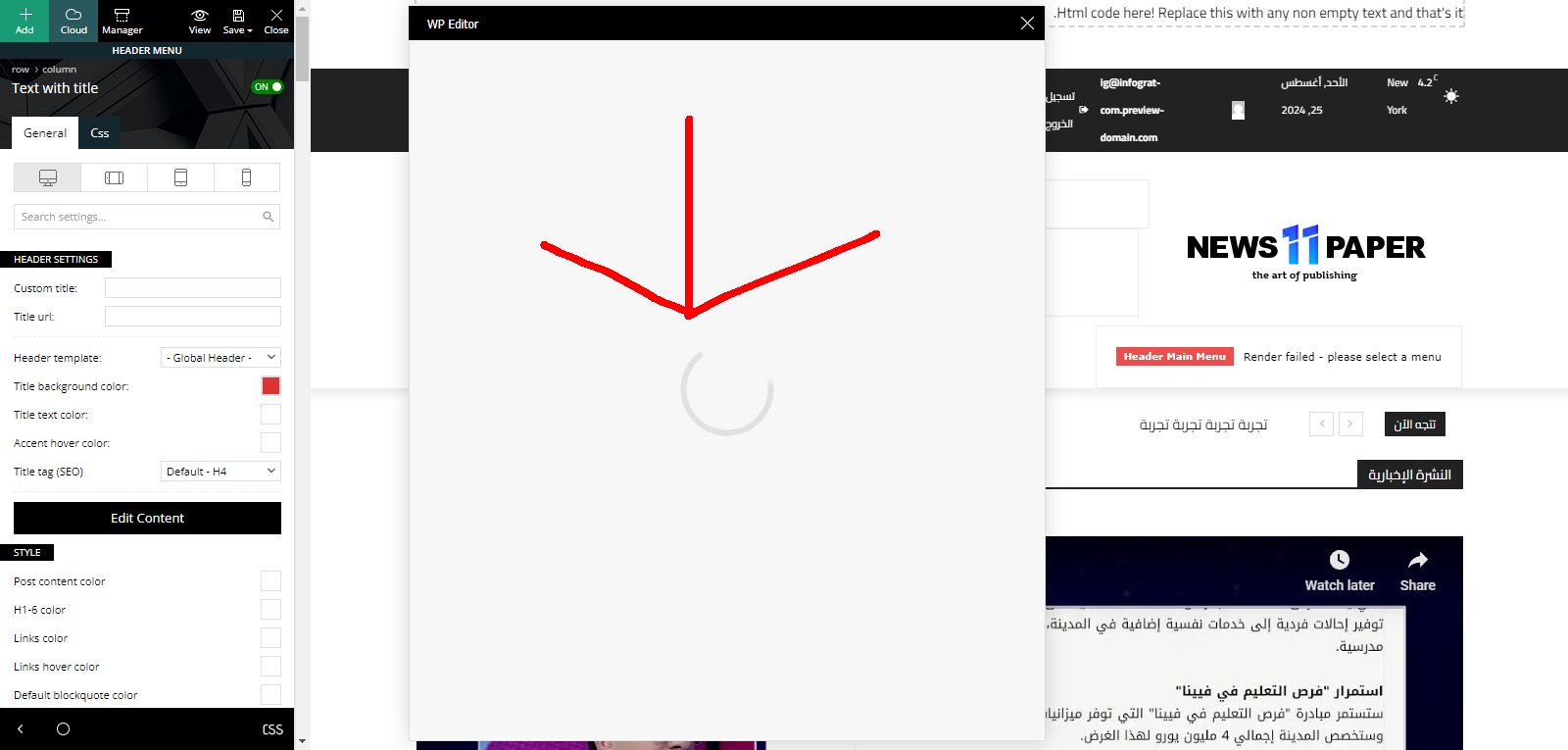
Site URL:
https://infograt-com.preview-domain.com/
Anamaria Hello,
This review section is for user reviews. You can find more details here https://forum.tagdiv.com/user-reviews/ you can disable it from here https://i.imgur.com/ybAlV2m.png
You can try to hide cloud templates with custom code CSS, but it is not recommended. Why do you want to hide it?
Thank you!
 byothe
Hello
I just noticed a new button in my back office… maybe it was there before… but I don’t need it… It’s called “Reviews” and it’s from Newspaper theme…
What is it for ? And is there a way to remove it (I’d be happy to remove also the Cloud Templates button).
https://ibb.co/4408ZyM
Thanks
Anamaria Hello,
So as a solution for you, if you want to have an ad box after the review block, I recommend deleting the code for the ad bottom from the single post content and adding the ad box element where you can insert the code from the ad bottom.
Thank you!
Anamaria Hello,
Please can try to use this code .td-woo-review h3 {
margin-top: -10px;
}
The code should be set in the theme panel > custom code> advance css > phone section if you want only for mobile to apply.
Thank you!
Anamaria Hi,
If the settings are not saved, you can inspect them by right-clicking -> inspect -> console -> select the error in the tab network -> preview, and you can see the cause.
Please check this topic https://forum.tagdiv.com/topic/tagdiv-composer-does-not-save-only-content-of-homepage/
Thank you!
Bettina Hello!
1. Apply these settings to your block in the tagdiv composer: https://app.screencast.com/GvC5ySBSgvtaC (Set a white color.)
2. I see that the review category, which is the primary category set, is displaying well there. Only one category will be displayed there.
3. Unfortunately, no.
4. Edit the block and check the element padding options in the Layout tab. Apply 0 there, or let only the space from above.
Thank you!
Anamaria Hi,
If the settings are not saved, you can inspect them by right-clicking -> inspect -> console -> select the error in the tab network -> preview, and you can see the cause.
Please check this topic https://forum.tagdiv.com/topic/tagdiv-composer-does-not-save-only-content-of-homepage/
Thank you!
 mongooz
Hello. I have a question regarding the Single Post Categories option.
Link: https://ibb.co/RS4QWXY
1. How to remove text background (square box)
2. Why are there posts where categories do not appear? – https://mongooz.co.kr/review
3. When there are parent-child categories, is it possible to set it to only show child categories?
4. I want to remove the leftmost margin completely.
Thank you.



