No search results were found in Documentation!
 mundgefuehl
 Thanks for your response, Anamaria.
This is how it would look like; I have not activated the comment box yet in the live environment.
Could it be that this is connected to the WP Recipe Maker Plugin? Or is this a standalone review field?
Many thanks
Betty
 Anamaria
 Hello,
Please provide more details about where exactly the reviews are.
Thank you!
Anamaria Hi,
@minima
You can try to stretch the row. You can find more details here -> https://tagdiv.com/flexibility-rows-columns-newspaper-theme/
-> https://tagdiv.com/how-to-add-delete-and-duplicate-row-newspaper-theme/
@cntlive Please check the console when you open edit content; if there is an error like this, please go to the Network tab, select the error, and select Preview -> https://i.imgur.com/iiBOHwP.png
Please check this topic -> https://forum.tagdiv.com/topic/wp-editor-for-text-with-title-and-column-text-not-updating-content/ and try the suggestions. Also, please check the cache, clear/purge all cache.
Thank you!
 HeatherKitching
Here’s the other problem I’m having: I’ve set a BG colour for a couple of the blocks in my layout. That colour shows in TagDiv composer, and it shows in the tablet preview. But it does not show in the desktop or mobile view.
Help? Thanks!
mundgefuehlDear forum members,
I want to include a comment section on my single posts, with the commenting function only, and not showing the reviews & starts as these are already covered via my WP recipe maker plugin.
In tagdiv editor, there is no option to de-activate the reviews part.
Further, where would I be able to edit the standard text elements of the comment box, as I want to replace the standard wording?
My site is http://www.mundgefuehl.com.
Many thanks
Betty
 support@leadid.net
Hello,
I have a site where I enabled apache basic authentication before before the acutal WP login page, this is done through .htaccess file directives. I’ve provided a link to a How to page, so you can better understand what I’ve implemented and it works, however it works in an erea where I don’t want it to work, i.e. affecting the inputs of search. You are welcome to see the issue by going to https://healthstoday.com and at the top right of the header you’ll see the ‘magnifying glass’ click to search and then attempt type in a search term, say, “exercise” the second you input an ‘ex…’ or any character the Apache Login modal window appears. That is only suppose to appear and it does when users attempt to hit the WordPress login page, https://healthstoday.com/wp-admin. Now, I don’t think the issue is a tagDiv or even WordPress issue, I suspect the issue is in the path locations pointing to key sections and files, thus my request for support because I would like to know a few things about the Newspaper theme.
The site is updated with regards to apache, PHP, and db, the Newspaper theme is installed and is one minor version behind.
I would like to know the path to the magnifying glass / search code to update the .htaccess files path.
What solution(s) do you think I should try?
I’m little weak in the WP area but is it a component, widget, block? (Reply if relevant if not no worries)?
Here is the wordpress-https-vhost.conf file for your review.
<VirtualHost 127.0.0.1:443 _default_:443>
ServerName http://www.healthstoday.com
ServerAlias *
SSLEngine on
SSLCertificateFile “/path/to/apache/conf/bitnami/ssl/certificate.crt”
SSLCertificateChainFile “/path/to/apache/conf/bitnami/ssl/ca_bundle.crt”
SSLCertificateKeyFile “/path/to/bitnami/ssl/private/private.key”
DocumentRoot /path/to/wordpress
<Directory “/path/to/wordpress”>
Options -Indexes +FollowSymLinks -MultiViews
AllowOverride None
Require all granted
RewriteEngine On
RewriteRule ^relative-path/to/wordpress(/.*) $1 [L]
# END WordPress fix for plugins and themes
# BEGIN WordPress
# https://wordpress.org/support/article/htaccess/#basic-wp
RewriteEngine On
RewriteRule .* – [E=HTTP_AUTHORIZATION:%{HTTP:Authorization}]
RewriteBase /
RewriteRule ^index\.php$ – [L]
RewriteCond %{REQUEST_FILENAME} !-f
RewriteCond %{REQUEST_FILENAME} !-d
RewriteRule . /index.php [L]
# END WordPress
</Directory>
Include “/path/to/apache/conf/vhosts/htaccess/wordpress-htaccess.conf”
<LocationMatch “^/(wp-admin|wp-login\.php)”>
AuthType Basic
AuthName “Private access”
AuthUserFile “/path/to/apache/.htpasswd”
Require valid-user
</LocationMatch>
# FOLLOWING THREE LINES DID NOT WORK
# <Location “/wp-admin/search.php”>
# Allow from all
# </Location>
# IS THE FOLLOWING LINE CORRECT OR SHOULD THE PATH BE DIFFERENT
<Location “/path/to/wordpress/wp-content/plugins/td-standard-pack/Newspaper/search.php”>
Allow from all
</Location>
# FOLLOWING 3 LINES WORK
<FilesMatch “^license\.txt$”>
Require all denied
</FilesMatch>
</VirtualHost>
Please help me tagDiv your my only hope. 😉
Regards,
Joey
 nagi
nagiRespected Sir/Mam,
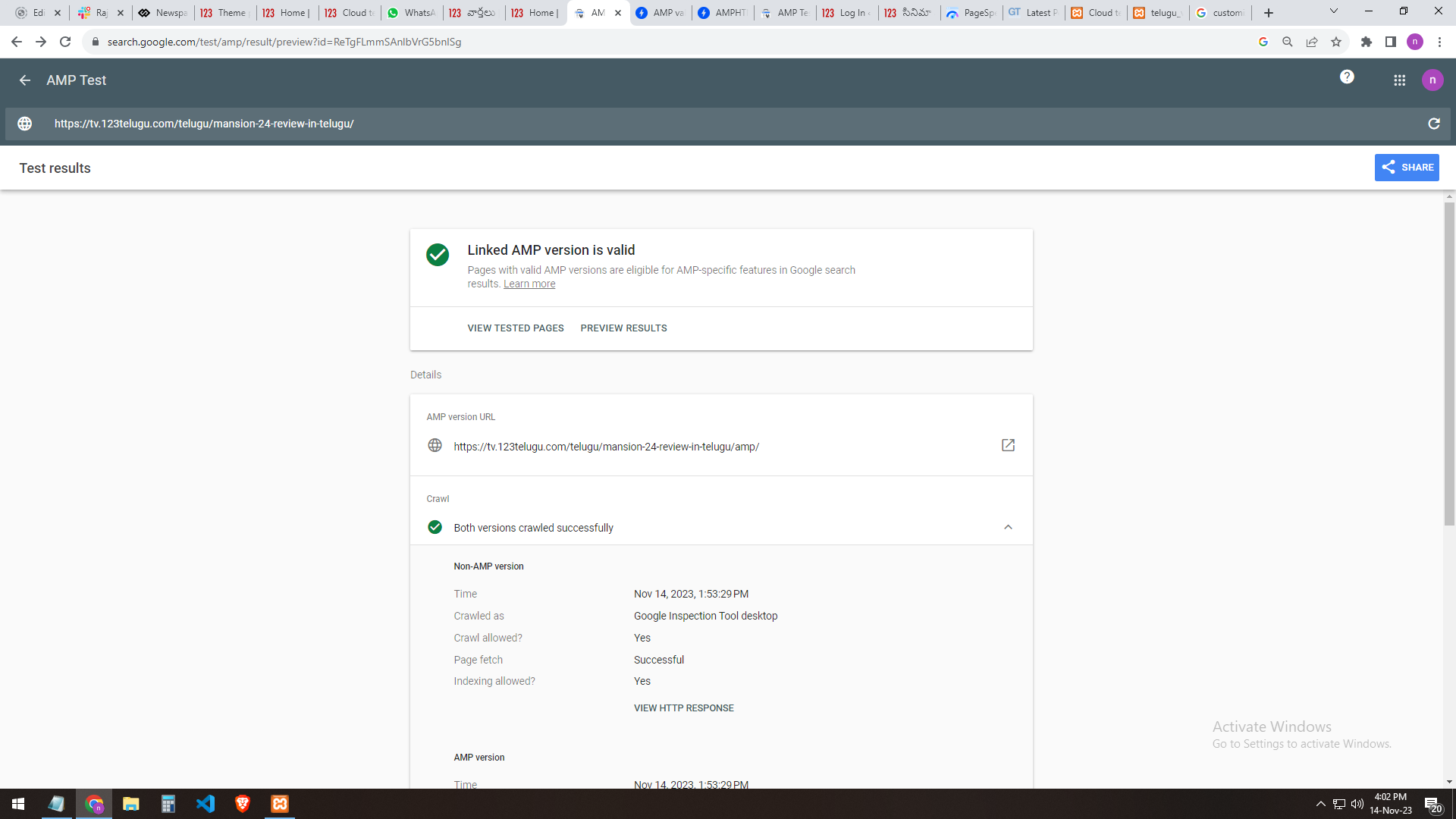
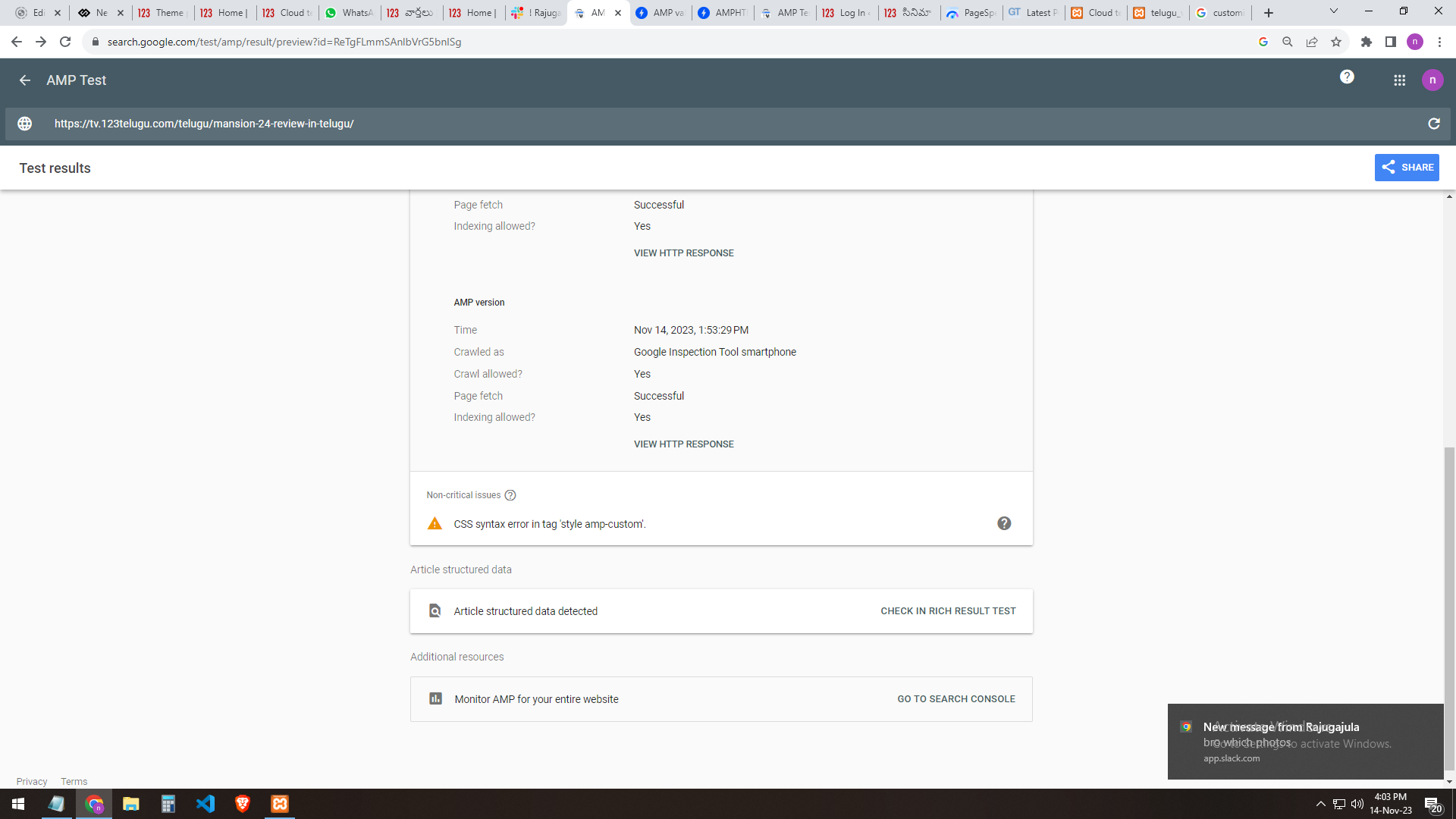
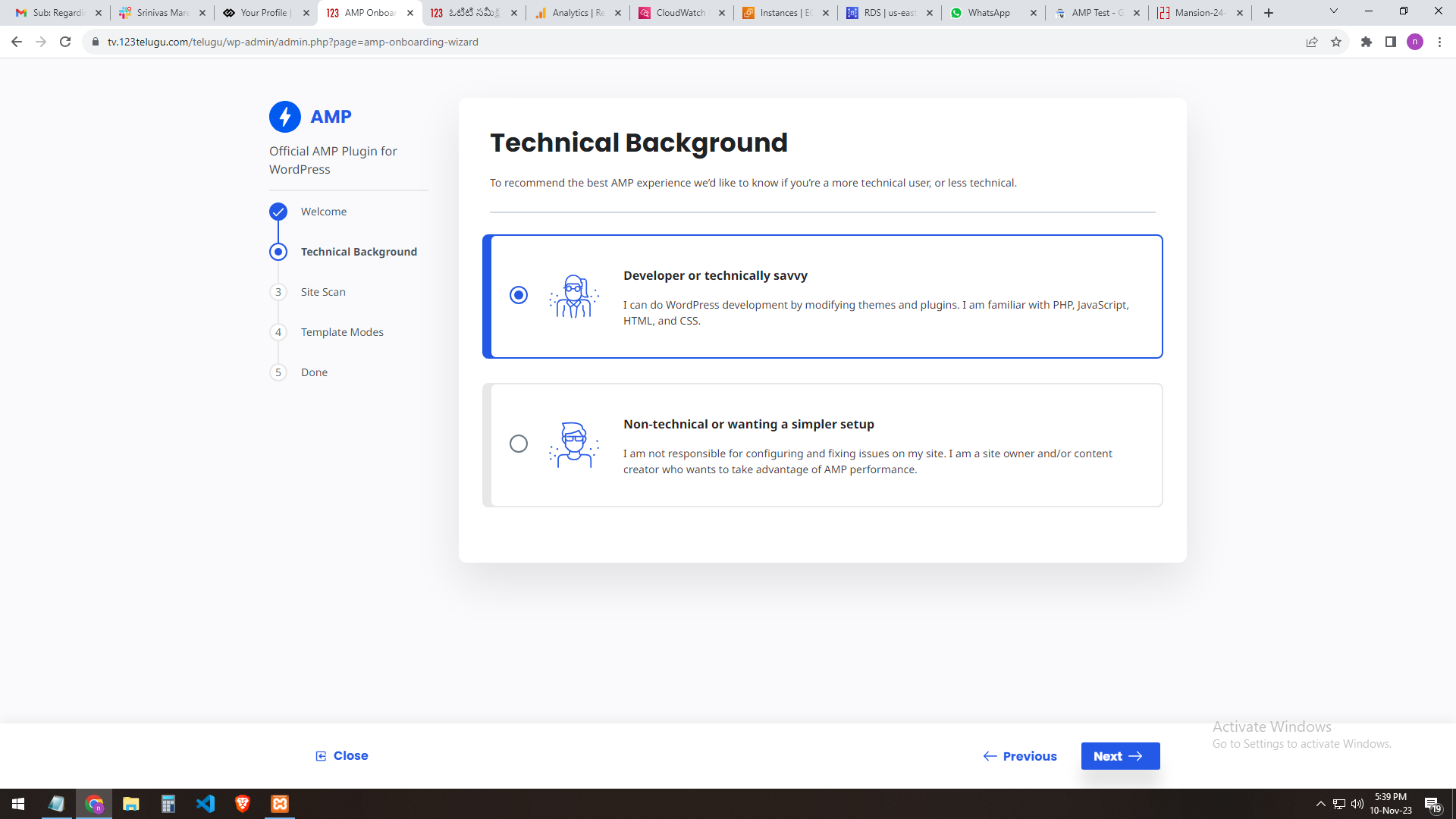
I am a developer at Mallemaala Entertainments, located in Hyderabad. We have a few requirements for our movie review website, 123telugu.com. I am hereby mentioning our requirements.
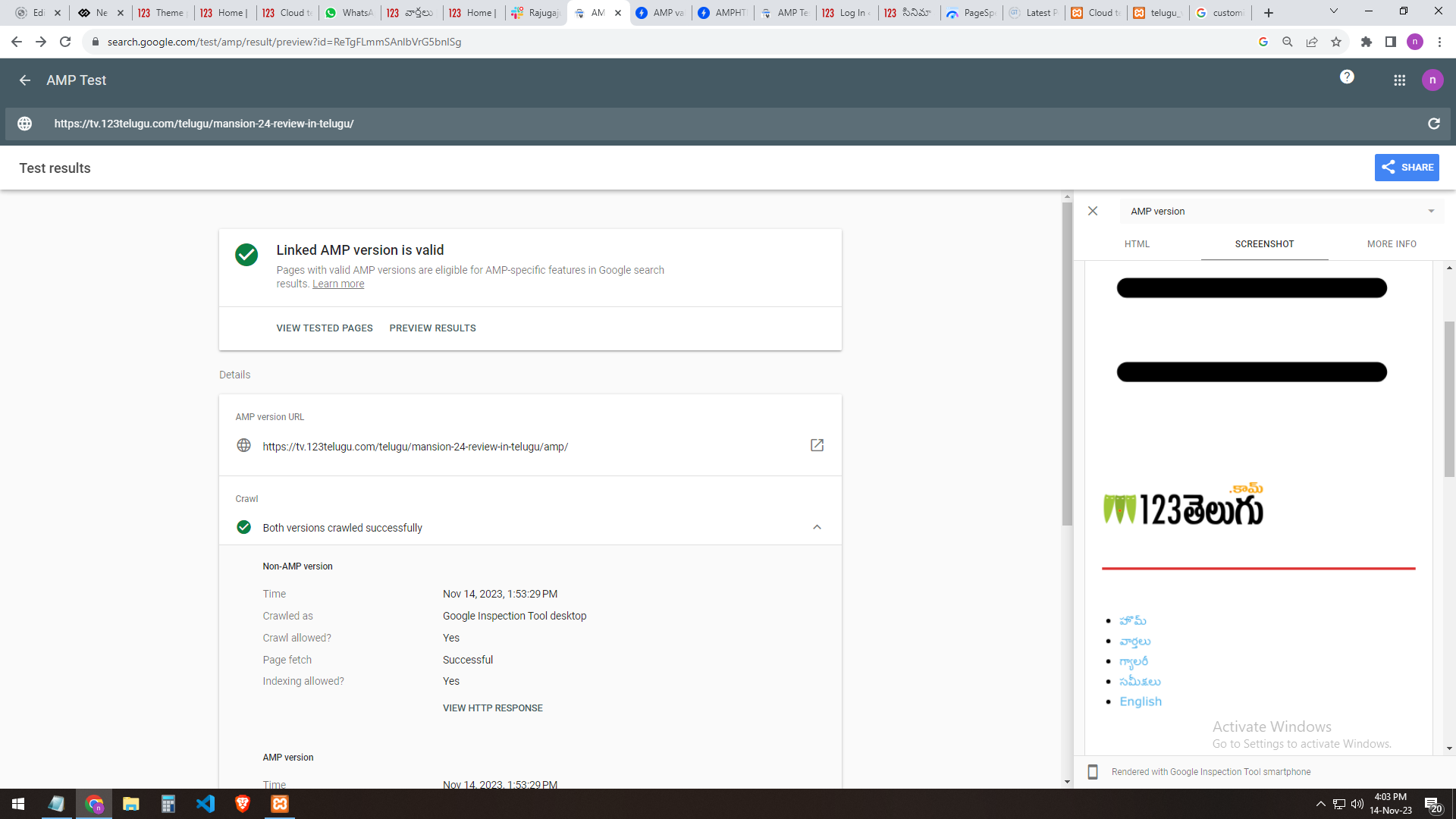
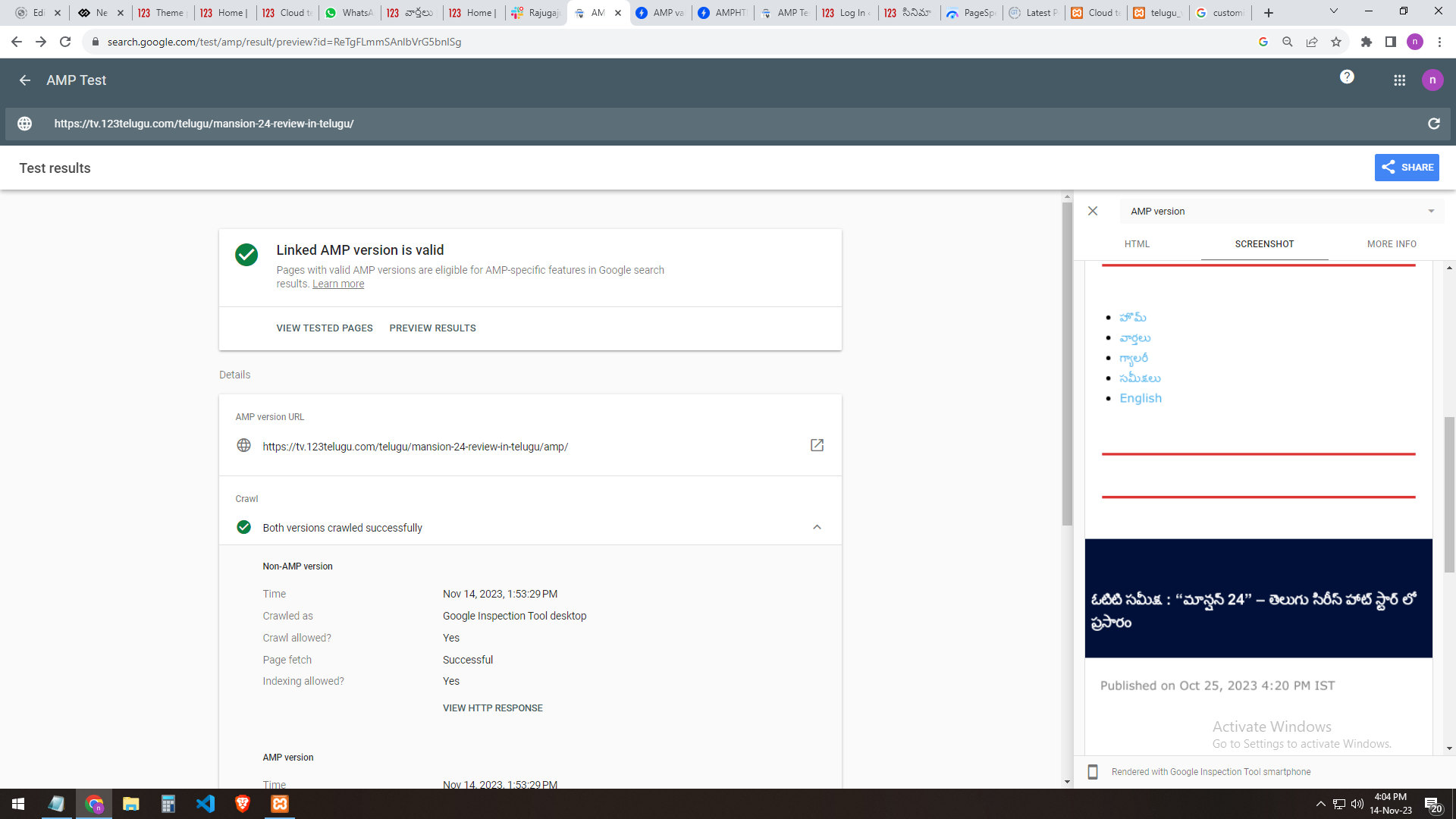
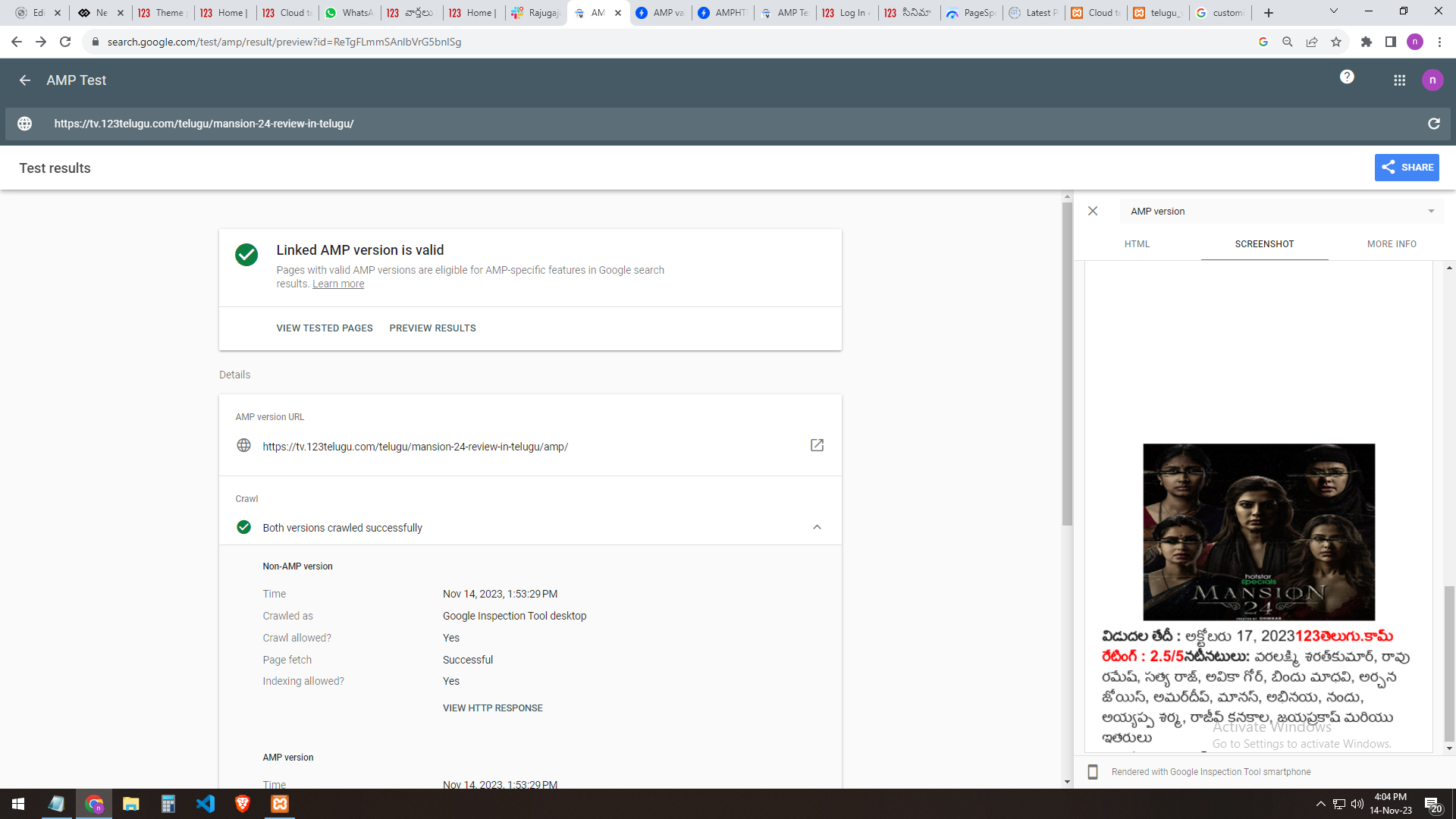
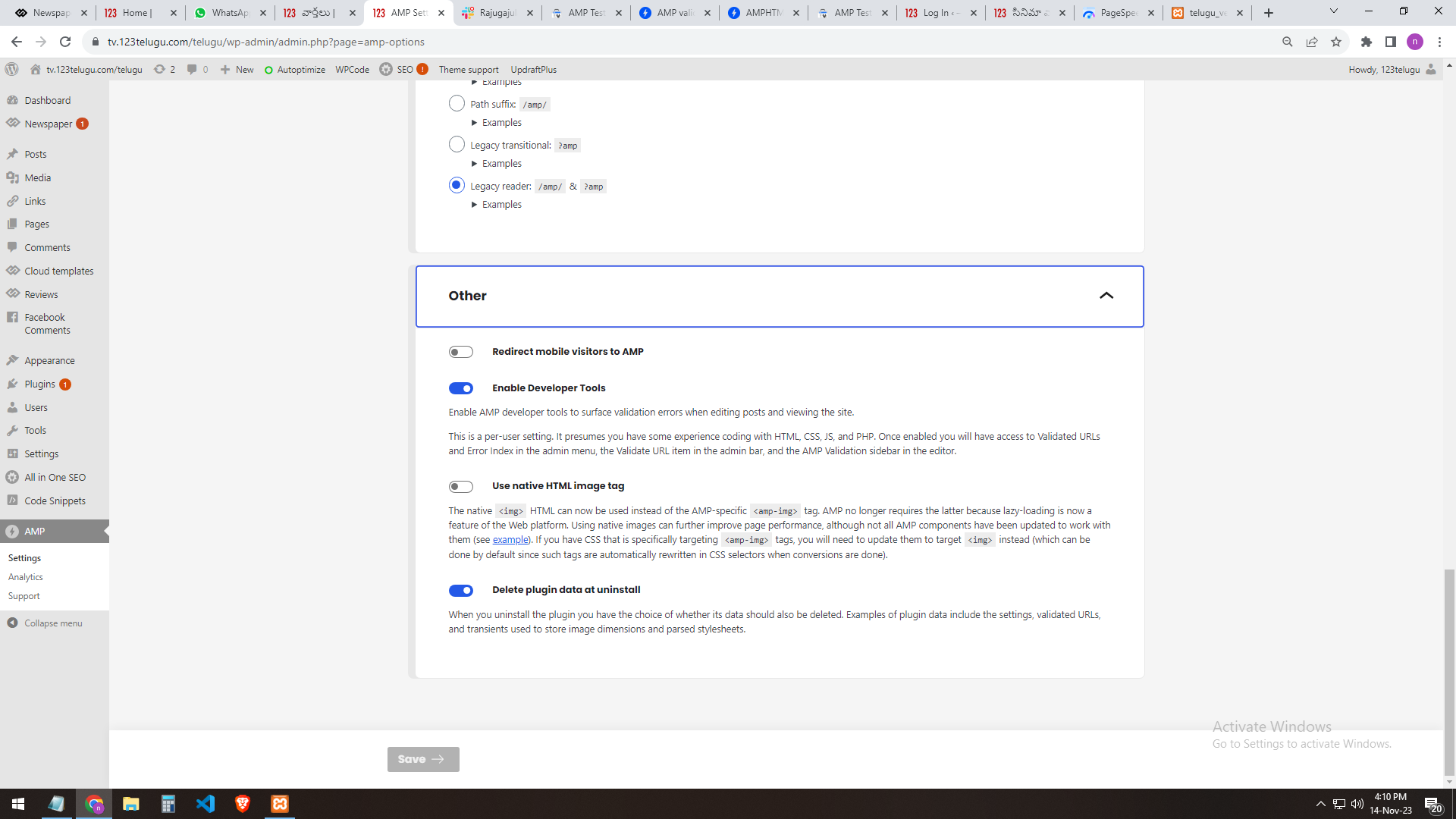
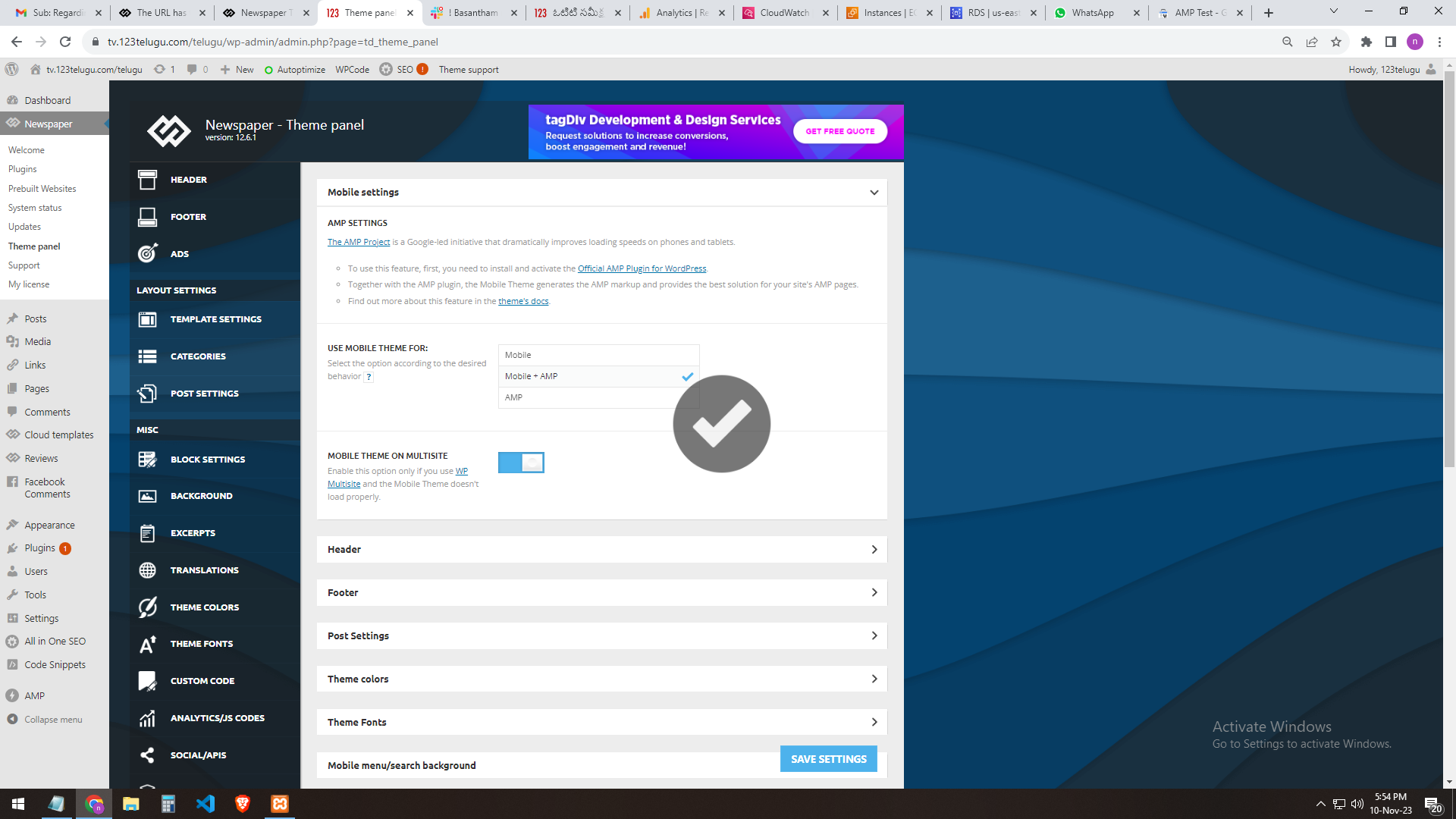
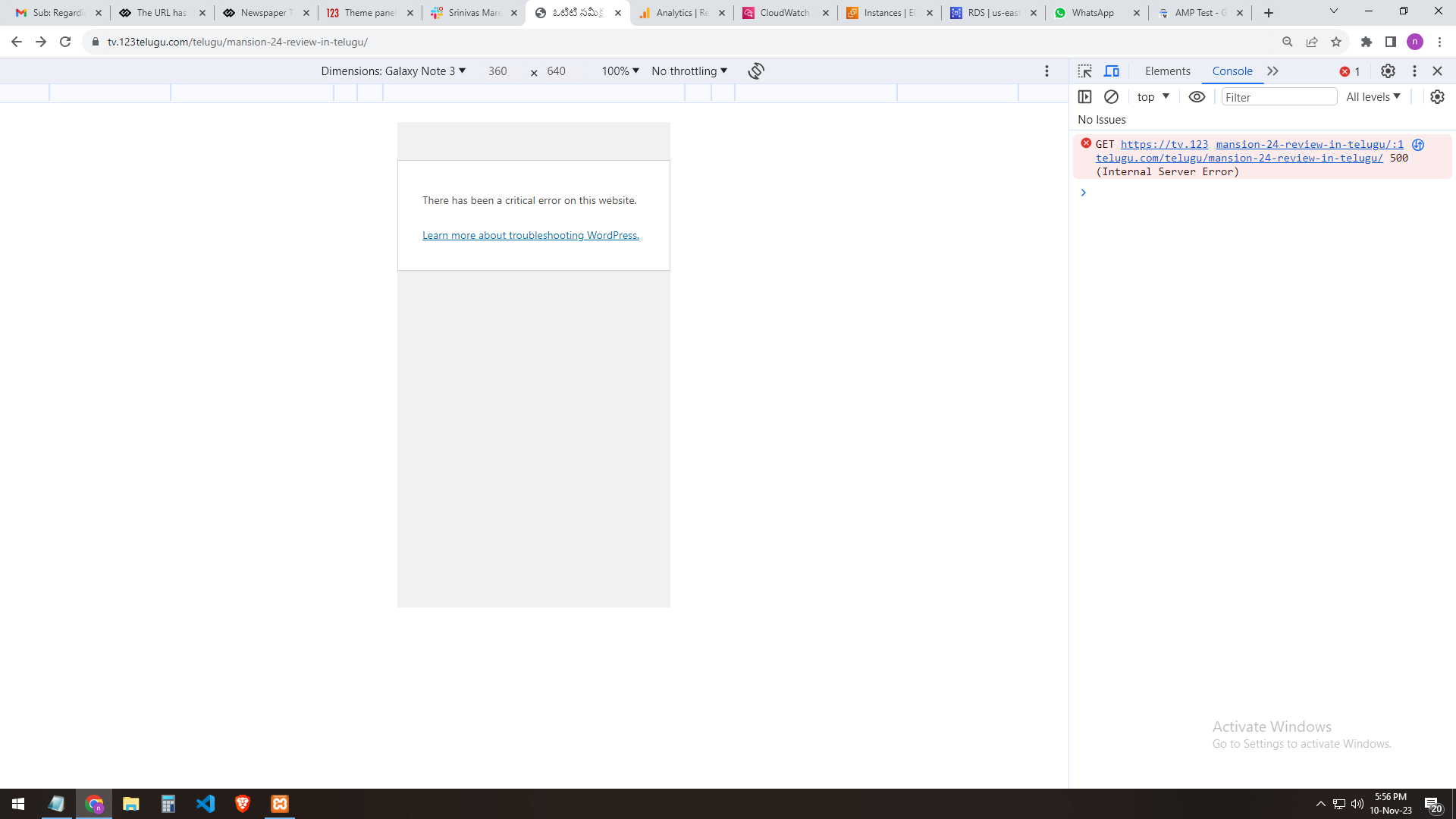
We have implemented AMP for our test website, https://tv.123telugu.com/telugu/, checking the URL with AMP validation, but we are facing a CSS syntax error in the tag
‘style amp-custom’. Please let us know how to sort out this issue.
my problem URLs
——-
https://gallery.123telugu.com/images/theme_test/banu2.png
https://gallery.123telugu.com/images/theme_test/banu3.png
https://gallery.123telugu.com/images/theme_test/banu4.png
https://gallery.123telugu.com/images/theme_test/banu5.png
https://gallery.123telugu.com/images/theme_test/banu6.png
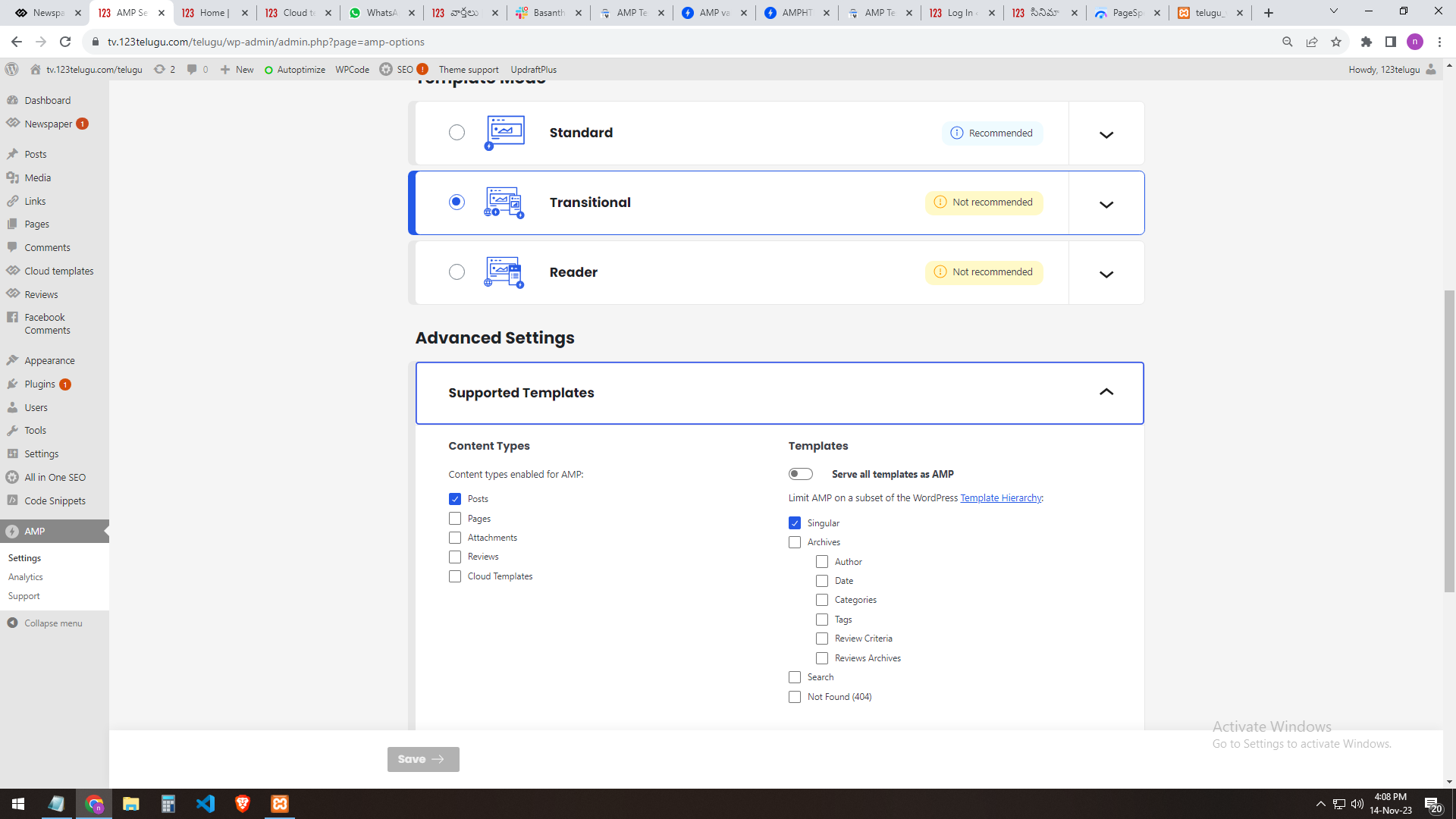
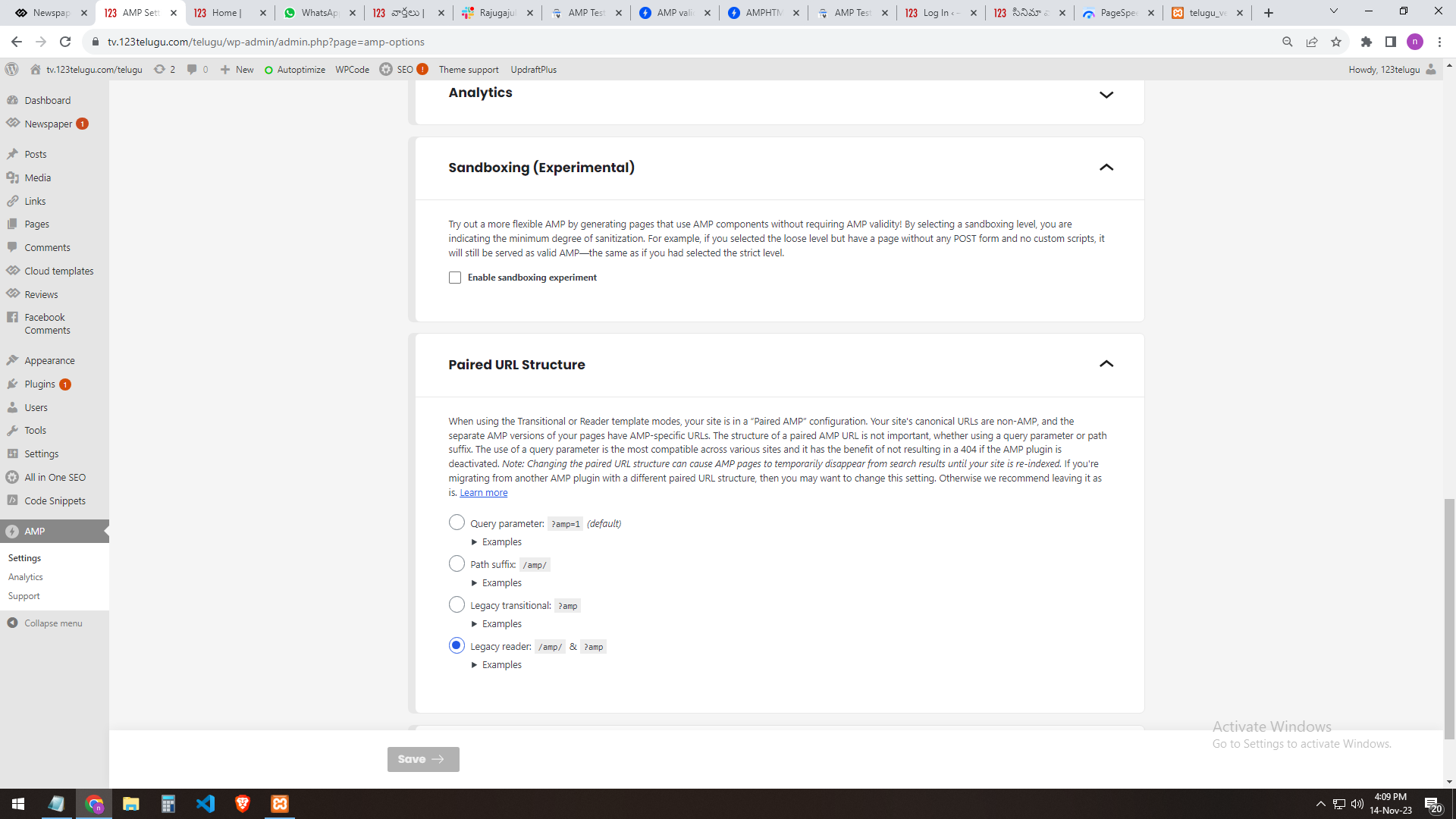
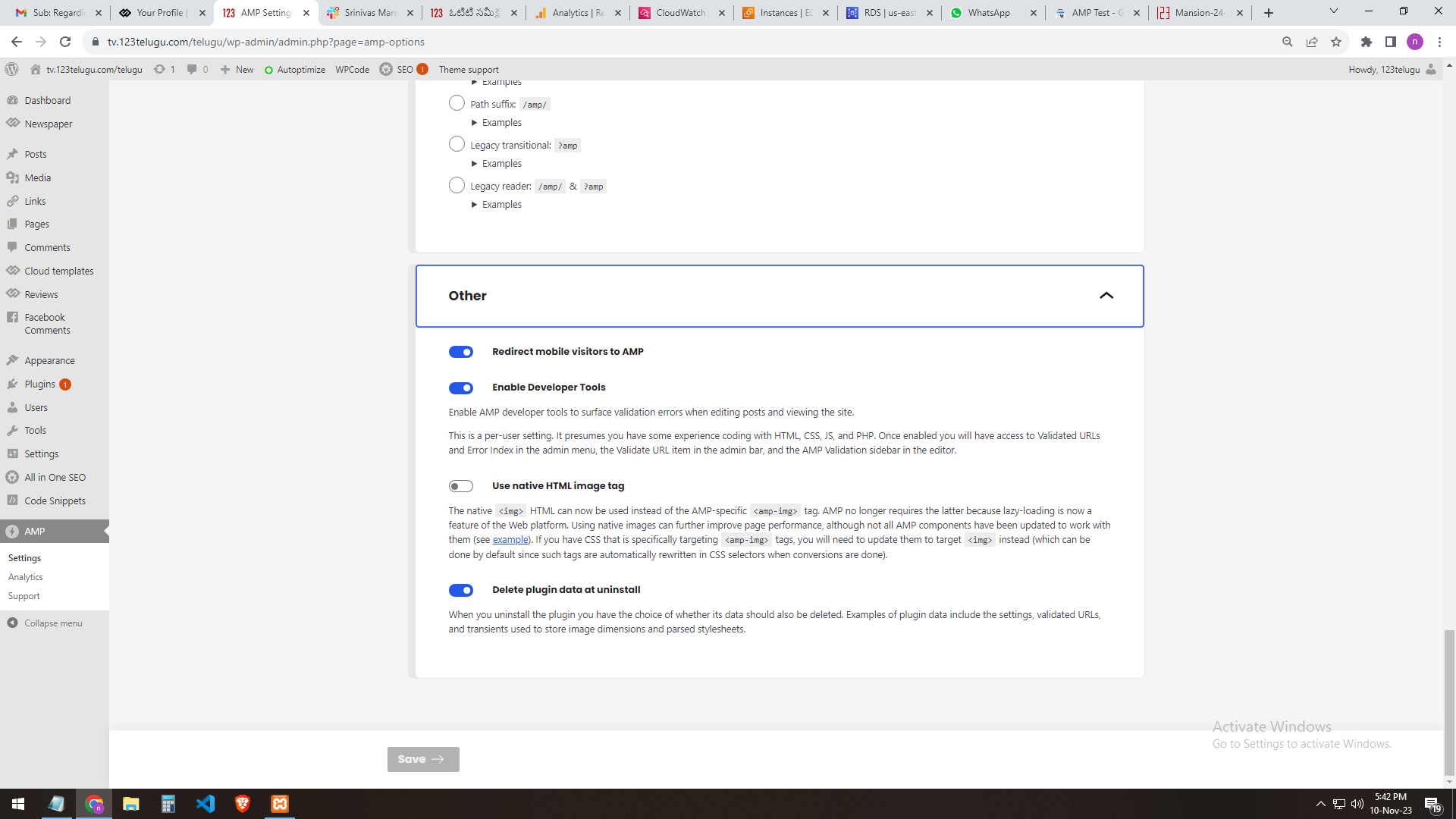
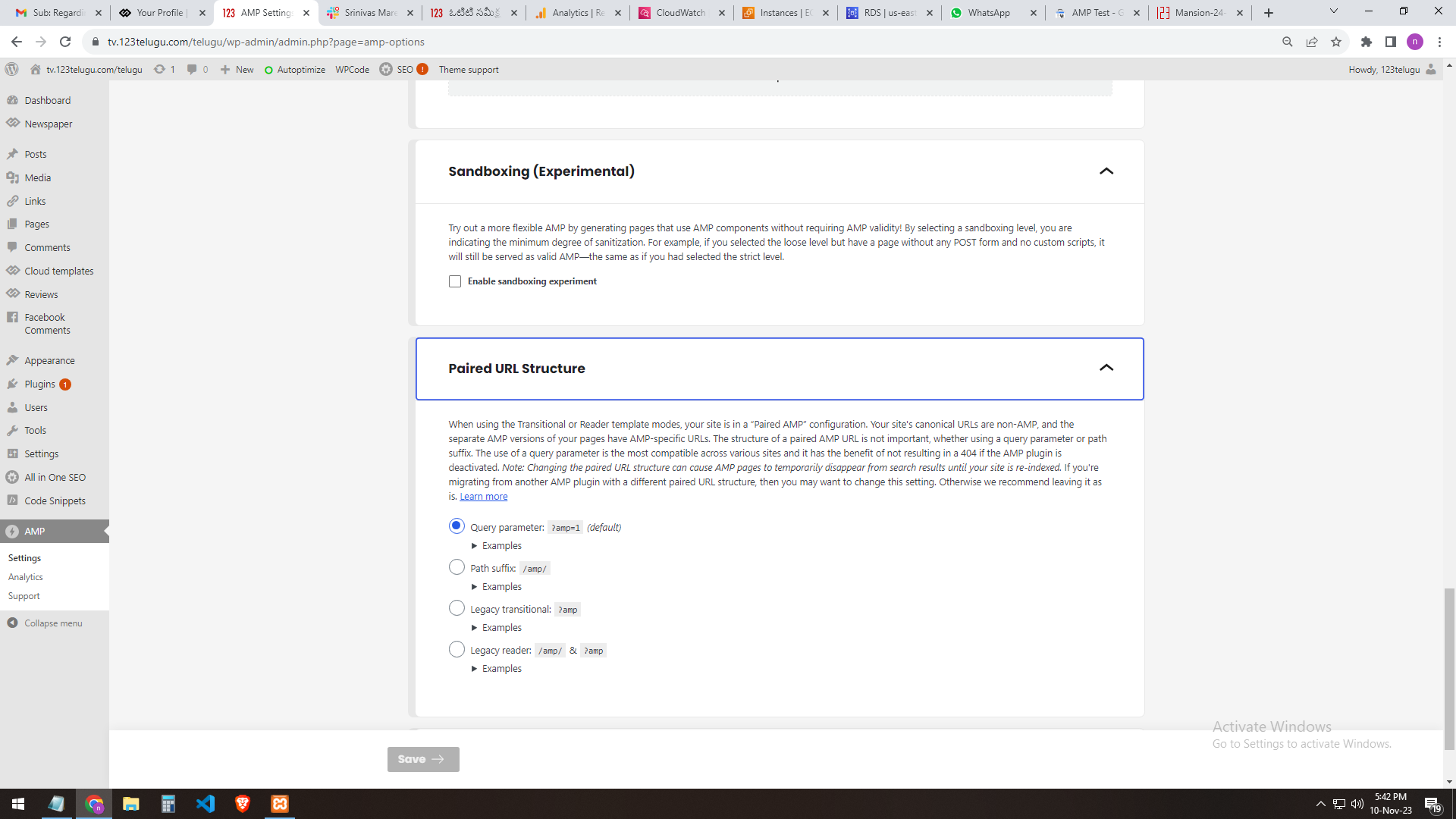
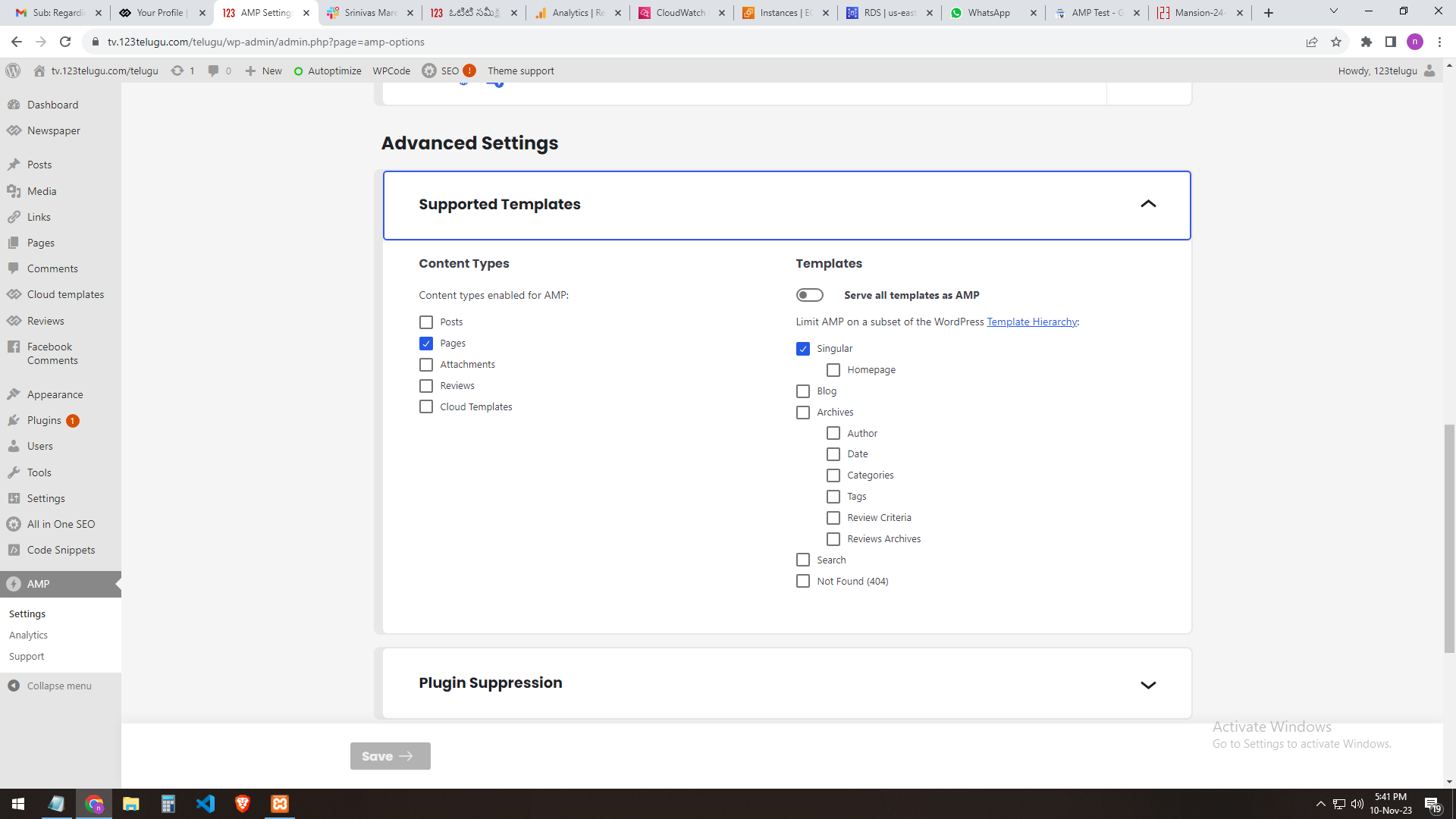
our site AMP settings
———————
https://gallery.123telugu.com/images/theme_test/banu7.png
https://gallery.123telugu.com/images/theme_test/banu8.png
https://gallery.123telugu.com/images/theme_test/banu9.png
https://gallery.123telugu.com/images/theme_test/banu10.png
Thanking you,
Regards,
Narendhar.
nagiRespected Sir/Mam,
I am a developer at Mallemaala Entertainments, located in Hyderabad. We have a few requirements for our movie review website, 123telugu.com. I am hereby mentioning our requirements.
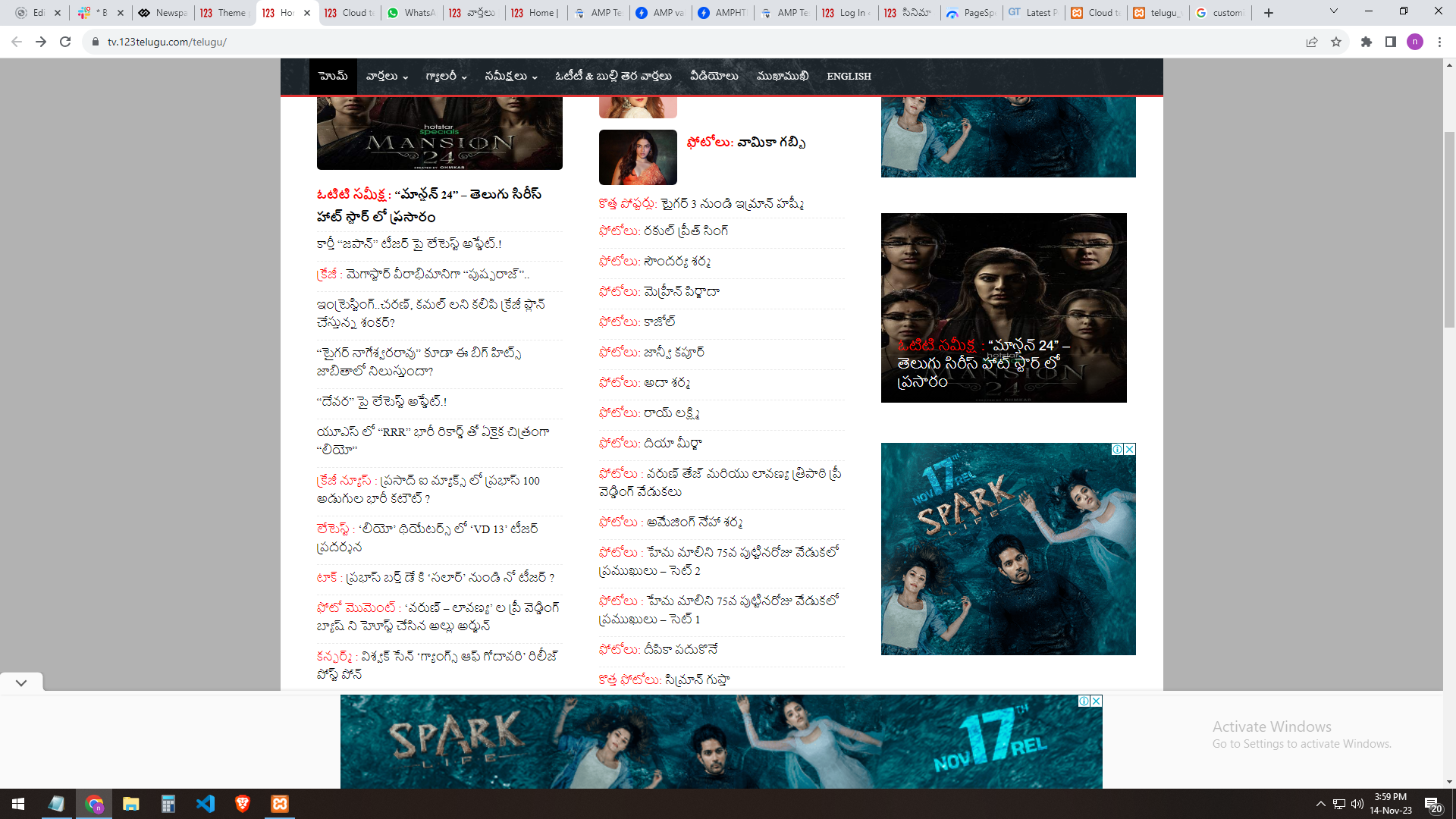
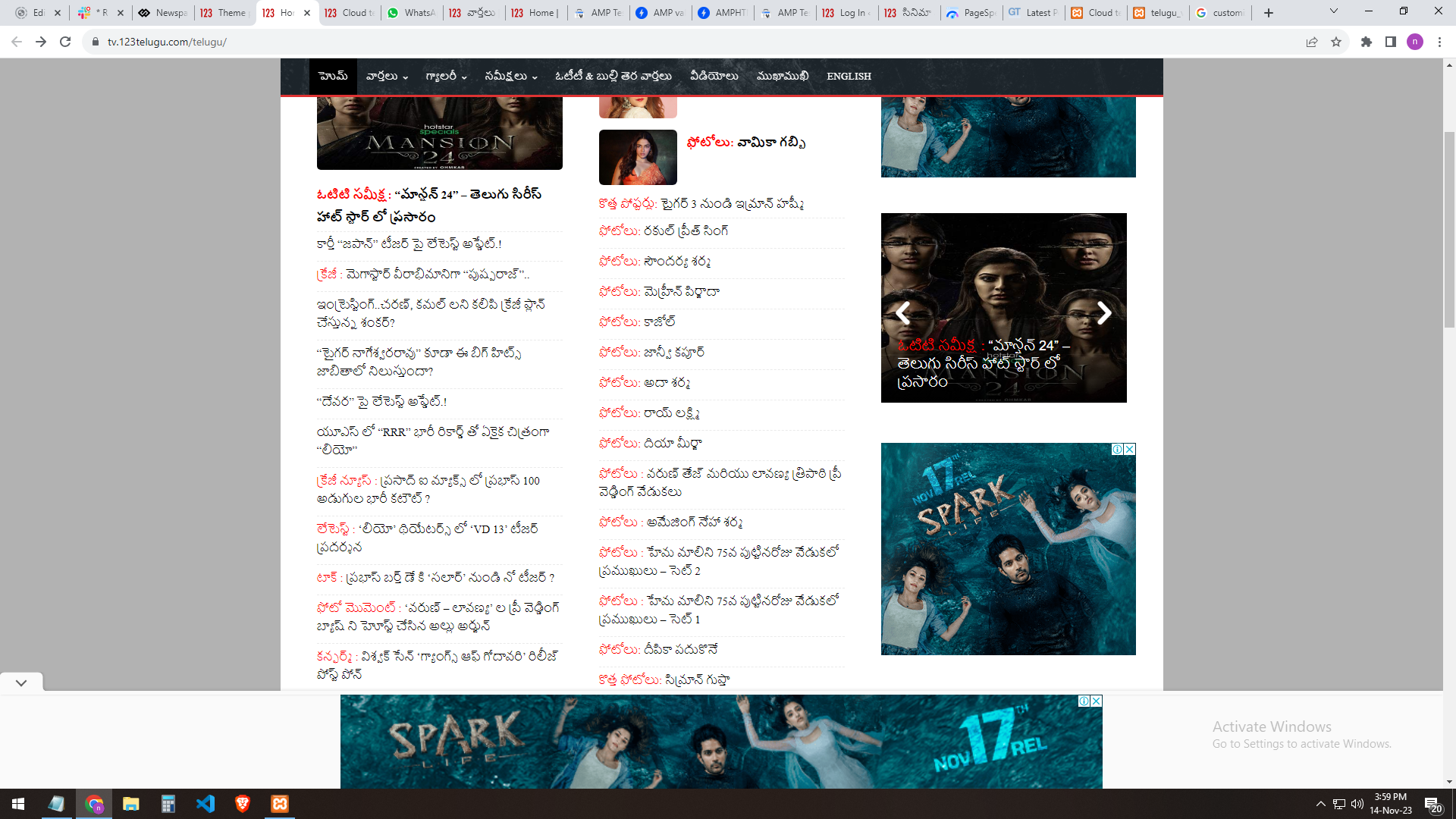
In the Newspaper theme, we are able to see the (slider) icons near the slider only through mouseover. But we want the icons visible even without a mouseover by default.
URL
—–
https://gallery.123telugu.com/images/theme_test/ban.png
https://gallery.123telugu.com/images/theme_test/banu1.png
Thanking you,
Regards,
Narendhar.
 Bezukhof
 This is what SG is telling me:
I reviewed the matter and this particular type of request appears to be an attack to TagDiv Composer’s REST-API functionality. I will provide a breakdown with the requests made to this URL across your sites:
25175 chinchillabreeders.org
11001 mymydiy.com
10123 banneradviser.com
10097 walki-talki.com
9825 bronxnyhealthcare.com
9553 mightypricey.com
5515 thesavvyinsomniac.com
5472 buttersoda.com
5108 nichefacts.com
120 3dprintingpricecheck.com
1 beachrangers.com
Do note that due to the intensity of the requests leads to an overload of the MySQL service, which is why the automatic scaling did not help. I found an article on Sucuri’s site which explains the problem and how to approach it:
 rik77
rik77 Hello Bettina,
thanks for your reply. Yes, I have uploaded the logo via the composer. It is visible there for both standard and retina on the left side, in the composer. But it is not displayed anymore in the preview on the right side (the actual website).
I now removed it on the left side in composer, re-uploaded it and afterwards cleared WP Rocket Cache. But it still remains invisible.
 vexx
vexx It seems it was from the CPT User Reviews block. Solved!
vexxI’ve added a user review section to my product pages and while everything works fine, I cannot add more than 1 review per product. Where can I change this limit? I can’t find it anywhere
nagiRespected Sir/Mam,
I am a developer at Mallemaala Entertainments, located in Hyderabad. We have a few requirements for our movie review website, 123telugu.com. I am hereby mentioning our requirements.
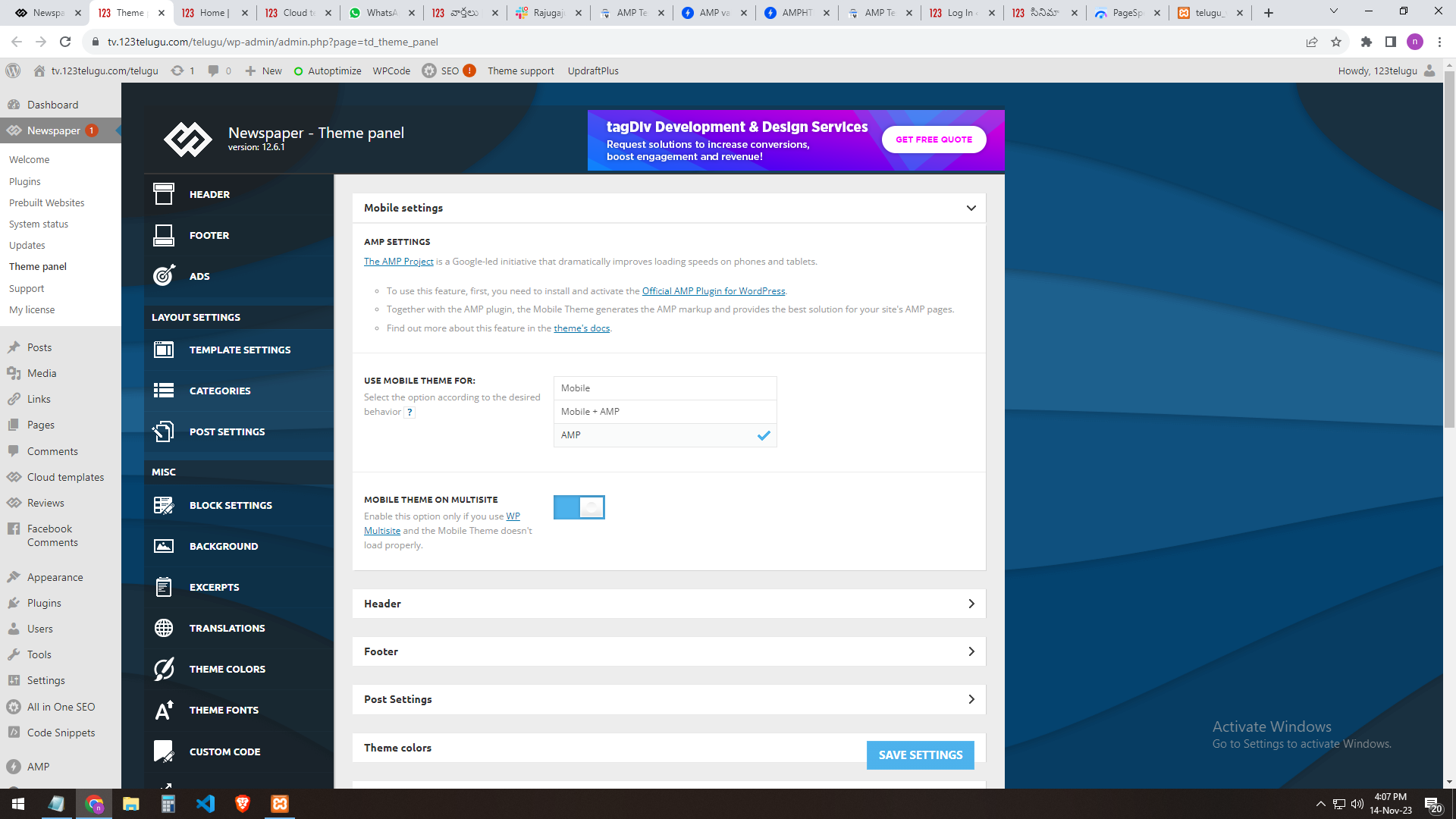
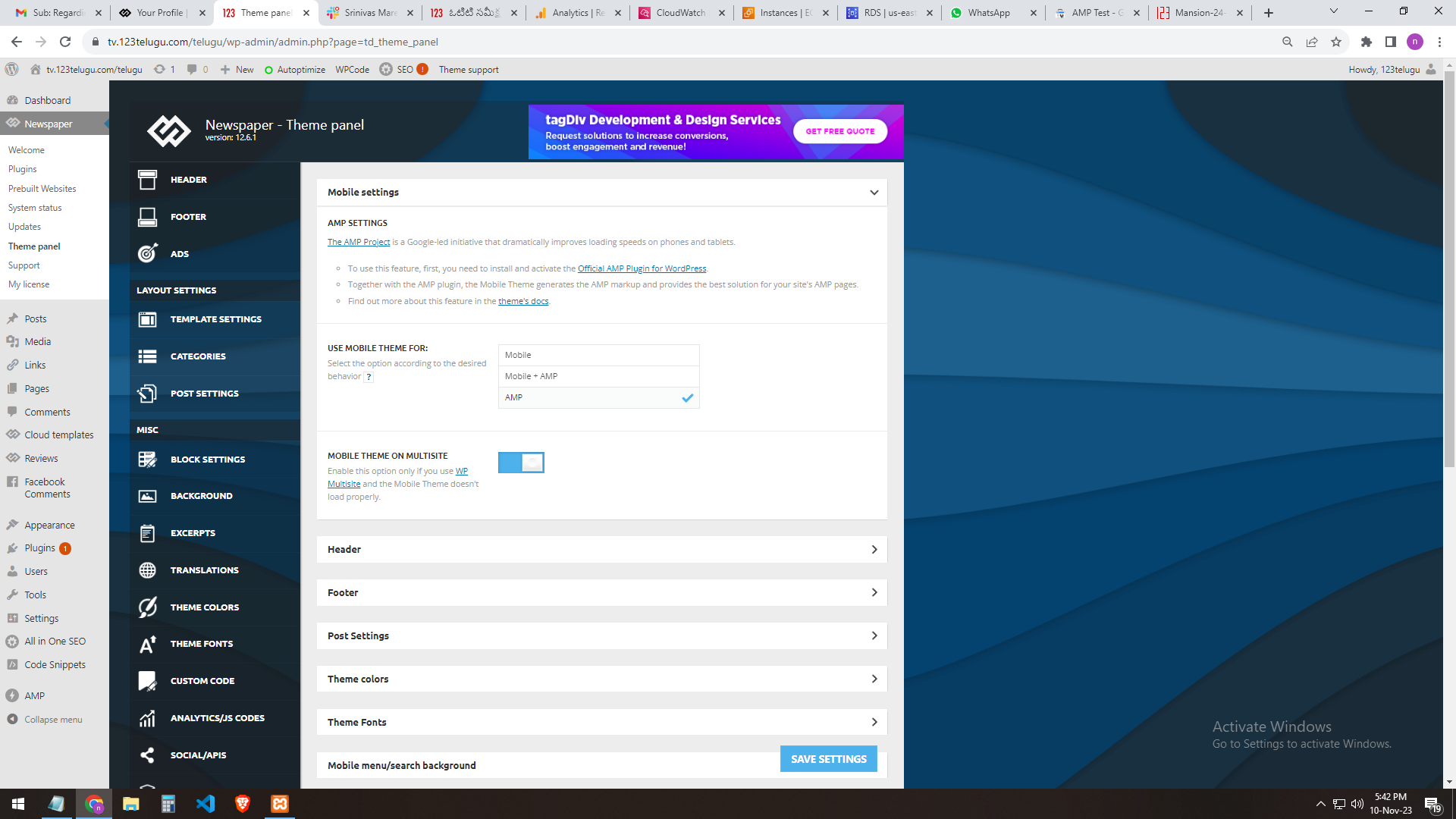
We need AMP validation. We are sending you the AMP changes (screenshots) that we did through the URL. In the mobile settings of the Newspaper theme panel, we are getting the mobile page only when we add AMP.
The plug-ins installed in the theme are the Tagdiv mobile theme and the official AMP for WP.
We installed these two plugins.
We need the best settings for AMP. Please send them step by step clearly.
In our 123telugu.com website, we have an AMP. We wanted to create an AMP with your theme.
my settings ONLY AMP
———
https://gallery.123telugu.com/images/theme_test/image2.png
https://gallery.123telugu.com/images/theme_test/image1.png
https://gallery.123telugu.com/images/theme_test/image3.png
https://gallery.123telugu.com/images/theme_test/image4.png
https://gallery.123telugu.com/images/theme_test/image5.png
my 2nd settings AMP+ MOBILE AFTER error
—————
https://gallery.123telugu.com/images/theme_test/image9.png
https://gallery.123telugu.com/images/theme_test/image10.png
Thanking you,
Regards,
Narendra.
 Archerix
 Just to update that Version: 12.6.2 did not solve that problem, i have posts with more than 10 reviews, and only the last 5 are shown
Anamaria Hello,
Please check the console when you open edit content; if there is an error like this, please go to the Network tab, select the error, and select Preview -> https://i.imgur.com/iiBOHwP.png
Maybe the problem is caused by the server host
I think you will have a 403 or 404 error, so please check this topic -> https://forum.tagdiv.com/topic/wp-editor-for-text-with-title-and-column-text-not-updating-content/ and try the suggestions. Also, please check the cache, clear/purge all cache.
Thank you!
 Brand_Content_NSUS
Website: https://news.ggp-test.com/
Issue: When searching certain terms which are confirmed as being in an article, sometimes the search results returns an empty field which is different than the normal null-result search page.
Image 1: When you search a page that confirmed exists, it displays in the preview. (https://imgur.com/VQCsoWH)
Image 2: When you complete the search, it returns an empty page. The “No Results” is a different format than regular (https://imgur.com/OOIITY2)
Image 3: If you edit the search page while the No Result is on the page, the article will actually display (https://imgur.com/TFSI2ha)
Image 4: A regular null-result shows “No Results” in a small box. (https://imgur.com/3s4Imw5).
We cannot get these articles to appear. Any assistance is appreciated.
 pricelesspassport
Whenever I try to insert a custom html block in my post it won’t save. I’ve tried on multiple posts and different codes and it won’t save. It will show a preview in editor, but when I try to save or update it says “The response is not a valid JSON response.” It’s crucial that I be able to use HTML as I need to display Google adsense ads and affiliate ads. Please help!
 Calin
Calin Hello,
Our theme has 2 type of reviews, the one set buy the author – https://demo.tagdiv.com/newspaper_pro/td-post-cisco-knows-its-routers-are-the-fastest-ever-for-desktop-pcs/ – https://forum.tagdiv.com/reviews-2/ and the one that can be set by visitors – https://forum.tagdiv.com/use-posts-lists-shortcode/ – https://forum.tagdiv.com/user-reviews/
Now to add only the final score (this one-https://i.imgur.com/zGmwgpp.png) you need to add the score in wp_postmeta in td_review_key, for example I have a post with score 5 – https://i.imgur.com/lRbOSYR.png
Thank you!
 masterabbott
 I have been doing final work on the theme before deployment and have realized that I think the tdc_review might be for User Reviews as website reviews appear to only be set as regular articles with a review score attached to the article.
I am not trying to convert our existing reviews into user reviews. I am trying to turn our existing reviews into the type our writers would use the “add new post” function and then add the score to the post. I also need to copy over our old score into that post’s score.
If I do not want to convert these reviews into user reviews, but rather regular reviews posts, do I still use the tdc_review post type or do I change all the old reviews into posts and proceed to copy old score to td_review_key?
 colleym1974
 I created a new post. Selected product review. Added the areas to be reviewed and assigned a score. Then added text. It is not displaying the scores and summary text. https://nrnews.co.uk/news/abc-grub-review-post/
Can support please help resolve this asap as we launch business in just 3 days.
Anamaria Hello,
For the cpts you can’t add the author reviews. You can use the User review to add a review, and after, you can delete the form and leave only the score.
Thank you!
Anamaria Hello,
1. Did you add the elements Single Post Review Overall and Single Post Review Summary in the template?
2. Please provide some screenshots to see what pary category you set. Now, the category displayed is News.
A solution for sending a screenshot/video is this:
Download, capture, and send: https://www.techsmith.com/jing-tool.html
After making the screenshot, you will have a link; paste it here.
Thank you!
colleym1974Hi,
I have two problems
1. When I create a post as a review the bottom section is not displaying the score and summary text.
This is how it should display: https://forum.tagdiv.com/reviews-2/
2. When I create post and select primary category it does not become the primary category as the comment beneath states.
Please check my test post here. You will see missing score and text: https://nrnews.co.uk/news/abc-grub-review-post/
 mkimmo
Hey there,
When creating custom post types, is there any chance to include/enable the author review widget? I can only find the user reviews, which is not what I need 🙁
Thanky you so much!
Anamaria