
- NewsmagHow to update a plugin
- NewsmagHow to update the theme
- NewsmagHow to update the WPBakery plugin
- NewsmagCategory templates
- NewsmagWhat’s included in Newsmag theme package
- NewsmagAjax view count
- NewsmagSmart Lists
- NewsmagFeatured images
- NewsmagFeatured image or video
- NewsmagModal window
- NewsmagtagDiv slider gallery
- NewsmagVideo playlist
 adityacb4u
Hi
Greetings for the day.
I am using Newspaper theme since long time. now after the update I am unable to edit my home page. Please help me in doing so. In detail Visual Composer is not loading to edit my homepage.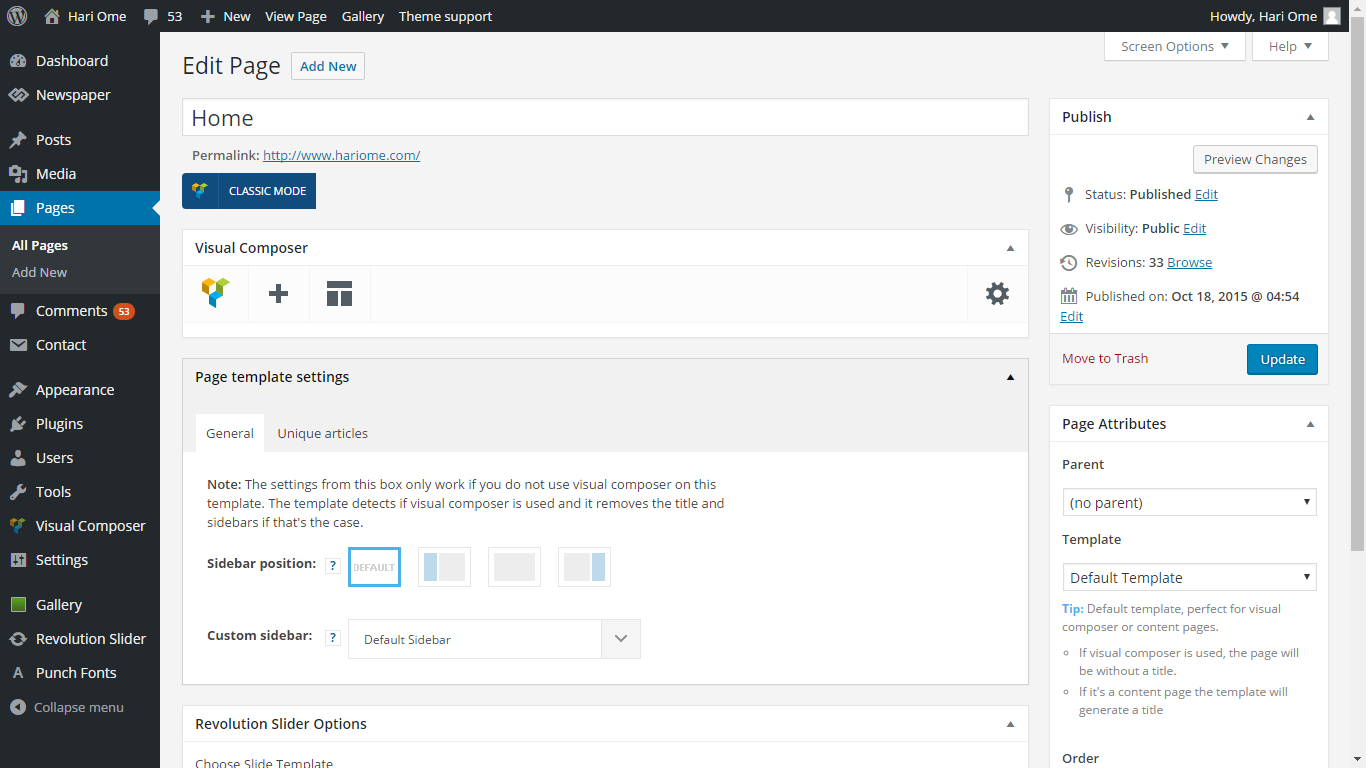
 John
John That’s why I’m not using this ‘Smart list’. I hope to see some major improvements on smart lists in next update.
 ghostmi
Internal site search does not work for me after update
site www.lifestar.it
thanks to those who help me
 drbroemme
Hi,
I have the problem that the featured images, which worked just fine, are not shown since the last update of my site.
Did you change anything in the Theme or what could be the problem?
If you want, you can have a look at the site: http://gartenmoebel-set.org/
Thanks a ton!
 mango123
Is it possible to update the theme without reinstalling the theme?
 ravester
Not how i wanted to spend Sat night, client not happy!
What can I do now??
Thanks Aven
http://www.relocatetoandorra.com/
ravesterNot how i wanted to spend Sat night, client not happy!
What can I do now??
Thanks Aven
 salimnazer
 Update ! Works now after clearing cache although got issues editing some pages.
salimnazer Just updated to Visual Composer V 4.11.2, but same story with chrome. Only works on Firefox.
 rowby
rowby*****************************************************************
UPDATE –I Realized I needed to unzip that file, and indeed I found the correct file to upload to WordPress and it worked fine. Here’s the file that you upload: Newsmag.zip
I do have one question. I see this file in the folder: patch_2.3.5_2.3.6 Do I just upload those files (via ftp, for example) to the server? Or are those files already included in the latest version — which I purchased and downloaded today.
BTW I installed the demo (Tech News demo) and it looks really great. So many features!
Rowby
*********************************
Hello
Just purchased and tried to install themeforest-9512331-newsmag-news-magazine-newspaper.zip
Wordpress Version 4.5
I get this error:
Unpacking the package…
Installing the theme…
The package could not be installed. The theme is missing the style.css stylesheet.
Theme install failed.
Please advise what to do. I need to make this site live ASAP.
Thanks
Rowby
 simchris
 See theme docs right side of page for good starting point 🙂
Try this first:
https://forum.tagdiv.com/newsmag-how-to-update-the-theme/
Hope that helps!
I’m doing updates this morning myself.
-
This reply was modified 10 years by
simchris.
 devkabir
Well, I am seeing lots of users of Newsmag theme have problem of images not showing up. Even our website http://www.kabir.org had the same problem.
I tried the solution as suggested by other developers: Here is the guide on how to update the plugin – https://forum.tagdiv.com/how-to-update-visual-composer-plugin-wpbakery/
This still did not help in my case and I am seeing in other websites case well.
Solution that worked for me:
– I found it’s not cache or some other issue.
– The issue is with jquery script it’s not changing the opacity of images
– Go on style.css in theme folder line no: 23884
– Change the opacity of images from o to 1 in CSS file. (0: hidden; 1:visible).
Problem solved. Images showing up again.
 bahola
 Hi,
I just updated the Newsmag to the latest version and also updated the visual composer plugin. WordPress running is 4.5.
The Big Grid does not work now.
 Syambarkah
Hi,
First of all I use a plugin that allows me to open commenting on page.
I updated newsmag and visual composer and found “no comment” words began to show up (again) at the bottom of page.
can anyone help? Here’s the situation http://www.screencast.com/t/afmh6AWsf55X
thanks all
 Castle Yen
 Hello
I want to update the theme by envato toolkit but after I follow the steps in documentation, the “theme” tab did not show up like the last step in instruction:https://forum.tagdiv.com/how-to-update-the-theme-2/
My screenshot is:http://i.imgur.com/edTo1sO.png
My visual composer is not working now, so I want to update this theme as soon as possible.
Please help 🙂
Castle Yen Hello
I want to update the theme by envato toolkit but after I follow the steps in documentation, the “theme” tab did not show up like the last step in instruction:https://forum.tagdiv.com/how-to-update-the-theme-2/
My screenshot is:http://i.imgur.com/edTo1sO.png
My visual composer is not working now, so I want to update this theme as soon as possible.
Please help 🙂
 Berbi
Berbi I can’t find the updates on my download sections, did I pass the “free update peridod” if I purchased the theme on 13 th November 2015 ?
If so, can you provide me with the link to renew my status ?
 shootmanagement
After updating both wordpress to 4.5 and the theme, the side bar no longer displays for posts.
The widgets that were there appeared in Footer 2 area.
Moving them back to the side bar had no effect. They will still not display.
 Maui No Ka Oi Magazine
I did the latest theme update this week and I also updated WordPress. I also updated Visual Composer. I refreshed cache numerous times since updating.
Two Problems:
1) Masonry galleries are not showing – example page where masonry gallery is in the code but not showing on page: http://mauimagazine.net/maui-photos/
2) I created new posts today, and some are not showing the sidebar, even though they should based on the category of the post. I have double and triple-checked the settings are correct in the Theme Panel and I can’t figure out why some new posts are getting a sidebar, and some are not. I have them correctly categoried by primary category and they should get a sidebar, but they are not.
Here are examples of posts I made today (backdated because it’s old archive content from our magazine):
These have sidebar, correct: http://mauimagazine.net/culinary-jaunt-lanai, http://mauimagazine.net/choosing-solar-contractor,http://mauimagazine.net/down-and-dirty, http://mauimagazine.net/deep-wisdom
These lack sidebar, incorrect: http://mauimagazine.net/exploring-aloha, http://mauimagazine.net/publishers-note-march-2012, http://mauimagazine.net/going-bananas
Cannot tell any difference as to why some are getting the sidebars, and some are not.
Can you help with these issues?
Thank you.
 StockFanatic
Hi,
My website : http://singaporestockmarketnews.com/, i noticed its facebook count stopped at 3,400 when it is supposedly to show 3,410 as at 0943 singapore timing.
I noticed that the count has stopped since yesterday or so.
Anyway, i was informed by theme forest that there is a new update available for newspaper 6. May i know what are the updates?
Last but not least, how do i update them?
Hear from you soon. Thank you.
Regards,
Stock Fanatic
 bobbymc
 NEVERMIND! I updated the plugin
All good. THANKS
bobbymc Looks like same problem with recent update of Newspaper on my other site.
http://brandinginasia.com/wp-content/uploads/2016/04/Screen-Shot-2016-04-16-at-10.27.56-AM.jpg
bobbymcSince I updated to the new version of the theme, can’t seem to get Visual Composer to work.
That little ball just keeps spinning saying it is loading but never expands to show the layout.
http://brandinginasia.com/wp-content/uploads/2016/04/Screen-Shot-2016-04-16-at-10.20.02-AM-1.jpg
 shootmanagement
So many people ask how to stop related videos showing after their youtube videos have played. Then time and time again you post the solution: ‘?enablejsapi=1&feature=oembed&wmode=opaque&vq=hd720&rel=0’
Why can you not modify that file in all future updates? I don’t know why anyone would want to show related video from other people.
Just a suggestion, but it might save a lot of people a bit of time.



