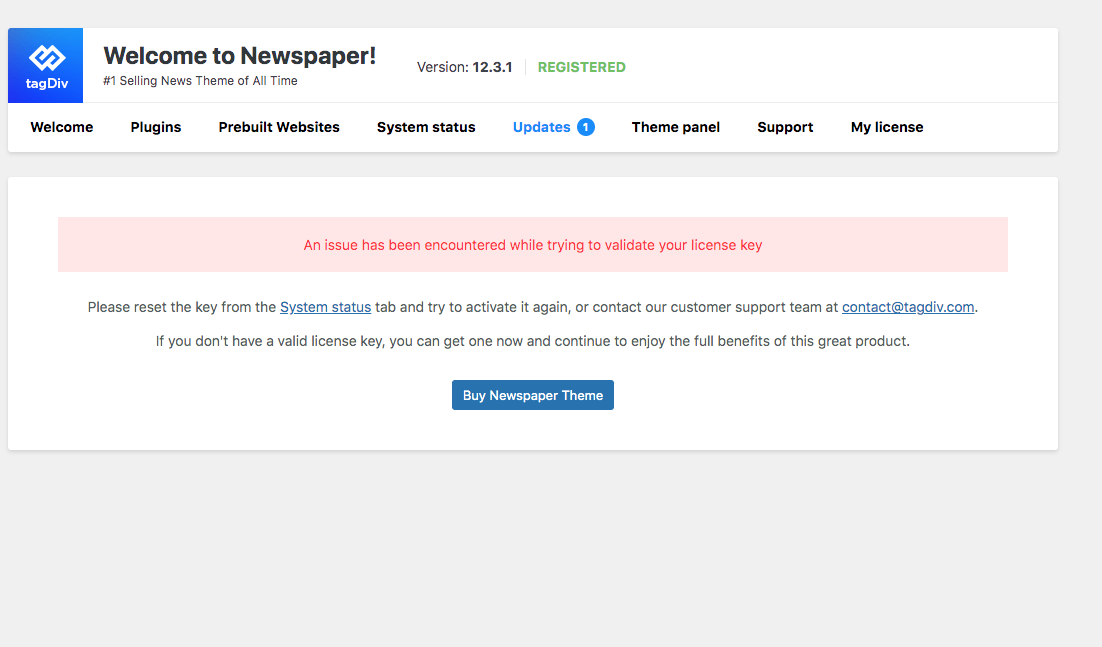
- Apitd_api_top_bar_template::update_key
- Apitd_api_top_bar_template::update
- Apitd_api_single_template::update_key
- Apitd_api_single_template::update
- Apitd_api_footer_template::update_key
- Apitd_api_footer_template::update
- Apitd_api_smart_list::update_key
- Apitd_api_smart_list::update
- Apitd_api_thumb::update_key
- Apitd_api_thumb::update
- Apitd_api_category_top_posts_style::update_key
- Apitd_api_category_top_posts_style::update
- Apitd_api_category_template::update_key
- Apitd_api_category_template::update
- Apitd_api_module::update_key
- Apitd_api_module::update
- Apitd_api_block::update_key
- Apitd_api_block::update
- Apitd_api_header_style::update_key
- Apitd_api_header_style::update
 tfin
tfinHi, I just do not understand why the update is introduced when it crashes a working website in 2023.
 Arielgb
 Hello. Thanks, we were able to reset the settings. But we need this not to happen in every update since the site is broken for hours and we are a news site.
How do we make this not happen again in each update since in the last two it happened to us that it appears as unregistered and unconfigured?
 zhangleji
 I installed the 12.4 update and went to module builder and it was empty. When I clicked ‘import(+)’, there was only Blank Module available. Nothing to import. Please tell me how to import the current module (i.e., Doctoc Pro Module) and modify.
Another question is how to apply the new module after I create one. I created a blank module to test but didn’t see it when I edited Flex Loop. There were still the previous modules (Doctor Pro module, Module 1 and 2) and no place to import the new module.
Basically my goal is to make some changes to Doctor Pro Module: show the location taxonomy; change the price sign to a language sign and show language taxonomy. These taxonomies were created with a new CPT ‘vendors’ so I think that’s why they didn’t show up in the doctor pro module. https://snipboard.io/BfJjAo.jpg
 salam
salamHello,
I reset my licenze but I can’t update the theme for this error.
Do you help me please?
https://i.postimg.cc/mkyNSGLQ/Schermata-2023-05-19-alle-18-36-27.png
 LilyUK
Hello
I need a little help – It’s years since I updated my website and I can’t remember how to do anything!
I just tried to change my logo (the header image) and it’s showing up far smaller than it actually is. The actual image is 1200 x 330 which is exactly the same as the old image.
So, can someone please direct me to where in the theme panal I go to upload the correct large size header? The only place I could find was :-
Theme Panel > Header > Logo and Favicon
But this just shows as a small size so I think I’m in the wrong place
PS – I don’t seem to have this ‘TagDiv’ that I keep seeing referenced every time I google to find a solution. I just have the theme panel.
Website URL https://www.leahwhitehorse.com/
Thank you
 kriss97150
 Hi,
Here is the link to the videos : http://www.islandofsintmaarten.com/videos/
Also, since in updated the theme this week, the compatibility with AMP doesn’t work anymore.
Regards
 gqjesus
 I think there was a theme update that made this happen.
 Bettina
 Hello @dlicoppe !
Strange! Make sure that your theme and plugins are up to date.
Please check the changes here: https://tagdiv.com/newspaper-theme-12-4-update-is-live/
Thank you!
 dlicoppe
 When we want to access the details of the update, we receive an error: https://share.cleanshot.com/qshDwxLT
What changes does the update include?
 Calin
Calin Hello,
The problem is that you are using an old theme version that is not compatible with the php version you selected (8.1).
As I see the problem, there are 2 options:
– you can use the current theme version, but use only php 7.4
– update the theme to the last version, Newspaper v12.4 – https://forum.tagdiv.com/how-to-update-the-theme-2/
Thank you!
 danna
dannaThanks for the great Update. I found the new Gallery Option in the backend in Gutenberg after the subtitle. It says: “Add images which could be used to display a gallery on a post.” Where can i see this Gallery? I added some pictures but don’t see any gallery 🙂
All the best,
Daniel
 DocDigit
  Calin
Calin Hi,
I did several checks, and indeed it seems that using only amp or amp with the mobile theme, although the element of breadcrumbs appears on the page, is not in the scheme. Unfortunately, for the moment, this situation can only be corrected with an SEO plugin, because this element is not added either by amp or by the mobile theme plugin.
We would add to our list of suggestions to add a breadcrumbs scheme from the mobile theme plugin when it is used with amp, I hope that our developers will take this suggestion into consideration for the next update.
Thank you for your understanding!
 Micha
Micha @Anamaria Thanks for the explanation, after a few hours it worked and I have to say great update, the flex builder is awesome.
 Montelent
 I have updated the theme manually. Please is it safe to uninstall the theme, delete and reinstall again? Because I’m trying to Troubleshoot a problem in my site?
 AnaPicado
Hello after installing the 12.4 update we have an issue with the main page https://mifamiliaviajera.com . We have a mobile main page, it´s designed with tagdiv composer, it is marked as current mobile page, but we see in our phone the desktop version of the page. We clear the cache and the problem still remains.
Kind regards
Ana Picado
 africanresearcher
Hi Everyone,
Can someone help direct me on how to edit the telephone number on the TopBar of the Newspaper 12 magazine?
However, I could edit it in the Themes panel when it was Newspaper 8 and 10. On updating to Newspaper 12, I could not find a way to edit it using the Theme Panel.
Can someone please help?
Thanks a million in advance.
Screenshot: https://paste.pics/d60fd1c8b1ef02d070994ca777ffaaa8
Website: https://www.africanresearchers.org
 Anamaria
 Hi,
I wanted to take a moment to extend my heartfelt thanks for your feedback regarding our recent update. Your kind words and appreciation mean a lot to us, and I’m thrilled to hear that you consider this update to be the best one yet.
Thank you once again for your support and trust in our team. We look forward to serving you and exceeding your expectations in the future.
Anamaria Hello,
Please make sure that you have the plugin installed and activated.
In the worst cases, the settings in the theme panel may be lost (there have been isolated cases), in these cases, after the theme plugins that were previously used are activated, you will have to use a backup for the theme panel -> https://forum.tagdiv.com/import-export-theme-settings/
I recommend that you update the theme,if possible disable extra plugins during the theme update to avoid any problems that may arise and make sure that you have activated the tagDiv Standard pack plugin to keep the website’s look. You can try to update the theme on a staging website.
After you update the theme, you need to update the theme plugins too.
Thank you!
 Prateek
Hi,
This is the best update till date. You guys took flexibility and scalability to another level. The module builder is a game changer, Job Hunt demo is literally world class, multiple taxonomy is finally implemented and the modals now lazy load, the bookmarks, list menu, and what not.
Thanks a lot guys. Thanks for doing all this for a fraction of the cost.
Cheers to the entire team. Convey my regards to all.
Good day.
 theheritagelab
 Hi @ImSoCute
I don’t know if it helps you, but I used the add-on from EventOn to add events front-end. Here’s a look at it and it works fine… I used the shortcode from EventOn and added it to Column Content in TagDiv.
Happy to help / share our settings; but it could be a different plugin conflict as it works perfectly for us (and even with the latest theme update).
All the best and hope this is sorted for you soon!
 chip303
 With the last Theme-Update the Event-On-Calendar will work well.
Thanks for your help with WP-Rocket.
Thomas
ArielgbIn the last two updates this happened to me: the license was disconnected and I had to reload the API KEY.
But not only this, the page was totally unconfigured and the Theme configuration was deleted.
How can I prevent this from happening?
 miguel_dimase
 I’ve just installed the live update and it crashed the site: the Newspaper plugins were unistalled as well as the prebuilt website and I could not log in because I was asked to register the theme (in short: the update seems to have completely stepped on the previous install, including the license).
I’ve restored my last backup succesfully but now I’m afraid to try again.
-
This reply was modified 3 years by
miguel_dimase.
Bettina Hello!
This is the new version of the theme: https://prnt.sc/-zrTsKMuTW6Z -> https://tagdiv.com/newspaper-theme-12-4-update-is-live/
Check for updates in Newspaper -> Updates.
We will take in consideration your query!
Thank you!