
- Apitd_api_top_bar_template::update_key
- Apitd_api_top_bar_template::update
- Apitd_api_single_template::update_key
- Apitd_api_single_template::update
- Apitd_api_footer_template::update_key
- Apitd_api_footer_template::update
- Apitd_api_smart_list::update_key
- Apitd_api_smart_list::update
- Apitd_api_thumb::update_key
- Apitd_api_thumb::update
- Apitd_api_category_top_posts_style::update_key
- Apitd_api_category_top_posts_style::update
- Apitd_api_category_template::update_key
- Apitd_api_category_template::update
- Apitd_api_module::update_key
- Apitd_api_module::update
- Apitd_api_block::update_key
- Apitd_api_block::update
- Apitd_api_header_style::update_key
- Apitd_api_header_style::update
 Bettina
 Hello Paolo!
For every update, we always recommend the following:
-> First of all, please make sure you have a backup.
-> Please deactivate all the non-tested plugins with our theme before updating.
-> Update WordPress, PHP, the theme, and plugins to the latest version: https://forum.tagdiv.com/how-to-update-the-theme-2/.
-> Check all these requirements for the theme: https://forum.tagdiv.com/requirements-for-newspaper/
Thank you!
 abirahemmed
Hello everyone,
I hope you’re all doing well.
I’m facing an issue with the time display on the domain header bar. I was able to add time and seconds, but it only updates when I refresh the page or reopen the browser. What I need is for the seconds to update in real time, continuously, without having to reload the page. Could anyone help me ensure that the seconds are updated automatically while staying on the homepage? Example 
Thank you!
 cpope
cpopeI am login, click edit with tagdiv, make change click save content- just spins.
 bikedirection
Hi,
with latest WordPress update (and previous versions from 6.6.x) my blog gives 404 and you can only login in the backend in recovery mode.
When logged in it says there is this issue: “Error: This theme did not load correctly and has been suspended within the admin backend.”
What should I do?
Thanks
Paolo
 Anamaria
 Hi,
For issues with the NewsPaper theme and page indexation errors in Google Search Console, here are a few recommendations:
Check the robots.txt file: Ensure your robots.txt isn’t blocking critical pages from being indexed. Use the “URL Inspection” tool in Google Search Console to verify if pages are blocked.
Review Sitemaps: Ensure that your sitemap is submitted correctly and accessible by Google. It’s a good practice to manually submit it through Google Search Console after any significant site updates.
Fix Crawl Errors: Look for any specific crawl errors in Google Search Console. Pages with 404 errors, server errors (5xx), or soft 404s can prevent proper indexation.
Update the Theme: Ensure that your NewsPaper theme is up to date, as outdated themes might have bugs or compatibility issues that affect SEO. Also, check if any plugins or custom code interfere with indexation.
Structured Data Errors: If your pages have schema markup (rich snippets), ensure that it is implemented correctly. Incorrect schema data can lead to indexing issues or poor SEO performance.
Page Speed Optimization: Slow-loading pages can impact indexation. Use tools like Google PageSpeed Insights to check if slow page speeds are an issue and optimize your website for performance.
Check for Duplicate Content: Ensure your site isn’t producing duplicate content or thin content, as this can negatively impact Google’s ability to index your pages properly.
Mobile Usability: Google’s index is mobile-first, so ensure that your theme and website are fully optimized for mobile devices. Fix any mobile usability issues reported in Search Console.
Thank you!
 krzysztof-em
 Thank you for your support. Ultimately, it turned out that the cause of the problems was not related to the theme update. The problem with saving the page was caused by exceeded disk quota.
 brue
brueHi,
since this morning i have problem with Newspaper theme and namely composer plugin.
In one moment, after not installing anything or updating, i was just searching site database in Participants Database plugin, i received white screen of death but only on admin dashboard (it works normal for visitors).
I have renamed plugins folder, which resulted in restored access to admin dashboard. So i have changed name of plugins folder to plugins.old, formed new one and started checking plugin by plugin. On very start, as soon as i reinstalled Composer, alone in plugins folder, white screen of death comes back. This didn’t happen to any other plugin.
Then i noticed that in Newspaper part of dashboard if i start installing of plugins, i m getting Ajax error.
I ve turned on debug and these messages i m getting first for Newspaper dashboard and second for white screen of death after i put Composer manually and activate it.
Fast Start Your Website
Warning: ftp_fget(): Failed to open file. in /var/www/html/public_html/wp-admin/includes/class-wp-filesystem-ftpext.php on line 146 Warning: ftp_fget(): Failed to open file. in /var/www/html/public_html/wp-admin/includes/class-wp-filesystem-ftpext.php on line 146
1. Install or Update the required Newspaper plugins
Install premium plugins
Install the included plugins with ease. All the plugins are well-tested to work with the theme and we keep them up to date. The theme comes packed with the following premium plugins:
Fatal error: Uncaught TypeError: ftp_fget(): Argument #1 ($ftp) must be of type FTP\Connection, null given in /var/www/html/public_html/wp-admin/includes/class-wp-filesystem-ftpext.php:146 Stack trace: #0 /var/www/html/public_html/wp-admin/includes/class-wp-filesystem-ftpext.php(146): ftp_fget(NULL, Resource id #264, ‘/var/www/html/p…’, 2) #1 /var/www/html/public_html/wp-content/themes/Newspaper/includes/wp-booster/wp-admin/tagdiv-view-theme-plugins.php(125): WP_Filesystem_FTPext->get_contents(‘/var/www/html/p…’) #2 /var/www/html/public_html/wp-content/themes/Newspaper/includes/wp-booster/tagdiv-wp-booster-functions.php(499): require_once(‘/var/www/html/p…’) #3 /var/www/html/public_html/wp-includes/class-wp-hook.php(324): {closure}(”) #4 /var/www/html/public_html/wp-includes/class-wp-hook.php(348): WP_Hook->apply_filters(”, Array) #5 /var/www/html/public_html/wp-includes/plugin.php(517): WP_Hook->do_action(Array) #6 /var/www/html/public_html/wp-admin/admin.php(259): do_action(‘newspaper_page_…’) #7 {main} thrown in /var/www/html/public_html/wp-admin/includes/class-wp-filesystem-ftpext.php on line 146
There has been a critical error on this website. Please check your site admin email inbox for instructions.
And this one for white screen of death:
Fatal error: Uncaught TypeError: ftp_fget(): Argument #1 ($ftp) must be of type FTP\Connection, null given in /var/www/html/public_html/wp-admin/includes/class-wp-filesystem-ftpext.php:146 Stack trace: #0 /var/www/html/public_html/wp-admin/includes/class-wp-filesystem-ftpext.php(146): ftp_fget(NULL, Resource id #64, ‘/var/www/html/p…’, 2) #1 /var/www/html/public_html/wp-content/themes/Newspaper/includes/wp-booster/wp-admin/plugins/class-tagdiv-theme-plugins-setup.php(356): WP_Filesystem_FTPext->get_contents(‘/var/www/html/p…’) #2 /var/www/html/public_html/wp-content/themes/Newspaper/includes/wp-booster/wp-admin/plugins/class-tgm-plugin-activation.php(1977): tagdiv_theme_plugins_setup->theme_plugin_has_update(‘td-composer’) #3 /var/www/html/public_html/wp-content/themes/Newspaper/includes/wp-booster/wp-admin/plugins/class-tgm-plugin-activation.php(1836): TGM_Plugin_Activation->does_plugin_have_update(‘td-composer’) #4 /var/www/html/public_html/wp-content/themes/Newspaper/includes/wp-booster/wp-admin/plugins/class-tgm-plugin-activation.php(422): TGM_Plugin_Activation->is_tgmpa_complete() #5 /var/www/html/public_html/wp-includes/class-wp-hook.php(324): TGM_Plugin_Activation->init(”) #6 /var/www/html/public_html/wp-includes/class-wp-hook.php(348): WP_Hook->apply_filters(NULL, Array) #7 /var/www/html/public_html/wp-includes/plugin.php(517): WP_Hook->do_action(Array) #8 /var/www/html/public_html/wp-settings.php(700): do_action(‘init’) #9 /var/www/html/public_html/wp-config.php(121): require_once(‘/var/www/html/p…’) #10 /var/www/html/public_html/wp-load.php(50): require_once(‘/var/www/html/p…’) #11 /var/www/html/public_html/wp-admin/admin.php(34): require_once(‘/var/www/html/p…’) #12 /var/www/html/public_html/wp-admin/plugins.php(10): require_once(‘/var/www/html/p…’) #13 {main} thrown in /var/www/html/public_html/wp-admin/includes/class-wp-filesystem-ftpext.php on line 146
There has been a critical error on this website. Please check your site admin email inbox for instructions.
Do you have ideas whats going on and help me, please?
 Zulfiqar
 http://www.matrixmag.com.
Previously was working fine after the theme update these issues came.
 shazza
I am having issue with my editor.
In this article https://www.globalhealingexchange.com/5-questions-to-ask-your-doctor-about-stem-cell-injections/ the last link I had to edit in code to open in a new window as my editor did not give me the option to do it like it usually does.
My hosting support site said, ‘I took a look on error logs but there are no errors there that could point to any conflicts. The themes and plugins were updated recently so they could be conflicting with newer versions but not causing errors. In that case, the options are deactivating plugins one-by-one to check which one is conflicting, or contacting the theme support. The theme support knows how that interacts on their code, and may have insight of what can conflict and cause the issue”.
Zulfiqar I am talking about getting post views previously it was good but after the update the views gradually decreased and come to 0.
Zulfiqar After the update ui is all jumbled as seen in the screenshot.
In the first circle, there was a rounded pic of the author along with the name but now it’s just showing the name.
2nd circle there were no social media sharing icons.
3rd circle on the right sidebar goes missing after the update.
4th and last circle there was no like button.
Bettina Hello!
I can’t replicate the issue on the latest update of the theme 12.6.7.
Please update the PHP and WordPress version. Delete extra plugins that you use, even the cache plugins and try again.
If you can’t handle it, then I can try to help you. Please contact us via email at contact@tagdiv.com and provide the following:
– admin url and credentials
– cPanel url and credentials
– a link to this topic in order to identify you
Thank you!
krzysztof-emHi,
recently I updated the theme and plugins to the current version.
I am now unable to save the content of one of the pages using TagDiv Composer. I get an error: “Invalid data Current state has involved an issue. You could try an UNDO operation (CTRL+Z / CTRL+SHIFT+Z)”. The page contains Icon Box elements. I can save other pages that do not contain this type of elements without any problems.
WordPress 6.4.5, Newspaper 12.6.7, installed and active plugins: tagDiv Composer, tagDiv Cloud Library, tagDiv Social Counter, tagDiv Standard Pack
ZulfiqarHi there, after the latest update to the Newspaper theme post view count decreased and now it’s 0. Not showing any views to my blogs, articles. Also after the update my website settings and UI have been changed.
 hellio
Hi! I think was a update of the theme or the plugin td composer, because my posts page on wordpress is “broke”.
You can see here, with tagdiv composer activate: 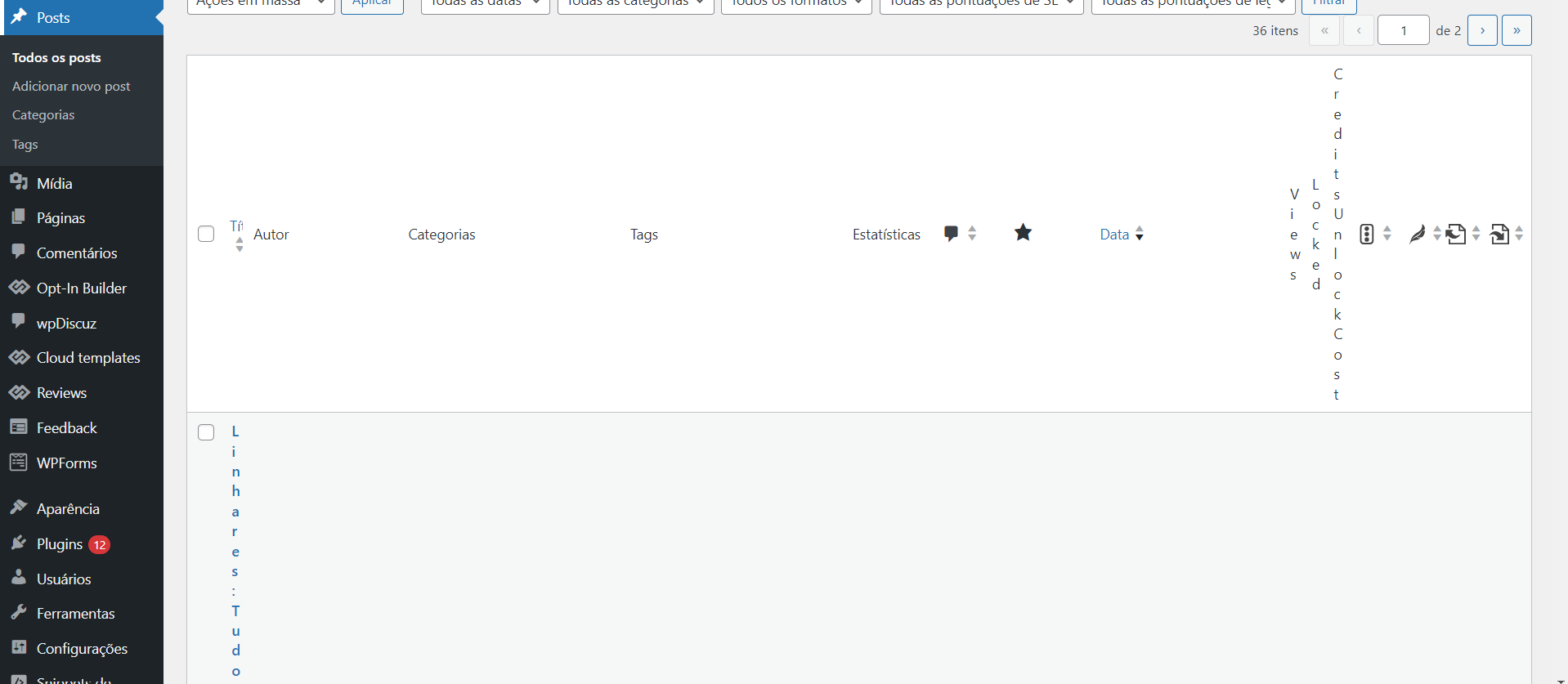
And here, with the plug in disable: 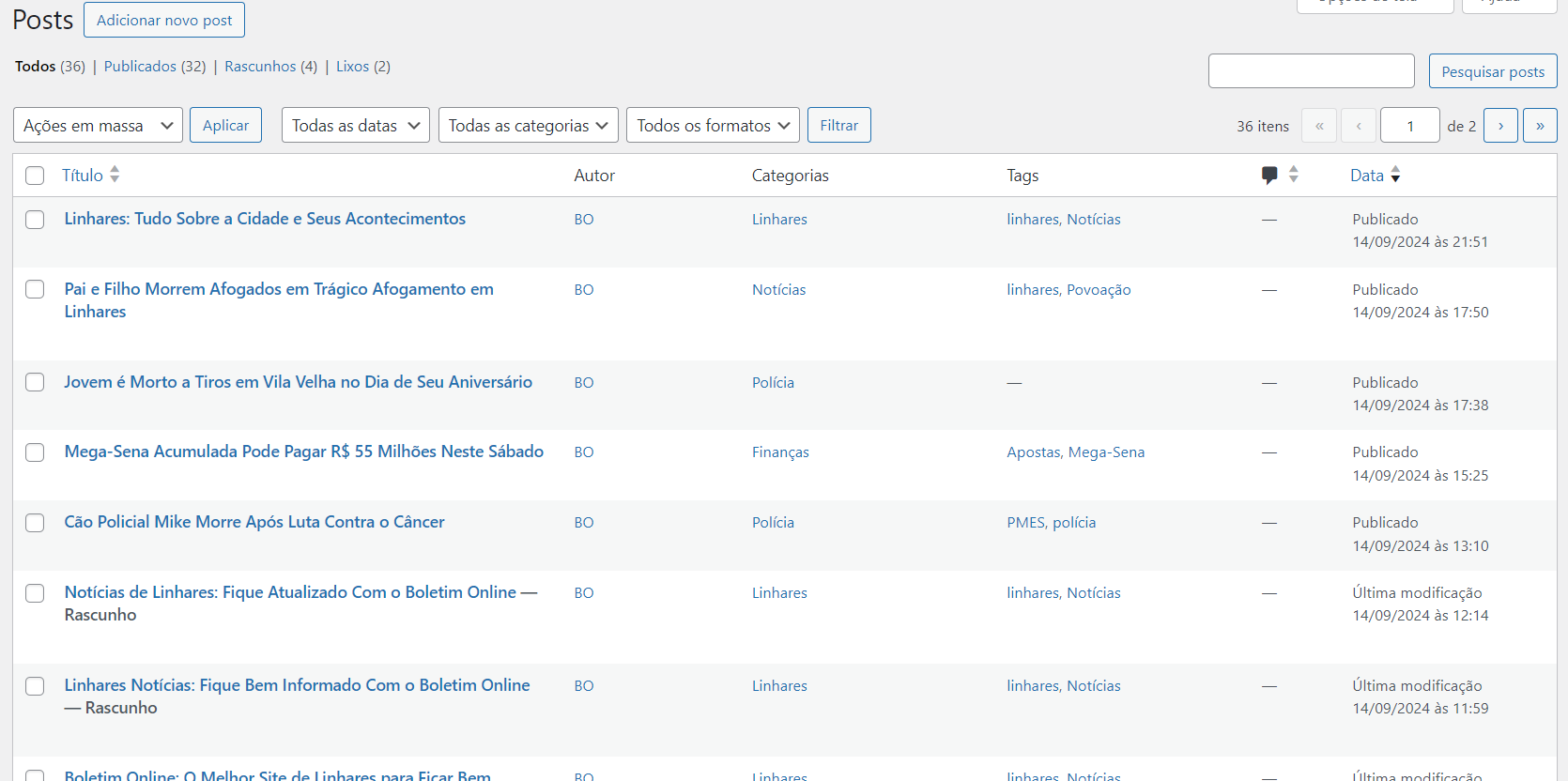
What can I do?
 simchris
 need to update install activate td composer
 nshcjobs
I just installed your latest theme update, then my site broke this is what I see when I go to my fronpage
lX21heF93aWR0aCI6MTE0MCwibGFuZHNjYXBlX21pbl93aWR0aCI6MTAxOSwicG9ydHJhaXQiOnsibWFyZ2luLXJpZ2h0IjoiMzIiLCJkaXNwbGF5IjoiIn0sInBvcnRyYWl0X21heF93aWR0aCI6MTAxOCwicG9ydHJhaXRfbWluX3dpZHRoIjo3Njh9″ media_size_image_height=”99″ media_size_image_width=”300″ image=”316″ image_retina=”321″][tdb_header_menu main_sub_tdicon=”td-icon-down” sub_tdicon=”td-icon-right-arrow” mm_align_horiz=”content-horiz-center” modules_on_row_regular=”20%” modules_on_row_cats=”25%” image_size=”td_324x400″ modules_category=”image” show_excerpt=”none” show_com=”none” show_date=”none” show_author=”none” mm_sub_align_horiz=”content-horiz-right” mm_elem_align_horiz=”content-horiz-right” menu_id=”19″ elem_padd=”0″ elem_space=”eyJhbGwiOiI0MiIsImxhbmRzY2FwZSI6IjM3IiwicG9ydHJhaXQiOiIzMiJ9″ f_elem_font_transform=”none” f_elem_font_family=”394″ tds_menu_active1-line_width=”0″ f_elem_font_weight=”700″ f_elem_font_size=”eyJhbGwiOiIxNSIsImxhbmRzY2FwZSI6IjE0IiwicG9ydHJhaXQiOiIxMyJ9″ tds_menu_active1-text_color_h=”var(–real-estate-black)” text_color=”var(–real-estate-black-transparent)” f_elem_font_line_height=”1.4″]
Please help
simchris If it were me, I’d probably overwrite the theme and tagdiv composer with updated copy of the Newspaper theme, and do it via FTP not zip upload.
Sorry – not sure how that is happening. Would drive me nuts too 🙂
 kevinstolz
 Hi where do I find this tagDiv Standard Pack plugin?
I don’t have that plugin since the last update.
Thanks
Kevin
Anamaria Hello,
Normally, issues like this shouldn’t occur, but I’m not sure what might have been installed there. You might have the auto-update option enabled for the theme and plugins from your host, because our theme does not have an option to update automatically; it only updates when you choose to do so.
Thank you!
 Emigrants.life
 Hello.
Thank you very much for your reply.
Of course I restored the site via backup, but for me it is still not normal that the site can change its appearance without any of my actions. How to avoid this. I purposely don’t update the site as it also caused design problems last time.
Anamaria Hello,
Please let me know if you installed the plugins after update, like tagdiv Composer, tagdiv Cloud Library and so on.
Thank you!
 muktipolice
Calin~~~
I found 25 errors on Google Search Console. To get rid of this, I updated the site map as my friend told me. It still doesn’t go away. Why does this happen, and is there a way to get rid of it? It bothers me
Anamaria Hi,
Did you uninstall the prebuilt website? Did you make some changes or updates to the theme and plugins?
Do you have a backup to restore it?
Thank you!
 Yohanndev83
 To continue this thread, here’s how I managed to achieve what I wanted.
In my custom module, I added an element of the “Column Title” type from the “Multipurpose shortcode” category, and in the title, I placed “foobar”.
Then, in the plugin file td-composer : td_multi-purpose/shortcodes/tdm_block_title_simplified.php,
I modified line 56 with the variable $buffy.
If I detect the title “foobar”, then I use do_shortcode() and call my function to add a dynamic element.
This works on the front-end, no regression, BUT it remains unstable when editing in the back-office. I will need to add a condition: if back-office, do not load do_shortcode(). Nothing difficult, but not urgent for me.
The code is well-documented, and for future updates, I’ll just need to be careful.
