

 Edward
 Theme without untested plugins do not create any files with name “tmp…” images in media library.
List of tested and recommended plugins to use with the Theme:
WP Super Cache – caching plugin
Contact form 7 – used to make contact forms
bbPress – forum plugin
BuddyPress – social network plugin
Font Awesome 4 Menus – icon pack, supported in the theme menus
Jetpack – plugin with lots of features *it may slow down your site
WooCommerce – eCommerce solution
WordPress (Yoast) SEO – SEO plugin
Wp User Avatar – Change users avatars
WPML – multilingual plugin
Disable all of the untested plugins and try again.
Edward Hello Catalin!
Same problem I see on demo site: https://demo.tagdiv.com/newspaper_crypto/td-post-ethereum-millionaires-attract-attention-from-regulators/amp/
In different browsers (for destops, OS Windows 10 – if it is important):

P.S. Guys who are watching this topic, this AMP page is also displayed as in my screenshot?
Thank you!
-
This reply was modified 8 years by
Edward.
Edward Hi Catalin!
Page (http://handmade39.ru/2017/12/21/cool-newyear-gifts/amp/) I watched on my desktop computer in my browser (Chrome, Firefox – newest versions). If this problem does not occur on tablets, then everything is OK.
Thank you!
Edward One more thing: Featured image must be (IMHO) aligned to center of the page in AMP.
Example:

Edward Check the following options from here -> https://www.screencast.com/t/SzitilMDWynl
Edward Also read this section A. Update the theme via FTP:
Edward You should update the theme via FTP way because this is the surest method in this case, according to developers documentation from here -> https://forum.tagdiv.com/install-via-ftp/
Edward https://forum.tagdiv.com/topic/author-card-not-working/#post-202836
Check the settings in Yoast SEO and the author archives:
Edward Edward https://forum.tagdiv.com/topic/whats-new-on-8-7-1/#post-218712
There were some urgent fixes made to the composer and the theme, the composer is now version 2.1. If you are currently experiencing issues you can download the latest theme package and install it. There should not be anymore issues.
Edward Set Featured image for every post.
Edward Perfect! Thanks!
Edward Hi Simion!
This code I put as a test (example):
<?php echo 'Hello World!'; ?>

In the second screenshot, I just pointed out where the text (“Hello World!”) should be displayed.
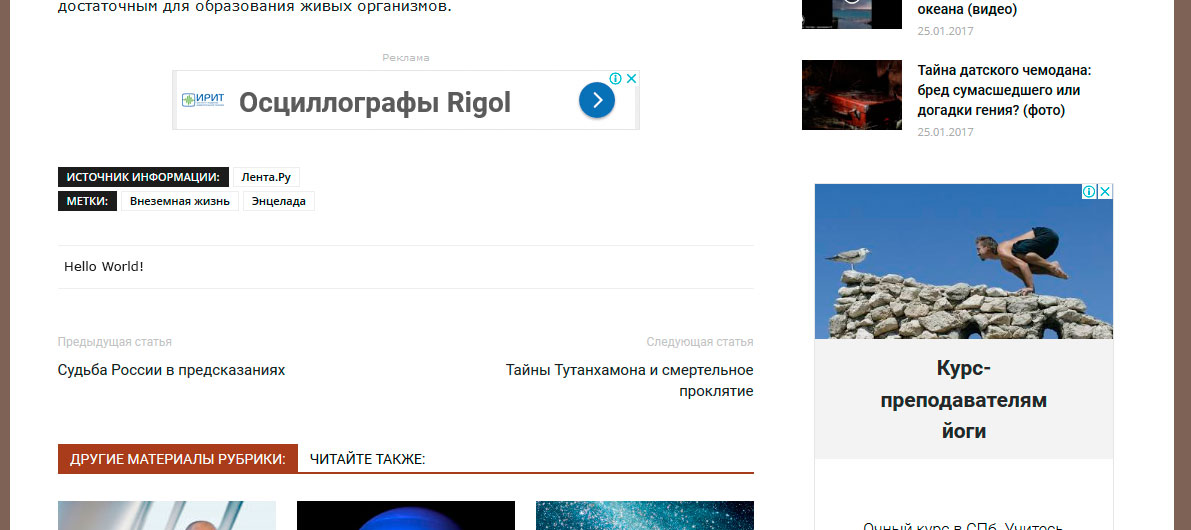
But it doesn’t work, please CHECK it.
The text contained in the code is NOT displayed.
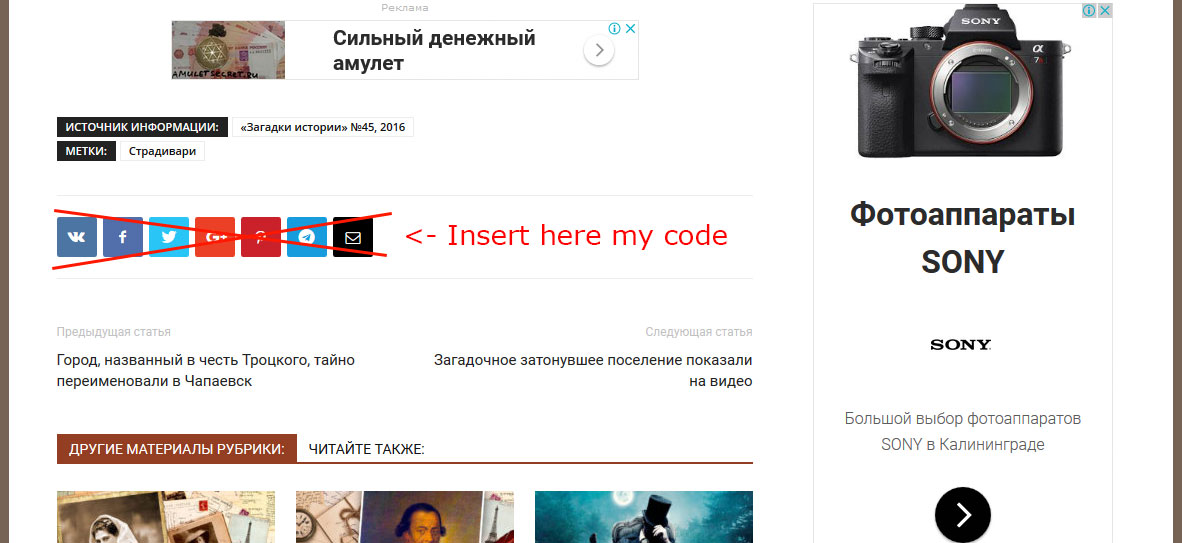
Instead of “Hello world!” I plan to insert my own output code of social media sharing buttons.
Edward Please help me to have this phrase:
<?php echo 'Hello World!'; ?>
displayed on this place:
Edward Hi!
In “td_module_single.php” has changed the format of sharing buttons.
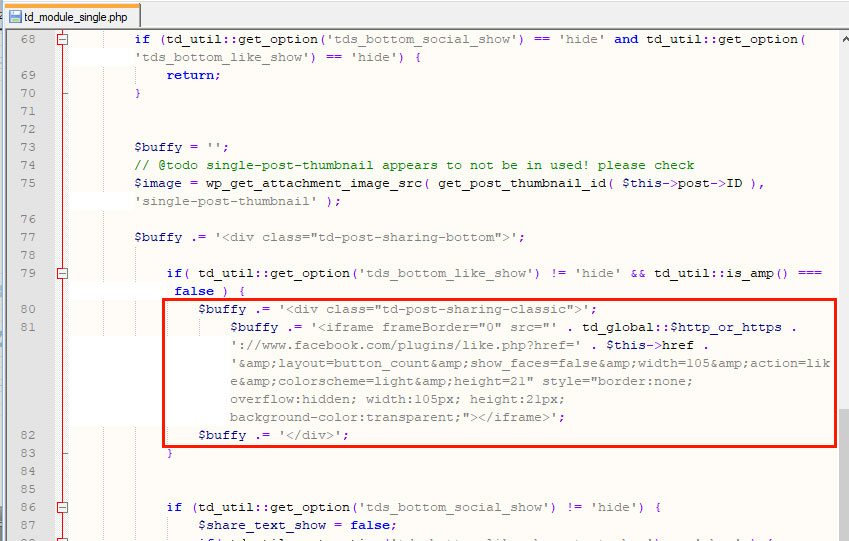
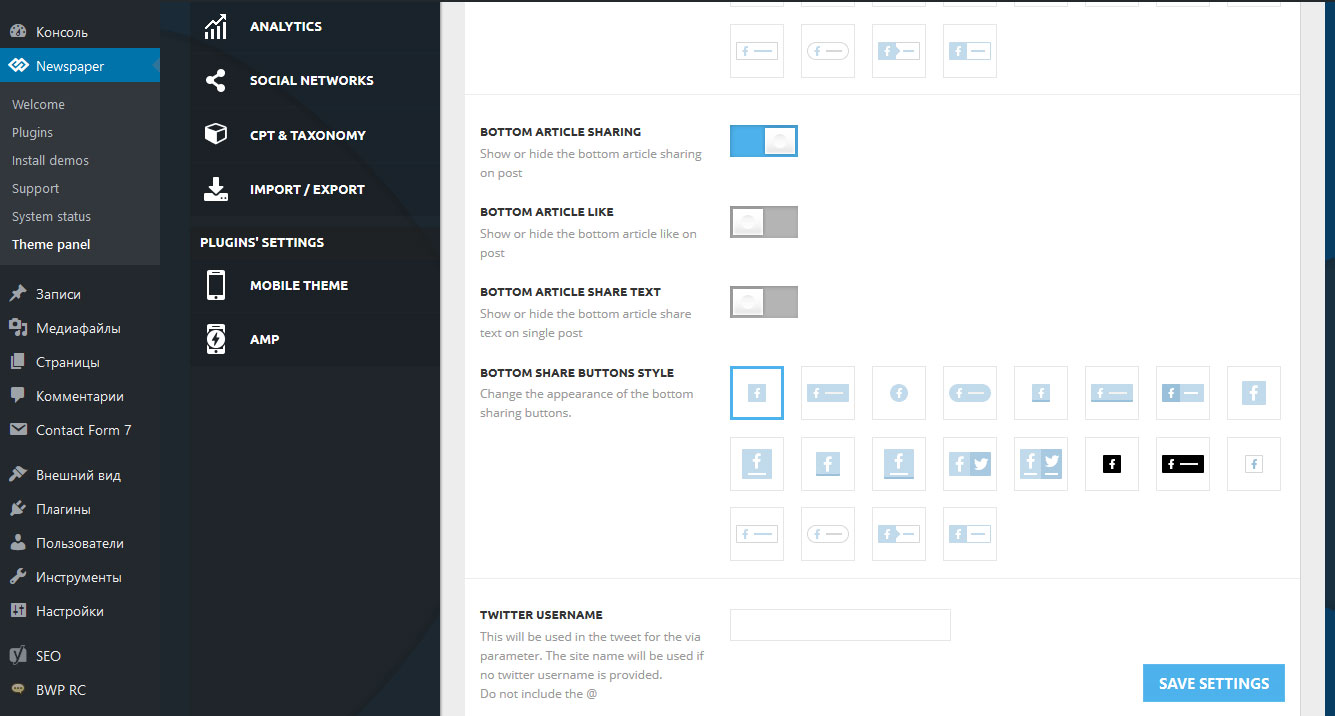
Dear developers I want to replace your code at the bottom of the article to my own. How to do it?
Thanks!
Edward Thanks Chris as always the full answer.
I’ll use both.
Edward Yes, update.
Edward  Edward
 You should update the theme via FTP way because this is the surest method in this case, according to our documentation from here -> https://forum.tagdiv.com/install-via-ftp/
Edward Read this documentation carefully to learn more about the Theme from installation and technical requirements to the description of each module and page setup: https://forum.tagdiv.com/newspaper-theme-documentation/
Edward do not publish here your private data!!!
Edward Установите плагин Yoast SEO.
И в его настройках выставьте:

Edward  Edward
 @dariosipos
> Please can you tell me how to hide this counters as on pictures:
> https://drive.google.com/open?id=1wXMfapCYwlMtMKLhftvAYSJii9SjhKWR
Disable Show Comment Count:
Edward 