

 Edward
 > How do I change the site width?
This is impossible.
Please note that the theme width overall cannot be changed. It should not be attempted by custom code. The theme has a fixed width, and all the elements used are dependent on this fact. Modifying the width will most likely break the website.
https://forum.tagdiv.com/topic/some-questions-6/#post-198154
https://forum.tagdiv.com/topic/how-to-make-website-full-width-on-desktop/
Edward Enter it in Theme panel -> Custom code -> Custom CSS.
Edward Edward This is your modifications.
Disable child theme.
Edward This HTML-code for example:
<a href="https://demo.tagdiv.com/newspaper/" target="_blank"><img alt="" src="https://demo.tagdiv.com/newspaper/wp-content/uploads/2017/04/newspaper-rec300.jpg" /></a>
where:
https://demo.tagdiv.com/newspaper/ – is your “McDonald website” 🙂
https://demo.tagdiv.com/newspaper/wp-content/uploads/2017/04/newspaper-rec300.jpg – is your “McDonald logo” 🙂
Live example:

Edward It is impossible for featured image to use external link.
Edward > Loaded the translation and tried to save
Make sure you increase your memory allocation like so: https://forum.tagdiv.com/system-status-parameters-guide/
> Where to put the API key?
Edward Edward This is not a problem of theme.
Edward https://forum.tagdiv.com/general-settings/
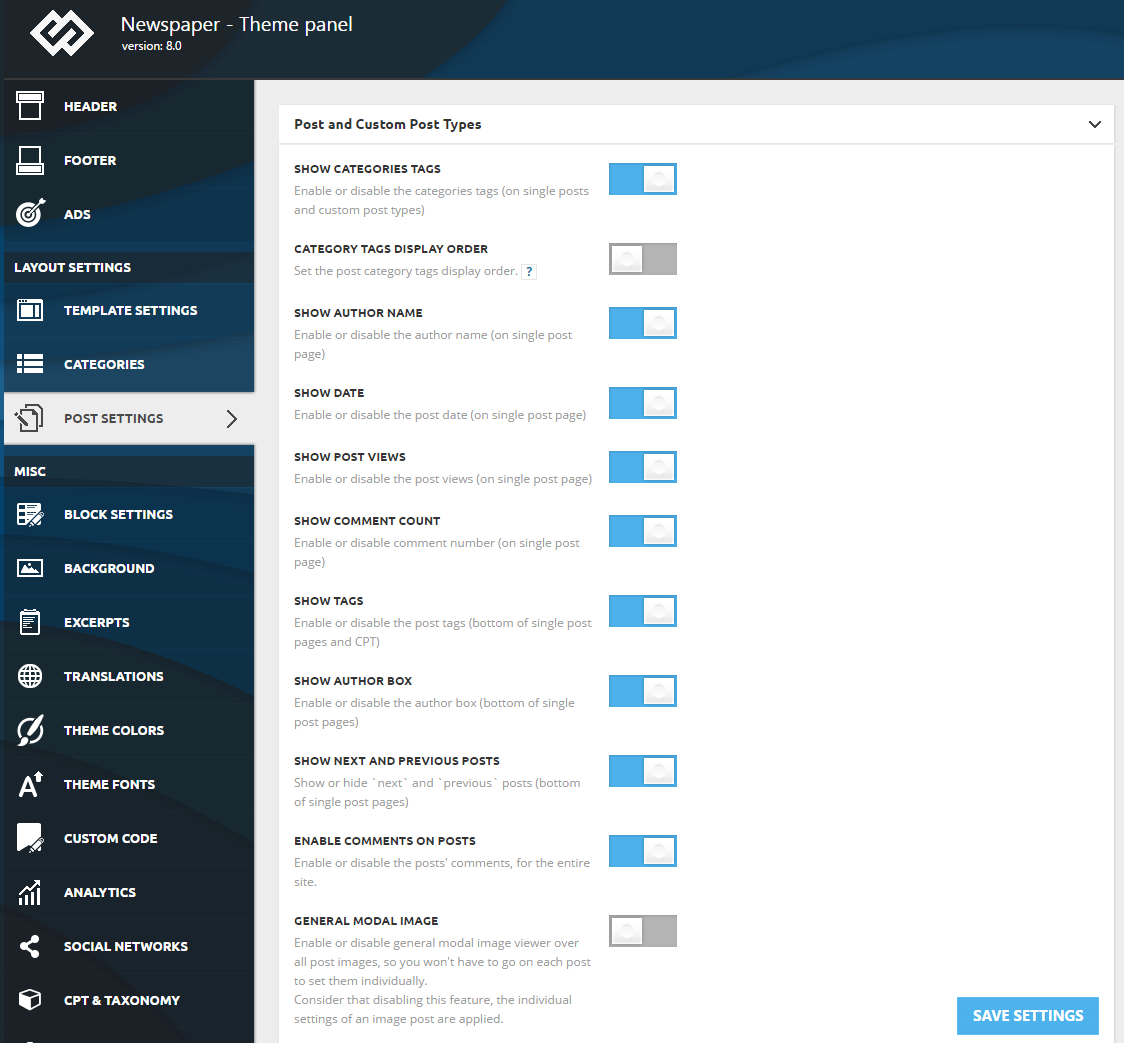
General modal image – Enable or disable general modal image viewer overall post images, so you won’t have to go on each post to set them individually.
Edward Try to use Post template Style 5 (without featured image):
Live example: https://demo.tagdiv.com/newspaper/td-post-mcdonell-kanye-west-highlights-difficulties-for-celebrities/
All examples see here: https://forum.tagdiv.com/post-templates-2/
Set thumbnail for the post – image of the pie chart (in your case). Style 5 does not use the featured image.
Edward By default h3 have:
font-size: 22px
line-height: 30px
color: #111
Do the same settings for h2:

As a hint: you can see one or another header using the browser’s Inspector: https://forum.tagdiv.com/create-custom-code-using-the-browsers-inspector/
-
This reply was modified 9 years by
Edward.
Edward Theme panel – Block Settings – Meta info on Modules/Blocks
Edward > Why do we have to sign up now?
To obtain the API, you need to register on the site. Obviously, changed the policy of free provision of services.
> And there’s no place to put the api key in the header settings
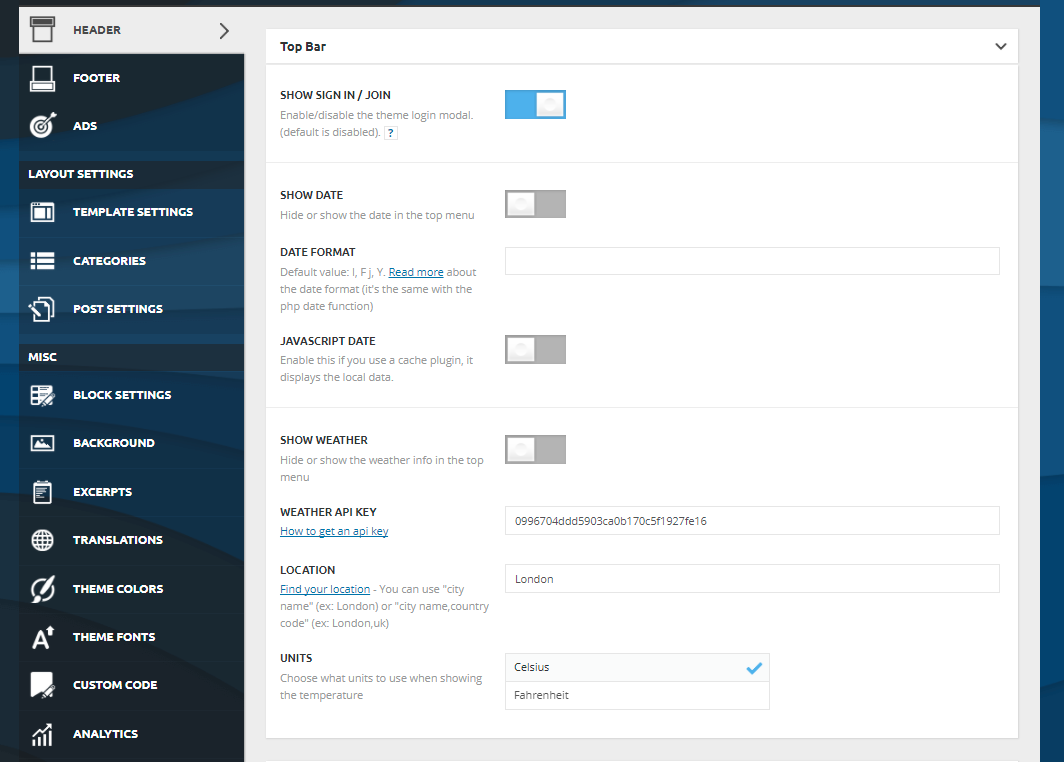
Edward Edward Edward https://forum.tagdiv.com/category-tag-on-modulesblocks/
Theme panel settings:
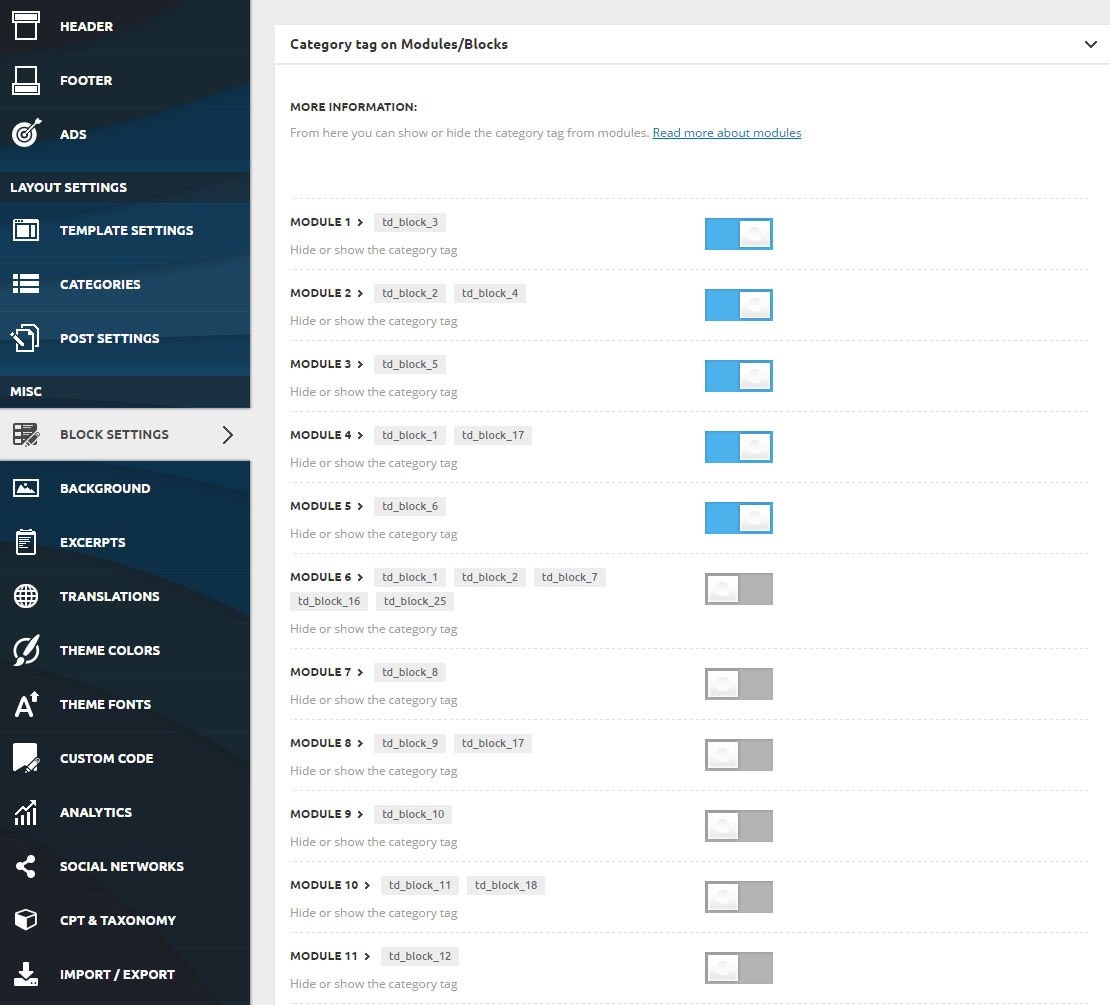
To enable or disable the category tag on any module use the switches included in Theme Panel > Block Settings > Category tag on Modules/Blocks
Edward Hey rgard564!
I never would have guessed that on this friendly forum we descend into mutual insults.
Sorry, my English is not native, otherwise, I can assure you, I would respond appropriately.
However, I will not feed the Troll. Thank you.
Edward [TUTORIAL] Good Basic Security Practices by Chris S: https://forum.tagdiv.com/topic/tutorial-good-basic-security-practices/
Edward Hi rgard564!
I am not an employee of the team. And my opinion is purely private.
And about bug fixes to weather widget – I think that the team has higher priorities than fixing this minor error which does not affect the performance of the entire Theme as a whole.
Edward Congratulations! We wish not to stop on reached and continues to delight us with high quality work!
Edward > Apparently tag div is selling a defective product!
Quite an unsubstantiated statement for a beginner on the forum. Bugfixes are released by developers as quickly as possible. Especially the weather widget is the development of third parties, and to test all the changes it takes time.
Edward Edward Edward 