

 Edward
 https://forum.tagdiv.com/the-child-theme-support-tutorial/
A sample child theme (with style.css and functions.php files) is available in the /code/ folder in the package that you downloaded form Themeforest:

Edward Disable all untested plugins (for example “autoptimize”) and try again.
Please notice that tested plugins can be found here -> https://www.screencast.com/t/VRYWtPFYb (scroll down this page: https://forum.tagdiv.com/install-via-wordpress/)
Any other untested plugin can interact with the theme core files and might cause a lot of unknown issues.
Edward Please update your theme to the latest version (8.2) by using this guide: https://forum.tagdiv.com/how-to-update-the-theme-2/
And then test the captions again.
Edward Try to add “Yandex.Metrika counter” code in widget as “text”:

Result (i’m also insert “Yandex.Metrika informer”):

All working fine.
Edward А где вы смотрите поля перевода?
Самостоятельно переведите тут:

Edward Theme is missing the style.css stylesheet error:
Edward Paginated search do not work on this forum.
Check it for example (search RSS):
First page is ok: https://forum.tagdiv.com/search/rss/
Second (and other) page: https://forum.tagdiv.com/search/rss/page/2/ – do not open.
Edward Your image http://test.actubisontine.com/wp-content/uploads/2017/10/hqdefault.jpg is 480px × 360px.
Increase the width of the illustration to a minimum of 696px.
Edward Maybe this topic will help you:
https://forum.tagdiv.com/topic/how-to-make-review-plugins-work-with-newspaper-theme/
Edward Edward Technical support strongly recommends:
Our recommended way for updating your theme is via FTP way because this is the surest method.
Also keep in mind:
FTP always best way to update; and you must always DELETE the original theme folder, then upload new one; *NOT* over-write as you end up with old/new files mixed together — this is not how WordPress is designed to work. Same with plugins. All plugins when updated via the WP admin panel *delete* old folder then upload *new* one; not merge or over-write/mix them.
Notice that you can automatically update your theme using the Envato Market plugin, according to our documentation here -> https://forum.tagdiv.com/how-to-update-the-theme-2/ but we do not recommend to do this. Our recommended way for theme installing is via FTP way because this is the surest method in this regard and in that way you will avoid eventual problems which might appear.
Edward https://forum.tagdiv.com/how-to-update-the-theme-2/
Read Update the theme via FTP section.
Edward 

Edward Edward Check the settings in Yoast SEO and the author archives:
Edward As a hint: we’re using the plugin WP HTML Author Bio.
The plugin WP HTML Author Bio allows you to insert HTML tags in author description field. But please note that this plugin is not supported by the developers of the Newspaper theme.
Edward Change the bubble color:
.td-module-comments a{

background-color:Red;

}

.td-module-comments a:after{

border-color: red transparent transparent transparent;

}
Edward > How can I increase all site width?
This is impossible.
Edward You have no subscribers:

Edward Set template “Pagebuilder + latest articles + pagination” for your page.
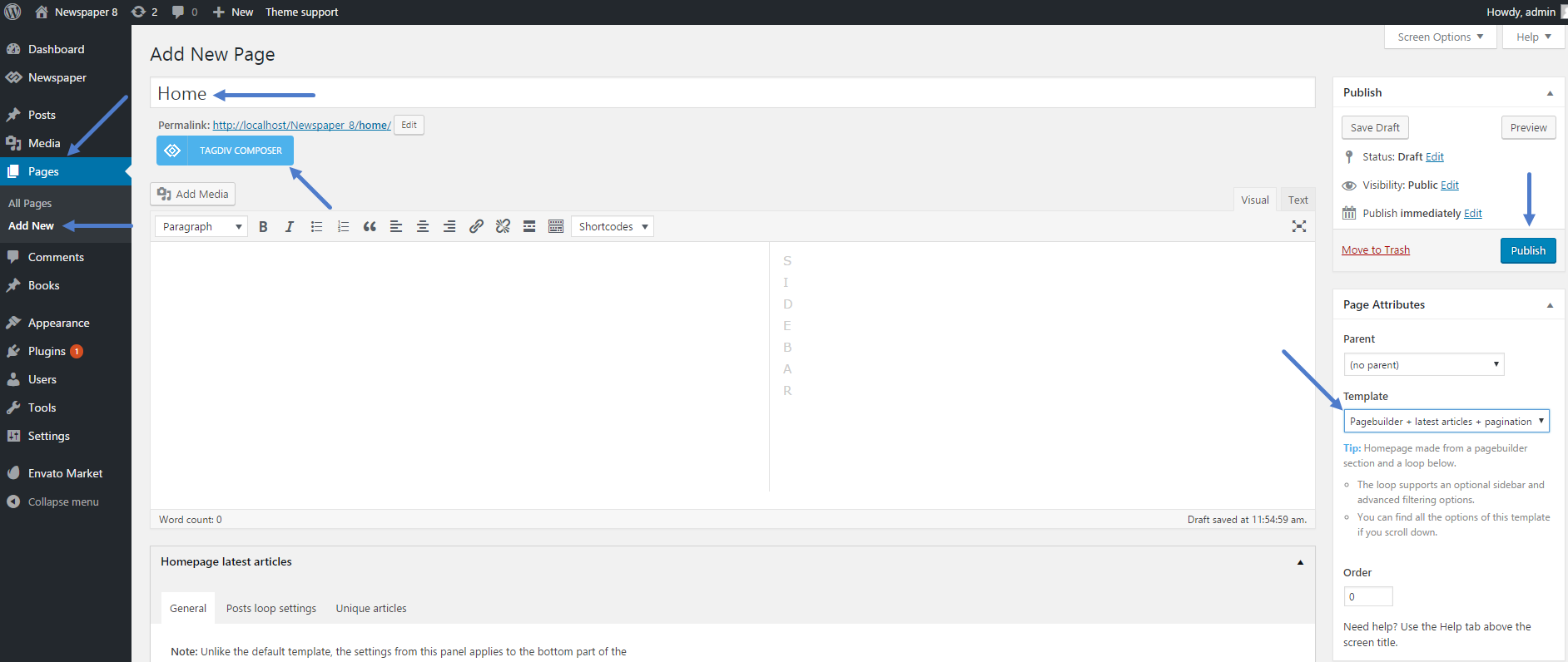
Edward  Edward
 Официальный язык техподдержки – английский. Пишите на нём, плз.
Стандартная процедура:
1. Отключите все непротестированные плагины.
2. Проверьте, выполняются ли минимальные требования к Теме (System status parameters guide): https://forum.tagdiv.com/system-status-parameters-guide/
3. Схожая проблема тут, почитайте: https://forum.tagdiv.com/topic/errors-on-td-composer-now-cant-edit-homepage/
Edward По-человечески и по-английски проблему опишите. Из-за чего данная ошибка происходит? При попытке добавить элемент на страницу?
Edward You can manually set the first paragraph at the top of any image by using for example Post template Style 5:
Edward Check set Featured image for post:
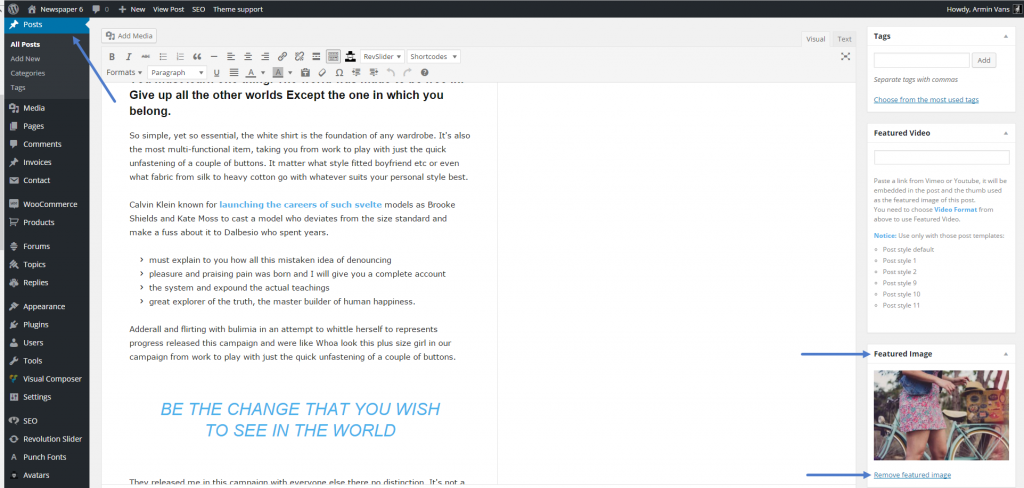
https://forum.tagdiv.com/featured-image/
https://forum.tagdiv.com/theme-thumbs/

