- TutorialsDefault Block Settings Guide
- NewspaperWP Rocket and Newspaper Theme: Optimization Guide
- TutorialsFrom WPBakery to tagDiv Composer
- TutorialsOffset Feature
- TutorialsWhat is Ajax preloading?
 Federico
Hi, when i insert a easyazon block in the post, it takes all the post size and i can not resize the image or the text.
 Natasha
Hi,
Our images are not filling in the blocks and is appearing small, what can we do so the image fills in the block.
Kindest Regards
Natasha
 realgamemedia
 I had this issue while trying to launch my site this weekend. Wordfence was blocking the code. I disabled Wordfence while adding the code and it saved immediately.
Once I had all my ads placed, I reenabled Wordfence. Hope this solves this for someone. Took me 2 days to figure it out.
 Josan
Josan Do you want to show randome posts below the comment section like this? http://www.mysteryofindia.com/2016/04/awe-inspiring-shiva-temple-kakanmath.html
So here is guide:
1. create new page ( you don’t have to publish it)
2. Click backend Editer to use visual composer
3. Add Block 3 and select the options according to your preferences (like Title, category, Random posts or Latest posts)
4. After you finish adding the block click on Classic Mode to return on normal page
5. You will get a code like this [vc_row][vc_column][td_block_3 custom_title="" sort="random_posts" limit="3" ajax_pagination="infinite" ajax_pagination_infinite_stop="4"][/vc_column][/vc_row]
6. add PHP tag like this: <?php echo do_shortcode('your Visual composer code goes here'); ?>
7. Here is final code that we use on our site: <?php echo do_shortcode('[vc_row][vc_column][td_block_3 custom_title="" sort="random_posts" limit="3" ajax_pagination="infinite" ajax_pagination_infinite_stop="4"][/vc_column][/vc_row]'); ?>
8. Now you have to edit your SIngle_Template.php files. We are using template number 2,5,11 so We have added this code in these files. You can add this code in all the templates that you use.
9. Paste the code at end of file Single_template_##.php after this line </div> <!-- /.td-pb-row -->
and before this line: `</div> <!– /.td-container –>
</article> <!– /.post –>`
Thats it. it will work now.
Last thing add this code in Theme > Custom Code > Advanced CSS > Phones:
.td-pb-row {
    width: 100%;
    margin-left: 0;
    margin-right: 0;
}
It will fix some style issue in mobile phones.
-
This reply was modified 10 years by
Josan.
 BrunoBerlanga
I don’t know why but everything changed automatically but not these blocks on the sidebar.
I was looking how I could change that but these sentences don’t appear in the menu of translations and I couldn’t find the options to change the category page theme

thanks!
 Philcomputing
Hi,
I am using the “[tagDiv] Block 8” widget to display a custome post type (latest podcasts).
The widget works fine on pages [1], posts [2] and an the front page [3] of the blog.
On category pages [4] the widget does not work and shows latest items added to the database without regard to the post type.
What went wrong?
Regards,
Phil
[1] http://healthupyourlife.com/haftungsausschluss-und-urheberrecht/
[2] http://healthupyourlife.com/buch-der-paleo-ernaehrung/
[3] http://healthupyourlife.com/
[4] http://healthupyourlife.com/sport/
 Baltar
I can seemingly no longer update my main page of my website. When I click edit, I see the screenshot below

It doesn’t show me the blocks and modules any longer. Any help please?
 VoZz
VoZzHey guys,
For my homepage I’m using Block 4. For my category page Module M2. Everything looks great on both big and smaller screens. My question is about the display of the featured images in smaller to medium sized screens. Up until a width of about 768px the theme still uses the 324x160px generated image. As the image is as wide as the screen, this results in a very ugly low res thumb from about 400px to 768px width. Do you have any suggestions on how to fix this?
 Bogdan B.
 Hi,
You can change the thme files if you want to do it and simply copy the image dimension from module 4 into module 2 (used on block 4) like so: http://screencast.com/t/f6zIvYDb
this will also affect the module 2 on category pages and also block 2 that uses the same module.
Then you will need css for the titles and excerpts to align to the new dimension:
you can add a margin-top value like so:
.td_module_2 .entry-title{
margin-top:80px!important;
}
http://screencast.com/t/g0O8rMwCw
Then you will have to adjust it for responsiveness as any modification will cause other effects when other devices are used.
for this you simply have to copy the code in the advanced css fields and change the value for each device
Hope this helps.
Thank you!
 metteogmartinrejser
 Hi Bogan
Just one last question: In the category settings I can choose module “M4” – this is the size I would like to have for “Block4”.
Please see this page:
https://metteogmartinrejser.dk/category/afrika/
Isn’t it possible to modify “Block4” so it looks like “M4”?
Thank you!
Bogdan B. Hi,
Please follow this guide to fix strange looking thumbnails: https://forum.tagdiv.com/thumbnails-fix-strange-looking-images-on-blocks/
Let us know how it goes.
Thanks.
 AilyRoot
Hello
is there any way to make our site http://www.hellouk.org have global background like

so everywhere but blocks is with background colour
visitors are complaining our site is now been too white
 Andrei L.
 Hi
You can’t set a category page as mega menu page. The theme allows you to set only a page as mega menu page. You have to create your page in Visual Composer then only add the page id as it’s indicated in our documentation.
For example this page: https://forum.tagdiv.com/wp-content/uploads/2014/10/page-menu.png is made in Visual Composer then it’s id is added in menu item.
Here is another example: this is how a page built in VC looks: http://screencast.com/t/TrlKlshc4K and this is how the same page displayed in mega menu looks: http://screencast.com/t/VRbI0pDpRzaI All page content added with Visual Composer it’s displayed in mega menu.
We can’t provide any html code as the mega menu is generated by php from dynamic content.
Please refer to our documentation for more details about block settings and how they can be used: https://forum.tagdiv.com/block-settings-tutorial/ You can also check this topic for more details about adding different post types i blocks: https://forum.tagdiv.com/topic/visual-composer-unable-to-pull-data-from-custom-content-types/
Thanks!
Bogdan B. Hi,
Please check every single ad spot filed and see if the ad is duplicated anywhere: http://screencast.com/t/szchgVVTnjo
A block 1 can be inserted through visual composer so you would generally find the block were you insert it. This is very confusing to me because you are asking us to find ads or elements that you (or someone else) inserted in the site. These do not have fixed positions so you will not only find them in a specific place. The ads or the theme blocks can be inserted in different ways in different places. It’s up to the site admin where these places will be.
An ad inserted inside a block 1, now that is something we have not heard before. Maybe there is custom code involved in the theme files.
In this case, we recommend doing a theme update as you use a very old version of our theme (3.4) we are now at version 6.7.2 This will require a bit of work though as all the code was changed in the theme since that version so you are better off deleting the theme files and installing a fresh version via ftp.
(I could not find any block 1 on your homepage)
Thanks.
Andrei L. Hi
I assume that you’re using blog template which display latest article published. The theme don’t have an option to add blocks/grids on blog page. However this can be achieved using do_shortcode function. For more details in this regard please check this topic: https://forum.tagdiv.com/topic/big-grid-on-blog-page/
If this is not what you mean please provide your site url and more specific details about what you’re trying to do so I can inspect it closer and get back to you with a more accurate answer.
Thanks!
Bogdan B. Hi,
The post views were not designed to work on modules and blocks, but you can follow this topic to see how you can edit the theme files and code the views in:
https://forum.tagdiv.com/topic/view-numbers-in-block/
Thank you!
Bogdan B. Hi,
Please make sure you have the thumbnails checked in this section of the theme panel: http://screencast.com/t/0JzeQBBe and then follow this guide: https://forum.tagdiv.com/thumbnails-fix-strange-looking-images-on-blocks/
Thank you!
 whpro
whpro How about this, the ad company believes they located the ad code im looking for in the Block1 section of our website. Now, when I go to the top of our main and click the “edit page” option ..I found both block 2 and block 3 areas but not block 1… Where typically would you find block1 in the newspaper theme?
Also sorry for any confusion, but I also am very confused… What I meant in my previous post the other day was, when I go to the WordPress Theme Panel > Ads > Custom ad 3, the code seen below is whats currently in that area.
<!– Ezoic – Sidebar 3 – sidebar –><div id=”ezoic-pub-ad-placeholder-104″>
<script async src=”//pagead2.googlesyndication.com/pagead/js/adsbygoogle.js”></script>
<!– below all/ tna/wwe news –>
<ins class=”adsbygoogle”
style=”display:block”
data-ad-client=”ca-pub-4793404262316174″
data-ad-slot=”3674627237″
data-ad-format=”auto”></ins>
<script>
(adsbygoogle = window.adsbygoogle || []).push({});
</script>
</div>
<!– End Ezoic – Sidebar 3 – sidebar –>
Now, why wouldn’t the code seen above here ^^^ that’s currently in our Theme Panel > Ads > Custom ad 3 also match this code seen below in the imgur image? My guess is that the following code (<script async src=”//pagead2.googlesyndication.com/pagead/js/adsbygoogle.js”></script>) been inserted somewhere else in our website (same google code though) and thats why Theme Panel > Ads > Custom ad 3 does not match the code seen below.
 efaq
efaq Hello,
thank you very much! Helped a lot!
Now it is possible to activate a mega menum which shows up different categories with posts. But how can I add a page into that mega menu which already includes categories (www.travelisfun.de –> Orte) Under the point “USA” I want to add just a page.
2. https://forum.tagdiv.com/menus-newsmag/
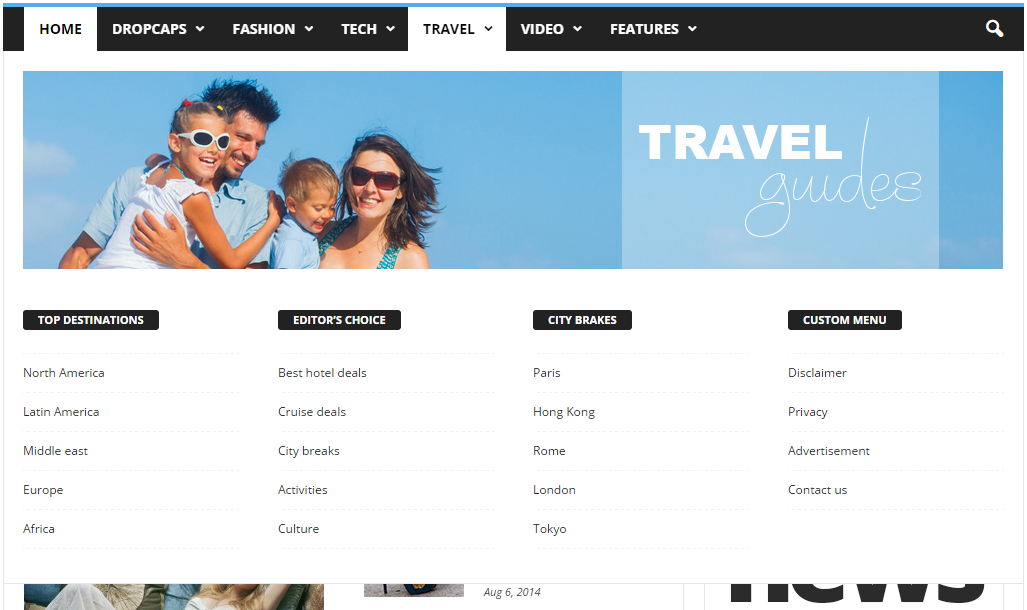
I do not understand how point C is made? Do you have maybe a short video, where you can explain how to make that page menu grid? Because in the descprition it says, that I should add the page ID. But this is only one page id. I want to add a grid system, where more than one pages are listet. like here: https://forum.tagdiv.com/wp-content/uploads/2014/10/page-menu.png ( Top Destinations, Editors choice… Under these categories the pages are listed. How can I do this?)
And could you provide me that html code for your demo page menu like in that picture?
3. The ajax filter in the blocks: Is it only possible to show content, which is categorized? Or can I show specific posts? And if yes, can I show more than one specific post? And is it also possible, to show the page?
Thanks a lot! Have a nice weekend! 🙂
 nucreative
 Ok, after much fiddling around, I have managed to get it to work on my own. The solution seems to be:
When you come back to wp-admin/admin.php?page=td_theme_panel, you have to open the Theme Fonts section, then also open one of the sub-sections (Header, Modules and Blocks General, etc), then click the ‘SAVE SETTINGS’ button.
I can’t verify this to be the actual cause of the fix (I don’t have time to faff about with it any longer) but it seems to have worked on this occasion.
Andrei L. Hi
The difference between the original image and the thumb displayed my occur because wordpress compress each image to keep the image size as low as possible. Follow this tutorial to increase the compression rate: https://premium.wpmudev.org/blog/fix-jpeg-compression/ Also you’ll have to regenerate your thumbs so the changes to be applied: https://forum.tagdiv.com/thumbnails-fix-strange-looking-images-on-blocks/
Thanks!
 wwth
wwth Hi Bogdan,
So I am not getting the results need with the Speedbooster – I still get Render Blocking alerts on GWMT page speed test when I follow (precisely) your guidelines to move the css and js to the bottom of the pages.
I have all latest versions installed
Are you saying above that Plug Ins like Wordfence stop the SpeedBooster working?
Here’s the plug ins I am using
Ninja Forms
tagDiv Social Counter
tagDiv Speed Booster
Wordfence Security
Wp Super Cache
WpBakery Visual Composer
Toast SEO
Cheers
 aph100
On block title colours I am able to change the colour to suit. However when I use tabs, the Tab Section Name takes on the default colours. How do I change the Tab Section Name background colour, and is it possible to change these colours on different pages?
Thanks
 Ayudaenibiza
Hey folks!
I tried to change any elements in my front page with visual composer but i couldn´t because it doesn´t appear.
Hitting F12 it show me this error: Uncaught TypeError: $template.get is not a function Composer-view.is:165
When i try to do it the visual composer logo start to loading but never ends.
Also i tried to open a new page for editing it but i couldn´t add new blocks, templates or items :/
Any ideas?
TY!
Bogdan B. Hi,
I have checked your website and everything seems to be in order. The slider is there, the blocks and all the elements of the homepage: http://screencast.com/t/QHC2teb3sg
Let us know if you require any further assistance.
Thank you!