- ApiPractical example – How to add a new Block and Module
- Apitd_api_block::delete
- Apitd_api_block::update_key
- Apitd_api_block::update
- Apitd_api_block::add
- ApiAPI – Blocks – Introduction
- Apitd_api_thumb::update_key
- Apitd_api_thumb::update
- Apitd_api_thumb::add
- ApiAPI – Thumbnail – Introduction
- Apitd_api_category_top_posts_style::update_key
- Apitd_api_category_top_posts_style::update
- Apitd_api_category_top_posts_style::add
- ApiAPI – Category top section style – Introduction
- Apitd_api_module::update_key
- Apitd_api_module::update
- Apitd_api_module::add
- ApiAPI – Modules – Introduction
- ApiUsing the Theme API in plugins
- ApiThe Theme API
 Calin
Calin Hi bigdaddyemily1989 ,
The “Coolest Vanity Apps …” it is the post title that it is display on the slide element, for that you can remove the post title only with custom css, like this one:
-> https://i.imgur.com/wf4DGkz.jpg
.td_block_slide .td-module-title {

display: none;

}
This code need to be set in theme panel> custom code> custom css.
In case that this is not apply, it is possible to have other element, so please let me know the name of the pre-build website you have installed -> https://i.imgur.com/O22apeu.png
Thank you!
 Achim
AchimSimilar to the post with the topic “Widgets throwing errors and not displaying after Newsmag 5.1 update” I have lots of errors on the widgets page with the newsmag theme.
After installing the “classic widgets” plugin (which disables the widget block editor) everything works as before.
Do you know of any incompatibilities?
 krisoy52001
 For some reason, I cannot select the block when I’m in the tagDiv Composer. It does not highlight.
 Anamaria
 Hello,
I think I inadvertently omitted a setting, that’s why the products didn’t appear.
Please check if you have set an offset on the block => https://i.imgur.com/MthDPQv.png please let the box empty.
Thank you!
 Bettina
 Hello!
Please use a “Posts Loop” element and they should display well and not a Flex Block.
Thank you!
Anamaria Hello,
Please edit with tagDiv Composer, select the block and search after Excerpt https://i.imgur.com/UzJOEBY.png -> https://i.imgur.com/HO27dpg.png
Thank you!
 2zi0
2zi0 Hello,
I have exactly the same problem: in my tag page I set a Flex Block 1 with the filter “Category – Current category” but it always shows the same articles, despite the tag I clicked on.
Anamaria Hello @Bill Fleak,
If you want to have the effect only on the blocks on the homepage, then you need to add an extra class on the blocks https://i.imgur.com/eYJN3XZ.png and add the class in the custom code.
Thank you!
Anamaria Hello,
I saw the block is block 18, so you can set the Border Color => https://i.imgur.com/QQELJFP.png
A solution for sending a screenshot is this:
Download, capture, send: https://www.techsmith.com/jing-tool.html
After making the screenshot, you will have a link, paste it here.
Thank you!
Calin Hi muktipolice, from your above reply, I understand that you want to set the H1 only on blocks and that can be done using tagDiv Composer, https://i.imgur.com/GWZHE1T.png but, the think is that our theme is setting the H1 automatically on logo when you use page template default or with page builder or it set it on page title when you use the page title and this H1 can be remove only manually.
I hope that this time I was able to explain better.
Thank you!
 Mark Gilbert
 I can load through “Cloud” option from a page like you have – but it’s slow (about 40 seconds) and of course only offers Blocks, Homepages, Pages, Sections. No single posts etc. The option through Dashboard has everything – when it occasionally loads.
 PauloCot
 The option you showed on the screenshot doesn’t exist for me.
First image shows options I have in standard WordPress editor. Second image shows what I see when I try to edit in tagdiv composer. https://imgur.com/a/NT7QQzH
It’s like something is blocking the option from changing the template displaying. Is there an alternative way to edit templates?
Thanks, Paul
Anamaria Hello,
You need to use some Custom Code CSS to align the comment count like this https://i.imgur.com/1XsI7iq.png
This is custom code CSS =>
.td-module-comments

{

float: inherit;

display: inline-block!important;

}
Set the code in Theme Panel -> Custom Code -> custom CSS.
Thank you!
 arvind9725
i have run site audit on semrush and it gives me below error.
Error : 1 page has more than one H1 tag
URL : https://www.greengujarati.com/
Theme : Newspaper Version: 11.2
i have seen the source code and found there are four <h1> tag into my home page. so i want to remove unused 3 <h1> from my home page. please help me. thanks in advance.
below are the 4 <h1> tag from my home page source code.
1)
<div class=”tdb-block-inner td-fix-index”><h1><span class=”tdb-logo-text-wrap”><span class=”tdb-logo-text-title”>Green Gujrati</span><span class=”tdb-logo-text-tagline”>ગુજરાતી બ્લોગ</span></span></h1></div></div> <!– ./block –></div></div><div class=”vc_column tdi_12 wpb_column vc_column_container tdc-column td-pb-span4″>
2)
<div class=”tdb-block-inner td-fix-index”><h1><span class=”tdb-logo-text-wrap”><span class=”tdb-logo-text-title”>Green Gujarati</span><span class=”tdb-logo-text-tagline”>ગુજરાતી બ્લોગ</span></span></h1></div></div> <!– ./block –></div></div><div class=”vc_column tdi_25 wpb_column vc_column_container tdc-column td-pb-span4″>
3)
<div class=”tdb-block-inner td-fix-index”><h1><span class=”tdb-logo-text-wrap”><span class=”tdb-logo-text-title”>Green Gujarati</span><span class=”tdb-logo-text-tagline”>ગુજરાતી બ્લોગ</span></span></h1></div></div> <!– ./block –></div></div></div><div class=”vc_column_inner tdi_45 wpb_column vc_column_container tdc-inner-column td-pb-span8″>
4)
<div class=”tdb-block-inner td-fix-index”><h1><span class=”tdb-logo-text-wrap”><span class=”tdb-logo-text-title”>Green Gujarati</span><span class=”tdb-logo-text-tagline”>ગુજરાતી બ્લોગ</span></span></h1></div></div> <!– ./block –><div class=”td_block_wrap tdb_header_menu tdi_62 tds_menu_active3 tds_menu_sub_active1 tdb-head-menu-inline tdb-mm-align-screen td-pb-border-top td_block_template_1 tdb-header-align” data-td-block-uid=”tdi_62″ style=” z-index: 999;”>
NOTE : i have seen source code of other website who have used News Paper 11 latest version but their code is fine.
 lwatson1439
 Let me try this again with screenshots you can see.
There are two instances:
1) I am modifying the category-template and want to have the Author name be white. But it stays black. Perhaps I need to modify it somewhere else? See screen shot.
https://www.screencast.com/t/S99W838P
2) I am modifying the element on the home page (flex block 1) to make the Title white and the Author white. But it stays black. So same basic question, where do I correctly modify this? See screen shot.
Bettina Hello!
If you have 2 flex blocks with the same settings and they are displaying the same posts, then you can use an offset and a limit for the flex blocks. For example: 1 block with the limit posts: 2 and the second one with the limit posts: 2 and offset: 2, if you would like the 3rd one then you set limit posts: 2 and offset 4, etc.
Hope that helps you!
Thank you!
 Matija
Hi
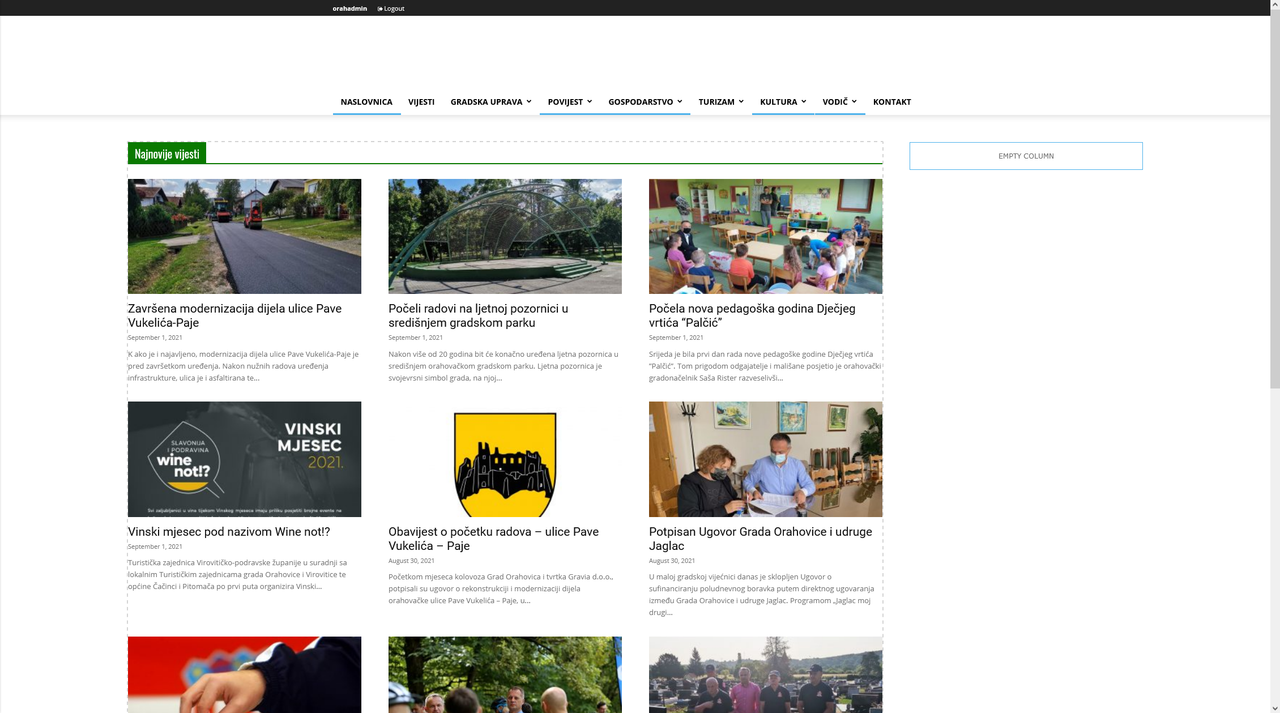
I save my template like this: https://i.postimg.cc/vHgy9GjK/Screenshot-2021-09-06-at-12-27-54-Slu-bene-stranice-Grada-Orahovice-Word-Press.png
And on live page it shows different… https://www.novo.orahovica.hr
WHY?
Bettina Hello!
The access is denied for those screenshots.
Please make sure you edited the author for the right module of the flex blocks element. In the settings it’s possible to have 2 options(author text color) like this: https://www.screencast.com/t/9zAi2oNms4S
Thank you!
Anamaria Hello,
You can filter what posts do you want to have on the flex block => https://i.imgur.com/QGmqDiB.png
Also, you can check this article https://forum.tagdiv.com/flex-block-settings-guide/
Thank you!
Calin Hi, if the infinite loading appears after you click on save settings from theme panel, then most probably you have an admin-ajax.php error, check the console to see if you get some errors.
Normally, admin-ajax.php is blocked by modSecurity from host, it can be from firewall or other security modules/plugins.
If you can not manage the situation, we can do it for you, for this, make a full backup and contact us at contact@tagdiv.com provide wp-admin and cPanel, also provide as many details as you can about the problem.
Thank you!
Calin Hi,
Sorry for the late answerer, for the moment we do not work in weekends!
Now about the flex blocks, the image on those are set on default, but in case that you install a pre-builder website, then the image size can be changed.
Also if you have a Pro pre-build website, this is made using tagDiv Composer and cloud templates. Also in this case the logo need to be changed using the theme builder https://www.youtube.com/watch?v=HXQQygkCCJo
Thank you!
Calin Hi,
Our theme has only a few options for custom post types (you can check our guide from here https://forum.tagdiv.com/custom-post-type-support-newsmag/).
Also the CPT can be display on blocks using tagDiv Composer -> https://prnt.sc/1rd9m9q and setting the post type on block .
In case that this is not what you mean, please let me know!
Thank you!
Calin Hi totojisic100k,
So you want to use the H1 only on blocks ? Not on logo or page title ?
Then how it will be on posts ?
The theme do not have an option to remove the H1 tag entirely form the page, this must be set on logo or on the page title (depends on the page template that you have selected). Also to remove the H1 from those elements you must edit the theme files, for example if you use the default (path -> wp-content/plugins/td-composer/legacy/Newsmag/page.php) or the page builder with the latest articles (path -> wp-content/plugins/td-composer/legacy/Newsmag/page-pagebuilder-latest.php), or in case that you use the page with title template (wp-content/plugins/td-composer/legacy/Newsmag/page-pagebuilder-title.php). after you remove the h1 from those templates that you use, then it will be display only the one set by you.
Thank you for your understanding!
Bettina Hello!
When you edit the page with TagDiv Composer, add the element called Flex block and you can delete this element called Blocks. For more information about TagDiv Composer, please check our documentation here: https://forum.tagdiv.com/tagdiv-composer-tutorial/
Thank you!
 stefanegirard
Hi,
When I create a new page I click on
1) Add new
2) TagDiv Composer
3) Load Template
4) I make change in the template loaded
It is always the same change.
Could you tell me how to not have to start over every time?
I would like a page configured with the blocks I use each time and the sidebar to add.
Thanks