
- TutorialsDefault Block Settings Guide
- NewspaperWP Rocket and Newspaper Theme: Optimization Guide
- TutorialsFrom WPBakery to tagDiv Composer
- TutorialsOffset Feature
- TutorialsWhat is Ajax preloading?
 laurentlg
 Hi Vlad,
Thanks for investigating this.
I reviewed the screen capture you provided but they do not match the queries we see.
Below is the call stack when adding a Multipurpose Shortcode “Inline Text”, which triggers the MySQL request I shared above.
I can reproduce this with a fresh install on Newspaper with a new WordPress.
Can you see it too?
WP_Query->get_posts()

wp-includes/class-wp-query.php:2994

WP_Query->query()

wp-includes/class-wp-query.php:3413

WP_Query->__construct()

wp-includes/class-wp-query.php:3522

td_data_source::get_wp_query()

wp-content/plugins/td-composer/legacy/common/wp_booster/td_data_source.php:410

td_block->render()

wp-content/plugins/td-composer/legacy/common/wp_booster/td_block.php:131

tdm_block_inline_text->render()

wp-content/plugins/td-composer/td-multi-purpose/shortcodes/tdm_block_inline_text.php:68

td_global_blocks::proxy_function()

wp-content/plugins/td-composer/legacy/common/wp_booster/td_global_blocks.php:27

do_shortcode_tag()

wp-includes/shortcodes.php:325

preg_replace_callback()

wp-includes/shortcodes.php:325

do_shortcode()

wp-includes/shortcodes.php:199

tdc_composer_block->do_shortcode()

wp-content/plugins/td-composer/includes/tdc_composer_block.php:198

vc_column->render()

wp-content/plugins/td-composer/includes/shortcodes/vc_column.php:119

td_global_blocks::proxy_function()

wp-content/plugins/td-composer/legacy/common/wp_booster/td_global_blocks.php:27

do_shortcode_tag()

wp-includes/shortcodes.php:325

preg_replace_callback()

wp-includes/shortcodes.php:325

do_shortcode()

wp-includes/shortcodes.php:199

tdc_composer_block->do_shortcode()

wp-content/plugins/td-composer/includes/tdc_composer_block.php:198

vc_row->render()

wp-content/plugins/td-composer/includes/shortcodes/vc_row.php:766

td_global_blocks::proxy_function()

wp-content/plugins/td-composer/legacy/common/wp_booster/td_global_blocks.php:27

do_shortcode_tag()

wp-includes/shortcodes.php:325

preg_replace_callback()

wp-includes/shortcodes.php:325

do_shortcode()

wp-includes/shortcodes.php:199

tdc_composer_block->do_shortcode()

wp-content/plugins/td-composer/includes/tdc_composer_block.php:198

tdc_zone->render()

wp-content/plugins/td-composer/includes/shortcodes/tdc_zone.php:576

td_global_blocks::proxy_function()

wp-content/plugins/td-composer/legacy/common/wp_booster/td_global_blocks.php:27

do_shortcode_tag()

wp-includes/shortcodes.php:325

preg_replace_callback()

wp-includes/shortcodes.php:325

do_shortcode()

wp-includes/shortcodes.php:199

apply_filters('the_content')

wp-includes/plugin.php:206

the_content()

wp-includes/post-template.php:253
 Calin
Calin Hi,
Is seems to be a but on mobile version, the color is not apply proper, also the border stile is not working, sorry for the inconvenience!
This problem will be fixed in the coming updates.
If you want I can help you with a custom css to set the border color-> https://i.imgur.com/7qenx0q.png
.td_flex_block_1 .td_module_flex_1 .td-module-container {

    border-style: dotted;

    border-color: red;

}
The code need to be set in theme panel> custom code> advance css> phones
Thank you for your understanding!
Calin Hi,
The pagination can be set only on Posts loop -> https://i.imgur.com/rBxrQyE.png this option is not include on blocks or flex blocks.
Thank you for your understanding!
Calin Hi,
This can be achieve only you the post are assigned to category “E” or if have the tag “E”, after that you’ll need to edit the page, click on the block and look in filter tab -> https://i.imgur.com/KUixXme.png please check our documentation from here: -> Flex Block Settings Guide -> Default Block Settings Guide.
Thank you!
 slivertorp
Hi TagDiv team,
I’m using a Post Loop block to display my 6 latest articles on my homepage.
I have got the pagination at the bottom. So far so good.
But How can I link my pagination buttons (page 2, page 3, etc ) to my list of posts?
Example of what I need : page2 = shorturl.at/dM136
On your Influencer template : page2 is identical to the home page : https://demo.tagdiv.com/newspaper_influencer/page/2/
Thanks in advance for your precious help 🙂
 mayolafernandes
I’d like to categorize the different sections of my homepage into: Travel, Food, Culture etc
However on the TagDiv composer i’m not given the option to edit the headings of the blocks, the option isn’t available.
Can anyone help?
digital-reporter.com
 clbrown
my website doesnt look anything like the mobile preview. instead of maintaining the integrity of the format with specific section categories, it essentially looks like one big latest article post with the exception being the top three stories have pictures similar to what my lead block on the desktop has. i’ve only pulled up my website on a mobile device one time and it been in the format it was supposed to be. i need help because i dont know if it’s some button i didnt toggle or if it’s a problem with coding.
 cricexec
Hi —
I have activated the tagdiv newsletter plugin and I’ve added the newsletter block to a couple of places on my website, including my home page:
cricexec.com
However, even though I am adding border settings, no border is showing up around the signup widget.
 tymciom
Hello,
What file can I edit to add custom element to mobile theme?
I would like to add one more block on bottom of the post (button to load normal version of page).
Any suggestion?
 AlemLolic
 in dev tools there is this error
jquery.min.js:4 Uncaught Error: Syntax error, unrecognized expression: <iframe
id=”tdb-infinte-post-529994-iframe”
class=”tdb-infinte-post-iframe”
name=”tdb-infinte-post-iframe”
src=”https://tntportal.ba/lokalno/centralna/u-travniku-pocinje-sa-radom-savjetovaliste-za-brak-i-porodicu/?tdb_action=tdb_ajax”
scrolling=”auto”
style=”
display: block;
width: 100%;
height: 0;
border: 0;
/*outline: #000 dashed 1px;*/
opacity: 0;
-webkit-transition: opacity 0.4s;
transition: opacity 0.4s;
overflow: hidden;
”
data-post-url=”https://tntportal.ba/lokalno/centralna/u-travniku-pocinje-sa-radom-savjetovaliste-za-brak-i-porodicu/”
data-post-edit-url=””
data-post-title=”U Travniku počinje sa radom “Savjetovalište za brak i porodicu””
></iframe>
at Function.st.error (jquery.min.js:4)
at ft (jquery.min.js:4)
at wt (jquery.min.js:4)
at Function.st [as find] (jquery.min.js:4)
at init.find (jquery.min.js:4)
at new init (jquery.min.js:3)
at b (jquery.min.js:3)
at Object.success (js_posts_autoload.mi…99fa8f62aeca6adfx:4)
at c (jquery.min.js:3)
at Object.fireWith [as resolveWith] (jquery.min.js:3)
st.error @ jquery.min.js:4
ft @ jquery.min.js:4
wt @ jquery.min.js:4
st @ jquery.min.js:4
find @ jquery.min.js:4
init @ jquery.min.js:3
b @ jquery.min.js:3
success @ js_posts_autoload.mi…99fa8f62aeca6adfx:4
c @ jquery.min.js:3
fireWith @ jquery.min.js:3
k @ jquery.min.js:5
r @ jquery.min.js:5
XMLHttpRequest.send (async)
send @ jquery.min.js:5
ajax @ jquery.min.js:5
(anonymous) @ js_posts_autoload.mi…99fa8f62aeca6adfx:3
f @ underscore.min.js?ver=1.8.3:1
setTimeout (async)
f @ underscore.min.js?ver=1.8.3:1
setTimeout (async)
f @ underscore.min.js?ver=1.8.3:1
setTimeout (async)
f @ underscore.min.js?ver=1.8.3:1
setTimeout (async)
(anonymous) @ underscore.min.js?ver=1.8.3:1
dispatch @ jquery.min.js:3
v.handle @ jquery.min.js:3
Calin Hi,
This is quite strange for me the theme is working without problems.
The posts that you have now look normal, just please make sure that all the settings are like in our requirements, please follow the guide carefully – https://forum.tagdiv.com/requirements-for-newspaper/
and please increase all requirements that are lower, and follow all steps.
Please make sure that you do not have a plugin conflict with untested plugins, please deactivate all non theme/tested plugins, also if you are using child theme, clear all cache and try again.
If you don’t use a security plugin, please ask your host about this, maybe you have a security module which blocks this.
If you use a plugin like Wordfence please set it in learning mode.
Thank you!
Calin Hi,
Please check if you have set a static page on your homepage, only this can be edit with tagDiv Composer, the latest articles/posts (blog) is not editable with tagDiv Composer.
Also the blocks and flex blocks can be filter from this section -> https://i.imgur.com/pj7W6J5.png
Thank you!
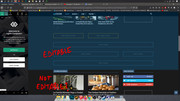
 erescultura
Hi.
I´m trying to remove some blocks from the homepage in my site erescultura.com
I can edit the top area, but apparently not the bottom area. What am I doing wrong?
Calin Hi,
If I understand correctly you want to replace the comment count with post view, unfortunately this can be achieve only with custom work and this is not covered by support policy -> https://forum.tagdiv.com/support-policy-2/ all I can do is to guide you to the flex files -> wp-content/plugins/td-composer/legacy/Newspaper/includes/shortcodes/td_flex_block_1.php
Thank you!
 Vlad S
 Hello !
Please provide a link to your website in order to inspect.
If you’re using flex blocks you will be able to achieve that by editing the block using tagDiv Composer: https://www.screencast.com/t/446Yhmqm
Thank you !
 bmagique
Hello,
how to have a numbered pagination in block 11 for example ? I only have Ajax or Infinite 🙁
Thank you
bmagiqueHello,
i want a normal pagination on homepage, how can i do it ? In my blocks i have only ajax or infinite.
I want a normal pagination with pages numbers.
Thank you
Calin Hi,
If these -> https://i.imgur.com/2go67j1.png are/will be posts then you can achieve what you need using only our theme, all you need to do is to make the posts with these titles and content afferent after that you can use tagDiv Composer and use a flex block, set on it pagination and ajax filter, also you can hide the featured image and excerpt.
Thank you!
Calin Hi,
This option -> https://i.imgur.com/rMvNSYn.png from theme panel will disable the post date from inside the posts, the date will still show on blocks, if you want to disable the date from blocks too you’ll need to use this option -> https://i.imgur.com/kFvwQy7.png also in pages and cloud templates from tagDiv Cloud Library you can set the banners, or elements using tagDiv Composer, on standard templates you’ll need to make sidebars and add widgets in them -> https://i.imgur.com/H1zoVNv.png
Also in order top add elements in sidebar for “Latest articles” you’ll need to check the page at bottom in homepage latest articles, please check our documentation from here -> https://forum.tagdiv.com/page-templates-2/
Hope this will help!
Thank you!
 jfmombiela
Hi,
I am facing the following error with the demo l´Historie Pro on my Header.
The newsletter subscription doesn´t appear and appears this on the header.
Please, could you have a look? My website is:https://lahistoriaviva.com/
[tdn_block_newsletter_subscribe btn_text=”Subscribe” tds_newsletter2-image=”” tds_newsletter2-image_bg_color=”#c3ecff” tds_newsletter3-input_bar_display=”row” tds_newsletter4-image=”” tds_newsletter4-image_bg_color=”#fffbcf” tds_newsletter4-btn_bg_color=”#f3b700″ tds_newsletter4-check_accent=”#f3b700″ tds_newsletter5-tdicon=”tdc-font-fa tdc-font-fa-envelope-o” tds_newsletter5-btn_bg_color=”#000000″ tds_newsletter5-btn_bg_color_hover=”#4db2ec” tds_newsletter5-check_accent=”#000000″ tds_newsletter6-input_bar_display=”row” tds_newsletter6-btn_bg_color=”#da1414″ tds_newsletter6-check_accent=”#da1414″ tds_newsletter7-image=”” tds_newsletter7-btn_bg_color=”#1c69ad” tds_newsletter7-check_accent=”#1c69ad” tds_newsletter7-f_title_font_size=”20″ tds_newsletter7-f_title_font_line_height=”28px” tds_newsletter8-input_bar_display=”row” tds_newsletter8-btn_bg_color=”#00649e” tds_newsletter8-btn_bg_color_hover=”#21709e” tds_newsletter8-check_accent=”#00649e” embedded_form_code=”JTNDIS0tJTIwQmVnaW4lMjBNYWlsQ2hpbXAlMjBTaWdudXAlMjBGb3JtJTIwLS0lM0UlMEElMEElM0Nmb3JtJTIwYWN0aW9uJTNEJTIyaHR0cHMlM0ElMkYlMkZ0YWdkaXYudXMxNi5saXN0LW1hbmFnZS5jb20lMkZzdWJzY3JpYmUlMkZwb3N0JTNGdSUzRDZlYmQzMWU5NGNjYzVhZGRkYmZhZGFhNTUlMjZhbXAlM0JpZCUzRGVkODQwMzZmNGMlMjIlMjBtZXRob2QlM0QlMjJwb3N0JTIyJTIwaWQlM0QlMjJtYy1lbWJlZGRlZC1zdWJzY3JpYmUtZm9ybSUyMiUyMG5hbWUlM0QlMjJtYy1lbWJlZGRlZC1zdWJzY3JpYmUtZm9ybSUyMiUyMGNsYXNzJTNEJTIydmFsaWRhdGUlMjIlMjB0YXJnZXQlM0QlMjJfYmxhbmslMjIlMjBub3ZhbGlkYXRlJTNFJTNDJTJGZm9ybSUzRSUwQSUwQSUzQyEtLUVuZCUyMG1jX2VtYmVkX3NpZ251cC0tJTNF” tdc_css=”eyJhbGwiOnsibWFyZ2luLXRvcCI6IjEwIiwibWFyZ2luLWJvdHRvbSI6IjAiLCJkaXNwbGF5IjoiIn19″ tds_newsletter1-f_title_font_family=”507″ tds_newsletter1-f_descr_font_family=”507″ tds_newsletter1-f_disclaimer_font_family=”507″ tds_newsletter1-f_disclaimer2_font_family=”507″ tds_newsletter1-f_input_font_family=”507″ tds_newsletter1-f_btn_font_family=”507″ tds_newsletter1-f_check_font_family=”507″ tds_newsletter1-f_input_font_size=”eyJhbGwiOiIxNiIsInBvcnRyYWl0IjoiMTQifQ==” tds_newsletter1-f_input_font_spacing=”0.5″ tds_newsletter1-btn_bg_color=”#1342f3″ tds_newsletter1-btn_bg_color_hover=”#5e5e5e” tds_newsletter1-btn_text_color=”#ffffff” tds_newsletter1-btn_text_color_hover=”#ffffff” tds_newsletter1-f_btn_font_weight=”700″ tds_newsletter1-f_btn_font_transform=”uppercase” tds_newsletter1-f_btn_font_size=”eyJhbGwiOiIxNCIsInBvcnRyYWl0IjoiMTIifQ==” tds_newsletter1-input_bg_color=”#ffffff” tds_newsletter1-input_border_size=”0″ tds_newsletter1-f_btn_font_spacing=”2″ tds_newsletter1-input_text_color=”#000000″ input_placeholder=”Stay up to date with our newsletter”]
Calin Hi,
So if I understand correctly you do not want to have in posts the related articles -> https://i.imgur.com/pPwbOoO.png if you disable this option in theme panel ->https://i.imgur.com/s9iQAa1.png and the block is still display, that means that you are using a single post template from tagDiv Cloud Library, on the cloud templates the settings from theme panel will not apply, you’ll need to edit them using tagDiv Composer -> https://i.imgur.com/E9gc3td.png click on the element you want to remove and press delete or use the right click -> https://i.imgur.com/cuUYnG9.png
Hope this will help you!
Thank you!
Calin Hi,
If you choose to use this option, then the pagination or category settings or other settings, the plugin will make all the filters and sorts, you can check more in our documentation from here -> https://i.imgur.com/xsLOex0.png -> https://forum.tagdiv.com/block-settings-guide/
Thank you for your understanding!
 abn
abnwhat is name of the block or it is a elements from this url https://demo.tagdiv.com/newspaper_politics/
the top slider with image above the trending now
 portalelos
Friends, sorry for my bad English.
I read in the forum that we have in the theme several types of Blockquote, and I read how to do it manually, but in the theme is there any place for me to change the quote template?
 nkayilu
I cannot modify my home page with TAGDIV COMPOSER once on the online site and How to Display in a block only the articles of the Some categories desired?



