- NewspaperWP Rocket and Newspaper Theme: Optimization Guide
- TutorialsWhat is Ajax preloading?
 Vlad S
 Hello !
Please make sure that you have accomplished all the system requirements as in our documentation here: https://forum.tagdiv.com/requirements-for-newspaper/
Please make sure that you do not have a plugin conflict, please deactivate ALL plugins except tagDiv ones, also if you are using child theme or cache plugin, deactivate them, clear all cache and try again.
Thank you !
 Calin
Calin Hi,
I do not know that if that tool that you are using is working like google tool or not, but for me when I tested your website using the https://search.google.com/structured-data/testing-tool/u/0/ the results is without errors and duplicate meta -> https://i.imgur.com/kdLzkzi.png
I do not know exactly how moz.com is check your website and what meta description is trigger.
The only way that you can edit the meta description is to use a SEO plugin as I mentioned above.
Also please make sure that you clear all cache once that you make some changes on meta description.
Thank you for your understanding!
Calin Hi Nieuwetijdskind, as I can see now you have the mobile version on desktop -> https://i.imgur.com/nnU28nM.png this problem is usually from the cache plugin that doesn’t recognize that there are two themes, one for desktop and one for mobile version (mobile theme plugin).
Please verify the console for error while saving the settings on the Theme Panel, usually it displays a 403 or 404 error.
If you don’t use a security plugin, please ask your host about this, maybe you have a security module which blocks this.
If you use a plugin like Wordfence please set it in learning mode.
Also sometimes this is a plugin conflict, but you already tested this.
Hope this will help you!
Let me know the results!
Vlad S Hello !
Please make sure that you have accomplished all the system requirements as in our documentation here: https://forum.tagdiv.com/requirements-for-newspaper/
Please make sure that you do not have a plugin conflict, please deactivate ALL plugins except tagDiv ones, also if you are using child theme or cache plugin, deactivate them, clear all cache and try again.
Thank you !
 SVPrasad
 I’m Followed above steps i have got new Problem Menu Widths shows Horizontally even set as vertical This is in Public View Shows Not as Tagdiv Composer View Row Color is Not Applying i’m Sets color as yellow but it’s not showing color, i haven’t any Cache Plugins, So Whats the Problem See the below Video
Video Clip Menu Is also Not Updating…
Please Reply As Early as Possible
Thank You 🙁
 giriraj
Hello Team,
I’m using Cloudflare CDN which is working really great.
Recently I had activated Cloudflare ‘APO’ future which is super fast. I’m using shared server so this future is very useful for me.
Even I don’t need to upgrade my server for higher cost. This 5$ APO future is giving complete satisfaction.
I have problem with mobile Vs desktop themes.
If I’m using Mobile theme its mixing with desktop version which means In Desktop its showing with mobile theme instead of desktop version.
In mobile view I’m able to see Mobile theme as well as desktop theme. Its mixed content and looking bad.
I have tried to clear the Cache multiple times but it didn’t solve the issue.
Hence, to resolve the issue I have deactivated the Mobile them to see same theme in both places (Desktop and Mobile) without mixed theme.
Its working fine now but with mobile theme it was lightening speed but with desktop theme its just fast. I can feel the difference with mobile theme.
I believe its (Cache) compatibility issue with Newspaper theme because I had similar problem with ‘WP Super Cache’ but after clearing the cache it worked fine.
Now I have removed ‘WP Super Cache’ and using Cloudflare APO cache but facing mixed theme issue If I used both themes.
If you could solve the compatibility issue then it would be great help for Newspaper theme users since its massive speed with Cloudflare APO + Newspaper mobile theme.
Thank You
Giri
 Johnysko
Hello guys.
Iam having serious problem after mobile theme was set up. Sometimes mobile version is showed to desktop. Sometimes it shows normal. But I think it is caused by saving the tagdiv composed homepage and cache is cleared. After some time it is again showing mobile version stretched on my screen.
Can you please help me?
Thank you
Calin Hi,
Make sure that you do not have a plugin conflict, please deactivate ALL plugins except tagDiv plugins, also if you are using child theme or cache plugin, deactivate them, clear all cache and try again.
Let me know the results!
Thank you!
Calin Hi be2name, normal the mobile theme plugin should be only on mobile devices that has a resolution under 767px width, please make sure that this is not a problem from cache.
Also please provide me a link where I can inspect how this is working for mobile and landscape.
Thank you!
 providencebusiness
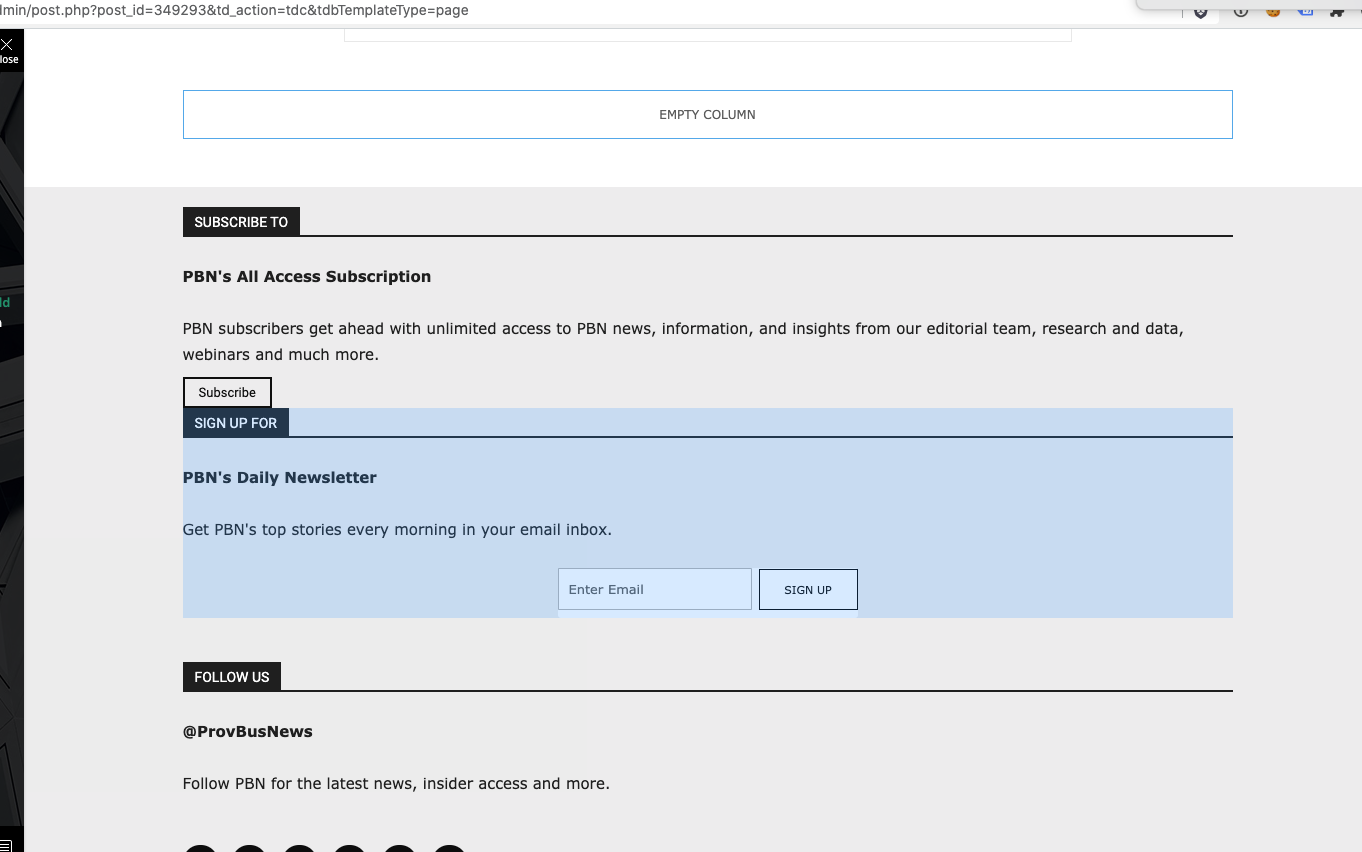
I have the latest version of the Newspaper theme, we are using a child theme with the Standard Pack plugin. I went and created a new footer template from a blank footer. In TD composer the column styles do not get injected on the live edit. See https://s3.amazonaws.com/pramadillo/_Providence_Business_News__WordPress_2020-10-26_11-41-42.png
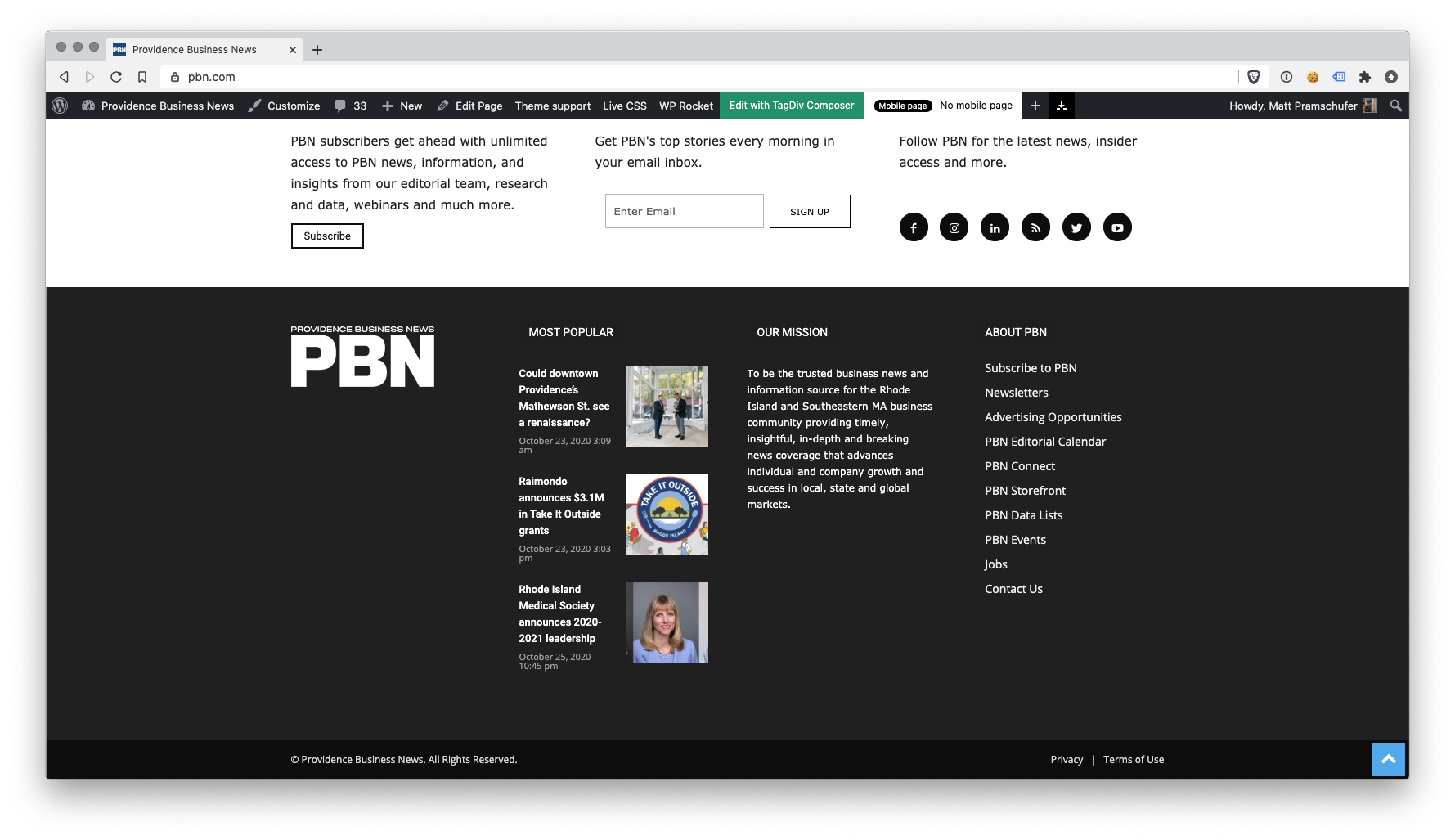
When I save the footer and assign it globally in Theme Panel, the footer column styles only appear on pages in which we build with Visual Composer.
Homepage Built with Visual Composer – https://s3.amazonaws.com/pramadillo/Providence_Business_News_2020-10-26_11-45-48.png
Individual Post Page without Visual Composer – https://s3.amazonaws.com/pramadillo/Could_downtown_Providences_Mathewson_St._see_a_renaissance_-_Providence_Business_News_2020-10-26_11-46-45.png
I have cleared cache and double checked everything and to no avail the css does not get included.
Calin Hi,
if this option https://i.imgur.com/PZdjDKs.png is disable then the theme stop canting the views and the same is with this option -> https://i.imgur.com/8CM9FVI.png if you are using cache plugin.
The nice thing is that you can when you want to adjust the numbers of views per posts.
Thank you!
Calin Hi exitmotion, is look that you can try any article om Facebook, but it will be share only a single article, the same article or all posts.
Normal if the share is set as in our guide from here -> https://forum.tagdiv.com/facebook-share/ it should work correctly, but as in your case there is a cache problem or extra plugin, please deactivate ALL plugins except tagDiv plugins and Yoast SEO plugin, also if you are using child theme or cache plugin, deactivate them, clear all cache and try again.
Let us know the results!
Calin Hi,
I tried to check the website with moz.com, unfortunately this platform is not free, you must enter your credit card even if you want to test it for free -> https://i.imgur.com/nzY8HGJ.png I do not know how this platform is working.
Normal only our theme does not have a section where to set the meta description, usually this is set using a SEO plugin, for example Yoast SEO -> https://yoast.com/meta-descriptions/
Also Now I see that you are using only the schema from our theme, you can try the above plugin and disable the schema from theme -> https://i.imgur.com/i1s9fAa.png after that clear all cache and check again to see if the meta is sill duplicate.
Let me know the results!
 Gastrodontti
I’ve ran into a “There has been a critical error on your website.” on my staging site for my blog. I had been building the site for weeks without any problems and then suddenly I can’t access the theme panel, can’t access Cloud templates, the site is down and nothing works.
I’m running on WordPress 5.5.1 and the System status is green. Not a plugin conflict case as only tagDiv plugins are in use.
I hadn’t been aware of the compatibility issue with 10.3.7 before this problem appeared. I rolled back to 1.3.6.1 but the problem persists. Reinstalled the theme and plugins, cleared the cache and still can’t access theme panel or Cloud templates.
Some improvement did happen with the rollback. The site is up, I can access the Composer and even edit the templates by accessing them through the site while logged in and the top admin menu. I can even use the Cloud library the create new templates but I’ve got no way of assigning them as I can’t access theme panel. And the Cloud Templates menu is as broken as ever.
I’m fresh out of debugging ideas. And as my staging is on Blogvault, it’s the kind that will expire in a few weeks. As I can’t merge an incomplete site, much less a broken site, I’m in a bit of a hurry. Any ideas?
 be2name
Hello,
WPRocket is a caching plugin that works great with Newspaper, although it’s not officially supported.
If you want to use the new mobile pages feature introduced with Newspaper 10.3.7 just make sure that you have activated the separate cache for mobile devices checkbox in the CACHE tab of WP Rocket. Otherwise mobile users might see the desktop-layout and vice versa.
Vlad S Hello !
Please try to reinstall the demo. I have just tested this on our side and everything works out great. Also please make sure that you do not have a plugin conflict, please deactivate ALL plugins except tagDiv ones, also if you are using child theme or cache plugin, deactivate them, clear all cache and try again.
Thank you !
Vlad S Hello !
No, this depends on how good you clear your cache. It is not theme related.
Thank you !
Vlad S Hello !
We have tested this on our side and everything seems to be working fine here. Please make sure that you do not have a plugin conflict, please deactivate ALL plugins except tagDiv ones, also if you are using child theme or cache plugin, deactivate them, clear all cache and try again.
Thank you !
Vlad S Hello !
Please provide a link to your website and also make sure to clear your cache because this sounds like a caching issue.
Thank you !
 LPresse
Hello,
I have a problem with the translation of the theme (english > french).
I followed this tutorial : https://forum.tagdiv.com/loading-translations/
But it doesn’t work (cache cleared), the site is still in English (“by”, “updated”, “share”…) and not in French.
Thanks,
Vlad S Hello !
At the moment we are not aware of any issue like this. This most likely is a plugin conflict. Please make sure that you do not have a plugin conflict, please deactivate ALL plugins except tagDiv ones, also if you are using child theme or cache plugin, deactivate them, clear all cache and try again.
Thank you !
Calin Hi,
This is a strange case and I think is only for the new mobile version.
Make sure that you do not have a plugin conflict, please deactivate ALL plugins except tagDiv plugins, also if you are using child theme or cache plugin, deactivate them, clear all cache and try again.
Also another thing that you can do is to disable, delete and reinstall tagDiv Composer from newspaper > plugins
Let me know the results!
Thank you!
Calin Hi,
The view counter can be change, stop or reset, also you have the possibility to set manually the number of view, go in posts and enable the custom fields -> https://i.imgur.com/NavHTFn.png after that down in post will appear the the custom field options -> https://i.imgur.com/waKZBHe.png change it -> https://i.imgur.com/NAFEi9p.png and check the results.
The theme will count using the theme counter and analytics counts using it’s own counter. There is no simple way to make them both work using the same parameters. The real and unique value for your visitors is given by Google Analytics. Our post view counter will count any post-visualization, even if the post is visited twice by the same person and that’s why appear that difference.
Normal this should count all the entries on that post, just make sure that you are using this option for cache -> https://forum.tagdiv.com/ajax-view-count/
Thank you for your understating!
Vlad S Hello !
This indeed is a weird thing but from what our developers have looked at on our test site, instagram widget only renders the images from your feed, it does not store them.
Are you using any social media plugins ? Please make sure that you do not have a plugin conflict, please deactivate ALL plugins except tagDiv ones, also if you are using child theme or cache plugin, deactivate them, clear all cache and try again.
Let us know the result !
Thank you !
Vlad S Hello !
Please make sure to clear your cache. This is how a normal user sees your pages on mobile: https://www.screencast.com/t/wZaCZy9AYp
Thank you !