
- NewsmagtagDiv Composer Tutorial
- NewsmagHow to use the Visual Composer plugin
- NewsmagHow to update a plugin
- NewsmagWhat’s included in Newsmag theme package
- NewsmagRequirements for Newsmag
- NewsmagInstall via WordPress
- NewsmagInstall via FTP
- NewsmagBlock settings tutorial
- NewsmagtagDiv Social Counter tutorial
- NewsmagHow to update the WPBakery plugin
- NewsmagPage Menu
- NewsmagCustom ad spots
- NewsmagSmart sidebar
- NewsmagVideo playlist
- NewsmagPage templates
- NewsmagHomepage – How to build and set it
 Calin Calin
 Hi,
You can achieve this only if you have set a header per language, and for this you’ll need to use cloud headers, indeed the Gaming Demo do not have a cloud header, choose one that is closer to layout and edit it with tagDiv Composer.
Thank you for your understanding!
 jrvalle
We would like to be able to modify the main page of the posts with the TD Composer, is it possible?
 Vlad S
 Hello !
Then you will have to edit that with the tagDiv Composer.
Please contact us via email at contact@tagdiv.com and provide the following:
– admin url and credentials
– cPanel url and credentials
– A link to this topic in order to identify you
Our team will take a look !
Thank you !
Calin Hi,
You can set on posts and categories “groups of ads” using the theme panel or cloud templates, but for pages, this can be achieve only if you edit all pages with tagDiv Composer.
-> http://prntscr.com/q2nyn9 -> https://forum.tagdiv.com/cloud-library-category-templates/
Hope this will help you!
Thank you!
Calin Hi,
Please make sure that all the settings are like in our requirements, please follow the guide carefully
– https://forum.tagdiv.com/requirements-for-newspaper/
and please increase all requirements that are lower, and follow all steps.
Please make sure that you do not have a plugin conflict with untested plugins, please deactivate all non theme/tested plugins, also if you are using child theme, clear all cache and try again.
When tagDiv Composer is not working -> https://forum.tagdiv.com/tagdiv-composer-not-working/
If there is still a problem, please provide some more details and some screenshots.
Let me know the results!
Thank you!
Calin Hello,
Is look that you have a problem with Access-Control-Allow-Origin (CORS origin)
-> http://prntscr.com/q2n2a5 you can fix this by follow the steeps from this article -> https://crunchify.com/how-to-fix-access-control-allow-origin-issue-for-your-https-enabled-wordpress-site-and-maxcdn/
Also please make sure that you do not have a plugin conflict, please deactivate ALL plugins except tagDiv Composer, also if you are using child theme or cache plugin, deactivate them, clear all cache and try again.
Hope this will help!
Thank you!
 lisamariet
how can I create a custom layout only for mobile view in TagComposer?
 Carlichy
For the post template number 7 ¿how the effect of text fading in the title is achieved?
I want to use this fading effect in my single template using the TagDivComposer.
 MrAdler
Hi. I’d like to customize the default post template style 7. Is it possible to edit it with TD Composer just like other post templates from Cloud Template Library?
 mirto92Calin
 Hi,
Please notice that you can use only the page templates that Newsmag theme had, the file that you made can be adjusted only with custom work.
What you can do is to edit a page with tagDiv Composer and ad the ad box in a sidebar ( row ) -> http://prntscr.com/q2cmsd
Thank you for your understanding!
Calin Hi,
For a better performances you’ll need to use only elements that are from Cloud Library and tagDiv Composer, ( you’ll need to replace the blocks from standard pack and disable it ), after that there should be no problems.
Thank you!
Vlad S Hello !
That can be adjusted using the tagDiv composer.
Please contact us via email at contact@tagdiv.com and provide the following:
– admin url and credentials
– cPanel url and credentials
– A link to this topic in order to identify you
Our team will take a look !
Thank you !
 mrsky28
Hello TagDiv team,
Congrats on Newspaper 10. I would like to suggest a “quality of life” feature.
Could you please consolidate your WordPress toolbar items?
Currently, on the frontend toolbar, you have these menu items:
“Edit with TD Composer”
“Theme panel” which is under the site menu.
“Theme Support”
“Live CSS”
Maybe make a TagDiv menu and put them all under there?
 Yard8
Yard8My client has a very specific set of ads that go on pages with a certain category. These categories can hold hundreds of pages, so doing the ads individually for each page isn’t ideal. Is there a way for me to achieve this using the Theme Panel > Ads? If not, is there any other elements within the tagDiv Composer to achieve this? Thanks so much.
Calin Hi,
The tagdiv-composer-draft will not be set in url, there should be set only the posts/page title, if this is not what you mean, please provide some more details and some screenshots.
Thank you!
Calin Hi VidrioMag,
The footer on La Mode demo is a footer page , you’ll need to edit it from theme panel with tagDiv Composer -> https://i.imgur.com/DcwrWXq.png
Hi christogonus,
If you want to remove the Latest article you need to change the page template to default -> https://forum.tagdiv.com/page-templates-2/ if you want to change the Latest Articles text please check in Homepage Latest Articles in Posts Loop Settings -> http://prntscr.com/pqz5za
For the footer try the above suggestion if you have a footer page, if not, please check in appearance > widgets -> http://prntscr.com/q29hz0
Thank you!
Calin Hi,
The slider revolution can be set with tagDiv Composer on homepage, but the blocks from widgets will be removed without standard pack, the can be created now with tagDiv Composer on pages and Cloud Templates.
Thank you!
Calin Hi,
You can use a single post template from tagDiv Cloud Library, edit it with tagDiv Composer and set the ad box under the comments -> http://prntscr.com/q292qw -> http://prntscr.com/q2935c -> https://forum.tagdiv.com/custom-ad-spots/
Thank you!
 secretsofparis
Hello, I just purchased Newspaper to update an old website built in 2006 (!). I am reading the intro documents and see this: “You need to edit the page with the builder it was initially created with. Do not edit a page with tagdiv composer if it was not originally built with it. If you created your page in visual composer and then switched to our own page builder, you will have to re-create that page”
So I have over 2000 pages I have to redo from scratch to use the builder?! Is there no other way to import the style to the existing posts?
 chicky365
Hi
I would like to allow my users to submit articles for my site, which will need to to into a pending status before being checked by myself. This is similar to comments but for new articles rather than comments for existing articles.
Is there a function within the theme / tagDiv composer to add fields (name, free-text attach images) or do I need to use an external plugin such as contact form 7?
 Grexi126
Hey,
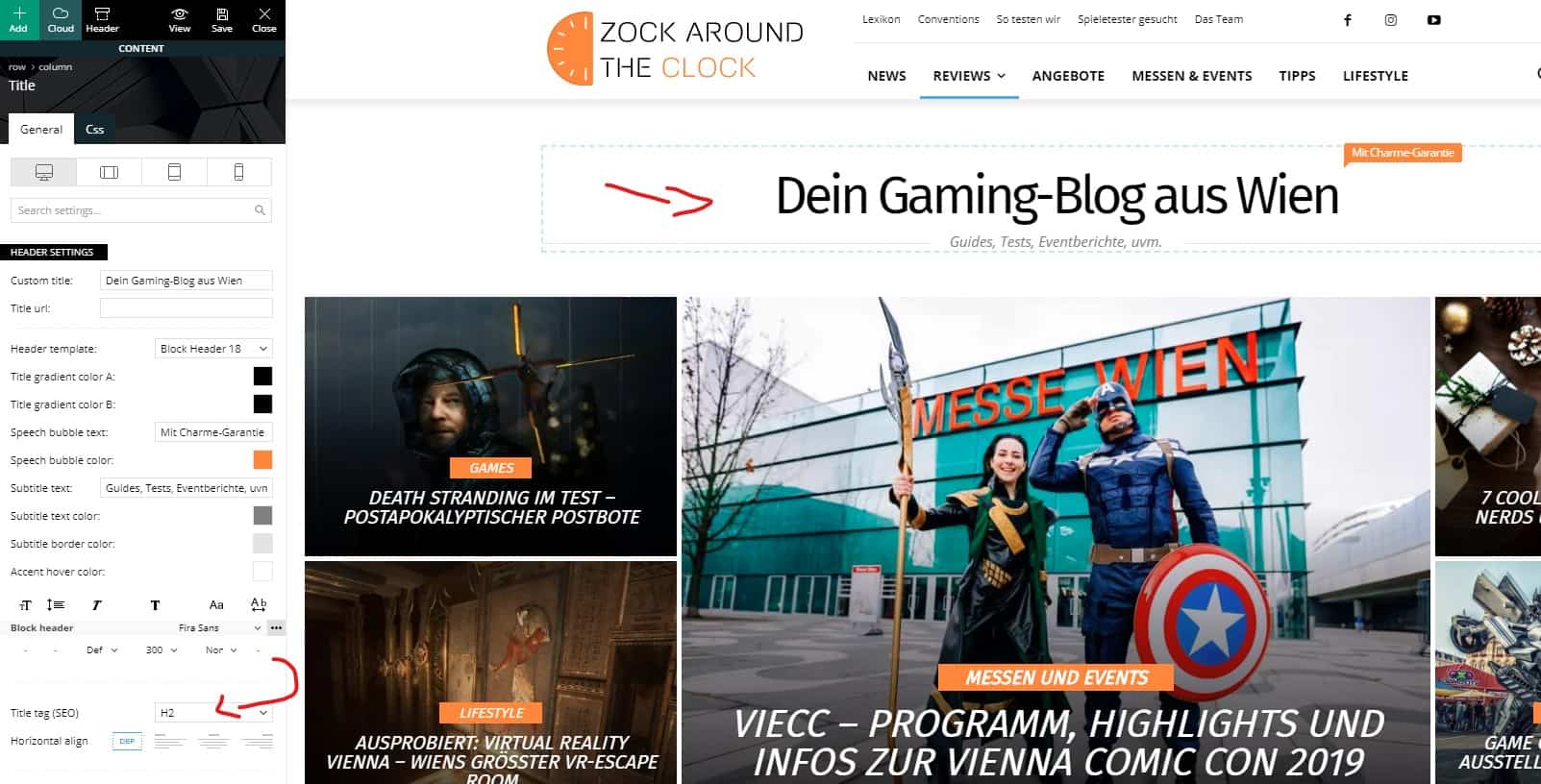
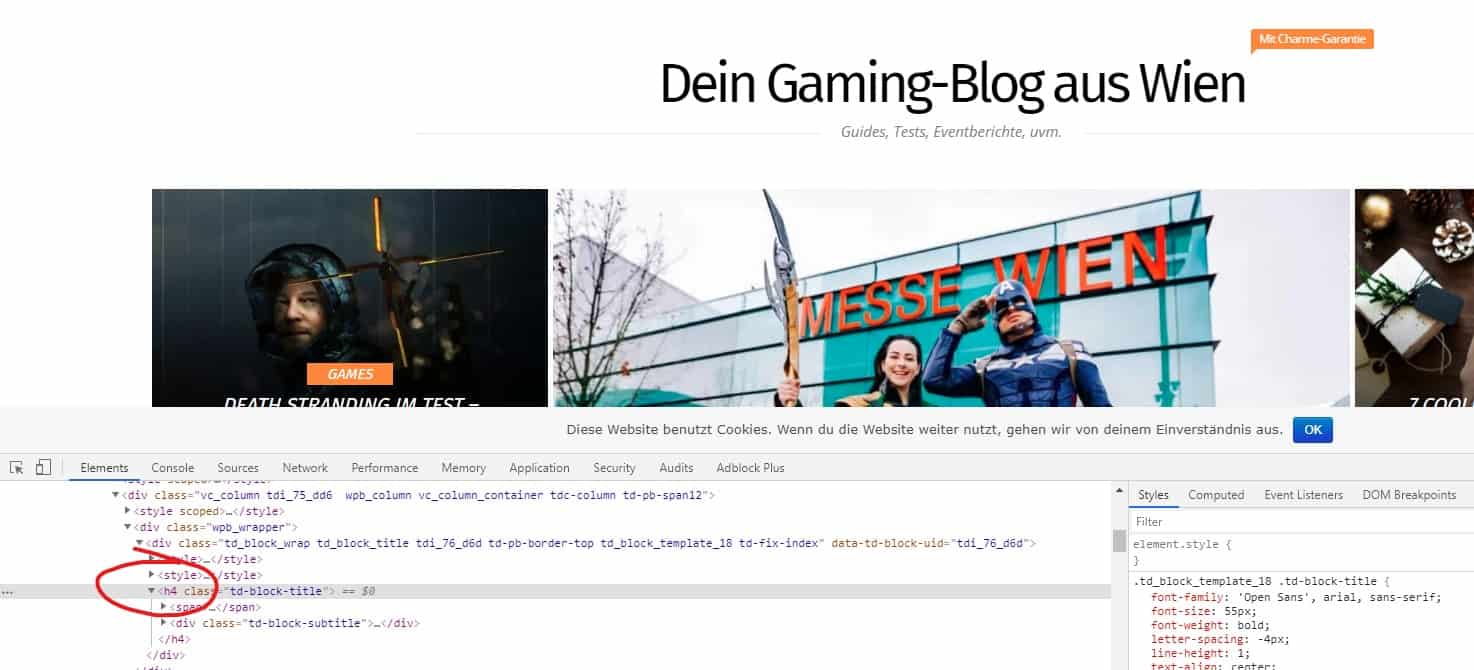
I am using the block header 18 and set the H2 tag in the composer.
Unfortunately it is not recognised as H2 but H4.
Ideas?
https://zock-around-the-clock.com/
and
Cheers,
Gregor
Vlad S Hello !
Please note that some of the old demos and templates were considered a dependency and will deactivate with standard pack. You will have to use only the layouts available once the standard pack is deactivated in order to convert your website.
When you will deactivate the standard pack all the older versions will turn out in a shortcode because they won’t be rendered anymore.
Some templates like the footer, homepage, author will create be created as a page. Find out more about it here: https://forum.tagdiv.com/cloud-library-templates/
The settings haven’t changed that much. For instance you can install the Default PRO demo and start customizing it using the tagDiv Composer. All the layouts that will be inserted in the theme without standard pack should be fully customizable with tagDiv Composer.
I hope this was helpful !
Thank you !
Calin Hi,
This is the way how the featured category is use -> http://prntscr.com/q27jra the path is wp-content/plugins/td-composer/legacy/common/wp_booster/td_module_single_base.php
Thank you!

