
 Bogdan B.
 Hello,
Unfortunately we have not tested this and the official solution is paid only: http://codecanyon.net/item/bbpress-shortcodes-for-visual-composer/9073637
Thank you!
Bogdan B. Hi,
The new version of WP works with the latest version of visual composer. Please update your theme to the latest version by following this guide: https://forum.tagdiv.com/how-to-update-the-theme-2/ and make sure you have the latest version of visual composer: 4.11.2
Thank you!
 Andrei L.
 Hi
After WordPress updated at V 4.5 there appeared a jQuery conflict in our theme. We fixed this conflict and the current theme version available on themeforest works fine, also we included last version of Visual Composer plugin.
Try to update the theme at V 2.3.6, and Visual Composer at V 4.11.2 following our documentation: https://forum.tagdiv.com/newsmag-how-to-update-the-theme/ – https://forum.tagdiv.com/newsmag-how-to-update-visual-composer-plugin/ deactivate all other plugins, clear all caches and test again.
Thanks!
Bogdan B. Hi,
If you use a standard visual composer element, you can use this css to remove the gap entirely:
.td-main-page-wrap{
padding-top:0px!important;
}
On your pages though you use revolution slider and you get a white border from that as well. You can try to see the test page I created on your site (set to private).
Please edit your slide and remove the padding from slide options.
Thank you!
Andrei L. Hi
The theme is tested and works fine on sfari. I am not sure why Try to deactivate all plugin except Visual Composer, clear all caches, purge cdn files if you’re using then test again.
Let us know how it goes and if the problem persist please send us an email at contact@tagdiv.com with your login credentials and we will inspect this issue as soon as possible, also include a link to this topic.
Thanks!
Bogdan B. Hello,
Please ignore the update messages from revolution slider and visual composer as these plugins are provided free by us and we will include updates on a regular basis along with the theme updates. The plugins by themselves cannot be updated as we cannot provide an activation code for the free version of the plugins.
Thank you!
Andrei L. Hi
Try to deactivate all plugins except Visual Composer, clear all caches then test again. Let me know how it goes and if you still can manage to solve his provide your site url so I can have a closer look at at his issue.
Thanks!
Andrei L. Hi
I’ve checked your site and didn’t find the youtube video playlist. Also I’ve checked playlist’s functionality on my site with last theme’s version and last wp-version and works fine.
Try to deactivate all plugins except Visual Composer, clear all caches, purge cdn files if you’re using then test again.
Let me know how it goes and if you still can’t manage to solve this please provide a link where I can inspect this issue so I can have a closer look.
Thanks!
Bogdan B. Hi,
Please try to disable all plugins except visual composer, clear cache and reset cdn files. Usually a plugin conflict creates this type of issues.
Thank you!
Bogdan B. Hello,
1) In order to remove the date and time only from a big grid, you can use css like so:
.td_module_mx5 .td-module-meta-info{

display:none!important;

}
Just add the code in the theme panel->custom css box.
2)unfortunately php 7 is not yet tested with our theme. We recommend version 6.
3) I’m not sure how you are implementing the news ticker, but it can be added in visual composer and filtered like so: http://screencast.com/t/SPUUdUoGG
Please provide an example of how you are implementing the news ticker and where so we can figure out how to help.
4) Hi, the mega-menu sub-categories are shown on the left in the newspaper theme. if you use newsmag, then they will be under the posts and there is no easy way to move them. (If you use newsmag, you also wrote in the wrong forum. I can’t tell as I can’t access your site.)
Thank you!
 T2N
T2N Hi Catalin,
I followed the instructions but still the gallery is not working as it is supposed to.
Now I did update the theme, visual composer and rev slider but still nothing.
Other issue is that after updating/reinstalling the visual composer and rev slider, I can’t activate them because I don’t have purchase code. There should be another update of rev slider but I can’t update because I don’t have purchase code.
I have sent you access to my website via email so you can check it out.
We’d really want to have the gallery fixed because we do have campaign right now for our canada categories.
Thanks!
 Junior
Hi all,
First here is my website : http://www.sweetdaddy.fr
Well my problem is simple : it seems that a WordPress update (?) did change all the back office of my home page. Before, I had all the options from Visual Composer, and I could do my home page as it is now.
But since I-do-not-know-when, I have nothing in the Visual Composer menu, so I can not do anything to modify my home page, like I do not have access to what I have on it Oo
Any idea on how to fix that please ? 🙂
 bestword1
Hi there,
I’ve been having trouble getting the Amazon Affiliate programme’s Responsive Search Widget to display on my site: https://affiliate-program.amazon.co.uk/gp/associates/promo/search-widget.html
An example page where the widget is embedded can be found here: http://bestforcats.co.uk/guest-posts/guest-post-surefeed-products-make-mealtimes-easier-cats/
Has anyone managed to get this working on their website? I don’t think this is a problem with the theme as such, but I’d be grateful to hear from other Newspaper users as to how they got it to display.
As it stands I’m (unsuccessfully) using the Ad Inserter plugin which is added as a widget on the sidebar, but the raw JavaScript block in Visual Composer failed to display the Amazon widget either.
Thanks in advance!
 nelson
Hi, now I used up the “default demo”.
Wanting to redo everything I removed newspaper theme from my ftp server directly.
Then I opened wordpress and reloaded a new version of newspaper and activated theme “Classic Blog Demo”. I activated Visual composer in the theme pluggin Newspaper.
But nothing happens when I created a page, I want to select a template from existing default, nothing happens.
Could you help me, thank you
 JanIlves
 Same problem with my site. Posts do not open up in Visual Composer backend editor. So the problem is probably not specific to Xinga, but probably more Newsmag users experience it.
EDIT: I had a old version of VC. Update to 4.11 ( newest ) and it should work fine.
-
This reply was modified 10 years by
JanIlves. Reason: Fixed the problem
 Xinga
XingaFor some reason, visual composer somehow doesn’t show anymore when I try to edit a page. The page is still working, but I got no way to edit (other than the source code). I tried to deactivate the other – none newsmag plugins, but to no avail. can you help?
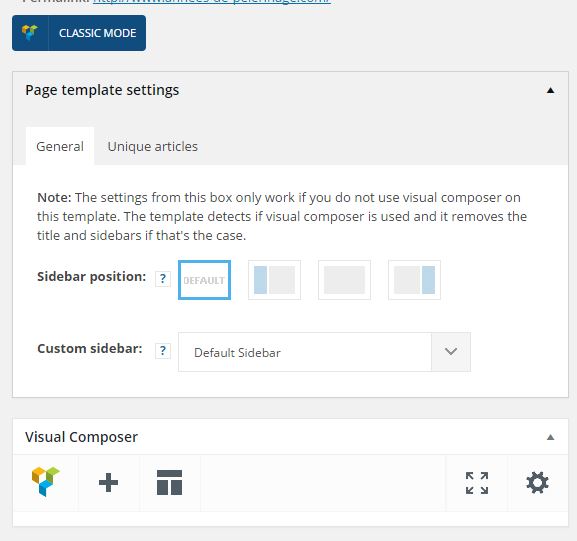
I am running VC v4.9
 simchris
 YoungT
 Hi Andrei,
Thank you for the assistance. I updated both the theme the visual composer and the images are back except on the iphones. Android are fine but still can’t see any images on the iphones. http://www.youngtribune.com
Thanks
 lbinternet1
Hi
Where can I find the option to update the plugin to the latest version. I am trying to update the WPBakery Visual Composer, the current version I have is the 4.6.2. I want to be able to change it so I can edit my block page at the moment I am not able to see that option when I am doing my writing.
Regards
Sally
 mcgor
mcgorHello friends
I just upload theme few days ago and i dont see button of Visual Composer in my life editor
http://joxi.ru/823zEaLI6kO19m
What should i do in order to find this button.
Thank you
Nadiya
 Desmodron
Hello,
I’m working with version 6.6.4 of Newspaper and WordPress 4.4.3.
When upgrading to WordPress 4.5.2 Visual Composer WPBakery stops working.
I followed the steps to update the plugin but does not work – https://forum.tagdiv.com/update-the-visual-composer-plugin-wpbakery/
I returned to restore the backup on WordPress 4.4.3 up WPBakery how to update Visual Composer
Can you help me?
Thank you
a greeting
 Sandman
Hi!
WP admin always asks to activate the Visul Composer plugin:
http://clip2net.com/s/3xMPuhW
Whaen I try to activate it, it asks about the license. The VC plugin came with the theme. Where can I find the license to activate the plugun?
Thanks in advance,
Dmitry Sandakov
T2NHi guys,
URGENT: Theme is no longer mobile responsive after last theme update. We followed your instructions to update theme, visual composer and slider revolution. Slider Rev plugin still says “a new plugin is available”
Please help.
Christina
 tomdouble
Is it save to update WordPress when using the latest version of Newspaper (and Visual Composer)?
 geospatialmedia
 Great!
We will wait for this to come-up on top of your priorities to support filter by custom taxonomies. Is there a place where we can up-vote that request?
Meanwhile, can you let me know if this plugin will help in such a case? http://codecanyon.net/item/advance-post-gridlist-with-custom-filtering-for-visual-composer/8712997
Regards,
Harsha
