
 Andrei L.
 Hi
@jboursaw I glad you have managed to solve this and @Chris thanks for your indication 🙂
@aquackworth make sure yu update the Visual Composer, clear all caches and test again.
Thanks!
 StockSpyder
Hi, I’ve tried to update VC manually according to the instructions but I still cannot edit my pages. Im using newsmag – please help
 Bogdan B.
 Hi,
Sorry but we do not work on weekends. Support hours are posted in the top right of the screen. Please try to re-save permalinks and disable all plugins except visual composer, clear cache and reset cdn file. Then check your posts again. By checking your site I could not find any 404 errors. All posts opened as expected.
Let us know how it goes and if you still have the error, please provide more details so we can better understand how to help.
Thank you!
 Catalin
 Hello blackout17,
Unfortunately, this plugin is not tested with our theme and we have no idea about the behaviour of the theme with this type of plugin and also, we cannot provide support for untested plugins, sorry!
Please try to make a fresh install of the theme and then only install the visual composer version that comes with the theme. Please remove any other version from the plugins section (disable and remove) and then install it from here: http://screencast.com/t/DwZN21u0VR -> https://forum.tagdiv.com/install-via-ftp/
Please let us know if you still have problems afterward and let us know when you have the theme active so we can inspect your website.
Thank you!
 dizajn
 Hi, you must have latest wordpress 4.5, and it works with latest visual composer version. Otherwise it doesnt.
Bogdan B. Hi,
If you updated wordpress to the latest version, you MUST update visual composer to the latest version as well. Please make sure you have VC 4.11.2 and if not, please download the latest version of the theme and install it from there.
Thanks.
 EN site
Hello, since the update our VC stopped working. We have followed the instructions of WP update, VC delete and update, and clearing the cache, but the VC is still not available in page editing.
Can you please instruct us on what we can do now to fix this problem, we are unable to edit our pages.
Thank you.
Julie
 kchukkapalli
Visual composer was working fine until I enabled MultiSite option. I cannot see any block that is already on the page and cannot add/remove new stuff. Please let me know how to fix it. Thanks.
My website is: http://movielawn.com
I can PM you Admin user name and password.
Best Regards,
Kal
 horseturd
Hi,
I just purchased this theme and am unable to edit my homepage. The visual composer seems to just lag out, I’ve activated my theme so I’m not too sure what the problem is?
Thanks for your help
 simchris
 I guess WordPress 4.5 can “break” how jquery is loaded in a *lot* of themes, or they switched to calling a newer version than most themes and WP 4.4x had.
So, if your site stops working with WP 4.5, then you’d likely need to update, –or– perhaps unenqueue jquery from theme in your functions.php file and then load via the Google CDN. Oddly one of my sites where I did that had zero problems with the new WP 4.5 update, while others had the problem.
Obviously make a full back up of your dbase and site content so you can “roll back” if it does not work.
Visual Composer may stop working with new version of WP due to the new version of jquery being loaded.
 adityacb4u
Hi
Greetings for the day.
I am using Newspaper theme since long time. now after the update I am unable to edit my home page. Please help me in doing so. In detail Visual Composer is not loading to edit my homepage.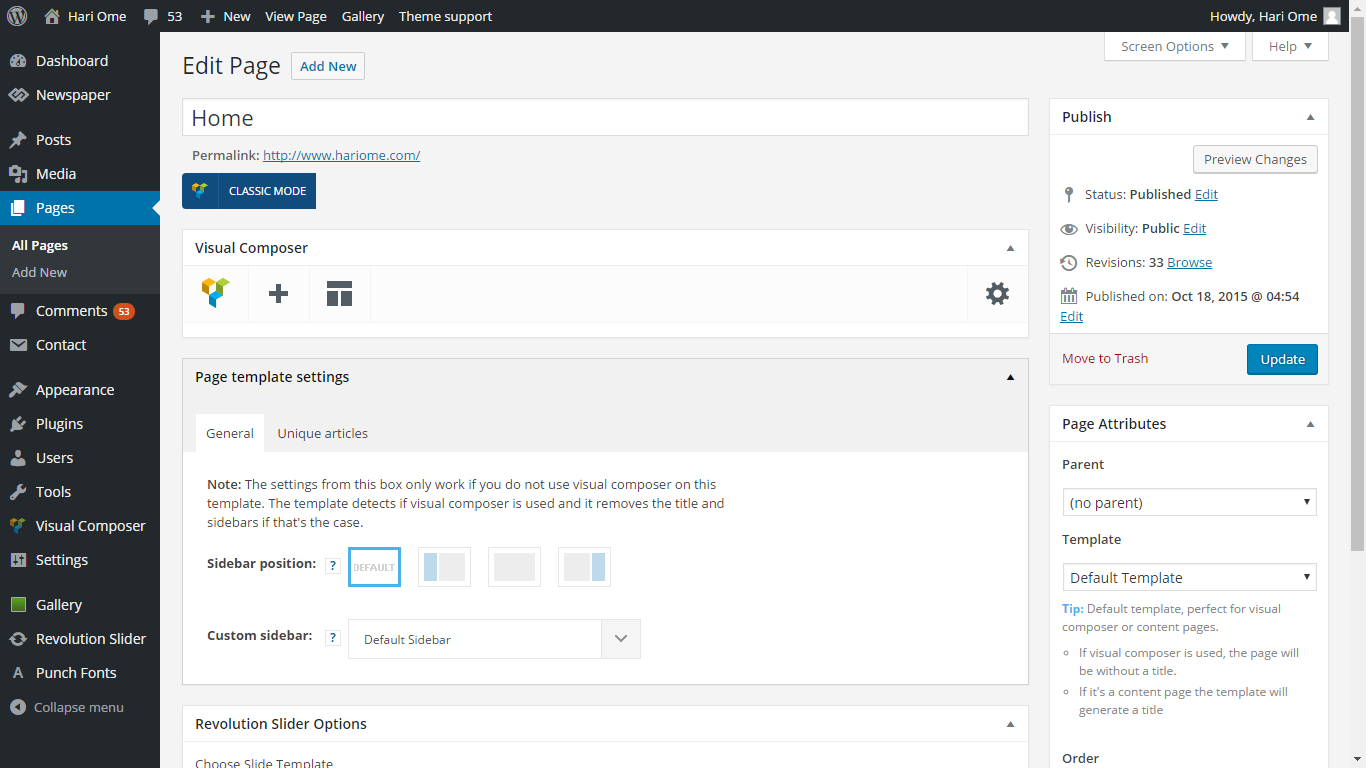
 tests
testsHello,
I do not want the “games” category in the slide and when I excluded the block category, it appears.
http://screencast.com/t/SESHh6QMKtK
Thank you
 Kortris
Hello, i would like to add a full width slider to the top of my homepage through visual composer. Is there any way i can decrease a little bit the height of the slider?
Thank you in advance
 Mwijaya20
hallo i have trouble in visual composer, cant access visual composer while editing page. can your team help me solve the problem.
 ravester
 WPBakery Visual Composer
Settings | Deactivate | Edit
Drag and drop page builder for WordPress. Take full control over your WordPress site, build any layout you can imagine – no programming knowledge required.
Version 4.11.2 | By Michael M – WPBakery.com | Visit plugin site
 salimnazer
 Just updated to Visual Composer V 4.11.2, but same story with chrome. Only works on Firefox.
 hank71
 Hi, I have the same problem with Visual Composer, the page can’t load VC, the one thing I see of VC is the circle turning, thats all. I deactivated, deleted, reuploaded and activated. Nothing to do.
my configuration:
Theme config
Theme name i Newspaper
Theme version i 6.7
Theme database version i 6.7
Theme aurora version i 1.1
Installed demo i Default demo – demo ID: default | install type: full
php.ini configuration
Server software i Apache
PHP Version i 5.6.20
post_max_size i 50M – You cannot upload images, themes and plugins that have a size bigger than this value. To see how you can change this please check our guide here.
max_execution_time 120
max_input_vars 5000
SUHOSIN installed false
WordPress and plugins
WP Home URL i http://www.bioconbrio.it
WP Site URL i http://www.bioconbrio.it
WP version i 4.5
WP multisite enabled i No
WP Language i it_IT
WP Memory Limit 64 MB/request
WP_DEBUG False
Caching plugin No caching plugin detected – for best performance we recommend using WP Super Cache
 devkabir
Well, I am seeing lots of users of Newsmag theme have problem of images not showing up. Even our website http://www.kabir.org had the same problem.
I tried the solution as suggested by other developers: Here is the guide on how to update the plugin – https://forum.tagdiv.com/how-to-update-visual-composer-plugin-wpbakery/
This still did not help in my case and I am seeing in other websites case well.
Solution that worked for me:
– I found it’s not cache or some other issue.
– The issue is with jquery script it’s not changing the opacity of images
– Go on style.css in theme folder line no: 23884
– Change the opacity of images from o to 1 in CSS file. (0: hidden; 1:visible).
Problem solved. Images showing up again.
 bahola
 Hi,
I just updated the Newsmag to the latest version and also updated the visual composer plugin. WordPress running is 4.5.
The Big Grid does not work now.
 Syambarkah
Hi,
First of all I use a plugin that allows me to open commenting on page.
I updated newsmag and visual composer and found “no comment” words began to show up (again) at the bottom of page.
can anyone help? Here’s the situation http://www.screencast.com/t/afmh6AWsf55X
thanks all
 Castle Yen
 Hello
I want to update the theme by envato toolkit but after I follow the steps in documentation, the “theme” tab did not show up like the last step in instruction:https://forum.tagdiv.com/how-to-update-the-theme-2/
My screenshot is:http://i.imgur.com/edTo1sO.png
My visual composer is not working now, so I want to update this theme as soon as possible.
Please help 🙂
Castle Yen Hello
I want to update the theme by envato toolkit but after I follow the steps in documentation, the “theme” tab did not show up like the last step in instruction:https://forum.tagdiv.com/how-to-update-the-theme-2/
My screenshot is:http://i.imgur.com/edTo1sO.png
My visual composer is not working now, so I want to update this theme as soon as possible.
Please help 🙂
 vmanuelp
Im Trying to add news categories to my homepage and Visual Composer is not loading.. keep loading for some time and never load complete.
 shootmanagement
 Fixed by manually updating visual composer plugin.
 Maui No Ka Oi Magazine
I did the latest theme update this week and I also updated WordPress. I also updated Visual Composer. I refreshed cache numerous times since updating.
Two Problems:
1) Masonry galleries are not showing – example page where masonry gallery is in the code but not showing on page: http://mauimagazine.net/maui-photos/
2) I created new posts today, and some are not showing the sidebar, even though they should based on the category of the post. I have double and triple-checked the settings are correct in the Theme Panel and I can’t figure out why some new posts are getting a sidebar, and some are not. I have them correctly categoried by primary category and they should get a sidebar, but they are not.
Here are examples of posts I made today (backdated because it’s old archive content from our magazine):
These have sidebar, correct: http://mauimagazine.net/culinary-jaunt-lanai, http://mauimagazine.net/choosing-solar-contractor,http://mauimagazine.net/down-and-dirty, http://mauimagazine.net/deep-wisdom
These lack sidebar, incorrect: http://mauimagazine.net/exploring-aloha, http://mauimagazine.net/publishers-note-march-2012, http://mauimagazine.net/going-bananas
Cannot tell any difference as to why some are getting the sidebars, and some are not.
Can you help with these issues?
Thank you.

