- TutorialsFrom WPBakery to tagDiv Composer
- TutorialsDefault Block Settings Guide
- TutorialsOffset Feature
- TutorialstagDiv Social Counter Tutorial
- TutorialsHow to Update the WPBakery Page Builder plugin
 tgarmon032071
 No errors at all in console. Also, running debug mode. This is so frustrating and time consuming. Two things in composer do not work. Everything else works. Cannot save inline text content edits and reordering columns in composer mobile view. Look, I have a business to run. Im happy to pay you whatever you think is fair to look at this. Otherwise, I have to eat FIVE licenses for your theme and the cost of this tech support. Are you prepared to refund all of that?
Also, your email notifications for follow-up replies doesn’t seem to be working either. I haven’t gotten a single notification of a reply and have had to sift through all of these post to find mine. You should be able to view the site now. We have set Romania to bypass firewall continent block.
-
This reply was modified 4 years by
tgarmon032071.
-
This reply was modified 4 years by
-
This reply was modified 4 years by
tgarmon032071 Bettina,
I have been working in WordPress for 10 years. I know my stuff. I have debug running and there are no php or any errors. I have checked all of the items you suggested. No issues. We have dedicated hosting. Plenty of memory resources allocated to the installs. We have FIVE LICENSES. Right now, I’d be really happy with a refund of all licenses and this tech support if you cannot offer more than this. If I don’t get this glitch in your tag div composer solved, which many others seem to have, we will have to abandon this theme for one that isn’t full of glitches. At this point, I’ll pay PREMIUM to not continue to waste valuable time here.
Reordering mobile columns doesn’t work AT ALL and inline text WILL NOT SAVE EDITED CONTENT! This is getting really tiresome and frustrating.
-
This reply was modified 4 years by
-
This reply was modified 4 years by
-
This reply was modified 4 years by
tgarmon032071 I do this, but the shortcode doesn’t save. Im so frustrated with this support. I have five licenses and there are a couple thinks I’ve spent two weeks trying to get an answer to. I’d like a refund, or some help, even if I have to pay a premium. got some issues with this composer that for sure.
-
This reply was modified 4 years by
 mastaliyev
hi
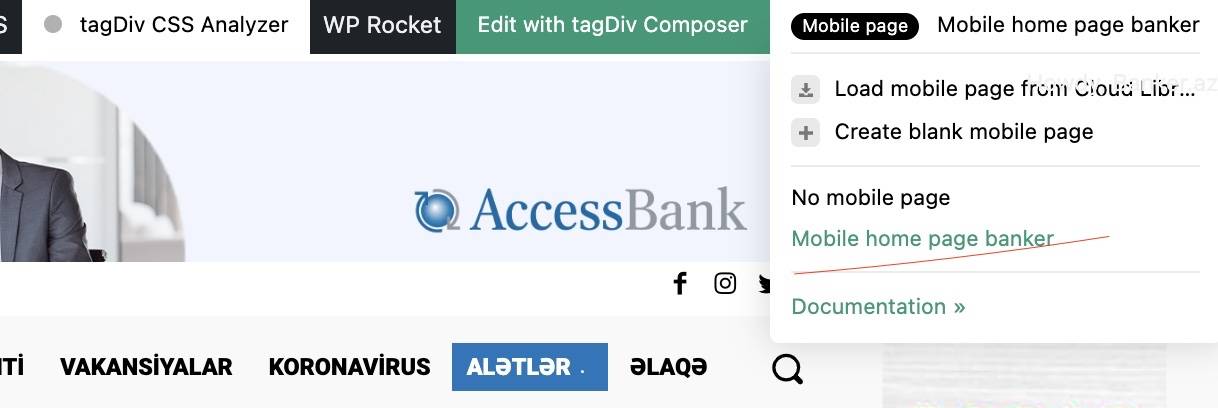
in my website (banker.az) everything worked fine, but i’ve changed something, don’t remember , no mobile theme is not loading. in composer i see that i’ve mobile them ,but it’s loading desktop verion in mobile. how to settle this? all detail page in mobile works fine. problem with only home page in mobile.
https://banker.az/wp-content/uploads/2022/04/Screen-Shot-2022-04-24-at-19.07.33.jpg
 epic1
epic1 Also I was modifying the home theme and I tried hiding one of the elements of the page by using the “display:hidden” from composer css editor. I thought it was going to leave a gap to click back on it and have it set to “display:show” but there is no option or way to click on it to bring it back (or at least have the settings options to do it).
 Hindistack
 Anamaria,
But i think post are not customizable with TagDiv Composer, so how can i edit post with Composer.
 sruhtbackend
Hello,
Is it possible to insert the tagdiv composer Newsletter block mid-post into a single post template? Could this be done by use of shortcodes etc..?
 David
David Hi Calin,
Actually, the page was created when WPBakery was a built-in part of Newspaper and the only way to design pages. It’s a pity that this is no longer supported, as it means extra work. But yes, if I disable WPBakery and rebuild the pages with TagDiv Composer, it seems to solve the problem.
I add the post ID filter in exactly the same way. However, it doesn’t seem to work for the Single Post template, no matter which Post ID I try. Any idea what this could be due to?
Thanks!
 Calin
Calin Hi,
The mobile menu can be edited using the options from here -> https://i.imgur.com/hfbUKLP.png
Also, if it is a cloud header, you can edit it using tagDiv Composer -> https://i.imgur.com/FynkKd4.png
Thank you!
Calin Hi,
If you disable and delete the tagDiv Composer and after that you reinstall it from Newspaper > plugins -> https://i.imgur.com/wtFFFPM.png is the update section displayed?
If not please contact us via email at contact@tagdiv.com and provide all necessary data to login and check the situation.
Thank you!
Calin Hi,
Unfortunately, for me your website it is not display the content -> https://i.imgur.com/UwzCM28.png
From what I see in your screenshot the link is set, if this still there if you access the page again in tagDiv Composer? When you hover over the custom post title there is no link (not even in source page?
Thank you!
Calin Hi tlonero,
The line height can be using tagDiv Composer, edit the single post template select the element and check the option from here -> https://i.imgur.com/DkzuPuT.png
I hope this will help you!
 Bettina
 Hello!
Yes, there are used some elements from Composer, but there is a lot of customization(custom code).
Thank you!
 furkan-g
Hello, we are managing a newspaper website. We tried different sliders revslider, smartslider etc.. all of them making webpage loading and scores lower. We used tagdiv slider which is working veryfast and can get 95/100 scores with it. But there is a problem we need more options on that slider.
There should be atleast an option to link from IMAGE. People try to click image and nothing happens. How we can add this functionality we are ready to edit js php etc what we should do?
Also in future you can add page nav menu outer of the slider, hover over pagination and slide changes to that page etc.
Thank you If you can help
 OCLarry
I know you don’t support the GeoDirectory plug-in, but I have seen multiple examples where it is used. In specific, this one in your showcase:
https://www.siemreap.net/directory/
The theme is Newspaper. It looks the Directory landing page was built in TagDiv Composer like this (and which I am trying to have my web guy replicate):
Below the header row and breadcrumbs…
Top row is expanded to cover 100%. Within the row is a slider with local images displaying in background.
Within that row is an inner row – container with three rows inside it
Row 1 – td text with title
Row 2 – another row with a search form — (in this case, it is GeoDirectory Advanced Search so it only searches the Directory places database, not the entire site database)
Row 3 – Below that another text with tile row with a horizontal list of most popular categories
Then below that, we have another row (not extended) with a sidebar
and inside that are multiple category rows (each a horizontal list of 3 columns)
The main Nav menu would connect with this landing page as a custom link
Then the Row 3 list of category links could also be custom links (in this case to the top 3 posts in a GeoDirectory archive pages.
I know you don’t support the GeoDirectory part but does the TagDiv construction sound correct to you?
The site I am trying to build is AccessLosAl.com and I’m trying to get the Directory landing page to look like this:

Thank you for any help.
 Johan Joost
 I have changed the custom titles within the TagDiv Composer.
Within the title urls I hoped to link them with the categories, but that does not work. How could I change that too?
Bettina Hello!
In order to be able to edit a template with the TagDiv Composer, you need to assign a cloud/PRO template. Check the documentation from above.
Thank you!
Bettina Hello!
You need to access an article/post in the frontend, click on the green button Edit with the TagDiv Composer and from there you can add the elements.
Documentation here:
– https://forum.tagdiv.com/cloud-library-templates/
– https://forum.tagdiv.com/design-post-pages-using-cloud-library-templates/
– https://forum.tagdiv.com/cloud-library-category-templates/
Check also our video tutorials here: https://www.youtube.com/c/tagdivThemes/videos
Thank you!
Bettina Hello!
Can be found here while you edit a cloud template with the Tagdiv Composer: https://prnt.sc/hf82EL0TI3Sj
Thank you!
Bettina Hello!
Yes, you’re right. You need to save it from the main toolbar between view and close.
We have a guide with some tips why our Composer is not working properly, please check: https://forum.tagdiv.com/tagdiv-composer-not-working/
Check some other possible factors which can interfere in our theme: https://forum.tagdiv.com/general-options-may-interfere-newspaper-theme/
A solution for sending a screenshot/video is this:
Download, capture, send: https://www.techsmith.com/jing-tool.html
After making the screenshot, you will have a link, paste it here.
Let me know the results!
Thank you!
 hobnobmediaventures
Dear Sir,
I created my website via Tagdiv Composer.But i geting a issue that is index page format get change automatically and also solve the page format automatically.
There for it is confusing for my page visitors to confirm which is the original page format.
Original Page format Image: https://prnt.sc/kl1rKT1tmRbo
Automatically Change Page format Image: 1) https://prnt.sc/tN4wCqmCSN7x
2) https://prnt.sc/AoaumhJ_bIeR
My website is http://www.bongwire.in
Please solve my issue as soon as possible
tgarmon032071 How can I send a screenshot? I believe y’all have some issues with the composer. I click on edit content, a window pops up with an editor and there is no place to save changes.
tgarmon032071 I set the top column to be 2 and the second column to be 1 and it didn’t work have any effect in the composer window, not did on the front end it after it was saved
tgarmon032071 My problem is tat I have tried this, but the short code will not save. When I go to add the short code in the text window, there is no save button three. the only place I see where I can save it is on the main toolbar on the left of the composer page. After I do that, and go back to check, it isn’t saved. I wish I could add a screenshot.
 Sabit
Sabit Here is another example, last configuration setting on layout pane is “prev icon” and next icon, I cannot view icons popup at all. Even if I search it is not showing the results of Font Awesome icons.
Check this snapshot for left icon
-
This reply was modified 4 years by
Sabit.