
 winipnews
 it seems my tag div composer has disappeared along with the subtitle area….
 Anamaria
 Hello,
Please make sure that all theme plugins are installed (tagDiv Composer, tagDiv Cloud Library and tagDiv Standard Pack if you are using standard elements). Most of the time one of the theme plugins is not activated.
Thank you!
 Satheeshraj
 Can we do the same for tagdiv-composer plugin?. Because mobile theme related header and footer are in that plugin only.
 Bettina
 Hello!
If you uninstall the Mobile Theme plugin, then it will appear how you’ve set up the mobile version from Composer.
This situation appears when you are using the mobile theme plugin and the cache plugin that you have does not feature options for a separate mobile theme plugin therefore do not know when to deliver the mobile version and when to deliver the desktop version.
We tested with our theme the WP Super Cache and with the settings from our guide this is working correctly: https://forum.tagdiv.com/cache-plugin-install-and-configure/
Hope that helps you!
Thank you!
 Paata
PaataI can’t change (and upload) photos in tagDIV composer.
I need help in this. I have installed SSL plugin but it still doesn’t work.
Here are the details – please check the link:
https://drive.google.com/drive/u/0/folders/1aiTEfbnI8tRVA5SDKJeztOx4t_EkzIgA
 mungerald
Tagdiv composer does not appear on wordpress top bar in dashboard. Even when all non-tagdiv plugins including cache plugin are deactivated, problem still persists. Theme and all tagdiv plugins are up-to-date. Theme is activated too!
Anamaria Hello,
Please try to remove the Instagram, and deactivate/delete/install/activate the tagDiv Composer and tagDiv Social Counter, clear all cache, and connect the Instagram account again.
If the problem is not solved after, we have to investigate, because I did several tests, and I could not replicate this problem, in some users who had this problem, it was related to a memory cache, in others, we had to investigate more.
Thank you!
Bettina Hello!
You’re right. If you have a cloud/PRO template, but you can’t edit the footer, then edit your homepage with the TagDiv Composer, scroll till footer, click on footer zone and you can edit/delete the elements there. Please check this video: https://www.screencast.com/t/fGV2uwNO2I
Thank you!
Bettina Hello Sebastian!
For the mobile menu when you are logged, you need to change this link from wp-content\plugins\td-composer\legacy\Newspaper\parts\logged.php 8 line
Thank you!
Satheeshraj I have modified the files in the below path to not show ads in 404 pages and few other pages.
1) plugins / td-composer / mobile – ( header.php / footer.php )
2) td-standard-pack – Newspaper – parts – header – ads.php
3) td-standard-pack – Newspaper – parts – footer- td_footer_template_5.php
Anamaria Hello,
You do not need WPbackery if you haven’t used it to create pages and posts, or elements.
So, please make sure, because a page that is created with wp bakery cannot be edited with tagDiv Composer.
Thank you!
Bettina Hello!
It depends on what modifications you have done in Composer, because maybe some of those changes can not be added in the child theme. Please provide more information about those changes you have done in order to help you efficiently.
Thank you!
 nimmy8129
This is the what the user see when access the page
https://3minsmedia.co.uk/category/article/politics/
https://imgur.com/a/qs2xWvR
however this should be what the user see/ or my design inside the tag composer
https://imgur.com/a/gATjidj
this bug show that the user have a different footer and header according to my design and all position is wrong
 dennisjpitocco
When viewing our Cloud Templates via Dashboard/Cloud Templates, all of them allow for us to “Edit with TagDiv Composer” except for our Footer (Only options are Edit, Trash, View, Duplicate). How can we edit with TagDive Composer since it is Cloud Template provided by our Theme?
 knthdgd
Hi!
This is kind of strange.
I designed a header using tagDiv Composer, and it works great on my desktop in different browser window resolutions. Works perfectly.
But when I visit the website on my iPhone it is a completely different design showing?
Live at desktop:
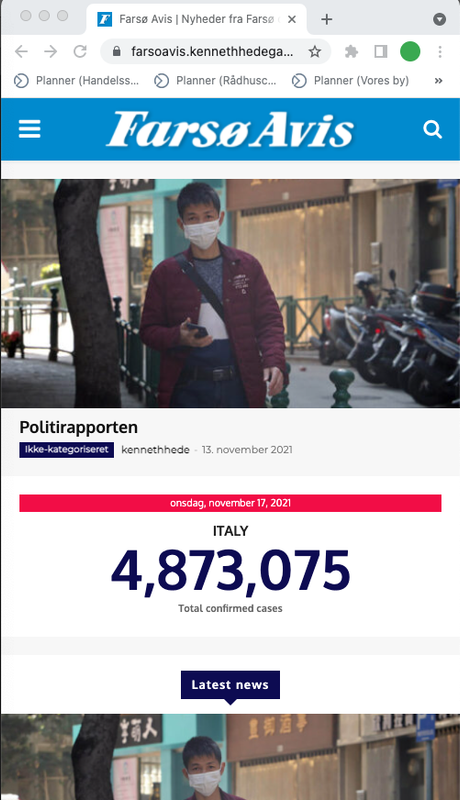
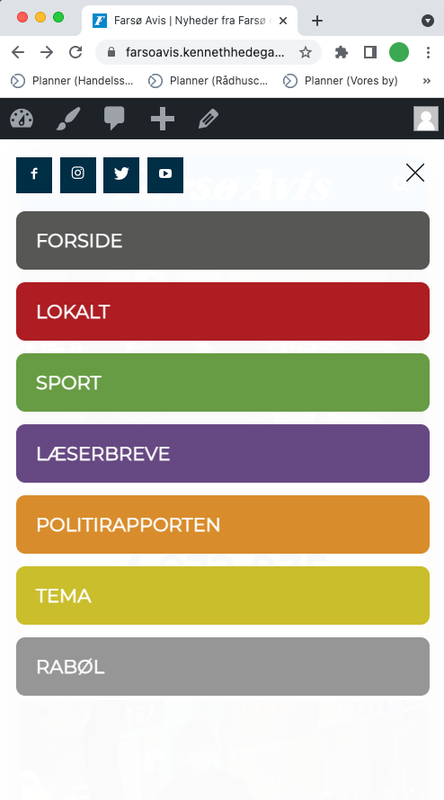
Live on mobile:
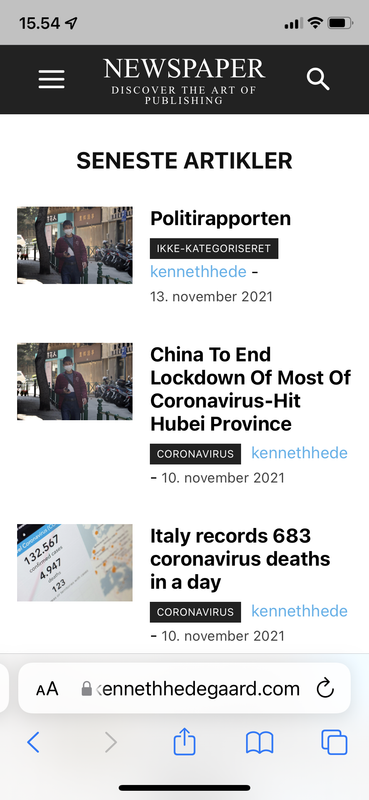
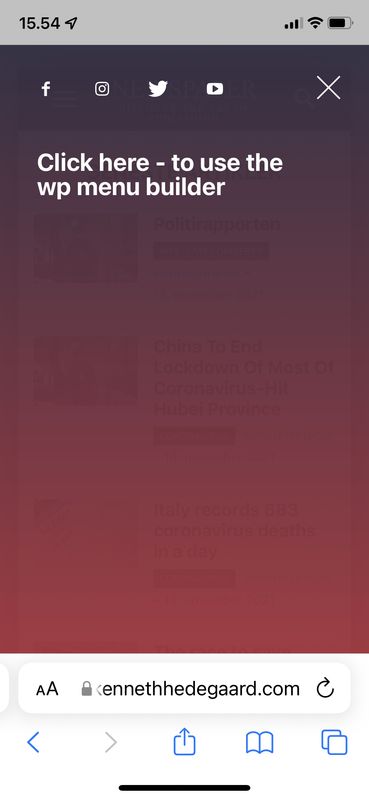
Heeeelp 🙁
Bettina Hello!
You’re right. If you have a cloud/PRO template, but you can’t edit the footer, then edit your homepage with the TagDiv Composer, scroll till footer, click on footer zone and you can edit/delete the elements there.
Thank you!
 centurypixel
I am using the Newspaper History theme. I am not able to find the area where I can edit the footer.
There is no Edit with TagDiv Composer.
Please see screenshots below:
https://www.awesomescreenshot.com/image/16900629?key=ed09e8aa1f30ad55c75d516a4a382849
When I click Edit this is what I see.
https://www.awesomescreenshot.com/image/16900070
 Amit
Amit1. Add child theme support for mobile theme.
Many sites alter the layout or add some extra ad codes, widgets to a single post page. So, every time the theme gets an update, the developer needs to redo those customizations. (Single template, header, footer) [/wp-content/plugins/td-composer/mobile/]
2. td Plugin updates
Every time we update the theme it’s doesn’t auto-update all the plugins. Consider fixing this or provide plugin updates in the plugin section directly. Most of the time you just change the updated date of the plugin and not its version which confuses most of the users. Also, make sure it should not install or update the td plugin which is not in use. In our case, we don’t use td social counter plugin but on every update, it is being auto-installed from the welcome screen.
3. Changelogs and Patch files
Provide clear changelogs (you used to provide it earlier before you introduced td standard plugin and td composer) Now even on the minor updates like (Newspaper 11.3.2), we have been asked to update td composer plugin and we lose all the customizations made in the plugin files (especially for mobile). So releasing even minor updates takes a lot of time for each site. Earlier it was really super easy to release minor updates just by overwriting theme files with patch (https://www.screencast.com/t/BXNL8iaX). Now every update has a few changes to the plugin files as well. I will suggest you provide clear changelogs for plugin files as well.
4. AdSense Responsive ad units for AMP (AMP Compatible ad unit)
Google recommends using responsive ad units on the site as they have started auto optimizing ads on the page. The mobile theme supports responsive ad units, but it uses fixed-size for AMP.
AMP should support Responsive AMP-compatible ad units. I am using Responsive AMP-compatible ads and I have seen improvements in earning. The last time I shared a solution for this via mail was on April 2, 2019, with you, but you have not implemented it yet.
 /*

		         * if its a google adsense ad on amp..

		         * we use the 'g_data_ad_client' && 'g_data_ad_slot' to generate a adsense ad type > amp ad component

		         *

		         * <amp-ad width=300 height=250

				 *    type="adsense"

				 *    data-ad-client="ca-pub-2005682797531342"

				 *    data-ad-slot="7046626912">

				 * </amp-ad>

		         *

		         * */
/*
* Modified by Amit Refer: https://support.google.com/adsense/answer/7183212?hl=en
**/
$buffy .= '<amp-ad width="100vw" height="320" ';
$buffy .= 'type="adsense" ';
$buffy .= 'data-ad-client="' . $ad_array['g_data_ad_client'] . '" ';
$buffy .= 'data-ad-slot="' . $ad_array['g_data_ad_slot'] . '" ';
$buffy .= 'data-auto-format="rspv" ';
$buffy .= 'data-full-width> ';
$buffy .= '<div overflow></div> ';
$buffy .= '</amp-ad>';
5. Newsletter
The theme comes with Newsletter plugin, but it does not work with mobile theme and AMP. Now Google has started mobile indexing first. From the sites I am handling, I can see 80-85% of overall traffic is from mobile devices.
Try to make a Newsletter plugin compatible/usable with a mobile theme/AMP version. Having a Newsletter popup will be the cherry on the cake. Currently, we have added Newsletter on Mobile and AMP by modifying the code.
That’s it for now.
Anamaria Hello,
The WPBakery plugin is an older page builder, and we have our page builder, tagDiv Composer.
We have long recommended to shift from WPBakery to tagDiv Composer because WPBakery is an old builder plugin => https://i.imgur.com/O4CA0y0.png -> https://i.imgur.com/bFnzNtQ.png -> https://i.imgur.com/mv8AhFU.png -> https://i.imgur.com/IMyLYiY.png
So, you can start to create the pages with the tagDiv Composer.
Also, on our channel https://www.youtube.com/channel/UCOT1RiNysIPCTPSnVZskwtQ, you can find more videos that can help you and documentation https://forum.tagdiv.com/newspaper-theme-documentation/ and you can ask us here on the forum if you have any questions.
Thank you!
 jmtiongson
 Badly needed help.
After updating the Newspaper!
#1 Selling News Theme of All Time
Version: 11.3.2
tagDiv Composer
Failed to install
Pls. help
jmtiongson I have the same error. But I can’t reactivate my Tabdiv composer
and receiving this error.
Downloading installation package from https://cloud.tagdiv.com/td_plugins/td-composer/810534ce963cec6bd2e7978db2c935c9x/td-composer.zip…
Unpacking the package…
Could not copy file. td-composer/legacy/Newspaper/includes/demos/medicine/td_media_3.php
jmtiongsonhi,
After updating to Version: 11.3.2 , tagDiv Composer
Not installed. How to fix this?
Thanks,
Joe
 reded
rededSite url: https://aodww2.com
We’re using Block 17 bit it happens with others we’ve tried. Using a Category filter that relates to Post Category. Shows in TD Composer, but will only show 2 and then shows empty when 3rd is added to row. This feature was working but has stopped working.
 msostar
 Resolved!
On top of your suggestion, it also required updating manually installing the td-composer plugin.
After this, all is working O.K
 kibiribi
 Hi there, Anamaria,
You were right.
From the start I’ve got on empty page: Tagdiv composer, Gutenberg editor, WPBakery Page Builder
I’ve disabled WPBakery Page Builder
After that, and page refresh, I can see only Tagdiv composer
Pre-made template was installed without problem
BUT the question: what should I do with WPBakery?
Activate it again to operate site properly or may I stay WPBakery disabled?
-
This reply was modified 4 years by
kibiribi.



