admin42
Tagdiv composer still doesn’t work.
My hosting partner 1984.is has met all requirements.
Tagdiv composer still doesn’t work.
 Komal
KomalAny Html code is not showing in the front end of my website. I tried creating ad modules, editing the ones in the demo, even created a test post and put my Adsense and affiliate code both there, they are showing fine at the back end but just does not show in the front end.
And yes I have tried removing and reinstalling the Tag div composer still did not work.
Here are a few screenshots for your better understanding.
https://www.dropbox.com/sh/p31wwjfl5i0503n/AAAnVmYngbw4ydU1p74jKMxPa?dl=0
 Benjouy_NA
 I’ve got exactly the same problem since the last update yesterday.
No way to edit my homepage with TD composer (no pb on other part of the website), like on your video it doesn’t load (only a small part exactly like you).
 Vlad S
 Hello !
Simply go into the plugins page and deactivate the Mobile Theme plugin: https://www.screencast.com/t/t5CDAEbJjhY
You are seeing it ok. That is how you see the responsive mode in tagDiv Composer and edit it.
Thank you !
 Amit
Amit Yes,
For the mobile theme:
// Preload Newspaper fonts for mobile theme
function dns_prefetch_mobile() {
echo “<link href=’https://lowtechnation.com/wp-content/plugins/td-composer/mobile/images/icons/mobile-theme.woff?10′ rel=’preload’ as=’font’ type=’font/woff’ crossorigin>”;
}
add_action( ‘wp_head’, ‘dns_prefetch_mobile’, 0 );
Add this to mobile theme’s functions.php file.
You can read this guide for more optimizations: https://www.infophilic.com/get-almost-100-pagespeed-newspaper-theme/
 Kafraneokese
 It works after reinstalling the composer and clearing cache.
Thanks so much.
 Calin
Calin Hi,
So the ad is displaying, but the problem is that has a different format -> https://i.imgur.com/HLLIoLC.png ? this is the way that our theme cam display ads, if you want to be as in this screen https://prnt.sc/v3s98u then you need to set the code manually inside the article, using our theme this is the only way, or maybe you can use an extra plugin, but most of theme add some div elements.
Also the example from this documentation -> https://forum.tagdiv.com/using-other-ads-non-adsense-ads/ is for image/banners if you re using some code you can set it directly in theme panel> ads sections or using tagDiv Composer in ad box element -> https://forum.tagdiv.com/custom-ad-spots/
Thank you for your understanding!
Vlad S Hi,
Please make sure that you do not have a plugin conflict, please deactivate ALL plugins except tagDiv Composer, also if you are using child theme or cache plugin, deactivate them, clear all cache and try again.
If the problem persist, please set this code in functions.php -> wp-content/plugins/td-composer/legacy/Newspaper/functions.php
add_action('admin_head',function() {
echo '<style>.td-gutenberg-editor .editor-styles-wrapper .wp-block {max-width:726px;}</style>';
});
Or you can send us an email at contact@tagdiv.com and provide admin login, as well as cPanel or FTP if possible. We will take a look. Include a link to this topic in the email.
Thank you!
Vlad S Hello !
That is because you are using a Cloud library header template as you can see here: https://forum.tagdiv.com/header-manager/
All the PRO demos and the cloud library templates are fully editable using tagDiv Composer.
Thank you !
Vlad S Hello !
Please try to remove the tagDiv Composer and re-install it. Also please make sure to check for a plugin conflict, please deactivate ALL plugins except tagDiv ones, also if you are using child theme or cache plugin, deactivate them, clear all cache and try again.
Thank you !
Calin Hi,
1. The responsive version has all the desktop elements, but the sidebar will be set under the main content, but now there are options on row and columns that you can invert the order of columns and rows to can set as you like on mobile, here is a quick guide -> https://tagdiv.com/flexibility-rows-columns-newspaper-theme/ also here is a similar topic -> https://forum.tagdiv.com/topic/reverse-columns-on-mobile/
2. For the moment this is faster then responsive version, but now we work to a better version for mobile, a version where you can set your content using tagDiv Composer, this was added in this update and the featured is quite new, it will be add to it a lot of options and you can do a different without affecting the desktop and keep a nice layout, if you want you can test it, here is a quick guide of it -> https://tagdiv.com/newspaper-10-3-7-update-brings-customizable-and-fast-mobile-pages/
3. They can do this only if they use the option from there mobiles to see the desktop version, or if you are use the responsive version or new mobile page from this update.
Hope this will help!
Thank you!
Calin Hi Yogesh1,
If you want to remove the date 1,2, 3 date from website you can use the general options from theme panel -> https://i.imgur.com/s7hCDue.png
Also if you are using a pro demo, these are using cloud templates and can be edited using tagDiv Composer, also the elements use are flex blocks and flex grids these can be edited using tagDiv Composer and apply these options individual -> https://i.imgur.com/36B31xz.jpg -> https://i.imgur.com/WFuLZkK.jpg
If there is something that is not clear or you have other questions, please let me know!
Hope this will help you!
Calin Hi,
Using the mobile theme plugin, you’ll gain a better speed then responsive version of theme, but in order to achieve that speed you’ll need to create a new content for pages because in the most of cases those were made with builders or shortcodes ( tagDiv Composer, WPBakery ) and you need to use only the mobile editor ( you need to set the content for pages in mobile editor -> https://i.imgur.com/ho41rUl.png and this content will be display on mobile theme, also the mobile theme will not display any sidebar)
-> https://i.imgur.com/9d0UWLT.png
Also you can show the responsive version on mobile theme (to get the same layout as on desktop on mobile) -> https://i.imgur.com/m0bVB5T.png you can check more details about mobile theme in our documentation -> https://forum.tagdiv.com/the-mobile-theme/ or if you want to have the responsive version only, you can use the amp option from mobile theme -> https://i.imgur.com/oofST3D.png (to use the mobile theme template on amp) or you can disable the plugin.
These options are like this:
Mobile -> the mobile theme will apply only on mobile version.
Mobile + amp -> it will apply on both and it will have the same layout.
Amp -> the mobile theme plugin layout will be use only for amp version.
Thank you!
Calin Hi,
If you want to create a page as a blog (to have the latest articles), then all you need to do is to edit a page with tagDiv Composer and add the posts loop element -> https://i.imgur.com/8fTeE1r.png -> https://i.imgur.com/RaqSdOQ.png -> https://i.imgur.com/XlCunVy.jpg also you can edit it using the layout tab.
Another way is to set as homepage a blog, this can be done from WordPress settings -> https://i.imgur.com/oXAZF2x.png
If you want to set a static page, you can use our documentation from here -> https://forum.tagdiv.com/homepage-how-to-build-and-set-it/
Also you can download homepages and sections from tagDiv Cloud Library -> https://tagdiv.com/what-is-the-cloud-library/
Hope this will help you!
Thank you!
Calin Hi ediwebroma,
For default post template make sure that you copy both files for that template, you need to copy them from in file path -> wp-content/plugins/td-composer/legacy/Newsmag/single.php https://i.imgur.com/KrAJdBM.png in wp-content/themes/Newsmag-child/single.php if file is not for default post template, then you need to copy them from wp-content/plugins/td-composer/legacy/Newsmag/parts/single/ in wp-content/themes/Newsmag-child/parts/single/
Hope this will help you!
Thank you!
 Fareed Lodhi
Hi,
First of all thank you for such a nice theme.
I am some issues hope you will answer and guide to resolve them;
1. I am not seeing extended footer options in theme panel(https://imgur.com/8pV7kBD), why?
2. I have edited footer in TD Composer and it is showing properly on front page(https://imgur.com/ZTrdKWt) but on category and post pages it is showing up like (https://imgur.com/kMHa5Mb).
Please help me to resolve it.
 theincredibleyaya@gmail.com
I don’t see the button where I can click into TD Composer to edit the front end when I’m using my iPad. I would like to use TD Composer on iPad. Where can I do this.
 sagoralibd
 >>>>>>>I can’t edit my home page by Tagdiv composer<<<
Dear Sir,
I have already sent my website necessary access to the email(contact@tagdiv.com) from mdsagorali033@gmail.com
I made a video of my website problem you can see (https://youtu.be/nO7U7fJk7p0)
My website link: http://www.topnews24online.com
 kirruse67
Hello,
I have problem with the category featured image in the td composer load perfectly but in the view dont load. what is the problem?
https://todosobrebebes.com/category/consejos/
Thanks
 Ljupche
 Hello,
I just changed the fb account form tagDiv to our own and the counter does not work. It works when I type tagDiv but for domamk.mk it says 0, even though the page has likes. I tried updating the theme to V10.3.7, tried deleting TD Composer and re-installing it but that does not work.
TD Composer plugin version: 2.7
TD Social Counter plugin version: 4.8
Let me know if I should try something else.
Regards,
Ljupche
 ucanhindi
 Corrected version
Hello
I have a big problem with “foot templates”.
I cannot edit existing or newly created footer templates.
For example, if I have created completely new footer templates after created come back to “pages area”.
As usually back to always the Templates area. But this error(!) only happens with footer templates. With other templates(For example: Pages, Header, Single… etc) I can edit.
Note: All footer templates do not show “Edit with TagDiv Composer” which only shows “Edit”
 fotislam
Hello,
I have the following issue.
In Posts loop 2, Big Grid flex and more I can change the Category’s tag backround color via the style menu in tagdiv composer.
In the other hand, I can’t do that in Block 15, 11, 9.
How can I do that?
Moreover, ideally I would want each category to have a global category’s tag backround.
For Example Category Greece Blue, Category Army Green ect. Hence, the category tag colour would not be specified by the block type but by the category. I don’t know if this is possible. If it is not, take it as a suggestion. My previous theme was able to do that.
Thank you in advance,
Fotis
 gepdaily
Since the latest TagDiv Composer update. My site has been slow and not working correctly. The backend always gives an error of “Not Connected” when publishing.
I go this from WP:
Howdy!
Since WordPress 5.2 there is a built-in feature that detects when a plugin or theme causes a fatal error on your site, and notifies you with this automated email.
In this case, WordPress caught an error with one of your plugins, tagDiv Composer.
First, visit your website (https://gephardtdaily.com/) and check for any visible issues. Next, visit the page where the error was caught (https://gephardtdaily.com/wp-admin/admin-ajax.php) and check for any visible issues.
Please contact your host for assistance with investigating this issue further.
If your site appears broken and you can’t access your dashboard normally, WordPress now has a special “recovery mode”. This lets you safely login to your dashboard and investigate further.
———————
admin-ajax is retuning 0. which means the Ajax is not loading. What updates happened in composer?
Please do not give me a line about TagDiv only works with these Plugins….I have had this site for 5 years with Newspaper, it is not just a problem.
ucanhindiHello
I have a big problem with “foot templates”.
I cannot edit existing or newly created footer templates.
For example, if I have created completely new footer templates after created I come back to “pages area” Not usually back to the original area. But that only happens with foot templates.
With other templates, I can edit.
Note: All footer templates do not show “Edit with TagDiv Composer” which only shows “Edit”
<img src=”https://drive.google.com/file/d/1ltK91yXBsklJ2o_TG0EL_Dn2DIse4FWm/view?usp=shari
ng” alt=”null” />
 worldinsport
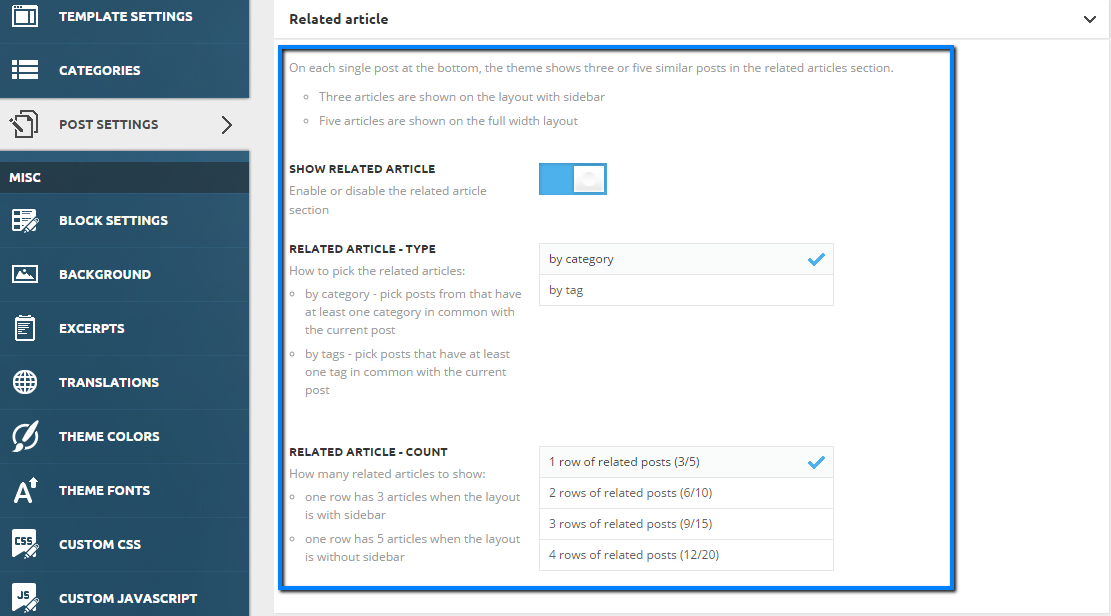
 I have customized my own template for the post pages, how can add an element for related posts – more from the author?
If I use the standard template with newspaper for post pages, then that element is there. When I try to add an element in composer I am unable to find it?
https://forum.tagdiv.com/wp-content/uploads/2015/05/related_articles_settings.png