
- NewsmagtagDiv Composer Tutorial
- NewsmagBlock settings tutorial
- NewsmagLogo & Favicon
- NewsmagFooter templates
- NewsmagUsing other ads
- NewsmagUsing Typekit fonts
 Bogdan B.
 Hello,
You can try to use this custom css in the theme panel->custom css box:
.home .td-header-wrap, .home .td-footer-wrapper, .home .td-sub-footer-container{

display:none;

}
Thank you!
 Catalin
 Hello bobbymc,
If you want to remove the image from author box, you should use a bit of CSS code to hide it. Try the code below and place it in Theme panel->Custom CSS area.
The code is ->
.author-box-wrap .desc{

margin-left:0!important;

}

.author-box-wrap img {

display:none!important;

}
The result is here -> https://www.screencast.com/t/4Yaf8heJeZtg
Thanks for your understanding!
 harmario
 Hi Catlin! Thanks for the reply!
That´s what I saying https://www.recomendacionesytendencias.com/wp-content/uploads/2017/04/two-menus.png
There are two menus when I´m looking the cache and it is not only my website, I analice another sites with newsmag and the have the same problem.
What about the other question about .css files and jquery.js?
Thanks a lot!
Bogdan B. Catalin Hello
If you want to remove the More from author tab for each post, you should use the code below and place it in Theme panel->Custom CSS area.
The code is ->
.td_block_related_posts .td-related-right {

display:none!important;

}
The result is here -> https://www.screencast.com/t/dYFZ2m2NP4
Thanks for the message!
 Simion C.
 Hi,
Any widget added in a sidebar will appear only where that sidebar is used. Add the widget to the sidebar you want and use that on the homepage.
When there is a background set, that is the way the background appears on the row in the page container. If the website would not be boxed it would stretch to full width. You could use some css in this case like in this example – https://www.screencast.com/t/8cYjTfO39zez or add a custom class to that row and use that in the code.
Please make sure to enter the code in Advanced Css so it does not affect smaller devices.
.td-boxed-layout .vc_custom_1490795677629 {

width: 1164px!important;

margin-left:-48px!important;

}
Thanks
 simchris
 Lots of shortcode plugins out there.
Most themes are no longer adding excessive shortcodes as these will break and “be gone” if you switch themes in future as they are tied to theme CSS.
Check out all the awesome shortcode plugins in the WP plugin repo.
That is what most of us do. No need to “wait” — just go do it 🙂
 kaidensharma
 I am using a live css editor names as CSS Hero. It is working fine with all other elements excluding blocks and some other related elements of the theme.
Can you tell me the reason??
website- kaidenworld.com
 attack12456a
 Catalin where to i find that css method ? I have no idea where to find that
.td_block_related_posts .td-related-right {
display:none;
}
in order to delete “more from author box”
kaidensharmaI am using a live css editor names as CSS Hero. It is working fine with all other elements excluding blocks and some other related elements of the theme.
Can you tell me the reason??
 vishesh999
I went through all the Newspaper documentation and followed through all the steps to optimize the website, however, I am getting a very poor page insights score, and worst on the mobile version.
Mobile Score: 63
Desktop Score: 78
The website link is:
bookreviews.tv
I want to:-
1) Minify CSS
2) Minify HTML
3) Eliminate render-blocking JavaScript and CSS in above-the-fold content
 David Langer
Hi,
1)
could you please help me with the position of the “post title” in Big Grids? I already use custome CSS for title background. The title is at the middle of the post (I know that other styles have another position but I really like the blue effect of the style 6) but I guess it will be much better If will move down, like this:
https://www.screencast.com/t/qieLxPf6KW6G
My webpage: http://www.shredder-magazine.com
2)
I have problem with the weather block. It worked to me but now it doesn’t work to me. I checked all the settings in the browsers and allowed the location, but still I can’t rewrite location in the block. Maybe it will work to you and prob is on my side.
Thanks!
harmarioHi admins,
I have two important problems that I would like to solve.
1. The first one is when I look my website in the cache like googlebot (I use now http://www.seo-browser.com cause I don´t remember the comand to do in chrome) appears two menus. Thinking on the crawl buget, if he has to spend time two crawl two time that menu, is not really good, cause that time can be given to another URLs.
I tested another website that I know who have Newsmag as well and had two menu too.
How I can remove that double menu?
2. I did everyting to try to minify, defer, make them asynchronous and always crash the web. It is the same if try todo the same with jquery.js. Here all my pics of the website dont appears.
All of this affect to the speed to load the website and the pagespeed score.
Thanks a lot!
Have a nice day!
 JJ0000
I had a freelancer do some work on my site and the CSS looks different now. Links, font weight, colors, etc. are different. Looks like it’s coming from this file – https://maxcdn.bootstrapcdn.com/bootstrap/3.3.7/css/bootstrap.min.css. Is there a way to ensure that newspaper’s CSS (or at least colors, links, hover state, etc) isn’t affected or conflicted, other than the CUSTOM CSS panel or deleting bootstrap’s css? Thanks.
 fenomeno0chris
 Thank you very much for your fast and extensive response!
1) The line appears after you visit some articles and scrolling up and down. I don’t know if its just my mac, but that would be weird, since all macs are using same safari browser.
Another weird thing I noticed: If im using Google Chrome browser, the big grid at the top of the site has this great animation (image gets zoomed in), if I move the mouse cursor over one article. On safari there is no animation at all. 🙁
2) I know that your theme has a custom login build in and Im already using it, as you can see (by the way it looks awesome). My problem is, that a user gets an email notification from WordPress after he registered on my site. In this email, he gets a link to set a new password. By clicking the link he gets redirected to this unpleasant site:
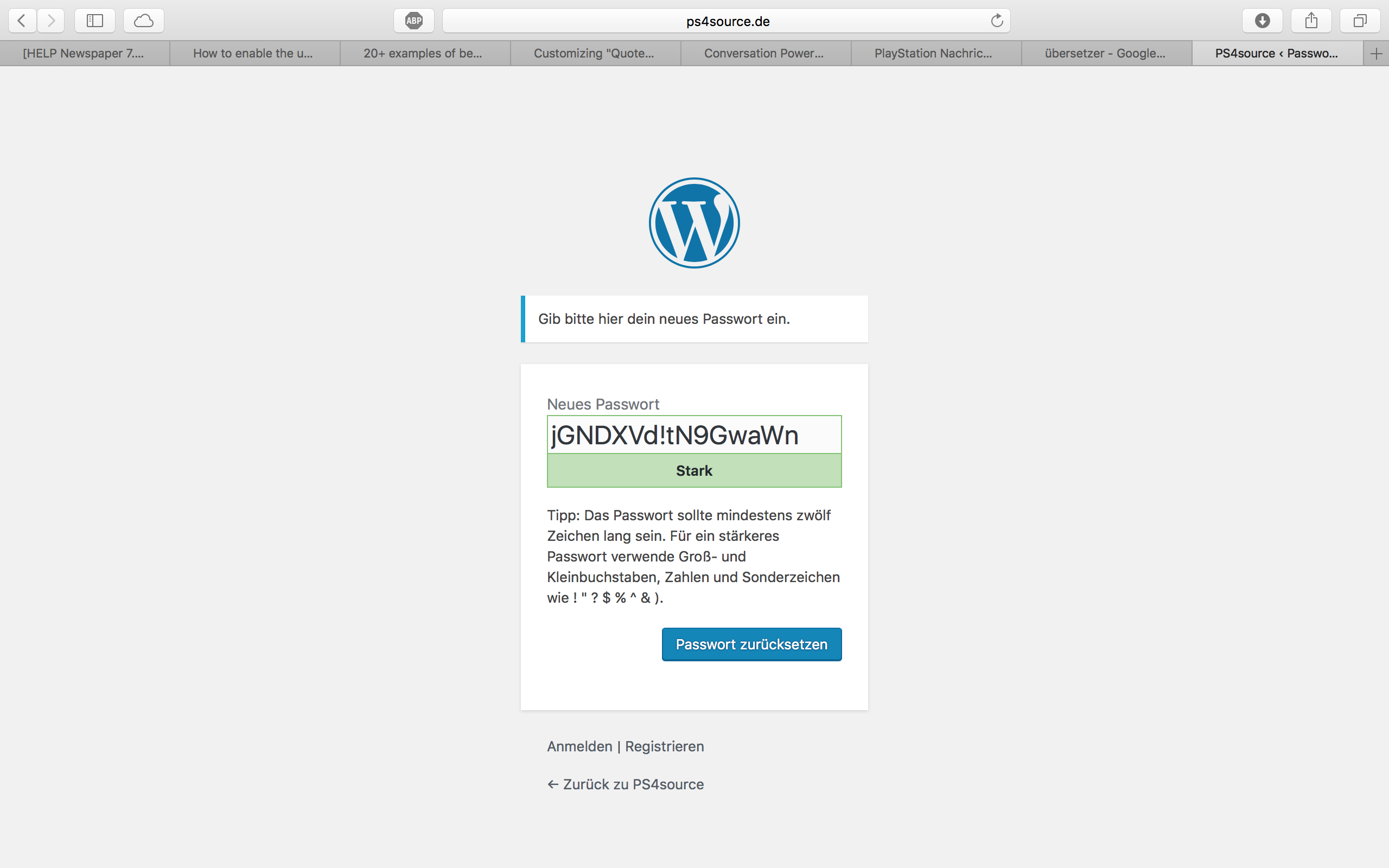
How can I change this registration process? Which plugin do you recommend?
2.1) Also Im using Disqus Comment System, as I mentioned before. Ive used my own button to let the users register without having to use a social media account. Unfortunately I don’t know the link address to open the beautiful login/registration window of newspaper7.
Right now it looks like this, which is not very beautiful:
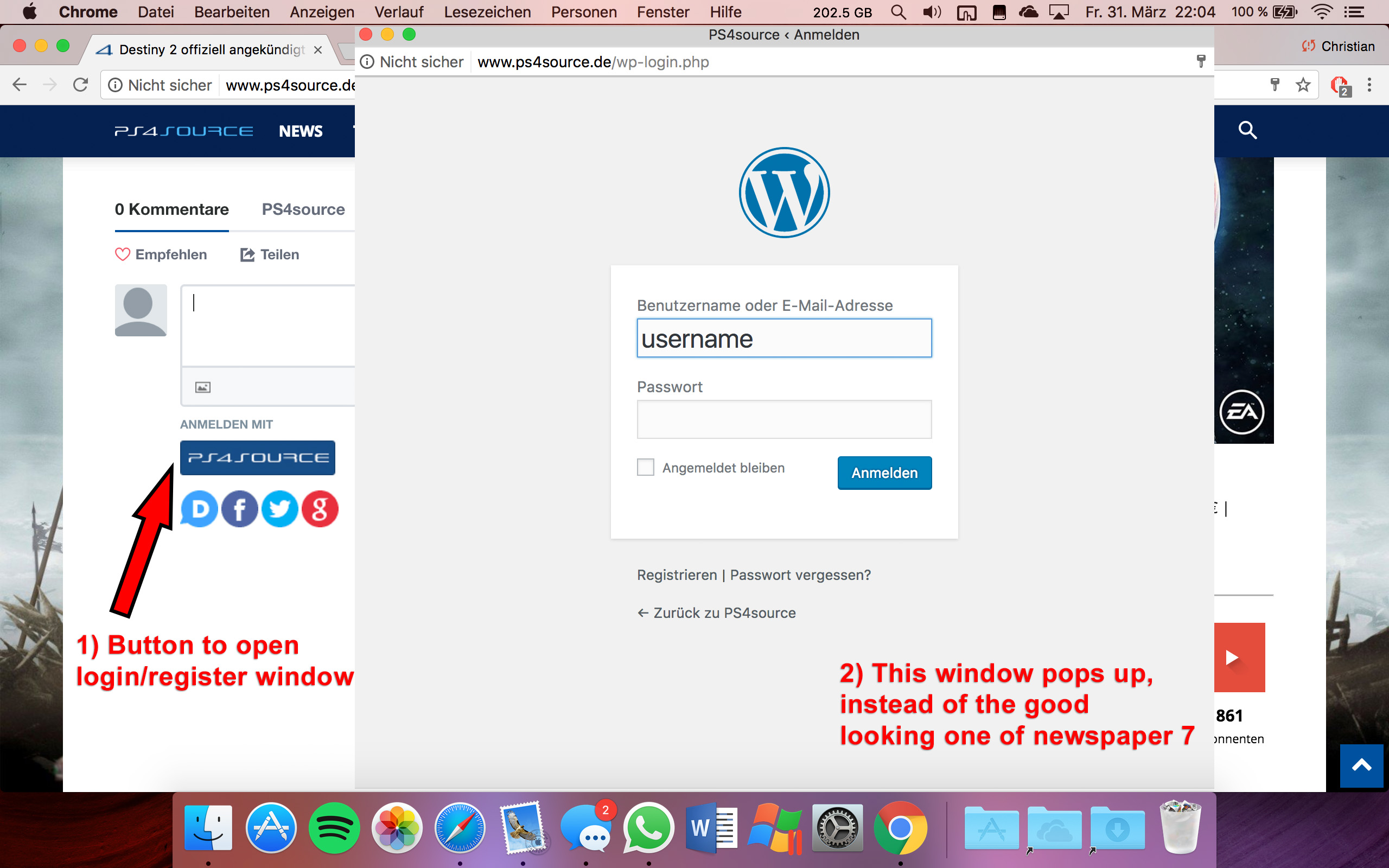
Disqus Button Code:
// Single Sign-on Integration

function dsq_sso_login() {
    global $current_site;
    $sitename = get_bloginfo('name');
    $siteurl = site_url();
    $button = get_option('disqus_sso_button');
    $sso_login_str = 'this.sso = {
          name: "' . esc_js( $sitename ) . '",
          button: "' . $button . '",
          url: "' . $siteurl . '/wp-login.php",
          logout: "' . $siteurl . '/wp-login.php?action=logout",
          width: "800",
          height: "700"
    };';
What should I enter at the url line, which is obviously responsible for the window?
3) CHECK
4) CHECK
5) Which Font do I have to use to get this vertical line on my quotes?
6,7,8) I do not know if I lost so many readers because the pagepeed has dropped or something else, but obviously I really want to get the numbers back to the state before I transferred to Newspaper7. Ive managed to increase the google pagespeed by reducing nearly all uploaded images. And I also read the Newspaper7 documentation to set the status parameters, the cache plugin and booster plugin as instructed. Unfortunately there are still some warnings, which should be solved as you can see here. Could you please help me, to get the best page speed as possible?
Should I change something on my .htaccess file?
# BEGIN WordPress
<IfModule mod_rewrite.c>
RewriteEngine On
RewriteBase /
RewriteRule ^index\.php$ - [L]
RewriteCond %{REQUEST_FILENAME} !-f
RewriteCond %{REQUEST_FILENAME} !-d
RewriteRule . /index.php [L]
</IfModule>

# END WordPress

# Deflate Compression by FileType
<IfModule mod_deflate.c>
 AddOutputFilterByType DEFLATE text/plain
 AddOutputFilterByType DEFLATE text/html
 AddOutputFilterByType DEFLATE text/xml
 AddOutputFilterByType DEFLATE text/css
 AddOutputFilterByType DEFLATE text/javascript
 AddOutputFilterByType DEFLATE application/xml
 AddOutputFilterByType DEFLATE application/xhtml+xml
 AddOutputFilterByType DEFLATE application/rss+xml
 AddOutputFilterByType DEFLATE application/atom_xml
 AddOutputFilterByType DEFLATE application/javascript
 AddOutputFilterByType DEFLATE application/x-javascript
 AddOutputFilterByType DEFLATE application/x-shockwave-flash
</IfModule>

# turns cache on for 1 month
<IfModule mod_expires.c>
ExpiresActive On
ExpiresDefault "access plus 1 week"
ExpiresByType image/jpg "access plus 1 week"
ExpiresByType image/jpeg "access plus 1 week"
ExpiresByType image/png "access plus 1 week"
ExpiresByType application/x-shockwave-flash "access plus 1 week"
</IfModule>

# gzip Compression if availiable
<IfModule mod_gzip.c>
 mod_gzip_on       Yes
 mod_gzip_dechunk  Yes
 mod_gzip_item_include file      \.(html?|txt|css|js|php|pl)$
 mod_gzip_item_include handler   ^cgi-script$
 mod_gzip_item_include mime      ^text/.*
 mod_gzip_item_include mime      ^application/x-javascript.*
 mod_gzip_item_exclude mime      ^image/.*
 mod_gzip_item_exclude rspheader ^Content-Encoding:.*gzip.*
</IfModule>

php_value memory_limit 256M
php_value max_input_vars 5000
php_value max_execution_time 300
php_value post_max_size 50M
php_value upload_max_filesize 50M
8) CHECK
9) 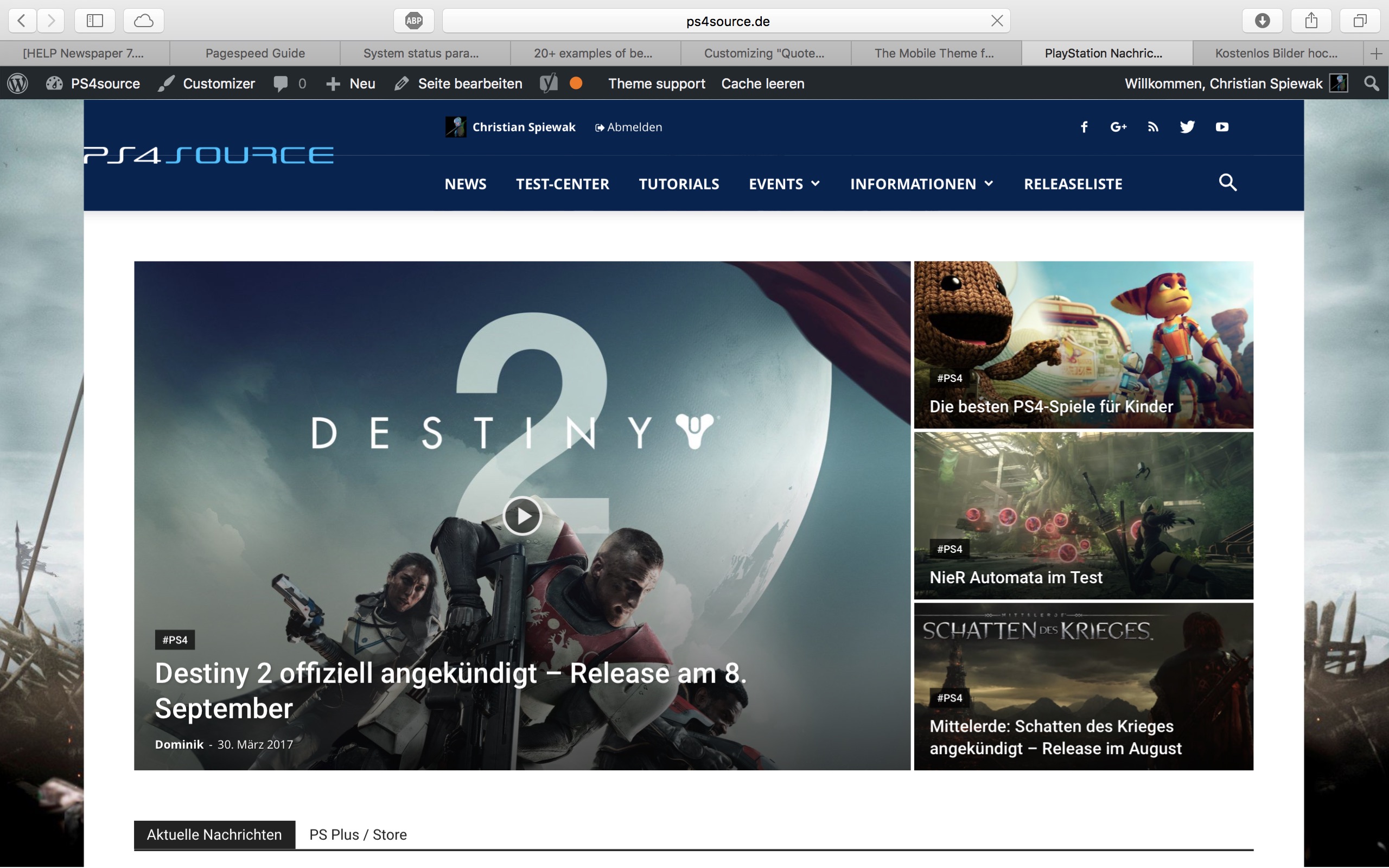
(link)
10) CHECK
11) [Newspaper->System status->php.ini configuration] I have this PHP Version 5.6.29-nmm1 (5.6 CGI). Is this ok?
-
This reply was modified 9 years by
fenomeno0chris.
 Alfredo Mendoza
 Hello Catalin:
I continue with the trouble. I loaded a bigger logo and deleted the custom CSS .td-main-logo img{width:600px} and the logo continues in the default size of 272 x 90 or 544 x 180 in retina.
Simion C. Hi,
Well you could try this code and make the button half the size – https://www.screencast.com/t/O573ZCCNCBsQ and change the font size also on smaller devices. If you only want to modify the width, simply remove the line modifying the font. This is the code used, you must enter it in Theme panel->Custom Css
@media (max-width: 767px) {

.comments .comment-form .submit {

width: 50%;

font-size: 12px;

}}
Thanks
Simion C. Hi,
You could try this code – https://www.screencast.com/t/7Rq7p4FmM if you have no need for the meta information below the post title, and enter it in Theme panel->Custom Css. If this is not working for you, please provide a link to your website pointing to where you want to make these changes, so I may give you a more accurate solution.
This is the code used in the example
.td-post-title .td-module-meta-info {

display: none;

}
Thanks
Catalin Hello pstgibson,
There is an option for it in Theme panel->Custom CSS area -> https://www.screencast.com/t/jcFvwJ5Co You can change the title block from there.
Thanks for your understanding!
 adnan
adnanHi,
i am using a plugin for upload photos form users on comments, every thing work fine but the upload button looking bad in mobile device. You can look in : https://goo.gl/A6n3dT the upload button showing in same line on PC but when user come form a mobile device the upload icon move down after the “Publish Comment” button.
I consult to Plugin author and he advise me:
It depends on the template CSS, it seems from the screenshot the button style is made full width does the button is brought to the bottom, you can consult your theme provider to see if they can advise on the post comment button on mobile.
Thanks
Simion C. Hi,
You could do that using css. The simpler way to do it would be to use box style 2 with the title box, and hide the title – https://www.screencast.com/t/irryQIsl and the image remains default.
This is the code used, you must enter it in Theme panel->Custom Css
.td_block_image_box .td-custom-title {

display: none;

}
Please let me know if this works for you or you need further help.
Thanks
Simion C. Hi,
You could change the theme name by renaming the theme folder and the theme name inside the style.css file. I believe it is the same for every WordPress theme. Probably it will require that you activate the theme again.
– http://stackoverflow.com/questions/36120925/can-i-change-the-theme-name-in-wordpress
Thanks
 keyforweb
 Hello,
the site is http://www.keyforweb.it
I resolve add this to style.css in child theme
.sf-menu > li.td-normal-menu > ul.sub-menu {
left: 0px;
/* responsive portrait tablet */
}
before left was -15px
but why this change on 7.8??
Thanks for help
Orlando
Simion C. Hi,
If you are using custom code, and you want it to apply only for certain devices you could enter it in the Advanced Css section of the theme panel – https://www.screencast.com/t/gobPgk4MH
If this is not the case and you would need further help, please provide more information and specific details where you want to make changes. Also provide a link to your website pointing to that location.
Thanks
Catalin Hello KenES14,
Unfortunately, please notice that our product does not have such an option for dynamic width and we do not recommend to do that through the custom CSS code because the layout of the theme will be damaged. If you want to change the width of the theme to be in full-width mode, please notice that is not a simple task and you will have to adjust the entire theme to the new width for better results.
Above, my colleague gave you an example from where you should strat to increase the theme width, but notice then you will have to make some additional customizations to adjust the other theme elements if you want to bring best results.
If you want to display more levels in our theme and you are not aware of the steps in this regard, please consider hiring a freelancer/developer to do this for you because we cannot provide customization services at the moment, sorry!
Thanks for your understanding!
