
- ApiPractical example – How to add a new Block and Module
- Apitd_api_thumb::update
- Apitd_api_thumb::add
- ApiAPI – Thumbnail – Introduction
- Apitd_api_module::delete
- Apitd_api_module::update_key
- Apitd_api_module::update
- Apitd_api_module::add
- ApiAPI – Modules – Introduction
- Apitd_api_block::delete
- Apitd_api_block::update_key
- Apitd_api_block::update
- Apitd_api_block::add
- ApiAPI – Blocks – Introduction
- ApiUsing the Theme API in plugins
 BarbaraZ
 Thank you! And can I add a few categories filter to a flex box?
BarbaraZHi,
How can I apply a category filter to post loops element? I would like a post loop element to display just one category, or sometimes a few. It is easy in flex boxes, this I have figured out 😉
This is my site: http://orfeo.warszawa.pl/
All the best
Barbara
 Bettina
 Hello @iamratnesh!
If you want to hide the flex block on other viewport, then you should select the viewport and there is an option on the element to be hidden in the CSS tab: https://www.screencast.com/t/kWi3UGn7kyG
Thank you!
 Sammy Cheng
I use Flex Block 1 on my home page. And add <!–more–> More Tag to post. But I cannot set it to show content partially.
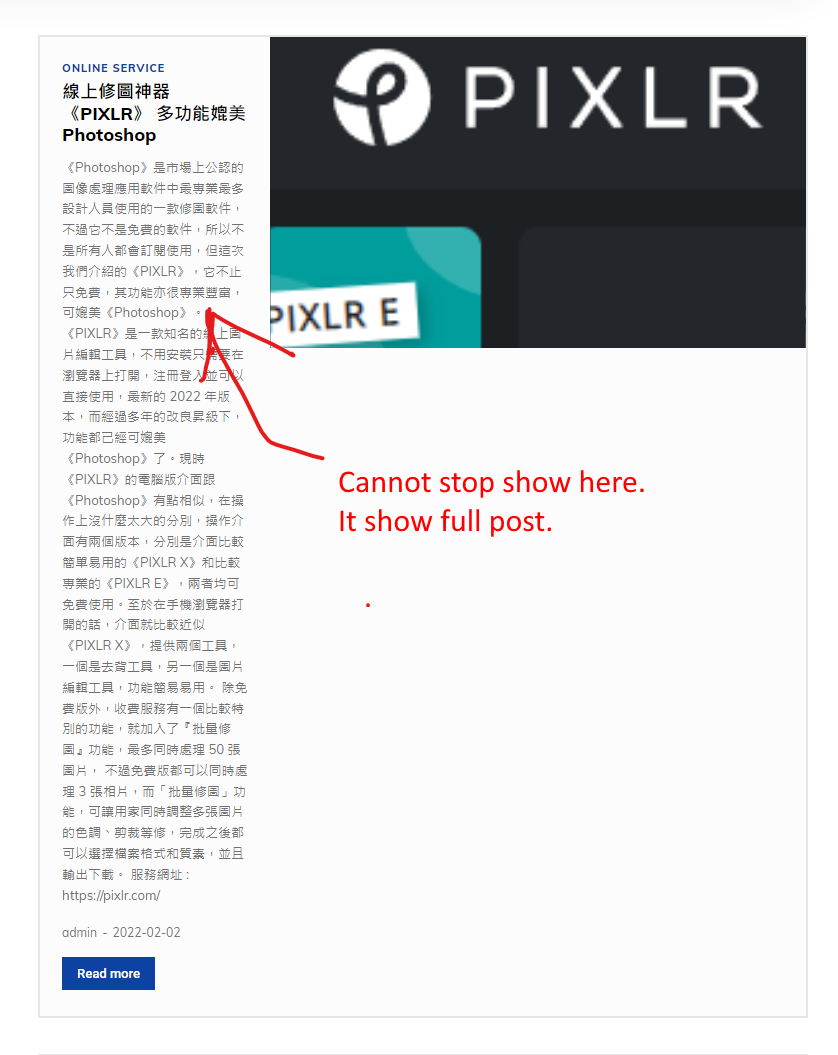
How to fix this problem?
 Calin
Calin Hi elitechronicle, for that you need to set first for your post the specific categories that you want to use -> https://i.imgur.com/fjAcsIl.png after that on page you need to use tagDiv Composer to edit the page, set a row and drag a flex bloc (or block), then check the filter tab and set the category that you want to be display on that block -> https://i.imgur.com/crrjKKq.jpg ->https://i.imgur.com/iMBXgqt.jpg ->https://i.imgur.com/62pvO3t.jpg -> https://i.imgur.com/mAadmEl.jpg -> https://i.imgur.com/IOI6xYi.png
I hope this will help you!
 vestroger
 Hello there,
I managed to fix the filter now, thank you.
But I’m still struggling a bit with the text. It is an excerpt, yes.
I suddenly realized that I don’t use a mobile page at all. It is just the desktop version displaying on the mobile.
But, the excerpt is fine on when viewing on a mobile: https://imgur.com/a/MfRiqg7
But when viewing on the desktop it gets a bit curled up: https://imgur.com/a/adlbnSM
I think this has to do with there not being enough space for the meta info to display? Do you know how I can change this? I’m using a Flex bloc 1.
Thank you!
Bettina Hello @geoforum!
You should edit the file of the module flex 1: wp-content\plugins\td-composer\legacy\Newspaper\includes\modules, to change the design of the block.
Thank you!
Calin Hi,
Now the thumb size that are used are those https://i.imgur.com/xb3F3hG.png and it can be selected using tagDiv Composer -> https://i.imgur.com/nT6grSa.png -> https://i.imgur.com/5o90wSX.png
The flex blocks can be adjusted and you can choose the thumb size, just to make sure that you have enable that thumb in the theme panel and to regenerate the thumbs.
Thank you!
 geoforum
Hi!
https://drive.google.com/file/d/1coziAR1YAlKAf-kr93EtoCNnQ-FdabvP/view?usp=sharing
I do have an element Module Flex 1. I want the date to show, but not under the header, as is the default, but above the header, after the category tag. It should be in the same line with the category tag and small vertical line between category tag and date.
Do I have to change functions.php or loop-archive.php file to do this? Or write some code snippet?
I am using Crypto News Template.
The site is on Mainteance mode with password login so I can not give you a link.
Thank you!
-Iidis
Calin Hi djzah71, unfortunately, on blocks it can be display posts, pages, events and cpt -> https://i.imgur.com/hbrhhCK.png
Thank you!
 djzah71
So I do enjoy this template but I have a lot of valuable content found in my bbPress forums which are typically part of a BuddyPress Group. This theme doesn’t seem to offer the ability to display in a flex block or other format anything but posts. Hopefully I’m wrong and you could help me understand how I could possibly use a block and display Buddypress Groups or even Topics from selected Forums
 Ernum
Ernum Oh thanks. Without standard pack I dont have that option yes :)? (Related article enable/disable)
I think then I have no need to disable standard pack then, if i’m using frontpage cloud elements (flex blocks, and header)? Because these blocks are fast even before?
Thank you for supporting 🙂
Bettina Hello @ekraft!
Please provide a screenshot and point me the image that will be cropped on mobile.
Also, for this you can make sure that when you upload an image, you choose full size: https://www.screencast.com/t/Oxue274e
In the flex blocks you can choose which image size each should use: https://www.screencast.com/t/r3Dzcmj94gVL
Making smaller images bigger is not a good option for this because the quality of images will be destroyed.
These issues can be seen while editing with the TagDiv Composer on tablet viewport and mobile viewport:https://www.screencast.com/t/YUVUcyrgh; https://www.screencast.com/t/XDQJedlggSB
Thank you!
 Anamaria
 Hello,
I made a test and for me works well the filter -> https://i.imgur.com/WKuJqBX.jpg -> https://i.imgur.com/45A9tBX.png
please try to do the test only with tagDiv plugins and try to filer the block.
Thank you!
Anamaria Hello,
Usually, you can use the same category template for all categories.
So, you can use the posts loop element => https://forum.tagdiv.com/posts-loop/ or you can use Flex Block 1 and set the filter to “Category -Current category” => https://i.imgur.com/7P99qx0.png.
Hope this helps you!
Thank you!
Calin Hi,
1. This can be possible if that block is filtered after the taxonomy that you’ll like to display.
2. I think that for this it can be used the order option from the block -> https://i.imgur.com/eErP88J.png
3. Those criteria can be some categories (or taxonomy if is a cpt), in this way you can filter the blocks using them.
4. I think that you are referring that a client is reading featured content to display for him more content from that type, unfortunately, our theme do not have an option like this, and I do not know if something like this can be achieve with a plugin or only with custom work.
Thank you!
 soku
sokuHi,
My website is not working correctly after update to 11.4.
It doesn’t load up styles. You can see it in the menu section and Flex Block 2 sections. Can someone please look into it?
When I reverse the template to version 11.1 everything is fine.
URL: skauci.uk
Anamaria Hello,
The style for pagination is made with custom code CSS, so please make sure you don’t deleted the CSS CODE (RAW CSS) -> https://i.imgur.com/rf5oiyy.jpg
Also, please check if the code is missing, you can add it, thus is the code
@media (min-width: 1401px) {

  .td_flex_block_2.td_with_ajax_pagination .td-block-inner-pagination .td-next-prev-wrap {

    top: 43% !important;

    margin: 0;

    right: 50%;

    transform: translateX(-680px);

  }

}

@media (min-width: 768px) and (max-width: 1400px) {

  .td_flex_block_2.td_with_ajax_pagination .td-block-inner-pagination .td-next-prev-wrap {

    top: 43% !important;

    margin: 0;

    right: 20px;

  }

}

.td_flex_block_2 .td_module_wrap .td-module-meta-info .entry-title {

  text-shadow: 0 4px 16px rgba(0, 0, 0, 0.3);

}
Set the code in Raw CSS.
Hope this helps you!
Thank you!
Bettina Hello @scook!
Please use this filter too: https://www.screencast.com/t/vP4gzsPMPExZ -> https://forum.tagdiv.com/flex-block-settings-guide/
For example: if you have a category template assigned on all the categories you have ( global template), then it is very useful to use a special filter in the category page called category – current category in order to display the posts from the current category. In this mood you won’t have the same posts on each category page.
Thank you!
 ipr33t
Hello, I’m facing an issue with the boxed layout, I want to know how I set full-width rows in the boxed layout. All I know in the boxed layout is we can’t set rows to 100% width. For. e.g., visit our website: https://techviral.news/; all things are fine, but I want my “Big Grid Flex 1” element (which is located after header section) to full width, or I want only this element to ignore boxed layout width CSS and assign 100% width.
Please help me ASAP!
 therion250
Hello, I have a problem with the Metropolitan demo with the Flex Block 2, since when modifying the content of the home, the buttons automatically move to the top, making them unusable on a PC or Laptop, on a mobile if it works normal, please fix that problem.
Link: https://prnt.sc/26is5su
Calin Hi,
The layout of pages and cloud templates can be edited using tagDiv Composer, edit the page/cloud and select the element that you ant to edit, if this is an individual element and you want to remove, then use the right click. If is a flex block check it in layout tab -> https://i.imgur.com/7lhioe1.png
Thank you!
Anamaria Hello,
1. To make the menu sticky please check this article and set it on always => https://forum.tagdiv.com/header-manager/ -> https://i.imgur.com/wzzBZu6.jpg
2. You can add more blocks from tagDiv Composer -> https://forum.tagdiv.com/flex-block-settings-guide/ -> https://forum.tagdiv.com/big-grid-flex-settings/ -> https://forum.tagdiv.com/posts-loop/ or you can import from tagDiv Cloud Library https://cloud.tagdiv.com/#/load/Blocks
Thnak you!
Anamaria Hello,
1. If you referring to logo image, you can set the width -> https://i.imgur.com/L7Wph6H.png -> https://forum.tagdiv.com/add-logo-newspaper/
2. You can stretch the row -> https://i.imgur.com/cv4dE8C.jpg ->
-> https://tagdiv.com/how-to-add-delete-and-duplicate-row-newspaper-theme/
-> https://tagdiv.com/flexibility-rows-columns-newspaper-theme/
3. Please check this topic about you can remove the row -> https://forum.tagdiv.com/topic/how-to-remove-empty-columns-on-website/?view=all#post-429202
Hope this helps you!
Thank you!
Calin Hi michaeldef, that answer was from a long time ago, since then there were many changes in our theme, WordPress and plugins.
What I suggest is to set the events in a flex block and see, those should be display.
Thank you!



