
No search results were found in Documentation!
 Alin [tagDiv]
 Hi,
Please send an email at contact@tagdiv.com and provide wp-admin and ftp access so we can take a look, also paste a link to this topic so we can know who you are and what your issue is. If you make this change it should solve this issue, as it is tested on our side and it will be fixed in the next update.
Thanks!
 gmaio
gmaioHi there,
I’ve found a couple of strange things in the amazing Newsmag theme:
1) Even if I set up the sort order filter on the block 7 to “Popular” and also already enabled the 7 Days Post sorting option in the Newsmag theme panel, I can’t get the “most popular” posts listed in the block 7 (http://352.be7.myftpupload.com i.e. “PIU’ VISTI”, PIU’ COMMENTATI” right sidebar). I suppose that the “most popular” post are posts the are most clicked and therefore viewed isn’t it? So, if my site is not published yet, the “most viewed” posts should be the ones I’ve clicked more during my tests, isn’t it? But I can’t get any post at all!
2) Opposite of the above considerations for the “most commented” posts: a list of posts are reported on a block 7 but they have all zero comments! What’s wrong in this case?
3) The top right post filter (Latest, In evidence, Most popular, Random, …) located in the landing page when user clicks on a category mega menù, doesn’t give any posts when “In evidence” option has been seleceted, even if some posts of that category have been flagged as “In evidence”. Why I get this behaviour?
Thanks a lot for any advice.
Giuseppe Maio
gmaioHi there,
even if I set up the “TV” page as Private in my Newsmag based site (http://352.be7.myftpupload.com/tv/), it is always shown! The only way to hide that page is to protect with a password byt it seems not well suited. I suppose that a private page mustn’t be shown to surfers, isn’it? How I can get that page hidden to site surfers?
Thanks a lot in advance for any appreciated suggestion.
Giuseppe Maio
 Andrei L.
 Hi
Inspecting your website with browser’s developer tool I’ve noticed that a few containers are not displayed correct: http://screencast.com/t/td4hJoSr – http://screencast.com/t/JyKDWbfY1k Please make sure you followed the above instructions and if you still have this issues do a clean update, meaning the we recommend to delete the old theme files, including the plugins from theme’s path, clear all caches, deactivate all others plugins that you have it installed, purge cdn files then follow our documentation in order to install the theme again: https://forum.tagdiv.com/install-via-ftp/ – https://forum.tagdiv.com/install-via-wordpress/
Thanks!
 sejpost
 Using my FTP, I went to the wp-config.php file, but could not find where to modify those ‘yellow’ settings:
Here is the code:
Removed by admin!
-
This reply was modified 10 years by Alin [tagDiv].
 Josan
JosanHello, I purchased Newspaper theme yesterday.
Everything is fine but Speed Booster is not working. It say Disable due to Incompatible Plugins. Incompatible Plugins include: Akimset, MailChimp for WordPress Lite, Read More, Copy Link, TinyMCE Advanced, Ultimate Nofollow, UpdraftPlus – Backup/Restore)
I can’t keep Disable all these Plugins, SO is there anyway to use SPeed Booster with these plugins?
My Website is Hosted on iPage.
I am using WP Super Cache as recommanded by You. As Speed Booster is not working so i have installed Better WOrdpress Minify. I am also using CLoudflare (I have deactivated Minify option in Cloudflare dashboard)
Is It ok to use WP Super cache + Better WordPress Minify + CLoudflare?
Or i can use only WP Super Cache + CLoudflare, as cloudflare also offer Minify JS and CSS option?
I also request you to add feature offered by plugin Read More, Copy Link and Ultimate NOFollow in future updates.
Any other advice to speed up my website?
Gagan Josan
http://www.mysteryofindia.com
Thanks
 Graphic-Studio
I know I probably should take this over to the plugin developers page.
Having a problem locating that just now.
Anyone have a problem using the Silence Is Golden SIG Guard Plugin when clicking the index.php to show empty
It leads to a infinite Loop and I can’t get to plugins directory.
I deleted the Plugin via FTP
Thanks
I just thought I’d ask here if anyone’s run intot his problem and how to do a quick fix.
 __NoX__
Hello,
i activate the tagDiv speed booster Plugin. And now i cant see the Content in the Wp-Admin. I see the menue but not the right colum. Theres only a grey site. The contnt ist just a few millisek. to see then all content is gray.
i try to delete the Plugin over ftp but that dosent help.
can you guys help me?
 Bogdan B.
 Hi,
There is no option in the theme panel for inserting ads in the category page. The only way you can do this is with the method above by using FTP to alter the theme core files and force the ad to display.
You need to identify which category template you use http://screencast.com/t/RHOrRpYH4k and then alter the file with the number corresponding to the template number.
I hope this helps.
Thanks.
 Yannik97
 Thanks for your reply.
When I add the .block-title class in custom css every title on my homepage have this icon. I have to add a class name on the blocks in visual composer. But then all titles in the visual composer block have this icon.
-> 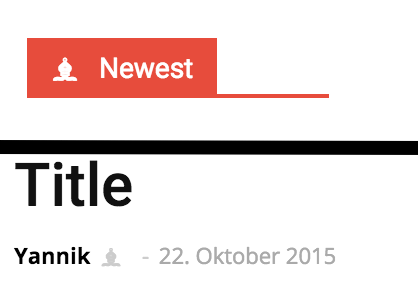
I have to reach only the main title of an area.
.newest span::before {
content: '\265D';
margin-right: 10px;
}-
This reply was modified 10 years by
Yannik97.
 mdennes
 do i have to go into the files through sftp?
Alin [tagDiv] Hi,
Please send an email at contact@tagdiv.com and provide wp-admin and ftp access so we can take a look and see if it is possible to adjust the plugin. I can promise you anything as you have an old theme and the plugin was updated many times and now it is different now, but I try my best.
Also paste a link to this topic so we can know who you are and what your issue is.
Thanks!
 whpro
whproI am looking to edit the current 328×100 logo sizing on my webpage’s newspaper theme to something smaller.. to better accommodate our new ad banners placed next to it. Where can I edit this?
In the theme panel header logo area it only allows a 328×100 image size to be uploaded.
I tried quickly re-sizing the logo and uploading through ftp but that ended up only making the image stretch to the same 328×100 size.
Thanks for your help.
 killswitch
so i got an email from envato (oct 11) saying that i should update my visual composer plug-in to 4.7.4… my current plug-in settings show it’s 4.7.1.1 … they gave me instructions (which are pretty inconveniencing on how to do this, since i’m more for automation), but what i don’t get is the link they sent, which takes me to http://codecanyon.net/item/visual-composer-page-builder-for-wordpress/242431 … i can’t download the update there unless i get the plug-in for $34. i just purchasd the newspaper theme less than a month ago and i understand that all updates to plug-ins are included here.
>>>
Visual Composer Plugin Update Steps
Log in to codecanyon.net and proceed to download the latest version of Visual Composer to your computer from this URL: http://codecanyon.net/item/visual-composer-page-builder-for-wordpress/242431
Locate and unzip the downloaded plugin file.
Connect to your server using an FTP client and upload the js_composer directory (from the downloaded zip file) to the wp-content/plugins/ directory. (Note: This will overwrite the old Visual Composer files with the secure versions.)
Log into WordPress and navigate to the Plugins page to confirm the Visual Composer plugin is version 4.7.4
The link to the latest version, provided above, will be live for 3 weeks from the time this email was sent. After this period, you will need to access the latest version via your theme zip file.
Please note: This replaces the existing plugin under the licensing of the theme(s) you’ve purchased and is only licensed for use in these themes.
>>>
sidenote: i have a themeforest account and not a code canyon.
Alin [tagDiv] Hi,
These files td_data_source.php and td_config.php cannot be edited via WP Editor, you will have to connect via FTP or if it is more easy for your you can login to CPanel and edit them from Files Manager. This is the path structure for those files – http://screencast.com/t/maPqFrWjD4R9 – http://screencast.com/t/2JUaiPmy
Thanks!
 Rhonda
 Thank you for this code, but I have no idea how to implement this. Is this through the FTP server or directly in my WP account? If it’s in WP, I think I go to Appearance>editor>Newspaper>Theme Functions but then I don’t know where to go after that to place this code that you have been so kind to give me.
Thank you for you help.
 simchris
 You can upload any image to your media folder, or ftp to a folder like /assets/ in your public root.
Docs for using non-adsense ads are in the theme docs, right side of the page under the ‘ads’ section.
to wit: https://forum.tagdiv.com/newsmag-using-other-ads/
so, by the example in the theme docs, for a custom ad using a local image you upload, you’d need to put in your own HTML code, as per the EXAMPLE:
Show different ads depending on the device:
* do not use this method for AdSense. This is just for custom ads. For AdSense just paste your full code in the box 🙂 and customize the ad via the on of switches and the predefined sizes.
<div class="td-visible-desktop">

    <!-- Your NON AdSense code here - this ad will show only on desktops -->

</div>

<div class="td-visible-tablet-landscape">

    <!-- Your NON AdSense code here - this ad will show only on tablets in landscape orientation -->

</div>

<div class="td-visible-tablet-portrait">

    <!-- Your NON AdSense code here - this ad will show only on tablets in portrait orientation -->

</div>

<div class="td-visible-phone">

    <!-- Your NON AdSense code here - this ad will show only on phones -->

</div>
Alin [tagDiv] Hi,
Please disable all your plugins except of Visual Composer, clear cache and re-save your permalinks, then check if it solves your issue.
If the issue persist please send an email at contact@tagdiv.com and provide wp-admin and ftp access so we can take a closer look at this, also paste a link to this topic so we can know who you are and what your issue is.
Thanks!
Alin [tagDiv] Hi,
Please make sure that the plugin was installed properly and all the files were uploaded properly. You can try to connect via FTP delete wp-super-cache folder, then try to upload it again.
Thanks!
 PaulEide11
 Hello,
I just wanted to thank Thalisson for starting this thread and all of your individual contributions. I have been ruminating over this since roughly August 8th (in what I thought was my own private hell, lol) and this thread is an absolute lifesaver.
Lucian, I updated TD_Social_Icons.php with the code you provided via FTP. Is that all I need to do? Is there any way to confirm it is corrected other than publishing a new URL via the site and seeing if it gets a crawl error? It was adding my Instagram name onto the end of every url (For example, http://www.example.com/instagram_name), 500+ of them.
Also, I saw in your above post regarding 404 errors not having a huge impact on Google, but how can I fix all these broken links rather than going into EACH ONE ad redirecting? I don’t want to leave them broken.
Thank you,
Paul
Andrei L. Hi
Thanks @Chris for your help!
@odsaheed please check our documentation regarding the theme installation: https://forum.tagdiv.com/newsmag-install-via-ftp/ – https://forum.tagdiv.com/newsmag-install-via-wordpress/
Let us know how it goes and provide more details if you need further instructions in this regard.
Thanks!
 dezertproxy
Hello Emil,
I have spent hours trying to troubleshoot and fix this.
Here is the error code:
Catchable fatal error: Object of class stdClass could not be converted to string in /home/content/77/11795277/html/wp-content/themes/Newsmag/includes/wp_booster/td_block.php on line 131
#1 Only occurs on posts and pages (not home page)
#2 Removes many images, eliminates 90% sidebar and 100% footer
What I have done:
#1 Clear Cache
#2 Inactivate all plugins – Reactivated and it worked briefly and the error came back.
#3 Did an FTP install of theme and Visual Creator (Now version 4.74)
#4 I tried backing up to my last Updraft back-up (October 6th)
It is very stubborn for a n00b like myself; perhaps an expert can pinpoint what’s triggering this.
Here is someone else you helped with the exact same problem (exact location, exact line 131):
https://forum.tagdiv.com/topic/change-widget-text-background-color-catchable-fatal-error/
Thank you sir.
-Jared
 elvinf
 Chris,
To add —
I know you don’t agree – But I think this is where a child theme would help. Instead of reapplying customizations to several files, one would only need to make changes to the files that were updated.
In this current update none of my modified files were updated so a child theme would save me from having to redo everything. I guess I could just FTP a back up of the 10 or so files that weren’t updated.
Is this advisable? I want to make sure things don’t get out of wack.
simchris Best way is to use FTP, and first unzip the main ‘tf’ folder which has the additional stuff; find the theme zip, unzip it, then upload the entire “Newsmag” folder (NOT the ‘tf’ zip or folder!!), to your /wp-content/themes/ folder.
See the step by step instructions right side for the theme.
Hope that helped.
simchris check to see if the images are still there in folder via FTP or not;
check to see if you exceeded your hosting storage space;
clear all caching;
if using a CDN, ensure the CDN is not “down” or timing out — and/or you didn’t exceed storage allocation.
Those would be best places to start.
